zhcn 技术 WordPress 如何在 WebSphere ND 中创建概要文件?

如何在 WebSphere ND 中创建概要文件?

在 IBM WebSphere 中创建概要文件是设置应用程序环境的第一步。了解此过程对于 WebSphere 管理员至关重要。

这篇文章解释了如何在 IBM WebSphere Application Server Network Deployment 中创建配置文件

这假设 IBM WAS 安装在 Linux 环境中。

在开始创建配置文件之前,让我们先了解IBM WAS 中的配置文件是什么

配置文件是一个完整的运行时环境,结合了 WAS 二进制文件和配置文件(用户数据/配置)。

这是一个个人资料
这是一个个人资料
这是一个个人资料

WebSphere 允许您使用多种类型的配置文件。

  • Cell – DMGR 和联合应用服务器的组合
  • 独立的
  • 管理
  • 自定义配置文件

可以通过两种方式创建 WebSphere Application Server 配置文件。

  1. GUI – 使用配置文件管理工具
  2. 静默——使用manageprofile.sh脚本

在这篇文章中,我们将使用 GUI 创建一个 Cell 配置文件。

  • 登录安装WAS的服务器
  • 导航到 WAS 二进制位置 >> bin >> ProfileManagement(默认安装位置为 /opt/IBM/WebSphere/AppServer/bin/ProfileManagement)。
  • 启动配置文件管理工具
 ./pmt.sh 
  • 将打开 WebSphere Customization Toolbox 窗口;单击“创建”。
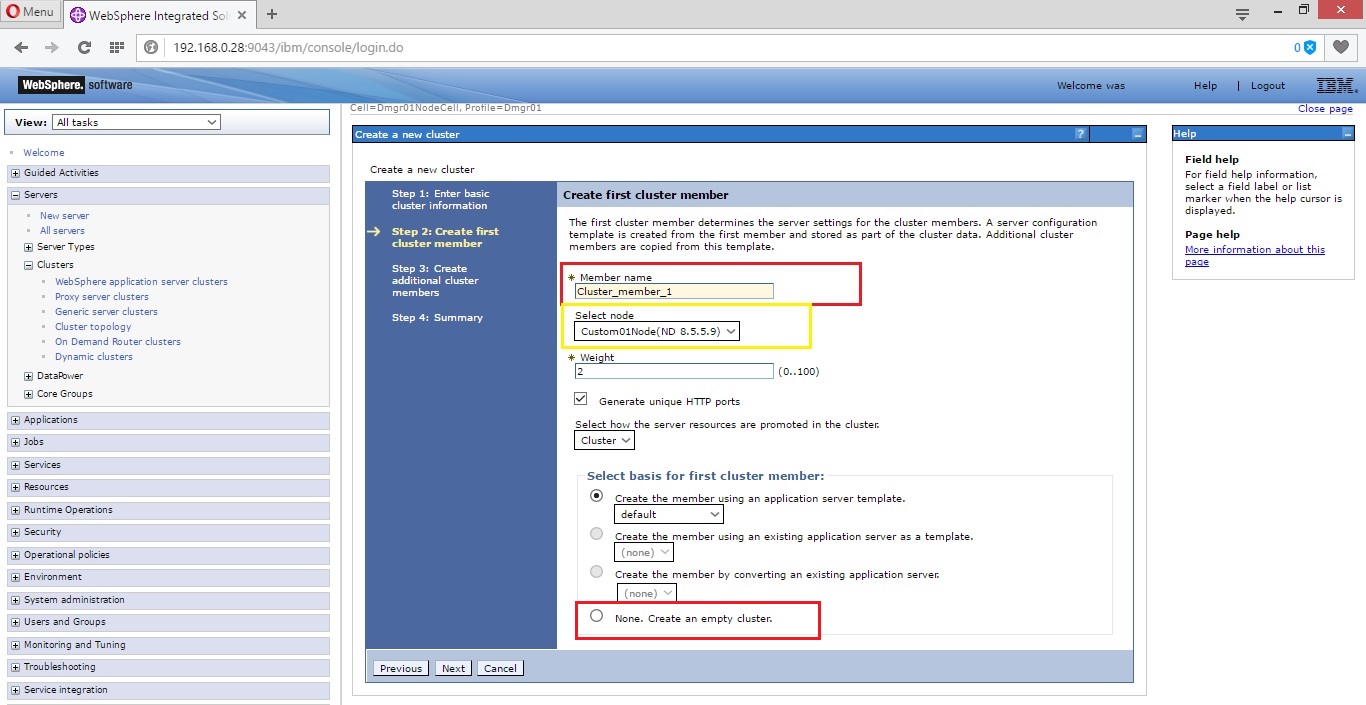
是从下午开始的
是从下午开始的
是从下午开始的

  • 选择单元环境并单击下一步。

was-pmt-细胞
was-pmt-细胞
was-pmt-细胞

下一个屏幕将为您提供选择配置文件创建过程的选项。有两个过程。

  1. 正常配置文件创建 – 配置文件是使用默认配置和端口号创建的。在大多数情况下,这是您的选择。
  2. 高级配置文件创建 – 如果您想自定义默认端口和配置,您应该使用它。
  • 继续创建标准配置文件并单击下一步。
  • 输入您的 DMGR 用户和密码。如果您不想用密码保护 DMGR,请取消选中启用管理安全框。

was-pmt-安全
was-pmt-安全
was-pmt-安全

  • 查看配置文件摘要并单击“创建”。该屏幕包含很多有用的信息,因此您可以根据需要复制这些信息:
  Location
Profile name
Cell name
Node name
Ports
Profile type  
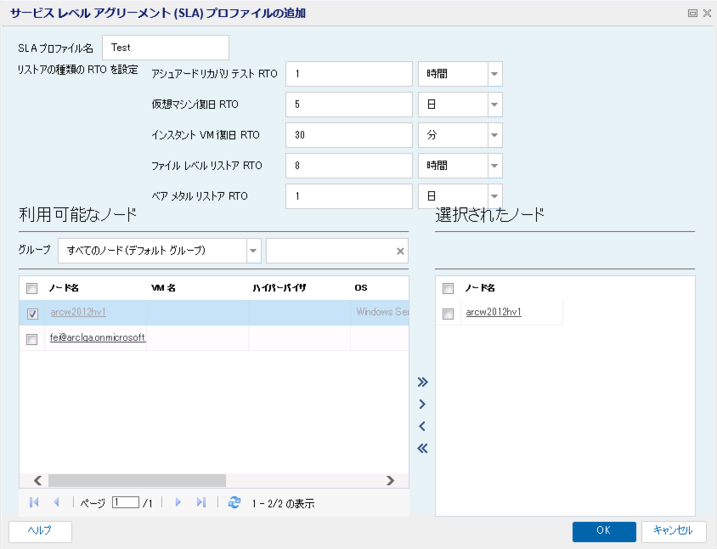
was-pmt-摘要
was-pmt-摘要
was-pmt-摘要

  • 创建您的个人资料将需要几分钟的时间。完成后,将出现确认信息

was-pmt-成功
was-pmt-成功
was-pmt-成功

您可能已经注意到,我们在上面的屏幕中保留了默认选项“启动第一步控制台”。

这将打开“第一步向导”,您可以在其中确认安装。验证对于确保您的配置文件正常运行并准备好部署您的业务所需的应用程序至关重要

  • 单击验证安装

验证那是
验证那是
验证那是

验证过程包括启动和停止 DMGR,您应该看到类似以下内容的内容:

 Server name is:dmgr
Profile name is:Dmgr01
Profile home is:/opt/IBM/WebSphere/AppServer/profiles/Dmgr01
Profile type is:dmgr
Cell name is:localhostCell01
Node name is:localhostCellManager01
Current encoding is:UTF-8
Start running the following command:/opt/IBM/WebSphere/AppServer/profiles/Dmgr01/bin/startManager.sh -profileName Dmgr01
>ADMU0116I: Tool information is being logged in file
>           /opt/IBM/WebSphere/AppServer/profiles/Dmgr01/logs/dmgr/startServer.log
>ADMU0128I: Starting tool with the Dmgr01 profile
>ADMU3100I: Reading configuration for server: dmgr
>ADMU3200I: Server launched. Waiting for initialization status.
>ADMU3000I: Server dmgr open for e-business; process id is 32013
Server port number is:9060
IVTL0010I: Connecting to the localhost WebSphere Application Server on port: 9060
IVTL0015I: WebSphere Application Server localhost is running on port: 9060 for profile Dmgr01
IVTL0035I: The Installation Verification Tool is scanning the /opt/IBM/WebSphere/AppServer/profiles/Dmgr01/logs/dmgr/SystemOut.log file for errors and warnings.
[11/20/16 4:53:38:556 PST] 00000001 WSKeyStore    W   CWPKI0041W: One or more key stores are using the default password.
[11/20/16 4:53:47:225 PST] 00000001 HostNameMap   W   HMGR0064W: Resolution of IP Addresses for host name localhost found only the loopback address. The loopback address will be used.
[11/20/16 4:53:53:571 PST] 00000001 SibMessage    W   [:] CWSJY0003W: MQJCA5001: WMQ messaging : '9.0.0.0-p900-L160509.1'.
[11/20/16 4:53:55:298 PST] 0000007a AuthConfigFac W   SECJ8032W: AuthConfigFactory implementation is not defined, using the default JASPI factory implementation class: com.ibm.ws.security.jaspi.ProviderRegistry.
[11/20/16 4:54:00:239 PST] 00000078 AbstractInjec W   CWNEN0070W: The javax.ws.rs.HeaderParam annotation class will not be recognized because it was loaded from the file:/opt/IBM/WebSphere/AppServer/systemApps/isclite.ear/kc.war/WEB-INF/lib/jsr311-api-1.1.1.jar location rather than from a product class loader.
[11/20/16 4:54:00:242 PST] 00000078 AbstractInjec W   CWNEN0070W: The javax.ws.rs.MatrixParam annotation class will not be recognized because it was loaded from the file:/opt/IBM/WebSphere/AppServer/systemApps/isclite.ear/kc.war/WEB-INF/lib/jsr311-api-1.1.1.jar location rather than from a product class loader.
[11/20/16 4:54:00:243 PST] 00000078 AbstractInjec W   CWNEN0070W: The javax.ws.rs.core.Context annotation class will not be recognized because it was loaded from the file:/opt/IBM/WebSphere/AppServer/systemApps/isclite.ear/kc.war/WEB-INF/lib/jsr311-api-1.1.1.jar location rather than from a product class loader.
[11/20/16 4:54:00:244 PST] 00000078 AbstractInjec W   CWNEN0070W: The javax.ws.rs.CookieParam annotation class will not be recognized because it was loaded from the file:/opt/IBM/WebSphere/AppServer/systemApps/isclite.ear/kc.war/WEB-INF/lib/jsr311-api-1.1.1.jar location rather than from a product class loader.
[11/20/16 4:54:00:245 PST] 00000078 AbstractInjec W   CWNEN0070W: The javax.ws.rs.PathParam annotation class will not be recognized because it was loaded from the file:/opt/IBM/WebSphere/AppServer/systemApps/isclite.ear/kc.war/WEB-INF/lib/jsr311-api-1.1.1.jar location rather than from a product class loader.
[11/20/16 4:54:00:246 PST] 00000078 AbstractInjec W   CWNEN0070W: The javax.ws.rs.QueryParam annotation class will not be recognized because it was loaded from the file:/opt/IBM/WebSphere/AppServer/systemApps/isclite.ear/kc.war/WEB-INF/lib/jsr311-api-1.1.1.jar location rather than from a product class loader.
[11/20/16 4:54:02:982 PST] 00000001 TcpTransport  W   ADMD0025W: In process discovery, the 127.0.0.1 IP address is used to advertise an endpoint. This usage might cause problems in a network environment.
[11/20/16 4:54:03:213 PST] 00000051 FfdcProvider  W com.ibm.ws.ffdc.impl.FfdcProvider logIncident FFDC1003I: FFDC Incident emitted on /opt/IBM/WebSphere/AppServer/profiles/Dmgr01/logs/ffdc/dmgr_917750c5_16.11.20_04.54.03.0579098089159114197997.txt com.ibm.ws.management.discovery.DiscoveryService.sendQuery 189
IVTL0040I: 12 errors/warnings are detected in the /opt/IBM/WebSphere/AppServer/profiles/Dmgr01/logs/dmgr/SystemOut.log file
IVTL0070I: The Installation Verification Tool verification succeeded.
IVTL0080I: The installation verification is com plete. 

您的个人资料现已成功创建。

让我们访问 DMGR URL
管理员是谁
是管理员
是管理员

干得好!单元环境配置文件已创建,您可以部署应用程序并进行必要的配置。

我希望这对 WebSphere 管理员有用。请告诉我你的想法。

“如何在 WebSphere ND 中创建配置文件?”的简单易懂的解释您必须观看的最佳 2 个视频

create servers using WebSphere application server liberty profile v 8 5 5 on windows
https://www.youtube.com/watch?v=CHlYpJovwf4&pp=ygVdIFdlYlNwaGVyZSBORCDjgafjg5fjg63jg5Xj gqHjgqTjg6vjgpLkvZzmiJDjgZnjgovjgavjga_jganjgYbjgZnjgozjgbDjgojjgYTjgafjgZnjgYs_JmhsPUpB
IBM Websphere Application Server Manage Profiles and Delete Profiles
https://www.youtube.com/watch?v=vV8ZXOET18c&pp=ygVdIFdlYlNwaGVyZSBORCDjgafjg5fjg63jg5Xj gqHjgqTjg6vjgpLkvZzmiJDjgZnjgovjgavjga_jganjgYbjgZnjgozjgbDjgojjgYTjgafjgZnjgYs_JmhsPUpB

在 IBM WebSphere 中创建概要文件是设置应用程序环境的第一步。了解此过程对于 WebSphere 管理员至关重要。

这篇文章解释了如何在 IBM WebSphere Application Server Network Deployment 中创建配置文件

这假设 IBM WAS 安装在 Linux 环境中。

在开始创建配置文件之前,让我们先了解IBM WAS 中的配置文件是什么

配置文件是一个完整的运行时环境,结合了 WAS 二进制文件和配置文件(用户数据/配置)。

这是一个个人资料
这是一个个人资料
这是一个个人资料

WebSphere 允许您使用多种类型的配置文件。

  • Cell – DMGR 和联合应用服务器的组合
  • 独立的
  • 管理
  • 自定义配置文件

可以通过两种方式创建 WebSphere Application Server 配置文件。

  1. GUI – 使用配置文件管理工具
  2. 静默——使用manageprofile.sh脚本

在这篇文章中,我们将使用 GUI 创建一个 Cell 配置文件。

  • 登录安装WAS的服务器
  • 导航到 WAS 二进制位置 >> bin >> ProfileManagement(默认安装位置为 /opt/IBM/WebSphere/AppServer/bin/ProfileManagement)。
  • 启动配置文件管理工具
 ./pmt.sh 
  • 将打开 WebSphere Customization Toolbox 窗口;单击“创建”。

是从下午开始的
是从下午开始的
是从下午开始的

  • 选择单元环境并单击下一步。

was-pmt-细胞
was-pmt-细胞
was-pmt-细胞

下一个屏幕将为您提供选择配置文件创建过程的选项。有两个过程。

  1. 正常配置文件创建 – 配置文件是使用默认配置和端口号创建的。在大多数情况下,这是您的选择。
  2. 高级配置文件创建 – 如果您想自定义默认端口和配置,您应该使用它。
  • 继续创建标准配置文件并单击下一步。
  • 输入您的 DMGR 用户和密码。如果您不想用密码保护 DMGR,请取消选中启用管理安全框。

was-pmt-安全
was-pmt-安全
was-pmt-安全

  • 查看配置文件摘要并单击“创建”。该屏幕包含很多有用的信息,因此您可以根据需要复制这些信息:
  Location
Profile name
Cell name
Node name
Ports
Profile type  

was-pmt-摘要
was-pmt-摘要
was-pmt-摘要

  • 创建您的个人资料将需要几分钟的时间。完成后,将出现确认信息

was-pmt-成功
was-pmt-成功
was-pmt-成功

您可能已经注意到,我们在上面的屏幕中保留了默认选项“启动第一步控制台”。

这将打开“第一步向导”,您可以在其中确认安装。验证对于确保您的配置文件正常运行并准备好部署您的业务所需的应用程序至关重要

  • 单击验证安装

验证那是
验证那是
验证那是

验证过程包括启动和停止 DMGR,您应该看到类似以下内容的内容:

 Server name is:dmgr
Profile name is:Dmgr01
Profile home is:/opt/IBM/WebSphere/AppServer/profiles/Dmgr01
Profile type is:dmgr
Cell name is:localhostCell01
Node name is:localhostCellManager01
Current encoding is:UTF-8
Start running the following command:/opt/IBM/WebSphere/AppServer/profiles/Dmgr01/bin/startManager.sh -profileName Dmgr01
>ADMU0116I: Tool information is being logged in file
>           /opt/IBM/WebSphere/AppServer/profiles/Dmgr01/logs/dmgr/startServer.log
>ADMU0128I: Starting tool with the Dmgr01 profile
>ADMU3100I: Reading configuration for server: dmgr
>ADMU3200I: Server launched. Waiting for initialization status.
>ADMU3000I: Server dmgr open for e-business; process id is 32013
Server port number is:9060
IVTL0010I: Connecting to the localhost WebSphere Application Server on port: 9060
IVTL0015I: WebSphere Application Server localhost is running on port: 9060 for profile Dmgr01
IVTL0035I: The Installation Verification Tool is scanning the /opt/IBM/WebSphere/AppServer/profiles/Dmgr01/logs/dmgr/SystemOut.log file for errors and warnings.
[11/20/16 4:53:38:556 PST] 00000001 WSKeyStore    W   CWPKI0041W: One or more key stores are using the default password.
[11/20/16 4:53:47:225 PST] 00000001 HostNameMap   W   HMGR0064W: Resolution of IP Addresses for host name localhost found only the loopback address. The loopback address will be used.
[11/20/16 4:53:53:571 PST] 00000001 SibMessage    W   [:] CWSJY0003W: MQJCA5001: WMQ messaging : '9.0.0.0-p900-L160509.1'.
[11/20/16 4:53:55:298 PST] 0000007a AuthConfigFac W   SECJ8032W: AuthConfigFactory implementation is not defined, using the default JASPI factory implementation class: com.ibm.ws.security.jaspi.ProviderRegistry.
[11/20/16 4:54:00:239 PST] 00000078 AbstractInjec W   CWNEN0070W: The javax.ws.rs.HeaderParam annotation class will not be recognized because it was loaded from the file:/opt/IBM/WebSphere/AppServer/systemApps/isclite.ear/kc.war/WEB-INF/lib/jsr311-api-1.1.1.jar location rather than from a product class loader.
[11/20/16 4:54:00:242 PST] 00000078 AbstractInjec W   CWNEN0070W: The javax.ws.rs.MatrixParam annotation class will not be recognized because it was loaded from the file:/opt/IBM/WebSphere/AppServer/systemApps/isclite.ear/kc.war/WEB-INF/lib/jsr311-api-1.1.1.jar location rather than from a product class loader.
[11/20/16 4:54:00:243 PST] 00000078 AbstractInjec W   CWNEN0070W: The javax.ws.rs.core.Context annotation class will not be recognized because it was loaded from the file:/opt/IBM/WebSphere/AppServer/systemApps/isclite.ear/kc.war/WEB-INF/lib/jsr311-api-1.1.1.jar location rather than from a product class loader.
[11/20/16 4:54:00:244 PST] 00000078 AbstractInjec W   CWNEN0070W: The javax.ws.rs.CookieParam annotation class will not be recognized because it was loaded from the file:/opt/IBM/WebSphere/AppServer/systemApps/isclite.ear/kc.war/WEB-INF/lib/jsr311-api-1.1.1.jar location rather than from a product class loader.
[11/20/16 4:54:00:245 PST] 00000078 AbstractInjec W   CWNEN0070W: The javax.ws.rs.PathParam annotation class will not be recognized because it was loaded from the file:/opt/IBM/WebSphere/AppServer/systemApps/isclite.ear/kc.war/WEB-INF/lib/jsr311-api-1.1.1.jar location rather than from a product class loader.
[11/20/16 4:54:00:246 PST] 00000078 AbstractInjec W   CWNEN0070W: The javax.ws.rs.QueryParam annotation class will not be recognized because it was loaded from the file:/opt/IBM/WebSphere/AppServer/systemApps/isclite.ear/kc.war/WEB-INF/lib/jsr311-api-1.1.1.jar location rather than from a product class loader.
[11/20/16 4:54:02:982 PST] 00000001 TcpTransport  W   ADMD0025W: In process discovery, the 127.0.0.1 IP address is used to advertise an endpoint. This usage might cause problems in a network environment.
[11/20/16 4:54:03:213 PST] 00000051 FfdcProvider  W com.ibm.ws.ffdc.impl.FfdcProvider logIncident FFDC1003I: FFDC Incident emitted on /opt/IBM/WebSphere/AppServer/profiles/Dmgr01/logs/ffdc/dmgr_917750c5_16.11.20_04.54.03.0579098089159114197997.txt com.ibm.ws.management.discovery.DiscoveryService.sendQuery 189
IVTL0040I: 12 errors/warnings are detected in the /opt/IBM/WebSphere/AppServer/profiles/Dmgr01/logs/dmgr/SystemOut.log file
IVTL0070I: The Installation Verification Tool verification succeeded.
IVTL0080I: The installation verification is com plete. 

您的个人资料现已成功创建。

让我们访问 DMGR URL

管理员是谁
是管理员
是管理员

干得好!单元环境配置文件已创建,您可以部署应用程序并进行必要的配置。

我希望这对 WebSphere 管理员有用。请告诉我你的想法。

“如何在 WebSphere ND 中创建配置文件?”的简单易懂的解释您必须观看的最佳 2 个视频

create servers using WebSphere application server liberty profile v 8 5 5 on windows
https://www.youtube.com/watch?v=CHlYpJovwf4&pp=ygVdIFdlYlNwaGVyZSBORCDjgafjg5fjg63jg5Xj gqHjgqTjg6vjgpLkvZzmiJDjgZnjgovjgavjga_jganjgYbjgZnjgozjgbDjgojjgYTjgafjgZnjgYs_JmhsPUpB
IBM Websphere Application Server Manage Profiles and Delete Profiles
https://www.youtube.com/watch?v=vV8ZXOET18c&pp=ygVdIFdlYlNwaGVyZSBORCDjgafjg5fjg63jg5Xj gqHjgqTjg6vjgpLkvZzmiJDjgZnjgovjgavjga_jganjgYbjgZnjgozjgbDjgojjgYTjgafjgZnjgYs_JmhsPUpB