テクノロジー DEVOPS 非公開: Docker ログを確認するにはどうすればよいですか?

Docker ログを確認するにはどうすればよいですか?

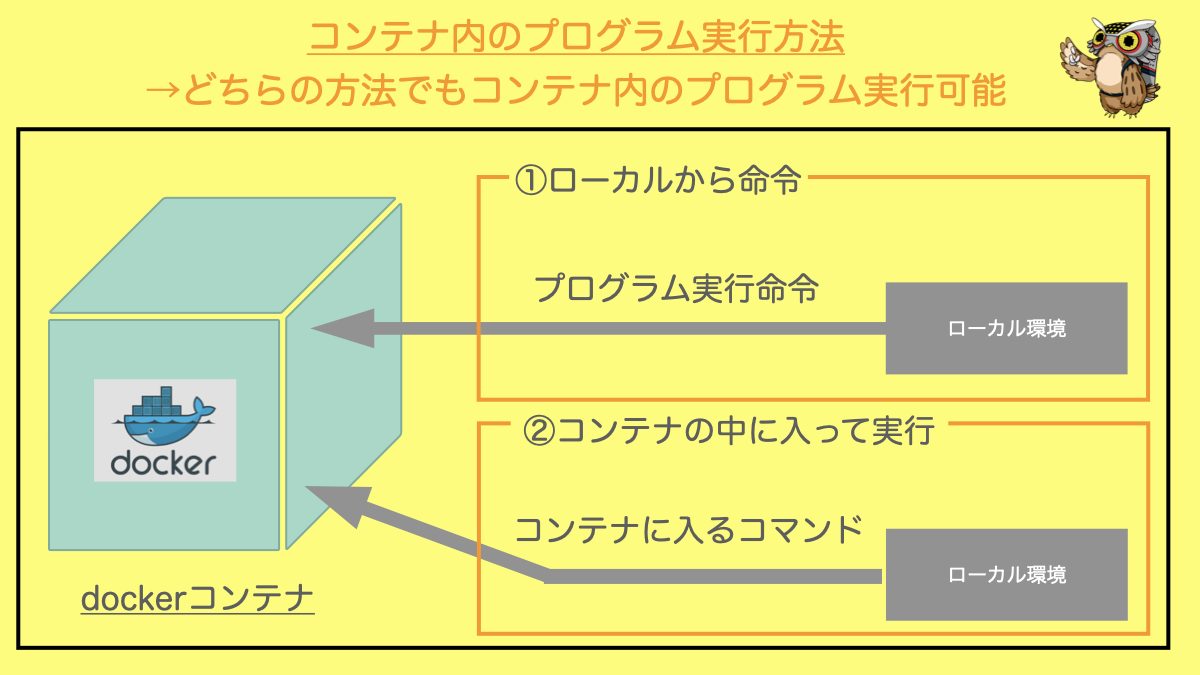
Docker は、人気のある OS レベルの仮想化プラットフォームで、これを使用すると、コンテナーと呼ばれるパッケージでアプリケーションを配信できます。コンテナーとは、簡単に言えば、独自のソフトウェア、ライブラリ、構成ファイルを備えた分離された環境です。

他の最新のソフトウェアと同様、警告やエラーなどのイベントやメッセージのログ記録は Docker プラットフォームに固有の部分であり、これによりアプリケーションや運用上の問題をデバッグできます。

コンテナーのログを管理および監視できるいくつかの簡単な方法について説明します。それでは始めましょう。
Docker ログを確認するにはどうすればよいですか?

Docker ログコマンド

コンテナのログを取得する基本的な構文は次のとおりです。

 $ docker logs [OPTIONS] <CONTAINER-NAME OR ID>

または

$ docker container logs [OPTIONS] <CONTAINER-NAME OR ID>

どちらの構文も基本的に同じであるため、この記事では docker logs として残りのコマンドに焦点を当てます。

ただし、上記のコマンドは、 json-file または journald ロギング ドライバーで起動されたコンテナーに対してのみ機能することに注意してください。

ここでの OPTIONS docker logs コマンドで利用可能なサポートされているフラグを指します。これらのフラグは以下にリストされています。

名前、略称 デフォルト 説明
--details ログに提供される追加の詳細を表示します。
--follow -f ログ出力に従ってください
--since タイムスタンプ (例: 2021-08-28T15:23:37Z) または相対値 (例: 56 分で 56 分) 以降のログを表示します。
--tail , -n all ログの最後から表示する行数
--timestamps, -t タイムスタンプを表示する
--until API 1.35+
タイムスタンプより前のログ (例: 2021-08-28T15:23:37Z) または相対値 (例: 56 分間の 56m) より前のログを表示します。

例:

 $ docker ps
CONTAINER ID   IMAGE     COMMAND                  CREATED         STATUS        PORTS     NAMES
28913415ed22   nginx     "/docker-entrypoint.…"   2 seconds ago   Up 1 second   80/tcp    gifted_edison
$ docker logs 28913415ed22
/docker-entrypoint.sh: /docker-entrypoint.d/ is not empty, will attempt to perform configuration
/docker-entrypoint.sh: Looking for shell scripts in /docker-entrypoint.d/
/docker-entrypoint.sh: Launching /docker-entrypoint.d/10-listen-on-ipv6-by-default.sh
10-listen-on-ipv6-by-default.sh: info: Getting the checksum of /etc/nginx/conf.d/default.conf
10-listen-on-ipv6-by-default.sh: info: Enabled listen on IPv6 in /etc/nginx/conf.d/default.conf
/docker-entrypoint.sh: Launching /docker-entrypoint.d/20-envsubst-on-templates.sh
/docker-entrypoint.sh: Launching /docker-entrypoint.d/30-tune-worker-processes.sh
/docker-entrypoint.sh: Configuration complete; ready for start up
2021/08/28 09:02:59 [notice] 1#1: using the "epoll" event method
2021/08/28 09:02:59 [notice] 1#1: nginx/1.21.1
2021/08/28 09:02:59 [notice] 1#1: built by gcc 8.3.0 (Debian 8.3.0-6)
2021/08/28 09:02:59 [notice] 1#1: OS: Linux 5.8.0-1039-azure
2021/08/28 09:02:59 [notice] 1#1: getrlimit(RLIMIT_NOFILE): 1048576:1048576
2021/08/28 09:02:59 [notice] 1#1: start worker processes
2021/08/28 09:02:59 [notice] 1#1: start worker process 31
2021/08/28 09:02:59 [notice] 1#1: start worker process 32
$

Docker ログを確認するにはどうすればよいですか?

Docker ログの場所

Docker はデフォルトで、すべてのコンテナーの標準出力 (および標準エラー) をキャプチャし、JSON 形式を使用してファイルに書き込みます。これは、JSON ファイル ロギング ドライバーまたは json-file を使用して実現されます。これらのログは、デフォルトでは /var/lib/docker ファイルシステム内のコンテナー固有の場所に保存されます。

 /var/lib/docker/containers/<container_id>/<container_id>-json.log

例として、以下にリストされている redis コンテナーの場合、以下のスニペットに示すように、その json ログファイルを確認できます。

 $ docker ps
CONTAINER ID   IMAGE     COMMAND                  CREATED          STATUS          PORTS                                   NAMES
551c9273bbea   redis     "docker-entrypoint.s…"   19 minutes ago   Up 19 minutes   6379/tcp                                redis
6cc871763df1   nginx     "/docker-entrypoint.…"   7 hours ago      Up 7 hours      0.0.0.0:8080->80/tcp, :::8080->80/tcp   nostalgic_wescoff
$ sudo ls -l /var/lib/docker/containers/551c9273bbea6eaf66523ed735866b9ebe6924c3b504dfeb44bef90e69d59c73/551c9273bbea6eaf66523ed735866b9ebe6924c3b504dfeb44bef90e69d59c73-json.log
-rw-r----- 1 root root 1437 Aug 28 16:53 /var/lib/docker/containers/551c9273bbea6eaf66523ed735866b9ebe6924c3b504dfeb44bef90e69d59c73/551c9273bbea6eaf66523ed735866b9ebe6924c3b504dfeb44bef90e69d59c73-json.log
$ sudo tail -10 /var/lib/docker/containers/551c9273bbea6eaf66523ed735866b9ebe6924c3b504dfeb44bef90e69d59c73/551c9273bbea6eaf66523ed735866b9ebe6924c3b504dfeb44bef90e69d59c73-json.log
{"log":"1:C 28 Aug 2021 16:53:42.160 # oO0OoO0OoO0Oo Redis is starting oO0OoO0OoO0Oo\n","stream":"stdout","time":"2021-08-28T16:53:42.16031257Z"}
{"log":"1:C 28 Aug 2021 16:53:42.160 # Redis version=6.2.5, bits=64, commit=00000000, modified=0, pid=1, just started\n","stream":"stdout","time":"2021-08-28T16:53:42.160337871Z"}
{"log":"1:C 28 Aug 2021 16:53:42.160 # Warning: no config file specified, using the default config. In order to specify a config file use redis-server /path/to/redis.conf\n","stream":"stdout","time":"2021-08-28T16:53:42.160342171Z"}
{"log":"1:M 28 Aug 2021 16:53:42.160 * monotonic clock: POSIX clock_gettime\n","stream":"stdout","time":"2021-08-28T16:53:42.160792578Z"}
{"log":"1:M 28 Aug 2021 16:53:42.161 * Running mode=standalone, port=6379.\n","stream":"stdout","time":"2021-08-28T16:53:42.161148683Z"}
{"log":"1:M 28 Aug 2021 16:53:42.161 # Server initialized\n","stream":"stdout","time":"2021-08-28T16:53:42.161170984Z"}
{"log":"1:M 28 Aug 2021 16:53:42.161 # WARNING overcommit_memory is set to 0! Background save may fail under low memory condition. To fix this issue add 'vm.overcommit_memory = 1' to /etc/sysctl.conf and then reboot or run the command 'sysctl vm.overcommit_memory=1' for this to take effect.\n","stream":"stdout","time":"2021-08-28T16:53:42.161186984Z"}
{"log":"1:M 28 Aug 2021 16:53:42.161 * Ready to accept connections\n","stream":"stdout","time":"2021-08-28T16:53:42.161484389Z"}
$
Docker ログを確認するにはどうすればよいですか?

追加の詳細を表示

ログに提供される追加の詳細を表示するには、 --details フラグを使用します。

例:

 $ docker logs 6cc871763df1 --details
 /docker-entrypoint.sh: /docker-entrypoint.d/ is not empty, will attempt to perform configuration
 /docker-entrypoint.sh: Looking for shell scripts in /docker-entrypoint.d/
 /docker-entrypoint.sh: Launching /docker-entrypoint.d/10-listen-on-ipv6-by-default.sh
 10-listen-on-ipv6-by-default.sh: info: Getting the checksum of /etc/nginx/conf.d/default.conf
 10-listen-on-ipv6-by-default.sh: info: Enabled listen on IPv6 in /etc/nginx/conf.d/default.conf
 /docker-entrypoint.sh: Launching /docker-entrypoint.d/20-envsubst-on-templates.sh
 /docker-entrypoint.sh: Launching /docker-entrypoint.d/30-tune-worker-processes.sh
 /docker-entrypoint.sh: Configuration complete; ready for start up
 2021/08/28 10:29:05 [notice] 1#1: using the "epoll" event method
 2021/08/28 10:29:05 [notice] 1#1: nginx/1.21.1
 2021/08/28 10:29:05 [notice] 1#1: built by gcc 8.3.0 (Debian 8.3.0-6)
 2021/08/28 10:29:05 [notice] 1#1: OS: Linux 5.8.0-1039-azure
 2021/08/28 10:29:05 [notice] 1#1: getrlimit(RLIMIT_NOFILE): 1048576:1048576
 2021/08/28 10:29:05 [notice] 1#1: start worker processes
 2021/08/28 10:29:05 [notice] 1#1: start worker process 33
 2021/08/28 10:29:05 [notice] 1#1: start worker process 34
 172.17.0.1 - - [28/Aug/2021:10:29:26 +0000] "GET / HTTP/1.1" 200 612 "-" "curl/7.68.0" "-"
$

Docker ログを確認するにはどうすればよいですか?

ログ出力を追跡する

--follow または -f フラグを使用して、ログ出力を追跡できます。これにより、ログ ストリームの新しい更新を STDOUT および STDERR から継続的に監視できるようになります。

例:

 $ docker logs 6cc871763df1 -f
/docker-entrypoint.sh: /docker-entrypoint.d/ is not empty, will attempt to perform configuration
/docker-entrypoint.sh: Looking for shell scripts in /docker-entrypoint.d/
/docker-entrypoint.sh: Launching /docker-entrypoint.d/10-listen-on-ipv6-by-default.sh
10-listen-on-ipv6-by-default.sh: info: Getting the checksum of /etc/nginx/conf.d/default.conf
10-listen-on-ipv6-by-default.sh: info: Enabled listen on IPv6 in /etc/nginx/conf.d/default.conf
/docker-entrypoint.sh: Launching /docker-entrypoint.d/20-envsubst-on-templates.sh
/docker-entrypoint.sh: Launching /docker-entrypoint.d/30-tune-worker-processes.sh
/docker-entrypoint.sh: Configuration complete; ready for start up
2021/08/28 10:29:05 [notice] 1#1: using the "epoll" event method
2021/08/28 10:29:05 [notice] 1#1: nginx/1.21.1
2021/08/28 10:29:05 [notice] 1#1: built by gcc 8.3.0 (Debian 8.3.0-6)
2021/08/28 10:29:05 [notice] 1#1: OS: Linux 5.8.0-1039-azure
2021/08/28 10:29:05 [notice] 1#1: getrlimit(RLIMIT_NOFILE): 1048576:1048576
2021/08/28 10:29:05 [notice] 1#1: start worker processes
2021/08/28 10:29:05 [notice] 1#1: start worker process 33
2021/08/28 10:29:05 [notice] 1#1: start worker process 34
172.17.0.1 - - [28/Aug/2021:10:29:26 +0000] "GET / HTTP/1.1" 200 612 "-" "curl/7.68.0" "-"

テールログ

--tail または -n フラグを使用して、コンテナー ログを追跡して、画面に表示される出力の数を制限できます。デフォルトでは、このフラグは完全なログ ストリームを示す引数として all を想定します。ログの末尾からの固定行数を表示するには、 --tail または -n フラグの後に正の整数を指定します。

例:

 $ docker logs 6cc871763df1 -n 10
/docker-entrypoint.sh: Configuration complete; ready for start up
2021/08/28 10:29:05 [notice] 1#1: using the "epoll" event method
2021/08/28 10:29:05 [notice] 1#1: nginx/1.21.1
2021/08/28 10:29:05 [notice] 1#1: built by gcc 8.3.0 (Debian 8.3.0-6)
2021/08/28 10:29:05 [notice] 1#1: OS: Linux 5.8.0-1039-azure
2021/08/28 10:29:05 [notice] 1#1: getrlimit(RLIMIT_NOFILE): 1048576:1048576
2021/08/28 10:29:05 [notice] 1#1: start worker processes
2021/08/28 10:29:05 [notice] 1#1: start worker process 33
2021/08/28 10:29:05 [notice] 1#1: start worker process 34
172.17.0.1 - - [28/Aug/2021:10:29:26 +0000] "GET / HTTP/1.1" 200 612 "-" "curl/7.68.0" "-"
$

それ以降のログを表示

--since フラグを使用し、構文 2021-08-28T15:23:37Z の絶対値のようなタイムスタンプ、または 56 分を表す 56m のような相対値のようなタイムスタンプを指定することで、ログ出力を制限できます。

--since オプションは、指定された日付以降に生成されたコンテナー ログのみを表示します。日付は、RFC 3339 日付、UNIX タイムスタンプ、または Go 継続時間文字列 (例: 1m30s 3h ) として指定できます。タイムスタンプの末尾に Z または +-00:00 タイム ゾーン オフセットを指定しない場合は、クライアントのローカル タイム ゾーンが使用されます。 --since オプションを --follow または --tail オプションのいずれかまたは両方と組み合わせることができます。

例:

 $ docker logs --since=1m nostalgic_wescoff
172.17.0.1 - - [28/Aug/2021:15:19:24 +0000] "GET / HTTP/1.1" 200 612 "-" "curl/7.68.0" "-"
172.17.0.1 - - [28/Aug/2021:15:19:25 +0000] "GET / HTTP/1.1" 200 612 "-" "curl/7.68.0" "-"
$

上の例では、わずか 2 分以降のログが表示されています。ここで、 nostalgic_wescoff は、 nginx コンテナーに割り当てられた自動生成された名前です。

ログを表示するまで

--since フラグと同様に、 docker logs --until フラグもサポートしており、指定されたタイムスタンプより前のログを表示します。同様に、タイムスタンプは前と同様の規則に従い、構文 2021-08-28T15:23:37Z で絶対値として指定することも、56 分を表す 56m のような相対値として指定することもできます。

例:

 $ docker logs --until=1h30m nostalgic_wescoff
/docker-entrypoint.sh: /docker-entrypoint.d/ is not empty, will attempt to perform configuration
/docker-entrypoint.sh: Looking for shell scripts in /docker-entrypoint.d/
/docker-entrypoint.sh: Launching /docker-entrypoint.d/10-listen-on-ipv6-by-default.sh
10-listen-on-ipv6-by-default.sh: info: Getting the checksum of /etc/nginx/conf.d/default.conf
10-listen-on-ipv6-by-default.sh: info: Enabled listen on IPv6 in /etc/nginx/conf.d/default.conf
/docker-entrypoint.sh: Launching /docker-entrypoint.d/20-envsubst-on-templates.sh
/docker-entrypoint.sh: Launching /docker-entrypoint.d/30-tune-worker-processes.sh
/docker-entrypoint.sh: Configuration complete; ready for start up
2021/08/28 10:29:05 [notice] 1#1: using the "epoll" event method
2021/08/28 10:29:05 [notice] 1#1: nginx/1.21.1
2021/08/28 10:29:05 [notice] 1#1: built by gcc 8.3.0 (Debian 8.3.0-6)
2021/08/28 10:29:05 [notice] 1#1: OS: Linux 5.8.0-1039-azure
2021/08/28 10:29:05 [notice] 1#1: getrlimit(RLIMIT_NOFILE): 1048576:1048576
2021/08/28 10:29:05 [notice] 1#1: start worker processes
2021/08/28 10:29:05 [notice] 1#1: start worker process 33
2021/08/28 10:29:05 [notice] 1#1: start worker process 34
172.17.0.1 - - [28/Aug/2021:10:29:26 +0000] "GET / HTTP/1.1" 200 612 "-" "curl/7.68.0" "-"
$

上記の例では、1 時間 30 分より前のすべてのログが表示されます。

タイムスタンプを表示する

多くのコンテナ アプリケーションはログ出力に組み込まれたタイムスタンプを提供するため、Docker は docker logs コマンドでもタイムスタンプを表示します。 Docker が出力のタイムスタンプを明示的にプレフィックスする必要がある場合は、 --timestamps または -t フラグを使用します。

例:

 $ docker logs -t redis
2021-08-28T16:53:42.160312570Z 1:C 28 Aug 2021 16:53:42.160 # oO0OoO0OoO0Oo Redis is starting oO0OoO0OoO0Oo
2021-08-28T16:53:42.160337871Z 1:C 28 Aug 2021 16:53:42.160 # Redis version=6.2.5, bits=64, commit=00000000, modified=0, pid=1, just started
2021-08-28T16:53:42.160342171Z 1:C 28 Aug 2021 16:53:42.160 # Warning: no config file specified, using the default config. In order to specify a config file use redis-server /path/to/redis.conf
2021-08-28T16:53:42.160792578Z 1:M 28 Aug 2021 16:53:42.160 * monotonic clock: POSIX clock_gettime
2021-08-28T16:53:42.161148683Z 1:M 28 Aug 2021 16:53:42.161 * Running mode=standalone, port=6379.
2021-08-28T16:53:42.161170984Z 1:M 28 Aug 2021 16:53:42.161 # Server initialized
2021-08-28T16:53:42.161186984Z 1:M 28 Aug 2021 16:53:42.161 # WARNING overcommit_memory is set to 0! Background save may fail under low memory condition. To fix this issue add 'vm.overcommit_memory = 1' to /etc/sysctl.conf and then reboot or run the command 'sysctl vm.overcommit_memory=1' for this to take effect.
2021-08-28T16:53:42.161484389Z 1:M 28 Aug 2021 16:53:42.161 * Ready to accept connections
$

フラグをマージする

Docker は、ログの内容をすべて画面に表示するのではなく、特定のフラグを組み合わせて、よりフィルター処理された出力を取得することを提案します。簡単な例として、 --tail フラグと --since を組み合わせて、より制限された出力を取得できます。

例:

 $ docker logs --since=2h -f nostalgic_wescoff
172.17.0.1 - - [28/Aug/2021:15:19:24 +0000] "GET / HTTP/1.1" 200 612 "-" "curl/7.68.0" "-"
172.17.0.1 - - [28/Aug/2021:15:19:25 +0000] "GET / HTTP/1.1" 200 612 "-" "curl/7.68.0" "-"

これは他のフラグでも同様に機能します。

シェルユーティリティを使用したフィルター

Linux シェル ユーティリティを使用すると、ログ出力をより巧妙に行うこともできます。 grep head tail などのユーティリティを docker logs 出力にパイプして、より高度な操作を行うことができます。

例:

 $ docker logs --since=7h nostalgic_wescoff 2>&1 | grep GET
172.17.0.1 - - [28/Aug/2021:10:29:26 +0000] "GET / HTTP/1.1" 200 612 "-" "curl/7.68.0" "-"
172.17.0.1 - - [28/Aug/2021:15:19:24 +0000] "GET / HTTP/1.1" 200 612 "-" "curl/7.68.0" "-"
172.17.0.1 - - [28/Aug/2021:15:19:25 +0000] "GET / HTTP/1.1" 200 612 "-" "curl/7.68.0" "-"
$

ここで、 2>&1 を使用して grep に単一のパイプ入力を提供するには、ログ ストリームをリダイレクトする必要があることに注意してください。

概要 👩‍💻

Docker は、環境を管理するための多数の機能を提供する多用途のプラットフォームです。システムのログの管理は、すべてのシステム管理者が知っておくべき重要なスキルの 1 つです。要件に応じて使用可能なコマンドと使用可能なフラグがわかれば、Docker でのログの管理は簡単です。

Docker とその機能の詳細については、Docker の ドキュメント を参照してください。

Docker ログを確認するにはどうすればよいですか?

「 Docker ログを確認するにはどうすればよいですか?」についてわかりやすく解説!絶対に観るべきベスト2動画

Docker の現場に入る前に知っておきたい基礎知識 1/4
MasterCloud #6 Dockerコンテナログパターン / 澤登 亨彦

Docker は、人気のある OS レベルの仮想化プラットフォームで、これを使用すると、コンテナーと呼ばれるパッケージでアプリケーションを配信できます。コンテナーとは、簡単に言えば、独自のソフトウェア、ライブラリ、構成ファイルを備えた分離された環境です。

他の最新のソフトウェアと同様、警告やエラーなどのイベントやメッセージのログ記録は Docker プラットフォームに固有の部分であり、これによりアプリケーションや運用上の問題をデバッグできます。

コンテナーのログを管理および監視できるいくつかの簡単な方法について説明します。それでは始めましょう。

Docker ログを確認するにはどうすればよいですか?

Docker ログコマンド

コンテナのログを取得する基本的な構文は次のとおりです。

 $ docker logs [OPTIONS] <CONTAINER-NAME OR ID>

または

$ docker container logs [OPTIONS] <CONTAINER-NAME OR ID>

どちらの構文も基本的に同じであるため、この記事では docker logs として残りのコマンドに焦点を当てます。

ただし、上記のコマンドは、 json-file または journald ロギング ドライバーで起動されたコンテナーに対してのみ機能することに注意してください。

ここでの OPTIONS docker logs コマンドで利用可能なサポートされているフラグを指します。これらのフラグは以下にリストされています。

名前、略称 デフォルト 説明
--details ログに提供される追加の詳細を表示します。
--follow -f ログ出力に従ってください
--since タイムスタンプ (例: 2021-08-28T15:23:37Z) または相対値 (例: 56 分で 56 分) 以降のログを表示します。
--tail , -n all ログの最後から表示する行数
--timestamps, -t タイムスタンプを表示する
--until API 1.35+
タイムスタンプより前のログ (例: 2021-08-28T15:23:37Z) または相対値 (例: 56 分間の 56m) より前のログを表示します。

例:

 $ docker ps
CONTAINER ID   IMAGE     COMMAND                  CREATED         STATUS        PORTS     NAMES
28913415ed22   nginx     "/docker-entrypoint.…"   2 seconds ago   Up 1 second   80/tcp    gifted_edison
$ docker logs 28913415ed22
/docker-entrypoint.sh: /docker-entrypoint.d/ is not empty, will attempt to perform configuration
/docker-entrypoint.sh: Looking for shell scripts in /docker-entrypoint.d/
/docker-entrypoint.sh: Launching /docker-entrypoint.d/10-listen-on-ipv6-by-default.sh
10-listen-on-ipv6-by-default.sh: info: Getting the checksum of /etc/nginx/conf.d/default.conf
10-listen-on-ipv6-by-default.sh: info: Enabled listen on IPv6 in /etc/nginx/conf.d/default.conf
/docker-entrypoint.sh: Launching /docker-entrypoint.d/20-envsubst-on-templates.sh
/docker-entrypoint.sh: Launching /docker-entrypoint.d/30-tune-worker-processes.sh
/docker-entrypoint.sh: Configuration complete; ready for start up
2021/08/28 09:02:59 [notice] 1#1: using the "epoll" event method
2021/08/28 09:02:59 [notice] 1#1: nginx/1.21.1
2021/08/28 09:02:59 [notice] 1#1: built by gcc 8.3.0 (Debian 8.3.0-6)
2021/08/28 09:02:59 [notice] 1#1: OS: Linux 5.8.0-1039-azure
2021/08/28 09:02:59 [notice] 1#1: getrlimit(RLIMIT_NOFILE): 1048576:1048576
2021/08/28 09:02:59 [notice] 1#1: start worker processes
2021/08/28 09:02:59 [notice] 1#1: start worker process 31
2021/08/28 09:02:59 [notice] 1#1: start worker process 32
$
Docker ログを確認するにはどうすればよいですか?

Docker ログの場所

Docker はデフォルトで、すべてのコンテナーの標準出力 (および標準エラー) をキャプチャし、JSON 形式を使用してファイルに書き込みます。これは、JSON ファイル ロギング ドライバーまたは json-file を使用して実現されます。これらのログは、デフォルトでは /var/lib/docker ファイルシステム内のコンテナー固有の場所に保存されます。

 /var/lib/docker/containers/<container_id>/<container_id>-json.log

例として、以下にリストされている redis コンテナーの場合、以下のスニペットに示すように、その json ログファイルを確認できます。

 $ docker ps
CONTAINER ID   IMAGE     COMMAND                  CREATED          STATUS          PORTS                                   NAMES
551c9273bbea   redis     "docker-entrypoint.s…"   19 minutes ago   Up 19 minutes   6379/tcp                                redis
6cc871763df1   nginx     "/docker-entrypoint.…"   7 hours ago      Up 7 hours      0.0.0.0:8080->80/tcp, :::8080->80/tcp   nostalgic_wescoff
$ sudo ls -l /var/lib/docker/containers/551c9273bbea6eaf66523ed735866b9ebe6924c3b504dfeb44bef90e69d59c73/551c9273bbea6eaf66523ed735866b9ebe6924c3b504dfeb44bef90e69d59c73-json.log
-rw-r----- 1 root root 1437 Aug 28 16:53 /var/lib/docker/containers/551c9273bbea6eaf66523ed735866b9ebe6924c3b504dfeb44bef90e69d59c73/551c9273bbea6eaf66523ed735866b9ebe6924c3b504dfeb44bef90e69d59c73-json.log
$ sudo tail -10 /var/lib/docker/containers/551c9273bbea6eaf66523ed735866b9ebe6924c3b504dfeb44bef90e69d59c73/551c9273bbea6eaf66523ed735866b9ebe6924c3b504dfeb44bef90e69d59c73-json.log
{"log":"1:C 28 Aug 2021 16:53:42.160 # oO0OoO0OoO0Oo Redis is starting oO0OoO0OoO0Oo\n","stream":"stdout","time":"2021-08-28T16:53:42.16031257Z"}
{"log":"1:C 28 Aug 2021 16:53:42.160 # Redis version=6.2.5, bits=64, commit=00000000, modified=0, pid=1, just started\n","stream":"stdout","time":"2021-08-28T16:53:42.160337871Z"}
{"log":"1:C 28 Aug 2021 16:53:42.160 # Warning: no config file specified, using the default config. In order to specify a config file use redis-server /path/to/redis.conf\n","stream":"stdout","time":"2021-08-28T16:53:42.160342171Z"}
{"log":"1:M 28 Aug 2021 16:53:42.160 * monotonic clock: POSIX clock_gettime\n","stream":"stdout","time":"2021-08-28T16:53:42.160792578Z"}
{"log":"1:M 28 Aug 2021 16:53:42.161 * Running mode=standalone, port=6379.\n","stream":"stdout","time":"2021-08-28T16:53:42.161148683Z"}
{"log":"1:M 28 Aug 2021 16:53:42.161 # Server initialized\n","stream":"stdout","time":"2021-08-28T16:53:42.161170984Z"}
{"log":"1:M 28 Aug 2021 16:53:42.161 # WARNING overcommit_memory is set to 0! Background save may fail under low memory condition. To fix this issue add 'vm.overcommit_memory = 1' to /etc/sysctl.conf and then reboot or run the command 'sysctl vm.overcommit_memory=1' for this to take effect.\n","stream":"stdout","time":"2021-08-28T16:53:42.161186984Z"}
{"log":"1:M 28 Aug 2021 16:53:42.161 * Ready to accept connections\n","stream":"stdout","time":"2021-08-28T16:53:42.161484389Z"}
$
Docker ログを確認するにはどうすればよいですか?

追加の詳細を表示

ログに提供される追加の詳細を表示するには、 --details フラグを使用します。

例:

 $ docker logs 6cc871763df1 --details
 /docker-entrypoint.sh: /docker-entrypoint.d/ is not empty, will attempt to perform configuration
 /docker-entrypoint.sh: Looking for shell scripts in /docker-entrypoint.d/
 /docker-entrypoint.sh: Launching /docker-entrypoint.d/10-listen-on-ipv6-by-default.sh
 10-listen-on-ipv6-by-default.sh: info: Getting the checksum of /etc/nginx/conf.d/default.conf
 10-listen-on-ipv6-by-default.sh: info: Enabled listen on IPv6 in /etc/nginx/conf.d/default.conf
 /docker-entrypoint.sh: Launching /docker-entrypoint.d/20-envsubst-on-templates.sh
 /docker-entrypoint.sh: Launching /docker-entrypoint.d/30-tune-worker-processes.sh
 /docker-entrypoint.sh: Configuration complete; ready for start up
 2021/08/28 10:29:05 [notice] 1#1: using the "epoll" event method
 2021/08/28 10:29:05 [notice] 1#1: nginx/1.21.1
 2021/08/28 10:29:05 [notice] 1#1: built by gcc 8.3.0 (Debian 8.3.0-6)
 2021/08/28 10:29:05 [notice] 1#1: OS: Linux 5.8.0-1039-azure
 2021/08/28 10:29:05 [notice] 1#1: getrlimit(RLIMIT_NOFILE): 1048576:1048576
 2021/08/28 10:29:05 [notice] 1#1: start worker processes
 2021/08/28 10:29:05 [notice] 1#1: start worker process 33
 2021/08/28 10:29:05 [notice] 1#1: start worker process 34
 172.17.0.1 - - [28/Aug/2021:10:29:26 +0000] "GET / HTTP/1.1" 200 612 "-" "curl/7.68.0" "-"
$
Docker ログを確認するにはどうすればよいですか?

ログ出力を追跡する

--follow または -f フラグを使用して、ログ出力を追跡できます。これにより、ログ ストリームの新しい更新を STDOUT および STDERR から継続的に監視できるようになります。

例:

 $ docker logs 6cc871763df1 -f
/docker-entrypoint.sh: /docker-entrypoint.d/ is not empty, will attempt to perform configuration
/docker-entrypoint.sh: Looking for shell scripts in /docker-entrypoint.d/
/docker-entrypoint.sh: Launching /docker-entrypoint.d/10-listen-on-ipv6-by-default.sh
10-listen-on-ipv6-by-default.sh: info: Getting the checksum of /etc/nginx/conf.d/default.conf
10-listen-on-ipv6-by-default.sh: info: Enabled listen on IPv6 in /etc/nginx/conf.d/default.conf
/docker-entrypoint.sh: Launching /docker-entrypoint.d/20-envsubst-on-templates.sh
/docker-entrypoint.sh: Launching /docker-entrypoint.d/30-tune-worker-processes.sh
/docker-entrypoint.sh: Configuration complete; ready for start up
2021/08/28 10:29:05 [notice] 1#1: using the "epoll" event method
2021/08/28 10:29:05 [notice] 1#1: nginx/1.21.1
2021/08/28 10:29:05 [notice] 1#1: built by gcc 8.3.0 (Debian 8.3.0-6)
2021/08/28 10:29:05 [notice] 1#1: OS: Linux 5.8.0-1039-azure
2021/08/28 10:29:05 [notice] 1#1: getrlimit(RLIMIT_NOFILE): 1048576:1048576
2021/08/28 10:29:05 [notice] 1#1: start worker processes
2021/08/28 10:29:05 [notice] 1#1: start worker process 33
2021/08/28 10:29:05 [notice] 1#1: start worker process 34
172.17.0.1 - - [28/Aug/2021:10:29:26 +0000] "GET / HTTP/1.1" 200 612 "-" "curl/7.68.0" "-"

テールログ

--tail または -n フラグを使用して、コンテナー ログを追跡して、画面に表示される出力の数を制限できます。デフォルトでは、このフラグは完全なログ ストリームを示す引数として all を想定します。ログの末尾からの固定行数を表示するには、 --tail または -n フラグの後に正の整数を指定します。

例:

 $ docker logs 6cc871763df1 -n 10
/docker-entrypoint.sh: Configuration complete; ready for start up
2021/08/28 10:29:05 [notice] 1#1: using the "epoll" event method
2021/08/28 10:29:05 [notice] 1#1: nginx/1.21.1
2021/08/28 10:29:05 [notice] 1#1: built by gcc 8.3.0 (Debian 8.3.0-6)
2021/08/28 10:29:05 [notice] 1#1: OS: Linux 5.8.0-1039-azure
2021/08/28 10:29:05 [notice] 1#1: getrlimit(RLIMIT_NOFILE): 1048576:1048576
2021/08/28 10:29:05 [notice] 1#1: start worker processes
2021/08/28 10:29:05 [notice] 1#1: start worker process 33
2021/08/28 10:29:05 [notice] 1#1: start worker process 34
172.17.0.1 - - [28/Aug/2021:10:29:26 +0000] "GET / HTTP/1.1" 200 612 "-" "curl/7.68.0" "-"
$

それ以降のログを表示

--since フラグを使用し、構文 2021-08-28T15:23:37Z の絶対値のようなタイムスタンプ、または 56 分を表す 56m のような相対値のようなタイムスタンプを指定することで、ログ出力を制限できます。

--since オプションは、指定された日付以降に生成されたコンテナー ログのみを表示します。日付は、RFC 3339 日付、UNIX タイムスタンプ、または Go 継続時間文字列 (例: 1m30s 3h ) として指定できます。タイムスタンプの末尾に Z または +-00:00 タイム ゾーン オフセットを指定しない場合は、クライアントのローカル タイム ゾーンが使用されます。 --since オプションを --follow または --tail オプションのいずれかまたは両方と組み合わせることができます。

例:

 $ docker logs --since=1m nostalgic_wescoff
172.17.0.1 - - [28/Aug/2021:15:19:24 +0000] "GET / HTTP/1.1" 200 612 "-" "curl/7.68.0" "-"
172.17.0.1 - - [28/Aug/2021:15:19:25 +0000] "GET / HTTP/1.1" 200 612 "-" "curl/7.68.0" "-"
$

上の例では、わずか 2 分以降のログが表示されています。ここで、 nostalgic_wescoff は、 nginx コンテナーに割り当てられた自動生成された名前です。

ログを表示するまで

--since フラグと同様に、 docker logs --until フラグもサポートしており、指定されたタイムスタンプより前のログを表示します。同様に、タイムスタンプは前と同様の規則に従い、構文 2021-08-28T15:23:37Z で絶対値として指定することも、56 分を表す 56m のような相対値として指定することもできます。

例:

 $ docker logs --until=1h30m nostalgic_wescoff
/docker-entrypoint.sh: /docker-entrypoint.d/ is not empty, will attempt to perform configuration
/docker-entrypoint.sh: Looking for shell scripts in /docker-entrypoint.d/
/docker-entrypoint.sh: Launching /docker-entrypoint.d/10-listen-on-ipv6-by-default.sh
10-listen-on-ipv6-by-default.sh: info: Getting the checksum of /etc/nginx/conf.d/default.conf
10-listen-on-ipv6-by-default.sh: info: Enabled listen on IPv6 in /etc/nginx/conf.d/default.conf
/docker-entrypoint.sh: Launching /docker-entrypoint.d/20-envsubst-on-templates.sh
/docker-entrypoint.sh: Launching /docker-entrypoint.d/30-tune-worker-processes.sh
/docker-entrypoint.sh: Configuration complete; ready for start up
2021/08/28 10:29:05 [notice] 1#1: using the "epoll" event method
2021/08/28 10:29:05 [notice] 1#1: nginx/1.21.1
2021/08/28 10:29:05 [notice] 1#1: built by gcc 8.3.0 (Debian 8.3.0-6)
2021/08/28 10:29:05 [notice] 1#1: OS: Linux 5.8.0-1039-azure
2021/08/28 10:29:05 [notice] 1#1: getrlimit(RLIMIT_NOFILE): 1048576:1048576
2021/08/28 10:29:05 [notice] 1#1: start worker processes
2021/08/28 10:29:05 [notice] 1#1: start worker process 33
2021/08/28 10:29:05 [notice] 1#1: start worker process 34
172.17.0.1 - - [28/Aug/2021:10:29:26 +0000] "GET / HTTP/1.1" 200 612 "-" "curl/7.68.0" "-"
$

上記の例では、1 時間 30 分より前のすべてのログが表示されます。

タイムスタンプを表示する

多くのコンテナ アプリケーションはログ出力に組み込まれたタイムスタンプを提供するため、Docker は docker logs コマンドでもタイムスタンプを表示します。 Docker が出力のタイムスタンプを明示的にプレフィックスする必要がある場合は、 --timestamps または -t フラグを使用します。

例:

 $ docker logs -t redis
2021-08-28T16:53:42.160312570Z 1:C 28 Aug 2021 16:53:42.160 # oO0OoO0OoO0Oo Redis is starting oO0OoO0OoO0Oo
2021-08-28T16:53:42.160337871Z 1:C 28 Aug 2021 16:53:42.160 # Redis version=6.2.5, bits=64, commit=00000000, modified=0, pid=1, just started
2021-08-28T16:53:42.160342171Z 1:C 28 Aug 2021 16:53:42.160 # Warning: no config file specified, using the default config. In order to specify a config file use redis-server /path/to/redis.conf
2021-08-28T16:53:42.160792578Z 1:M 28 Aug 2021 16:53:42.160 * monotonic clock: POSIX clock_gettime
2021-08-28T16:53:42.161148683Z 1:M 28 Aug 2021 16:53:42.161 * Running mode=standalone, port=6379.
2021-08-28T16:53:42.161170984Z 1:M 28 Aug 2021 16:53:42.161 # Server initialized
2021-08-28T16:53:42.161186984Z 1:M 28 Aug 2021 16:53:42.161 # WARNING overcommit_memory is set to 0! Background save may fail under low memory condition. To fix this issue add 'vm.overcommit_memory = 1' to /etc/sysctl.conf and then reboot or run the command 'sysctl vm.overcommit_memory=1' for this to take effect.
2021-08-28T16:53:42.161484389Z 1:M 28 Aug 2021 16:53:42.161 * Ready to accept connections
$

フラグをマージする

Docker は、ログの内容をすべて画面に表示するのではなく、特定のフラグを組み合わせて、よりフィルター処理された出力を取得することを提案します。簡単な例として、 --tail フラグと --since を組み合わせて、より制限された出力を取得できます。

例:

 $ docker logs --since=2h -f nostalgic_wescoff
172.17.0.1 - - [28/Aug/2021:15:19:24 +0000] "GET / HTTP/1.1" 200 612 "-" "curl/7.68.0" "-"
172.17.0.1 - - [28/Aug/2021:15:19:25 +0000] "GET / HTTP/1.1" 200 612 "-" "curl/7.68.0" "-"

これは他のフラグでも同様に機能します。

シェルユーティリティを使用したフィルター

Linux シェル ユーティリティを使用すると、ログ出力をより巧妙に行うこともできます。 grep head tail などのユーティリティを docker logs 出力にパイプして、より高度な操作を行うことができます。

例:

 $ docker logs --since=7h nostalgic_wescoff 2>&1 | grep GET
172.17.0.1 - - [28/Aug/2021:10:29:26 +0000] "GET / HTTP/1.1" 200 612 "-" "curl/7.68.0" "-"
172.17.0.1 - - [28/Aug/2021:15:19:24 +0000] "GET / HTTP/1.1" 200 612 "-" "curl/7.68.0" "-"
172.17.0.1 - - [28/Aug/2021:15:19:25 +0000] "GET / HTTP/1.1" 200 612 "-" "curl/7.68.0" "-"
$

ここで、 2>&1 を使用して grep に単一のパイプ入力を提供するには、ログ ストリームをリダイレクトする必要があることに注意してください。

概要 👩‍💻

Docker は、環境を管理するための多数の機能を提供する多用途のプラットフォームです。システムのログの管理は、すべてのシステム管理者が知っておくべき重要なスキルの 1 つです。要件に応じて使用可能なコマンドと使用可能なフラグがわかれば、Docker でのログの管理は簡単です。

Docker とその機能の詳細については、Docker の ドキュメント を参照してください。

Docker ログを確認するにはどうすればよいですか?

「 Docker ログを確認するにはどうすればよいですか?」についてわかりやすく解説!絶対に観るべきベスト2動画

Docker の現場に入る前に知っておきたい基礎知識 1/4
MasterCloud #6 Dockerコンテナログパターン / 澤登 亨彦