When it comes to search engine optimization, it’s always best to stay curious.
The more curious you are, the better you will understand how your website is working and what needs to be done to improve it.
One of the best ways to stay “curious” throughout your SEO efforts is to utilize a SERP checker tool.
SERP stands for Search Engine Results Page, and as the name suggests, it refers to the results that appear on a search engine page when you search for something.
Checking search engine results pages is very important as it allows you to always know how a particular keyword is performing on Google and other search engines. It’s also great to take a peek at your competitors and see how well they’re doing.
The importance of checking SERPs as an SEO manager 🔍
SEO managers need to pay attention to several aspects regarding website ranking and strategy delivery.
Checking the SERP is one part of this and is very important as it allows you to know the ranking status of your website. You can see exactly which page in a search engine your website ranks for a specific keyword.
Performing a SERP analysis also means getting a sneak peek at what other websites are doing to rank higher on your page. This way, you’ll know what strategies they used to rank your pages, so you can do something similar and replicate your success.
Above are some of the many reasons why you should use SERP checker tools to be well-informed about search engines.
- Home page and what influences its growth
- video carousel
- knowledge panel
- Featured snippets
All that aside, let’s check out some of the best SERP checker tools.
mangool
Trusted by the world’s biggest brands like Adidas, Alexa, and Airbnb, Mangools’ SERPChecker tool allows you to perform accurate SERP analysis to stay ahead of your competitors.
You can enter your keywords, choose your location, and choose whether you want mobile or desktop results. After selecting them, press the “Analyze SERP” button to get the results.
You will see many metrics such as DA, PA, LPS, etc. You can also check the keyword difficulty level and total number of results.
sem rush
Semrush has several SERP tracking tools for different purposes that help you comprehensively monitor your performance on Google.
One of our tools allows you to track your position across search engines and take a closer look at your keywords, domains, and competitors.
Also read: Why does your company need Semrush?
You can also see the rankings of specific websites with the most paid traffic, paid keywords, and estimated traffic budget, and get data based on that information.
A very nice feature among SERP tracking tools is the ability to check the “volatility” of search engines based on daily ranking changes. This will give you constant alerts when there are signs of an algorithm update.
Check out all of Semrush’s features for your website.
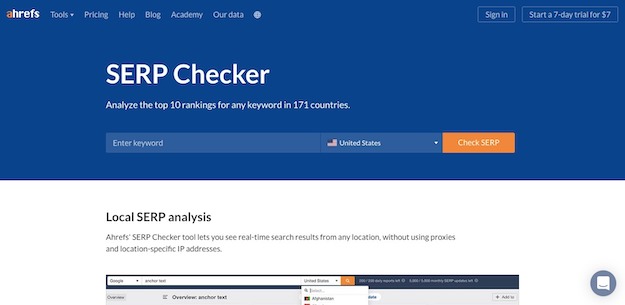
Ahrefs SERP checker

This SERP checker by Ahrefs is free to use and allows you to analyze the top 10 search engine results for keywords from over 200 countries.
You can better understand the various metrics on the home page, such as:
- Domain rating
- URL rating
- Number of backlinks
- Number of domains
- volume
- traffic jam
It also shows you the SERP position history, so you can easily identify which websites are easier to rank for and which are harder to rank for.
SE ranking

Just check Google’s top results in one click using this SERP checker by SE Ranking .
Once you enter your keywords, you can choose your location and depth of analysis. Only the free version specifies the top 5 range. Additionally, you can also choose desktop/mobile results.
This tool very clearly highlights metrics to identify who you can compete with.
What’s my sarp
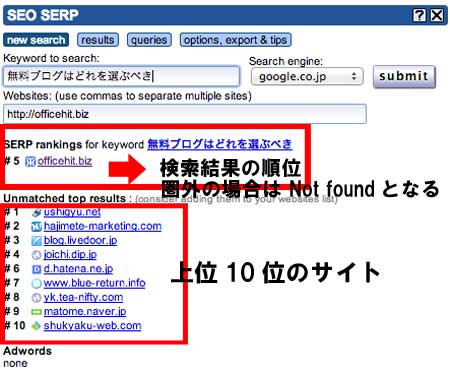
Completely free and accurate, Whatsmyserp allows you to check Google’s top 100 search results for multiple keywords. This is a great tool to analyze the SERPs and see what is hitting for specific keywords.
Additionally, if you want country-specific results, you can choose from mobile and desktop devices and locations.
The free version allows you to check up to 10 times each day. To unlock more, you need to subscribe to the premium plan, which you can start with a free trial.
site checker
Sitechecker is great for checking how specific pages on your website appear on Google. Multiple languages are supported and results can be viewed from desktop/mobile.
A very cool feature of Sitechecker is that it helps you track trends over a period of time by displaying a graph of the top 100 results and how their rankings have changed.
You’ll also see rich snippets, featured snippets, and more.
Spy SERP
Use SpySERP to check SERP results for Google, Yahoo, Bing, and Yandex. It has received many rave reviews from users who have used it, and you can see why it is loved. It has all the basic features you need in a SERP checker, such as:
- Mobile/desktop results
- Global/local search
- multiple languages
- Top 10 or Top 100 results
- scraps
- Export SERP results in CSV format
You can also compare your top 10 results and analyze the key factors that contributed to your success.
accurunker
As the name suggests, AccuRanker’s SERP checker provides accurate search data in seconds, including local, ad, and organic search results. Select your country and exact city to get laser-targeted results.
Free users can perform up to 5 searches per day, but if your requirements increase, you can start with a free trial and subscribe to a paid plan.
serp watch
This is another useful SERP Checker, this time by Serp Watch . This is very quick and allows you to enter multiple keywords at once and get instant results.
With customizable keyword performance and all information displayed within one screen, you don’t have to fiddle too much to get what you want. You can get started for free without creating an account.
sarp robot
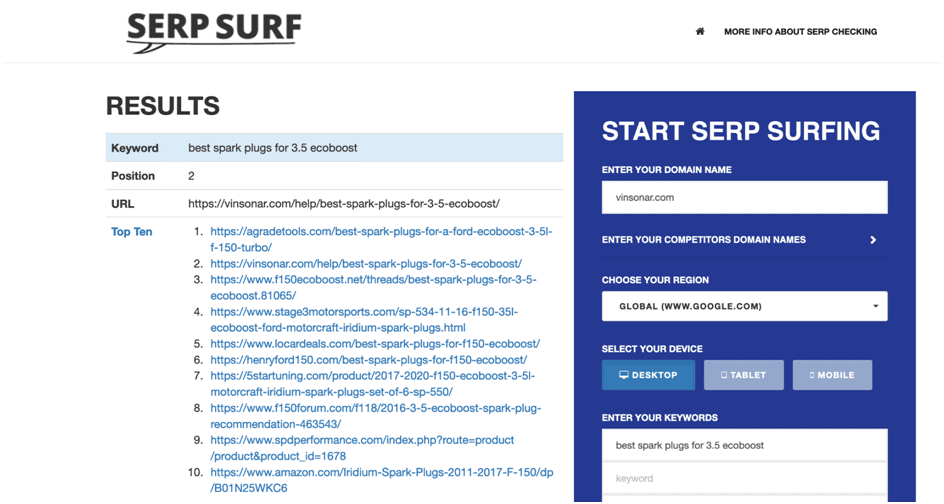
This free SERP checker by Serprobot is very easy and simple but has an amazing feature set. You can search by entering a specific country or choose from three different devices: desktop, mobile, and tablet.
Enter up to 10 different keywords and the tool will instantly return those results. If you want to enter more keywords, you can register for an account.
last word
Paying close attention to search engine results can help you understand how Google and other search engines perceive SEO and what actions can help your pages rank higher. It’s essential.
Using the SERP checker tools mentioned above will make this analysis more convenient and effective.
Next, check out our tools to analyze your website’s SEO and improve your search rankings.


![How to set up a Raspberry Pi web server in 2021 [Guide]](https://i0.wp.com/pcmanabu.com/wp-content/uploads/2019/10/web-server-02-309x198.png?w=1200&resize=1200,0&ssl=1)


