Do you remember your childhood reading your favorite superhero comic magazines?
Who wouldn’t? It was the golden age of comic books. Comics have been around since 1900 and are still a time-honoured way to tell stories.
But because graphic design is such a great skill, people often limit their creativity by thinking they lack the design side.
That’s why we have hand-picked the best manga tools that can unleash your manga creation talent and make everyone nostalgic.
What is a comic strip?
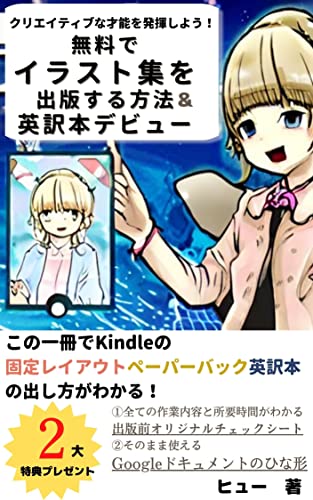
Manga is an artistic section of comics and images that depict stories. These are skillful ways to unleash your imagination from an early age. I’m sure you’ve all seen this manga in newspapers and magazines.
As I said earlier, comics are not new. But there’s something about classic comics that just can’t be recreated. Its simplicity and ability to quickly create stories is unparalleled in art and design.
From comic book superhero stories to hitting the “like” button on comic book social media images, we’ve all experienced a journey into the digital age of storytelling.
However, creating comics is not easy and requires a lot of patience and effort. However, some tools can help you create comics and make your work easier.
If you’re interested in creating comics and want to find the perfect tool for your next project, keep reading to find out more.
Different ways to use comics
- Comic books: Comic books are arguably the most common use of comics. These can be copies of traditional print magazines, or you can publish electronic comics and sell them on online media sales platforms such as Amazon Kindle, Google Play, and Apple iBooks.
- Meme creation: Memes are trending and marketers exploit them because they go viral. Memes are shared by millennials and celebrities on social media platforms like Twitter to convey humorous opinions on trending topics. These memes are usually in the form of cartoon images.
- Instagram Carousel Images: Cartoons can be used as Instagram carousel images because they tell a story in chronological order. With the help of comics, you can attract visitors to your Instagram carousels and stories.
- Spread awareness: Comics are a great way to run an awareness campaign. Cartoons perform better than plain text or images, so content creators can use them to share their opinions on social issues and elicit more awareness.
- TEACH DRAWING SKILLS : Cartoons are a good way to teach drawing and coloring activities in kindergarten or play school. Children will love drawing their favorite superheroes and bond with their favorite cartoon characters.
Now that you know the different ways to use manga, let’s dive into the list of the best manga tools.
Kamba

Canva has made a name for itself in the Saas industry by providing an easy-to-use media creation platform. Create professional-looking images, banners, infographics, and video clips. Therefore, the production of manga is no exception.
Canva’s pre-built templates make it easy to create comics, even if you’re not a graphic designer or professional cartoonist. Select a suitable comic template from the ready-made templates section and edit the theme style, layout, and content to suit your requirements.
You can also upload cartoon characters, sketch photos with different moods, and create interesting stories. Thankfully, Canva handles the basic grid structure to save you time arranging your sketches and establish a better workflow.
adobe express

Adobe Express is a new app that includes all the features of Adobe Spark and the addition of Photoshop to fuel your creativity. Adobe Express lets you create social media posts, banners, flyers, and logos. guess what? You can also convert videos to GIF.
Adobe Express includes thousands of professionally designed comic strip templates that let you dive into your imagination without scratching the surface. This platform provides an easy way to design comics and share your published designs on your social media channels.
Once you’ve selected a matching template, you can customize your copy by editing fonts and using beautiful images. That’s not the end! Browse thousands of royalty-free photos directly from your Adobe Express account.
creatively

Creately is a popular platform for creating data-driven visual workflows. It provides a library of pre-built, ready-to-use comic templates that can be easily exported to JPEG, PNG, and other shareable formats.
You can choose from a wide range of comic formats, including comic strip canvas, comic strip sequences, and comic series.
Additionally, Creately has built a library of design templates and shapes such as callouts, captions, and facial expressions that you can drag and drop onto your storyboard canvas to add depth to your story.
About storyboards

StoryboardThat is an online comic maker platform that can be used to create comics of a complex level in a variety of fields, including education, business, and personal use.
Getting started with a storyboard is easy. You don’t have to be a designer to create complex comics. Click Create Storyboard to add a background scene and select and drag comic characters into your strip scene.
Here you will see many options to choose a pose for your character, set skin color/clothing color, and set facial expressions from a list of preset poses.
One of StoryboardThat’s great features is its list of filters for selecting scenery, characters, prop items, speech bubbles, shapes, and more. You’ll find almost any scene, comic star, or itinerary to bring your humorous imagination to life.
tooney tools

Toonytool is an online manga creation tool that allows you to create animations and manga comics for free. Simply choose or upload a background, add text, speech bubbles, and more to create comics of single or multiple frames, then combine them to create a single comic or animation.
You can start creating your comic by clicking the classic tools button at the top and choosing a background for your narration. Find default backgrounds in our image library or upload custom backgrounds that highlight the characters in your story.
Fortunately, there are built-in options for selecting characters and adding bubbles to embed conversational text.
smile box

Smilebox is a media repository for finding images, slideshows, collages, flyers, and banners, and also provides image building tools. It is user-friendly and helps you easily share media materials with your loved ones.
Smilebox’s comic strip maker lets you choose from over 1,000 comic strip templates, including classic photo comics and trending comic styles. You can then add your personal story, download the comic, or share it via email or social media.
The best part is that you can also brand your creatives by adding your logo within the Smilebox platform.
Other notable features of Smilebox include access to unlimited storage, music uploads, downloadable assets, video to photo conversion, virtual event creation, and more.
comic gen

Comicgen is a comic creator platform from Gramener, a design-driven data science company. This platform is free and self-explanatory when it comes to creating comic characters.
When you visit the page, you will be given the option to select an existing character for your manga or create a new one. This is useful for those who lack the basic skills of drawing cartoon characters, but believe in getting the job done.
Comicgen does not come with ready-made templates compared to other comic tools. Instead, you’ll be presented with input options to choose the mood and pose of your comic character. Once you save your text, you can easily add narration text and choose from a variety of typography font options available.
last word
As we all know, creating comics can be complex but fun, but when it comes to creating unique comics, the process becomes even more difficult. Our point of differentiation is that we want to create extraordinary comics because that’s what people want to see.
Now that you have an overview of the top manga tools, it’s time to show off your talents to everyone. In this article, we talked about tools to create comics that make people smile today.
Be sure to check out our list of animated character tools to help you create animated characters for your next comic.


![How to set up a Raspberry Pi web server in 2021 [Guide]](https://i0.wp.com/pcmanabu.com/wp-content/uploads/2019/10/web-server-02-309x198.png?w=1200&resize=1200,0&ssl=1)


