AWS Secrets Manager allows you to securely store all your credentials, data, passwords, and other secrets.
Cyberattacks aimed at stealing confidential information and money are rapidly increasing around the world, devastating organizations.
This is why you need to use a powerful service like Secrets Manager that can protect your data.
This article describes AWS Secrets Manager and how it can help you.
Let’s get started!
What is AWS Secrets Manager?
AWS Secrets Manager is a tool that helps you manage, rotate, and retrieve secrets such as passwords, API keys, and database and application credentials throughout each user’s lifecycle.
A secret is any confidential and valuable information about your organization that you want to keep securely. This includes credentials such as passwords and usernames, OAuth tokens, AWS credentials, SSK keys, encryption keys, certificates and private keys.
The primary purpose of AWS Secrets Manager is to manage and protect the data used to access your IT resources, services, applications, and systems. Store and manage secrets and data in a central location, making them easily accessible to legitimate users without the need for complex code.
AWS Secrets Manager allows you to rotate secrets between various AWS services such as Redshift, RDS, and DocumentDB. This allows all keys and database credentials to be updated continuously across those services. Additionally, you can rotate secrets on-demand or on a scheduled basis using the tool’s built-in console, AWS SDKs, or AWS CLI.
Additionally, AWS Secrets Manager provides greater data control and strong encryption for data protection. You can also monitor and audit your protected information using the various integrations available.
The largest users are large enterprises in terms of business size and software companies in terms of industry.
AWS Secrets Manager: Features
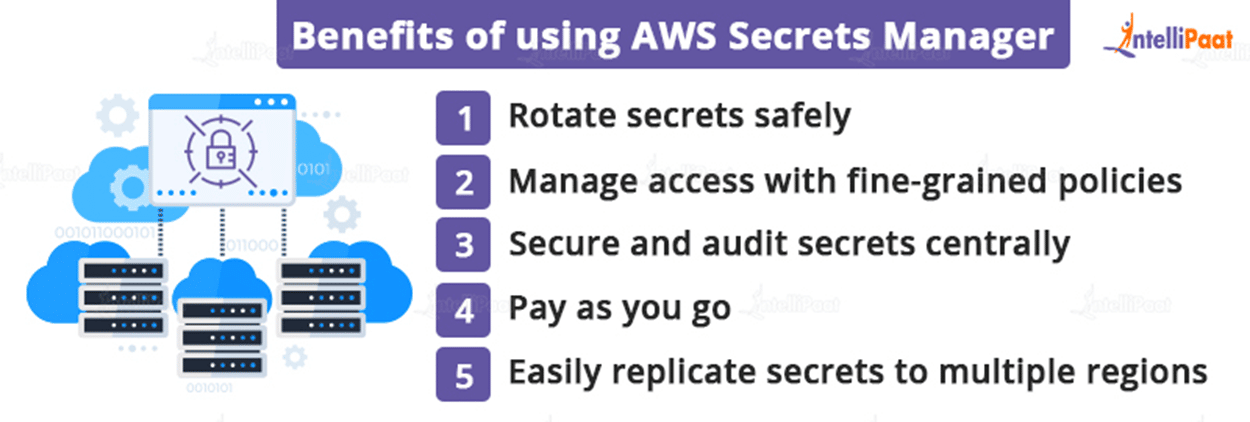
#1. Secret storage and management
Secrets Manager lets you easily manage your secrets as well as your storage. To manage your data on the platform, you can perform various actions on your data.
- Creating secrets and databases
- Change secret
- find the secret
- Delete secrets that are no longer needed
- Recovering lost or deleted secrets
- Replicate secrets to another AWS Region
- Promote a replicated secret to a specific standalone secret in AWS Secrets Manager
After you create an account with Amazon Aurora, Amazon RDS, Amazon DocumentDB, or Amazon Redshift, you can store your credentials on the platform. You can do this using the Secrets Manager console, AWS SDKs, or AWS CLI.
#2. strong security
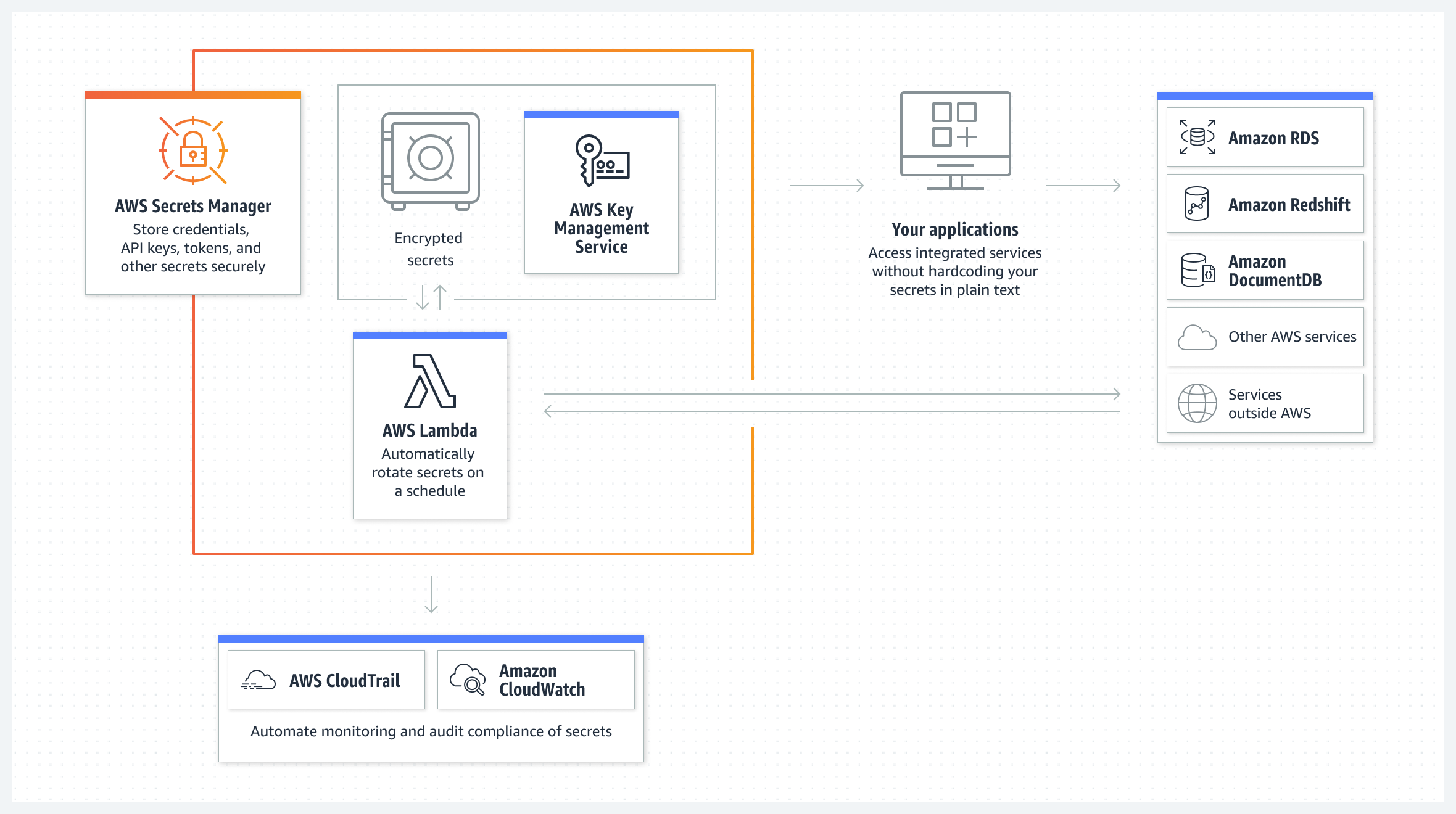
AWS Secrets Manager uses strong encryption to protect all your secrets from unauthorized users. Encrypt your secret using an AWS Key Management Service (KMS) key.
Secrets Manager leverages AWS Identity and Access Management (IAM) to give users secure access to their secrets. Provides advanced access control and authentication.
- Authentication is used to verify the identity of the user making the request. Identification is also done through a sign-in process that requires a multi-factor authentication (MFA) token, access key, and password.
- Access control is used to ensure that authorized users can only perform certain operations on secrets.
Apart from these, Secrets Manager utilizes policies that define which users can access which resources and what actions they can perform on those secrets or resources. This allows you to use AWS IAM Roles Anywhere to obtain temporary credentials for IAM security for servers, applications, containers, and other workloads running from AWS.
Additionally, you can enable the same IAM roles and policies for the workloads you create for your AWS apps to access resources on both AWS and on-premises devices (such as application servers).
#3. secret rotation

AWS Secrets Manager allows you to rotate secrets on a schedule or on demand without disrupting or redeploying active applications.
Here, secret rotation refers to the process of regularly updating secrets in your organization. Therefore, when you rotate a particular secret, you must update not only the service or database, but also the data or credentials within the secret. Additionally, you can save time by configuring and automating secret rotation through the console and AWS CLI.
To update secrets, AWS Secret Manager utilizes an AWS Lambda function and invokes it based on a setup schedule. This requires setting a specific schedule to enable rotation after a certain period of time, such as 90 days or 30 days. It can also be done by creating a cron expression.
Additionally, Secrets Manager can use staging labels to label versions of secrets during rotation. You can call the function multiple times during rotation by specifying different parameters.
Here’s how to rotate secrets:
- Create a new version of the secret. You can have a new username and password with even more sensitive data.
- Modify existing credentials in a service or database. Doing this will match the new credentials in the new secret version. Based on the rotation strategy you have implemented, new users are created with the same access privileges as existing users.
- Test your newly created secret version by allowing access to your service or database. Based on the type of access your application requires. Can include read and write access.
- Perform rotation by moving the new version from the old version to the new secret version. To avoid losing secrets permanently, keep the old version and append it to the previous version.
#4. secret surveillance
Violations and inefficiencies can occur at any time, so it is important to keep an eye on your secrets and take the necessary measures in your free time. AWS Secrets Manager allows you to monitor your data using monitoring tools and immediately report any problems.
You can use logs to investigate unexpected changes and usage. If found, you can also roll back unwanted changes and get the previous version. Additionally, you can configure automatic checks to detect attempts to delete secrets or use of inappropriate secrets.
Here’s what you get with secret monitoring:
- Log events using AWS CloudTrail: AWS CloudTrail can log API calls as events from the console for secret rotation and deletion. Displays events recorded in the last 90 days. You can also configure CloudTrail to deliver log files from multiple AWS Regions and accounts directly to your Amazon S3 bucket.
- Monitor using CloudWatch: CloudWatch makes it easy to monitor your secrets by collecting raw data and processing it into real-time, readable metrics. Data is stored for 15 months to measure the performance of our services and apps.
- Match events using EventBridge: You can use EventsBridge to match events in your AWS CloudTrail log files. To do this, configure rules to search for those events and send new events to take action on the target.
- Monitor scheduled secret deletions: Using a combination of Amazon CloudWatch Logs, Simple Notice Service (SNS), and CloudTrail, you can set alarms to notify you of unauthorized secret deletion attempts.
Once you receive the alarm, you have time to think about whether you really want to delete it or not. Alternatively, you can allow the user to use the new secret and give them permissions.
#5. integration
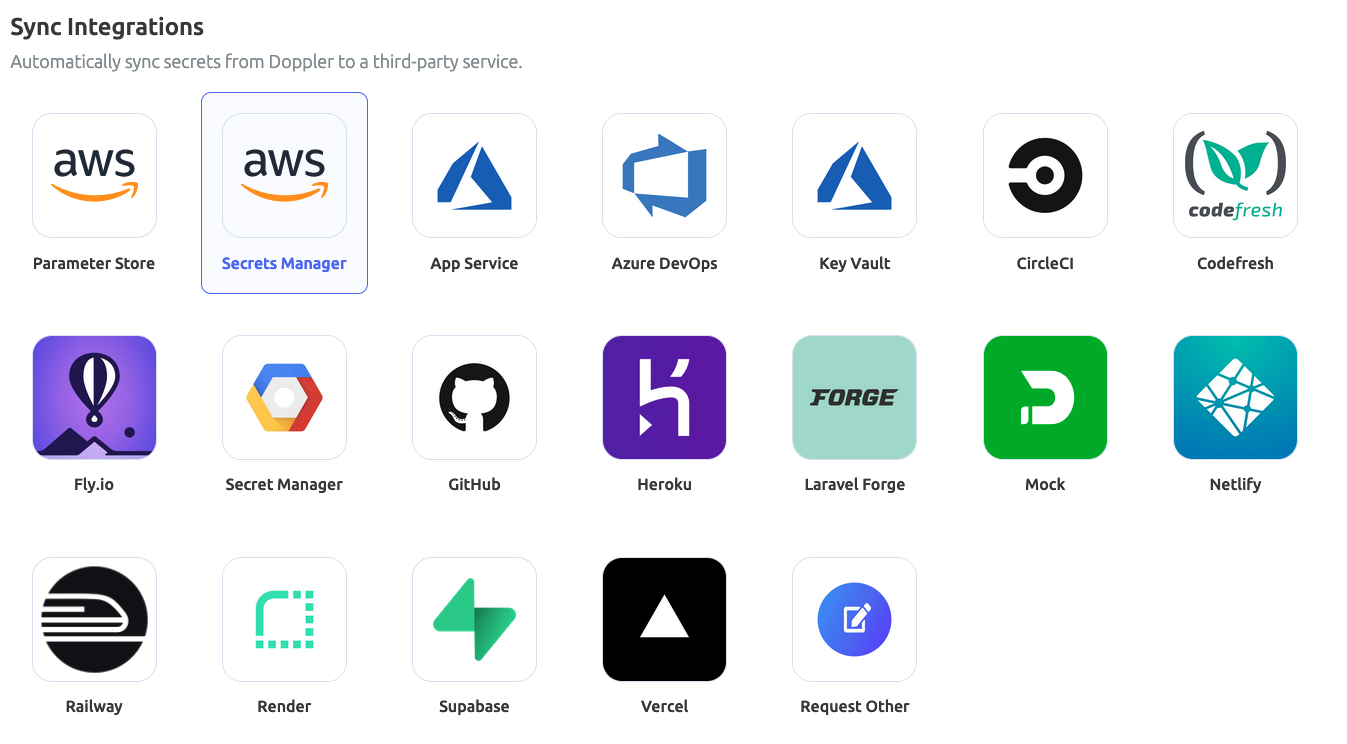
AWS Secrets Manager integrates with many other Amazon and AWS tools. The list includes: Alexa for Business, AWS App2Container, App Runner, Amazon AppFlow, AWS AppConfig, Amazon Athena, Amazon DocumentDB, AWS DataSync, AWS CodeBuild, Amazon ElasticCache, Amazon EMR, AWS Elemental Live, Amazon QuickSight, Amazon Redshift, AWS Migration Includes Hub, Amazon RDS, and more.
Why use AWS Secrets Manager?

Strengthening security system
Secrets Manager strengthens your organization’s security posture by eliminating the need for hard-coded credentials in your application’s source code. Storing your credentials in Secrets Manager helps prevent security-related breaches by someone with access to your app or its components.
recovery from disaster
Disaster, such as a cyber breach, can knock on your door at any time. This results in the loss of important information, passwords, and other credentials and data. Or you may accidentally delete it and lose your data.
This tool allows you to replace hard-coded credentials with calls to AWS Secrets Manager at runtime to dynamically retrieve credentials when needed.
Risk reduction
Secrets Manager allows you to configure rotation schedules so that your secrets are automatically rotated when the time is right. In this way, long-term secrets can be replaced with short-term secrets, reducing the risk of security breaches.
Additionally, because credentials are not stored in the application, rotating credentials does not require application updates or application client changes.
Meet compliance requirements
In light of increased security and privacy risks, regulatory bodies such as GDPR and HIPAA require organizations to adhere to compliance standards to securely handle customer and business data. Therefore, only use applications or services that are safe and comply with applicable regulations.
AWS Secrets Manager allows you to monitor your secrets to detect and proactively detect security vulnerabilities and risks that could compromise your data. This essentially protects your business and customer information, which is critical to staying compliant. You can also be audit-ready by documenting everything.
Additionally, you can leverage AWS Configs to evaluate your secrets and how they comply with your organization’s internal policies, regulations, and industry guidelines. This allows you to define compliance requirements and internal controls for secrets and identify non-compliant secrets.
better control

Granular policies and access controls give you better control over your secrets, systems, and other data. AWS IAM ensures that the right people have the right level of permissions to the right resources. Administrators can perform a variety of actions based on their needs and circumstances, including creating or deleting accounts, granting or restricting access to users, and adding or removing members.
AWS Secrets Manager: How to set up and use it
Here’s how to set up and use AWS Secrets Manager.
- Set up your AWS account by entering the required details.
- Log in to your AWS account
- Go to the AWS Secrets Manager console
- Find and click the Save new secret option to create and save your secret.
How to create and save new secrets
To create secrets in Secrets Manager, you need permission from the SecretsManagerReadWrite managed policy. When a secret is created, Secret Manager generates a CloudTrail log entry.
Follow these steps to store your access token, API key, and credentials in AWS Secrets Manager.
1. Open the AWS Secrets Manager console

2. Click Save new secret.
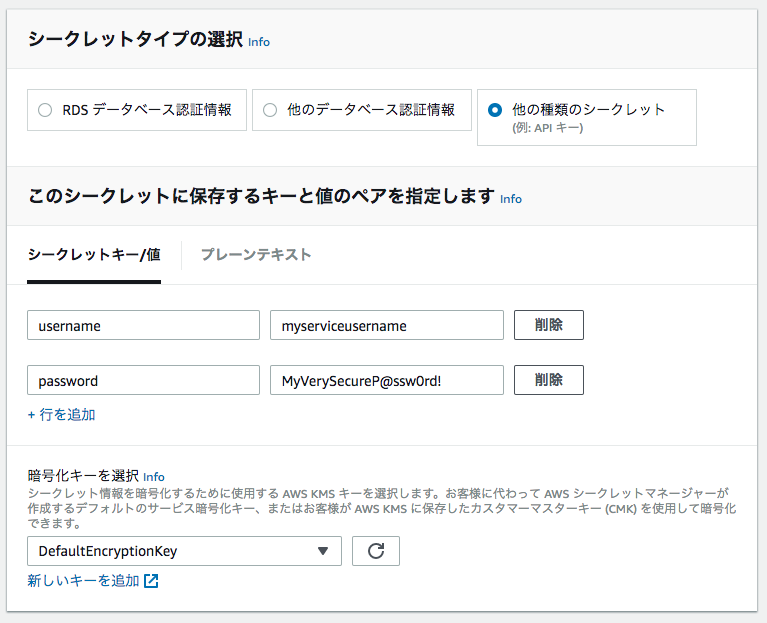
The Select Secret Type page is displayed. Then do the following:
- Select Other types of secrets as the type of secret you want to create.
- Key-value pairs are displayed. Enter the secret in the JSON key-value pair. Alternatively, select the Plain Text tab and enter your secret in the format of your choice. Secrets can be stored up to 65536 bytes.
- Choose the AWS KMS key that Secret Manager uses to encrypt your secret values. In most cases, to use managed keys you can use
aws/secretsmanager. There is no cost. - To access the secret from another AWS account, use a KMS key to enable rotation, or implement a policy on this key, choose Add New Key or choose from the list provided. Select customer-managed keys. However, customer-managed keys are paid.
- Select “Next”
3. From the Settings Secrets page,
- Enter the secret name and its description. The name must contain 1 to 512 Unicode characters.
- You can add tags to your secret from the Tags section. You can also select Edit Permissions to include resource policies.
- Additionally, you can choose Duplicate Secret to duplicate your secret to another AWS Region. These steps are optional.
- Select “Next”
4. Optionally, you can enable automatic rotation from the Configuration Rotation page. This step is also optional. Please select:
5. Review the secret details on the Confirmation page and select Save. That’s it! The Secret Manager returns to the Secrets list. You should see the newly added secret there. If not, please update.
Apart from the console, you can also add secrets through the AWS SDKs and AWS CLI.
AWS Secrets Manager and AWS Parameter Store
AWS Parameter Store is an application management tool powered by AWS Systems Manager (SSM) that lets you create key-value parameters to store application settings, credentials, product keys, and custom environment variables.
AWS Secrets Manager, on the other hand, is a service that lets you create, store, manage, retrieve, and rotate credentials, keys, API tokens, and more.
Both of these services have similar interfaces that make it easy to declare key-value pairs for secrets and parameters. However, they do so for the following reasons:
| AWS Secret Manager | AWS Parameter Store | |
| storage size | Store secret size up to 10kb | Can store up to 4096 characters or 4 kb for entries and up to 8 kb for advanced parameters |
| limit | Can store 500k secrets per region/account | Can store 10,000 standard parameters/regions/accounts |
| Fee | Paid, $0.40 per secret per month | Free for standard parameters, $0.05 per 10,000 API calls for advanced parameters |
| rotate | Provides automatic rotation of any secret at any time and is configurable | You need to write the function yourself to update the credentials |
| cross account access | yes | no |
| Cross-region replication | yes | no |
| Credential type | It has limited use cases because it is for sensitive data that requires encryption. | Expands use cases by allowing you to store more types of credentials, including app configuration variables such as product keys and URLs. |
conclusion
Whether you’re a small, medium, or large business, you can use AWS Secrets Manager to create and store secrets. Provides enhanced security, privacy, access controls, and functionality to protect your secrets from unauthorized access.
You can also find out how to perform AWS security scanning and configuration monitoring.


![How to set up a Raspberry Pi web server in 2021 [Guide]](https://i0.wp.com/pcmanabu.com/wp-content/uploads/2019/10/web-server-02-309x198.png?w=1200&resize=1200,0&ssl=1)


