Information architecture (IA) is a great way to organize the content of your digital products.
If you’re building a website, mobile application, or e-commerce shop, it’s important to consider IA when placing and presenting your content.
The reason is that if users can easily and easily find what they’re looking for, you’re more likely to acquire them and convert them into customers.
However, if you don’t organize and present your content correctly, your users may get confused and end up leaving your site and going elsewhere. Therefore, IA is very important for your site.
In this article, we’ll talk about IA, how to do it, and some great IA tools.
Let’s get started!
What is information architecture?
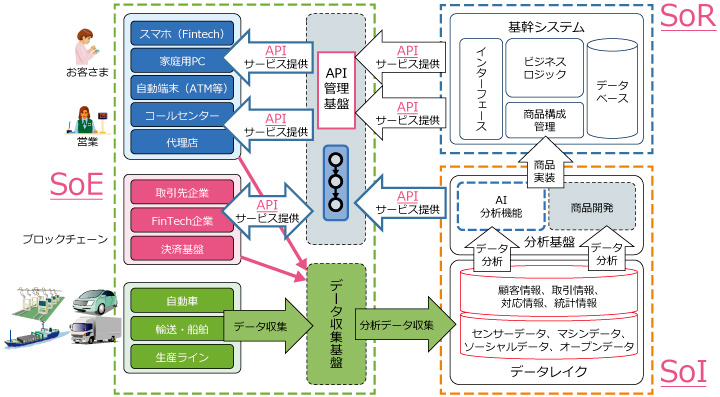
Information architecture is the practice of organizing, structuring, labeling, and displaying content and information in a sustainable and effective manner.
Content here can be anything, including websites, parts of websites, blog posts, software, mobile applications, online communities, books, online stores, and more. This improves discoverability and usability for users when accessing your site and understanding the content available.
In this information age, IA is used by UX designers, information architects, content managers, and interaction designers to express content in a meaningful way. Information architecture is based on:
- Users, what they want and how they use content
- Content or information that users engage with
- The context or environment in which the user interacts with the content
Information architecture and UX
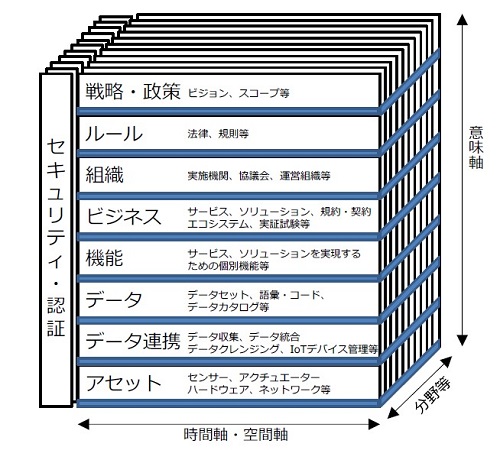
User experience (UX) design is how users feel about using a service, product, or system. It concerns the user’s perception of the product’s efficiency, ease of use, and practicality. UX builds on information architecture IA and takes it to a higher level.
IA, on the other hand, is intended to organize and display your site’s content so that users can quickly find what they’re looking for.
IA is about structure, whereas UX is about emotion.
Why do designers use IA?
Information architecture is critical to online user experience. User experience is also one of the key factors that determines the success of your website, app, or blog.
If your users are happy, they’ll come back to shop and read more of your blog. But users won’t be happy with your site if they can’t find information quickly or there are too many distractions.
Therefore, designers spend their time placing and presenting information appropriately on the site to help users find the information they need. And this is what information architecture really is.
Information architects try to simplify complex content by adding navigation systems and appropriate structure to the content available on the site. In this way, users can easily access information and reach their destination quickly without any hassle.
Main design principles of IA
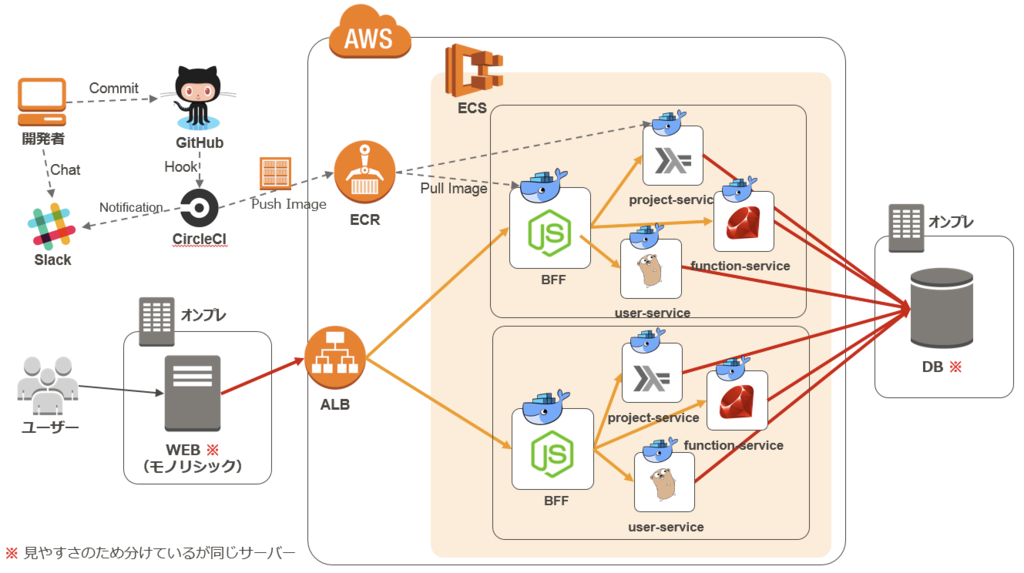
Developing a site’s information architecture requires time and patience, as well as good strategy. Apart from organizing your data logically, you need to consider several things such as user behavior, future prospects, etc.
This also requires understanding site functionality and content inventory. Once you’re ready, you should consider the following principles set forth by information architect Dan Brown:
- Principle of selection : Here we follow this strategy – less is more. Options should be kept to a minimum to avoid confusion and increase accuracy.
- Object Principle : Treat information like a living object with defined attributes, behavior, and life cycle.
- Disclosure Principles : Preserve previews of content so that users can view it and understand the details of the content, the type of information it contains.
- Front door principle : Assume that at least half of your users use an entry point that is different from your site’s home page.
- Principle of Examples : Include examples when illustrating your content in different categories.
- Growth Principle : Assume that your site’s content will grow, and allow it to scale with you.
- Navigation principles : Keep site navigation clear and avoid mixing things up to avoid adding complexity.
- Multiple classification principles : Provide users with multiple classification schemes when viewing content.
As you can see, information architecture encompasses many things. Based on the size and type of your site, it needs to be well-run and well-managed to get more attention and increase your business success.
General methodologies for IA
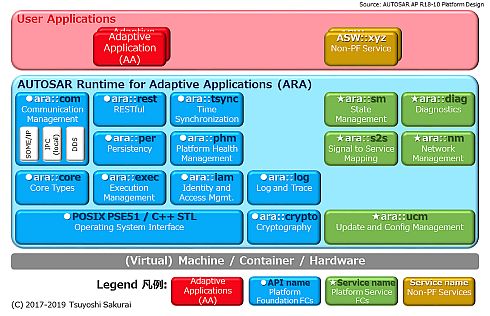
Information architects perform many activities such as creating navigation, data modeling, exploration, labeling, and wireframing. Some of the methodologies related to information architecture are:
User research
To come up with a good design, information architects must perform thorough user research and analysis. This will help you understand the target audience for your project. This is done using user interviews, stakeholder interviews, card sorting exercises, and usability testing.
Techniques like card sorting help information architects learn how users categorize different things and interact with applications. You can also learn how users use the data displayed in your app and what they do with it.
After conducting research, IA carefully analyzes the data presented in the form of spreadsheets, recommendations, user personas, etc. to show you who your users are, their goals, and how they use your app.
Creating navigation
Hierarchy and navigation are one of the most important aspects of information architecture, so it’s important to have a strategy and get it right.
To create the right hierarchy, IA considers user expectations of what content and how they want to see within the app, and makes it easy for users to navigate and achieve their goals for accessing the site. You need to be able to do it.
For example, an organization that sells products on its website should carefully place product descriptions and some FAQs to answer common questions that users want answered. Therefore, IA must ensure that both are placed on each product page.
labeling
The IA is responsible for determining where and how information is placed in the application. Once this is done, you will need to name each section. This process may involve both an IA and a content strategist.
Labeling involves placing all links and content appropriately on your site, making sure the hierarchy and navigation have appropriate titles. This is an important step that helps users find information in your application faster and easier.
Wireframe
Wireframes are a good way to represent all the connections between the various screens and identify how your website will actually work. The IA should use the data collected during the exploration phase and use wireframes to display the data hierarchy.
Wireframes are also important information shared with clients. Additionally, designers and developers use wireframes as a reference when building prototypes, mockups, and final products as web and mobile applications.

content modeling
Content modeling can be shared with your organization’s content strategists. In this process, developers and IAs work together to determine content types with a structure that represents user needs, editorial practices, and business requirements and logic.
If you’re redesigning your website, you may need to map a new data model to seamlessly migrate your content. You can use a spreadsheet to plan relationship requirements and file types. Alternatively, it can be implemented directly into a content management system (CMS).
Metadata and taxonomy
Classification means a set of different things that can be grouped together. In the world of information architecture, a taxonomy is a record of how similar data types are grouped together.
Therefore, IA selects the appropriate taxonomy for your site or application based on your target user’s mental model. You can also tag content with metadata to help users find the content they’re looking for based on considered classification.
For example, an e-commerce business might consider one or more taxonomies for each product category, such as clothing, home decor, etc.
search system
If you own a website that offers a large number of products to your customers, having a search option can really help them find the right product.
You need an information architect to add a powerful search engine to your website with useful filters and sorting options. It also determines how content on your site appears after each search.
How to get started with IA for any design?
IA is an important step when creating digital products such as mobile applications and websites because it requires logical structure. If you have experience in this field, you can create your information architecture yourself or hire a professional to do it for you.
Information architecture requires cooperation from various departments, including design, engineering, development, and content creators. The steps may vary depending on the organization performing the IA, but the basics are largely the same.
Here are some steps to take when creating an IA for your site.
Managing content inventory
Start a content inventory by collecting all your content or information in one place. It helps you catalog all your digital content, including your ongoing content and ideas.
This way, you can understand how your existing site functions, its important pages and sections, its main subtopics and topics, the quality of its content, and how its data is currently organized. can.
Maintaining a content inventory also helps you decide what to discard, keep, and add anything else you need. Entering all data into a spreadsheet makes it easier to manage.
This data is based on the project you are working on. For example, if you’re working on a site, this includes the current URL, page title, last updated date, medium, author, page type, keywords, and more.
Additionally, update outdated content while removing irrelevant parts that don’t provide value to your visitors or customers. Doing this will help you understand missing data, manage broken links, and do other important tasks. Performing a site audit in this way will give you a clear understanding of how your website is organized.
Conducting user research
After performing a site audit and understanding what needs to be done for its design, it’s time to conduct user research. This includes creating buyer personas and interviewing users. These techniques will allow you to map the needs of your users, whether they are old or new customers.
To do this, you can perform the following activities:
- Tree testing: Helps you see how users react to your labels and navigation. This reflects how easily visitors can find data on your website.
- Card Sorting: Helps you learn your habits and behaviors and makes categorization easier.
One thing to keep in mind here is to take notes after performing each survey. You can note which strategies are working and which ones you need to change for better results.
Creating a category
Categories can be created in many ways, including by personal habits. However, when creating categories, you need to make sure that they add value to your users.
For example, if your site is structured with internal terminology or acronyms, it can be difficult for new users to understand. So, to create the right categories for your audience, you can start with a complete list of content. Next, conduct user research to group and prioritize your content.

First, create categories that apply to large groups of content with similar topics. For example, if you have a variety of products such as T-shirts, dresses, shirts, and formal wear, you can group them together as “Clothing.” You can separate your clothing into sections such as men’s, women’s, etc.
To arrive at the best classification, perform frequent user testing and leverage findings from each section. You can also conduct competitor research to further your classification efforts.
label categories
Once you have created all your categories and subcategories, you will need to label each one. Also, if you create labels, make sure they are well-written, because how you label all categories will affect how users use your site.
The key qualities of a good label include:
- You need to grab the user’s attention with familiar, easily understood terms such as “About Us” and “Home.” It helps you understand which pages users want to open and find information.
- The label should indicate what the user can expect when they click the label.
- Use images to add context and help users understand your labels.
- Labels should be easy to scan so users can quickly find the area they are looking for answers to. For this reason, avoid complex or unusual words that readers may find difficult to understand.
Once everything is done, you can run usability tests to make sure it works properly.
Add metadata and taxonomy
Once you’ve set up your labels, organize by category and prioritize your content by group. Metadata makes it easy to discover different taxonomies. This way, your visitors can find the right products and content faster.
To make the process efficient, you need to be slow, consistent, and use convenient tools.
Include search functionality
Adding a “Search” feature increases the searchability of products and content on your site. So when building your site’s search functionality, make sure your site has many pages and products, the navigation is good, and consider your users’ habits.
At this point, you can also develop good navigation for your site so users can easily see all the options and use them to get where they want to go. You should also complete your website architecture using proper wireframing, prototyping, and data modeling.
user test
After completing the above steps, your information architecture is ready. And then we do user testing to make sure it’s good. Or you can use analytical data to gain user insights and shape your information architecture efforts.
information architecture tools
#1.Optimal workshop
You can use Optimal Workshop to create amazing architectures to help users find the right information. Easily use tree testing and card sorting tools to test new IAs or benchmark existing designs.
Additionally, data visualization allows you to be confident that your designs match your users’ mental models. Optimal Workshop also helps accelerate design development by involving stakeholders every step of the way.
#2.Tree Jack by Optimal Workshop
Treejack is another product from Optimal Workshop that helps you create a smart information architecture for your site. This gives you powerful insights about your site in seconds so you can make better business decisions.
Treejack takes the guesswork out of you and helps you understand your difficulties and how to create better strategies.
#3.Flow map
Design a great information architecture for your site while building digital products, apps, and sites with FlowMapp .
Trusted by over 200,000 users worldwide for intuitive tools to help them collect, collaborate, and organize their design, development, UX, and content strategy. FlowMapp also connects with Zoho, Slack, Intercom, and more to simplify your work.
#4.Adobe
With Adobe XD, you can create realistic prototypes that tell your story and bring your better ideas to life easily and quickly. Whether you want to design a web app, website, or game, we’ve got you covered.
Adobe XD is purpose-built for you with powerful tools and expert tutorials and tips. From wireframing to development, Adobe XD is a one-stop application for all your design needs.
conclusion
Information architecture is an important step in managing your site’s content so that users can find relevant information faster. Described above are some principles and methodologies of the best IA tools that you can consider and use to create great designs.
You can also consider some of the best wireframing tools to improve your product design.


![How to set up a Raspberry Pi web server in 2021 [Guide]](https://i0.wp.com/pcmanabu.com/wp-content/uploads/2019/10/web-server-02-309x198.png?w=1200&resize=1200,0&ssl=1)


