Autoscaling, especially predictive autoscaling, is a trend among the cloud computing research community.
This hype is understandable, as setting up a proper autoscaling strategy in your cloud applications can save you a ton of money.
Are you tired of hectic manual resource scaling strategies? Or are you looking for futuristic trends in cloud resource scaling? You’re in the right place. This article describes how to save money on cloud resources that your applications rarely use. So let’s dive in!
Cloud computing provides a variety of computing and IT resources and services on demand over the Internet with minimal administrative effort. Scalability means increasing or decreasing these cloud resources to adapt to the changing needs of your application.
Scaling strategy
The system can grow or shrink resources within the existing infrastructure using two different strategies:
- vertical scaling
- horizontal scaling
vertical scaling
Vertical scaling refers to upgrading or downgrading existing resources, instances, or nodes in your existing infrastructure. For example, the system vertically scales to add more computing power to existing nodes.
Vertical scaling has two operations : scale up and scale down . Adding more power or resources to existing nodes is a scale-up operation. Removing some resources from an existing node is a scale-down operation.
horizontal scaling
Unlike vertical scaling, horizontal scaling refers to adding or removing instances or nodes to an existing infrastructure rather than upgrading existing nodes. Horizontal scaling involves growing your system by adding nodes or machines to your existing infrastructure.
Horizontal scaling has two operations: scale out and scale in. Scaling out means adding nodes or machines to your existing infrastructure. Conversely, a scale-in operation removes existing nodes or machines from the existing infrastructure.
What is cloud computing autoscaling?
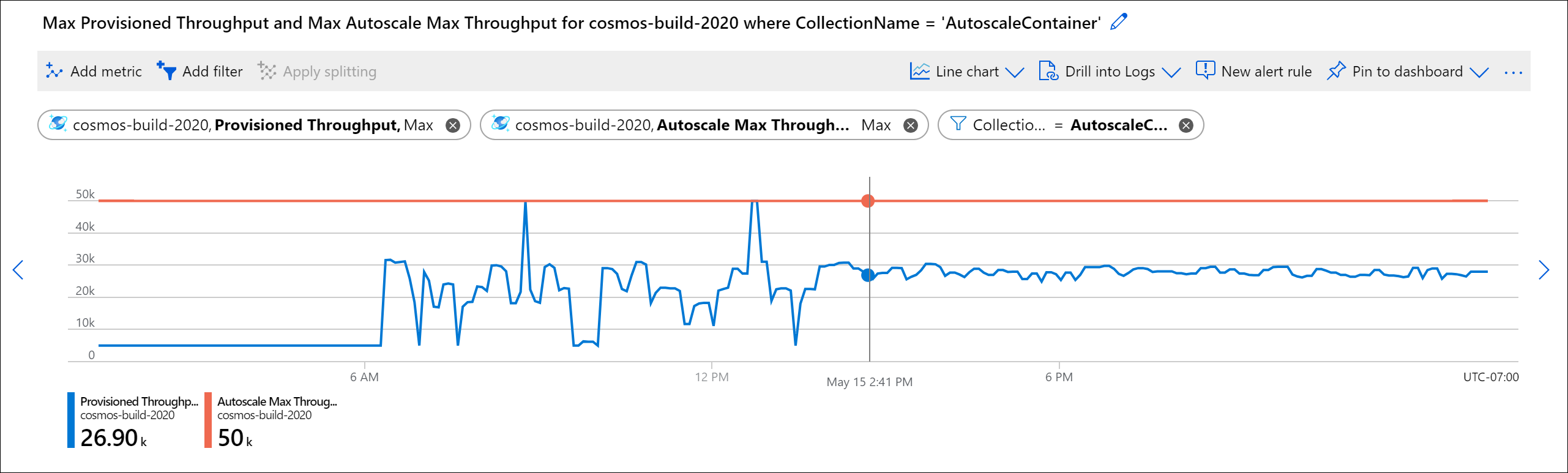
Autoscaling is a cloud computing term that refers to automatically adjusting cloud resources for an application. This is a feature that automatically increases or decreases resources without human intervention to maintain application performance.
Autoscaling has potential applications everywhere from web applications to databases. It also helps businesses deal with seasonal traffic spikes or sudden spikes in demand. For example, if you anticipate an increase in sales around a holiday, an autoscaling strategy can automatically add more (cloud) servers to handle the spike in traffic.
Why autoscaling is important for business growth
As your business grows, you may find that you need to expand your engineering team to meet demand. This can be difficult as it can be difficult to find engineers skilled in the right technology. Additionally, hiring an engineer takes time and money, and even if you need an engineer right away, you may not have the budget to pay for one.
Autoscaling allows you to scale up your servers as needed while avoiding the cost of hiring more engineers. You have full control over your infrastructure, but instead of adding servers manually, you can scale them up and down using predefined rules.
This saves engineering teams the time and effort it would take to add servers manually, especially when there is an urgent need to add servers.
Autoscaling also frees engineers from the responsibility of manually adding and maintaining servers, allowing them to focus on other tasks.
Who needs autoscaling?
Autoscaling is a great tool for companies that rely heavily on applications. Autoscaling helps you save costs, optimize resources, and ensure your applications are always running optimally.
When your application requires more computing power, autoscaling automatically scales up your resources to meet the demand. When demand decreases, autoscaling automatically scales down resources to save energy and costs.
Autoscaling is also useful for businesses that need to increase the availability of their applications. You can ensure that your applications are always available by adding a server to take over in the event of a failure. This is especially important for companies that rely heavily on applications.
When not to use autoscaling
Autoscale quickly scales up or down resources to meet application demands and improves availability. However, autoscaling is not always the right choice.
If your application has low or infrequent usage, autoscaling may not be necessary. In this case, it is better to use a static approach to scaling resources. If your application has predictable usage patterns, you should also consider static scaling instead of autoscaling.
Finally, you need to consider the complexity of autoscaling. Autoscaling can be complex and requires a lot of tuning and troubleshooting. If you don’t have the time or resources to devote to this, you may want to consider a static approach to scaling your resources.
Different approaches to autoscaling
Autoscaling is categorized into several approaches based on the trigger mechanism for autoscaling decisions. Autoscaling decisions include scale up or scale down operations when using vertical scaling, and scale out or scale in operations when using horizontal scaling.
Let’s take a quick look at the three most common classifications of autoscaling strategies.
#1. Reactive or demand-driven autoscaling
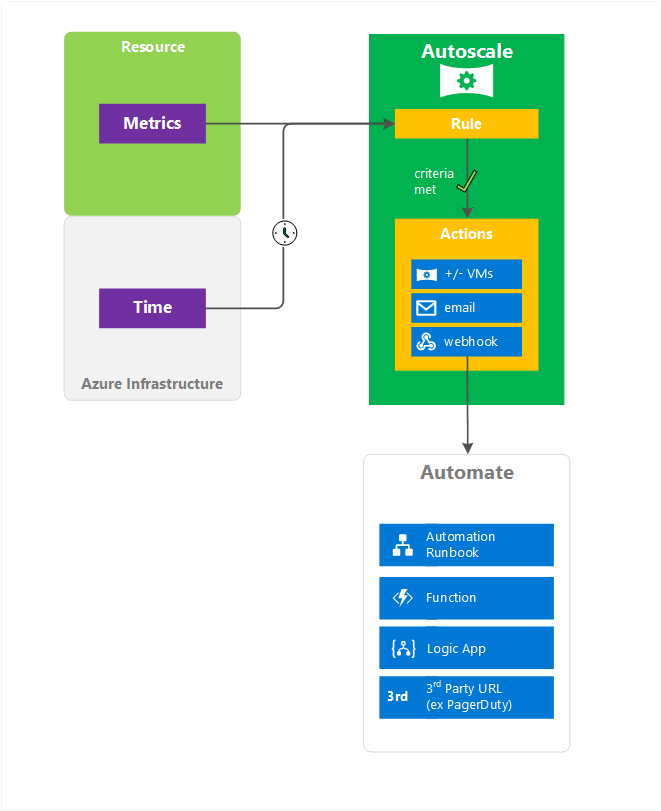
An autoscaling method that triggers autoscaling decisions (expansion or contraction of infrastructure) in response to events that occur. This type of autoscaling typically occurs when the system detects an increase in demand.
Increased demand can be coupled with real-time monitoring of already available infrastructure resources. For example, the system can expand the infrastructure whenever the CPU utilization of already available nodes exceeds a threshold. Similarly, resources are scaled down based on CPU usage thresholds.
#2. Scheduled or time-based autoscaling
Scheduled autoscaling methods grow or shrink your infrastructure according to predefined scheduled times. This autoscaling method adds or removes resources considering a fixed time interval.
#3.Predictive autoscaling
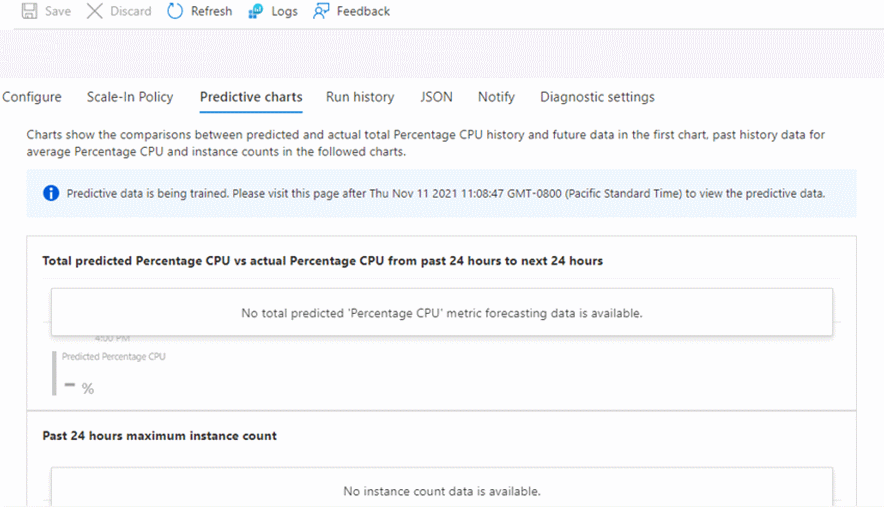
This autoscaling method automatically adjusts your application’s resources to meet predicted demand. Predictive autoscaling uses machine learning to predict demand and growth, and to scale down resources in response to predicted demand.
Predictive approaches are designed to predict and plan future inbound workloads. Combine past trends and current metrics to predict application performance and the resources needed to maintain that performance level.
How does predictive autoscaling work?
Monitor resource usage and analyze historical data to predict future demand. Resource utilization refers to metrics such as CPU and memory usage.

Predictive autoscaling uses trending machine learning methods to predict demand, and these methods are trained on historical data. Predictive autoscaling models can predict future demand by analyzing factors such as time of day, day of the week, and number of online customers. If you can predict potential demand, you can set thresholds accordingly.
With the latest trends in machine learning, the scope of predictive autoscaling has expanded beyond predicting future demand. Re-reinforcement and sequential learning approaches allow for continuous learning from mistakes. Therefore, the predictive algorithm can train on new events and adjust the threshold accordingly.
Benefits of predictive autoscaling 👍
Predictive autoscaling can scale your applications faster and more accurately. Another advantage of predictive autoscaling is that it is more proactive than reactive autoscaling. As a result, predictive autoscaling better manages application load.
Predictive autoscaling analyzes historical data to predict future demand, making it more accurate than reactive. It is usually more accurate in managing resources than reactive autoscaling. Other benefits of predictive autoscaling include:
- Little or no manual intervention required
- Easier scaling and adding instances when load increases
- Reduces the possibility of overprovisioning
- Ensure availability by proactively responding to predicted demand
Disadvantages of predictive autoscaling 👎
Predictive autoscaling strategies have the following disadvantages:
- Difficult to choose a suitable prediction algorithm
- Inadequate preprocessing of training data can lead to high false positive predictions
Why use predictive autoscaling?
Autoscaling can be a very manual process and may require frequent attention depending on the strategy you use. Predictive autoscaling automates much of that process and reduces the need for manual adjustments.
Autoscaling strategies may require you to over-provision or under-provision your application. Overprovisioning can add unnecessary costs to your application. Under-provisioning can create bottlenecks and bring your application to a halt.
Most modern applications utilize load balancers. Predictive autoscaling helps you optimally use this load balancer by shifting instances between servers based on actual metrics and performance, not just the number of requests.
When to use predictive autoscaling strategies?
If you want to reduce the manual intervention required to adjust the number of instances, a predictive autoscaling strategy may be a good choice for your application.
If your application serves a general group of customers or visitors, we recommend using a more reactive monitoring and scaling strategy. For applications that have deadlines set for customers, we recommend using a more predictive strategy.
Where can I find autoscaling services?
There are several services that can help with autoscaling. Many cloud vendors offer autoscaling services, such as Amazon Web Services (AWS), Microsoft Azure, and Google Cloud Platform . These services help you quickly and easily set up autoscaling for your applications.
You can also use third-party services to help with automatic scaling. Services such as RightScale, Scalr , and AppFormix provide various autoscaling services such as predictive analytics, reactive autoscaling, and hybrid autoscaling.
Finally, you can use open source tools to help autoscale. Tools like Kubernetes and Apache Mesos allow you to quickly and easily set up autoscaling for your applications.
conclusion
Autoscaling is an important part of building resilient and reliable applications. Predictive autoscaling is one strategy you can use for your applications. If your application uses a load balancer, it’s important to use this autoscaling effectively to avoid unnecessary costs and potential outages. Predictive autoscaling helps you optimally use your load balancer based on current metrics and performance, not just the number of requests.
Predictive autoscaling is helpful because it can be used to plan for future growth and proactively adjust resources. It’s not easy to design and implement, but it can be helpful if done correctly. Predictive autoscaling is a good option for your application if you want to reduce the manual intervention required to adjust the number of instances.


![How to set up a Raspberry Pi web server in 2021 [Guide]](https://i0.wp.com/pcmanabu.com/wp-content/uploads/2019/10/web-server-02-309x198.png?w=1200&resize=1200,0&ssl=1)


