Linux once had a reputation for being complex and difficult to learn. You’re probably familiar with the stereotype that only hardcore nerds can and want to deal with this problem.
But times have changed, and thanks to the variety of Linux distributions and the vast amount of free, high-quality resources available on the Internet, anyone can learn about Linux. To be honest, it’s much easier than it was for Linux beginners 10 or 20 years ago. All information is readily accessible online, so whenever you’re stuck, you can search for error messages on Google or ask for help on forums.
Using Linux requires a slightly different mindset and approach to software than using Windows, but it’s not all that difficult. After all, it’s something you can learn without much effort, just like any other skill. Many novice users get annoyed when they are encouraged to read more about Linux or do their own research, but the best way to learn is by doing.
So, don’t be afraid to get your Linux distribution, download our tutorials, and take your first steps with your new operating system. Mastering Linux is a very useful skill that can help you advance your career, improve your general computer knowledge, and develop your creative thinking and problem-solving skills. Whatever your reason for choosing Linux, we’ve hand-picked some great online resources that you’ll want to check out.
1. Compute freely
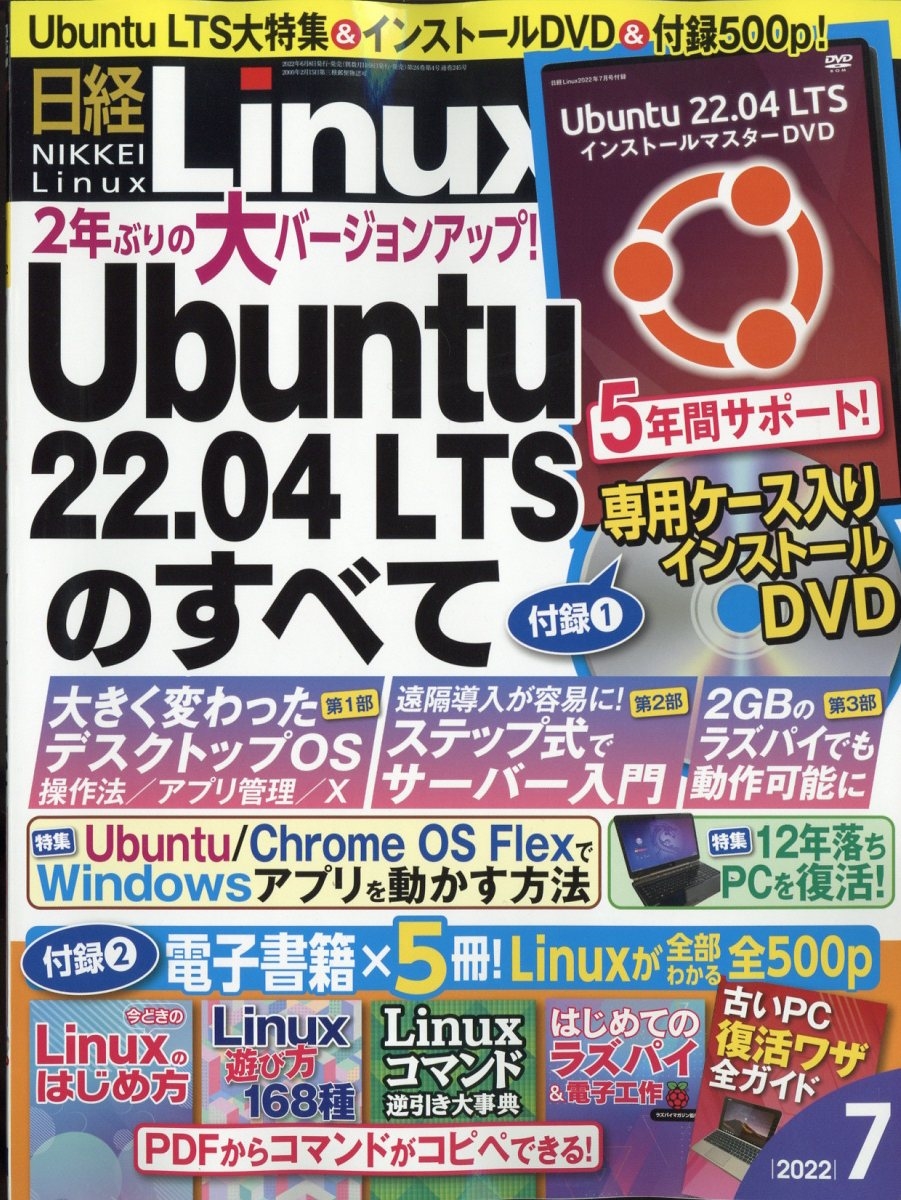
Compute Freely is the perfect website to quickly introduce you to Linux and convince you to migrate away from Windows. It’s aimed at people who have little or no experience with Linux, so it won’t go into too much depth. Using simple, clear language, Compute Freely explains why you should use an open source OS, describes some popular Linux distributions, and suggests alternatives for Windows applications. .
2. The Ultimate Linux Beginner’s Guide
The title says it all. This Linux guide is aimed at beginners, and the concise and simple website makes finding the content quick and easy. You can skip to selected chapters of the guide or read them in order. This guide shows you how to install the distribution and provides tips and tutorials on how to use Linux in your daily life. This is a relatively short guide, but it explains the most important concepts and provides great advice on how to choose your first Linux distribution.
3. Linux MakeUseOf Guide
This guide is a quick one-page summary of everything you can expect when you start digging deeper into Linux. Introduces basic terminology and explains how to get started with Linux. This is perfect for people who want to install a Linux distribution first and refer to the documentation later. This guide can be downloaded as a PDF or ePub and includes useful links to external sources to help you learn more about Linux after you decide to take the next step.
4. Otaku University

Geek University offers free online courses on a variety of technology-related subjects, including Introduction to Linux. Presented as a series of screenshot-illustrated articles, this course takes you from a theoretical background on distributions and the differences between Unix and Linux to practical information on how to install Linux applications, manage users and permissions, and work with files. We will guide you to the best hints. You can progress through the course step-by-step or skip to the part that interests you most.
5. Distribution-specific guides
This (unofficial) guide to openSUSE’s latest novelty (openSUSE Leap 42.1 distribution) does a good job of explaining the basics of Linux itself. You’ll find compelling reasons to switch to Linux, as well as a quick overview of commonly used terminal commands. The rest of the guide explains how to install, set up, and maintain a real Leap distribution, and is useful for beginners and former openSUSE users alike.
Arch Linux Wiki – Beginner’s Guide
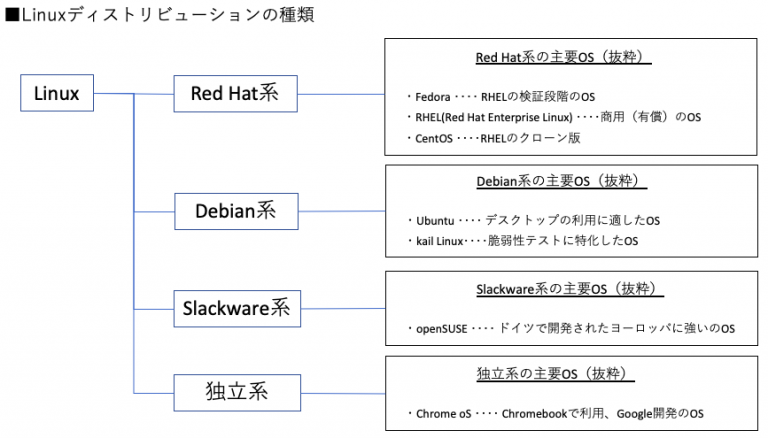
Arch Linux is often said to be one of the most advanced distributions, or one of the most difficult to install and maintain, but it’s also the most well-documented Linux distribution (at least in my opinion). The Arch Linux wiki is an amazing source of Linux knowledge that applies not only to Arch, but to most if not all distributions. A beginner’s guide makes the installation much easier to understand and perform, and the Wiki also has an exhaustive list of system administration tips and app recommendations .
Since Ubuntu is the most widely used distribution among beginners, you would expect it to have easy-to-access, detailed documentation. And Ubuntu delivers. All currently supported versions of Ubuntu have official documentation, including downloadable desktop guides. However, community wikis are a real treasure trove, as they provide detailed step-by-step tutorials organized by topic. Here you can learn how to set up your hardware, solve network problems, and improve your computer’s security. In most cases, this Wiki’s advice also applies to Ubuntu derivatives. So, for example, it is useful for users of Linux Mint or Elementary OS.
Debian has a Wiki , but even more interesting is the Debian Administrator’s Handbook. This is a well-known and reputable resource for people who want to become Linux system administrators or just want to learn more about Linux. This book covers everything Debian-related, from installation, packaging, and troubleshooting to server setup and network management. You can download the e-book version or read online. The Debian Administrator’s Handbook is free, but we encourage you to donate to this great project.
Red Hat Enterprise Linux (RHEL) may not be a name that most casual Linux users hear, but if you’re looking to build a serious career in Linux, you’ve probably heard of it. You’ll probably need to use it at some point. RHEL has a great online documentation system with articles that can be downloaded as PDFs and ePubs in case you don’t have internet access, so you’re safe. Includes system administration guides, power management and Linux security tips, and advice on how to set up and maintain Linux servers.
RHEL documentation is very good at explaining the theory behind Linux systems, their apps, services, and processes. Much of the content applies to all Linux distributions, so whether you’re a RHEL user or not, you can use it to further your general knowledge of Linux.
Other distributions that have Wiki pages worth mentioning include Manjaro Linux , Gentoo , CentOS , and Fedora .
6. Command-line interface (CLI) tutorial

Another online course shows you can learn CLI in just a few days. Obviously, this course does not cover all commands and details. Also, you don’t have to. Its purpose is to introduce you to the basics and help you start using Terminal. The lessons are short, and each lesson is summarized in a “I learned this” section, followed by suggested exercises to do to keep your knowledge fresh. Although this course primarily focuses on working with files, it provides recommendations on what to learn next and what other more in-depth resources to use.
Learn the Shell covers the most important concepts of the command-line environment and its features in 10 relatively short chapters. Each chapter (lesson) is presented in a question-and-answer format with examples of actual code and command output. Learn how to use important Linux commands, navigate between folders, create and manage files, and perform some really cool shortcuts. This resource proves that learning how to use Terminal doesn’t have to be scary or difficult, and everything can be explained in simple words without spoiling the content.
7. Linux.com
Choosing Linux.com as your starting point for all your Linux needs is a smart idea. Check out the news, discover new Linux apps, and find ways to join and contribute to the community. More importantly, you can learn everything about Linux thanks to helpful tips, tutorials, and answers to various questions from other users. Complete beginners should start with the New User Guide page, which lays out and explains the entire process of becoming a new Linux user. How-tos and answers have their own section. However, please note that not all articles are hosted on Linux.com. Some only include an introduction and a link to the original site.
Linux.com, affiliated with the Linux Foundation, also offers online courses and training for home users, system administrators, and developers. If you’re looking to get started with Linux, check out the free online course Getting Started with Linux from edX.
Please visit here
8. Free Technology Academy
Free Technology Academy offers courses on Linux and free software in general. In fact, the latter is the majority. Learn about the legal and economic aspects of free software, as well as the development and deployment of free software in a variety of environments. However, if you are interested in learning only about Linux, you can choose one of two courses, Basic and Advanced, or you can take both.
The Basics course teaches you how to install and use Linux distributions and introduces the concepts of runlevels and command line utilities. Advanced courses dive deeper into Linux administration and provide more configuration tips. Both courses are available as downloadable PDF books. Simply scroll down to the Materials section and click on the image to download the book. The same applies to other courses on free software.
9. IBM’s Learn Linux 101
You may have heard of LPIC. If not, here’s a quick explanation. LPIC is a certification program for Linux users managed by the Linux Professional Institute. This works just like any other professional qualification. You need to pass tests to prove your abilities and get certificates that will help you in your career. This particular certificate has several levels, increasing the scope and complexity of topics. This is an important step in building a Linux system administrator career and is often required for a variety of technical roles.

However, with this great resource, you can learn about Linux without taking an exam. Topics are organized into numbered sections and cover all important Linux activities, including installation, package management, terminal commands, display manager setup, printer and network configuration, and more. Each lesson is illustrated with examples and provides many relevant links for further understanding. knowledge. Most lessons can be downloaded as PDF files.
10. DigitalOcean Tutorial
DigitalOcean has dozens of high-quality tutorials, most of which cover advanced topics. Their “Getting Started with Linux” series is a series of short but engaging tutorials that teach you the basics of terminal and file management, all the way to more advanced actions like managing file permissions and redirecting input and output. . Therefore, this guide is not intended for complete beginners, but for users who want to learn more about Linux system administration and programming. These users can also benefit from DigitalOcean tutorials on how to manage Linux processes and services, how to set up and secure servers, and more. Use the search field or browse the tutorial list, which can be sorted by date or popularity.
These are just a few of the Linux learning resources we’ve collected from around the web. There are many other quality courses, tutorials, and books out there. This is very convenient as you can choose what works best for you and follow a guide that allows you to work at a pace that is comfortable for you. Learning about Linux isn’t limited to English, so you can find free learning materials in other languages as well. Of course, always be careful in evaluating the trustworthiness of sources, don’t paste commands into the terminal if you don’t know what they do, and only use resources you believe to be trustworthy.
With that in mind, can you recommend any other Linux learning websites? What about free Linux books? Do you know any podcasts for Linux beginners? Let us know about your favorites in the comments below.
Image sources: Linux Weekly, library_mistress Books and Magazines , MuseScore’s MuseScore 2.0 Linux Package .


![How to set up a Raspberry Pi web server in 2021 [Guide]](https://i0.wp.com/pcmanabu.com/wp-content/uploads/2019/10/web-server-02-309x198.png?w=1200&resize=1200,0&ssl=1)


