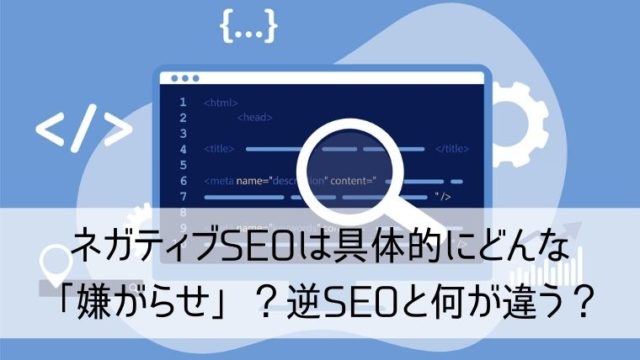
Negative SEO (search engine optimization) can be defined in different ways.
Competitors may insert unpleasant links on your website or try to steal high-performing links from your site. The scope of negative SEO is wide and includes content theft, brand impersonation, and other similar aspects.
Negative SEO generally affects a website’s reputation, prestige, traffic, and rankings in search .
In this article, we’ve highlighted some of the best tools to help you monitor negative SEO instances that can crack your brand’s influence.
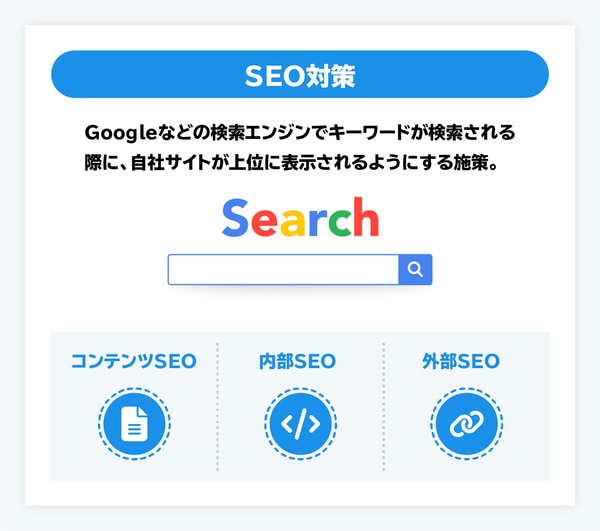
What is negative SEO?
Negative SEO refers to a series of unethical and malicious actions by competitors aimed at damaging a brand’s reputation. Previously, negative SEO was limited to hijacking websites and displaying questionable banner ads. Scenarios are now more complex and sophisticated.
The purpose of negative SEO is to violate search engine guidelines and affect a website’s ranking in the SERPs. They also create fake social media profiles, hack websites to create duplicate content, add harmful content, and provide backlinks from unacceptable or offensive websites. It may also be done by
Types of negative SEO attacks
1. Website hacking
This is the most difficult but highly effective approach to negative SEO. Competitors can use this expensive method to alter your content or even change your robots.txt file to completely de-index your website.
2. Harmful backlinks

Another common negative SEO technique is adding harmful or harmful backlinks from unreliable spam sites. The purpose of this is for Google to penalize sites for harmful SEO practices.
3. Duplicate content
Original content is more likely to rank, but negative SEO reduces your chances of ranking by scraping and creating duplicate content published on another website. Masu.
4. Fake social media profiles
Negative SEO can involve creating fake social profiles in your name to spread false information, fake news, or spam. This leads to a negative impression and reputational damage to your brand.
5. Negative online reviews
A company’s reputation is highly dependent on online reviews and mentions. So, as part of negative SEO, you can become a victim of negative reviews on the web.
6. Adding malware
Malware is inserted into websites through code or plugins and can negatively impact search engine rankings and prevent users from accessing your website.
7. Backlink removal due to fake removal request
To hurt your SERP position, competitors may impersonate you and contact web administrators with requests to remove backlinks.
How to protect your website from negative SEO
- Regularly monitor your backlink profile using Google Search Console, Ahrefs, or SEMrush to identify suspicious links that can negatively impact your website’s rankings.
- Take the necessary security measures (strong passwords, security plugins) to protect your website from hacking.
- Also, monitor the content on your website to ensure that no harmful or irrelevant content is added.
- Set up Google Alerts to track keywords related to your brand name or business, and get notified when you receive mentions or backlinks.
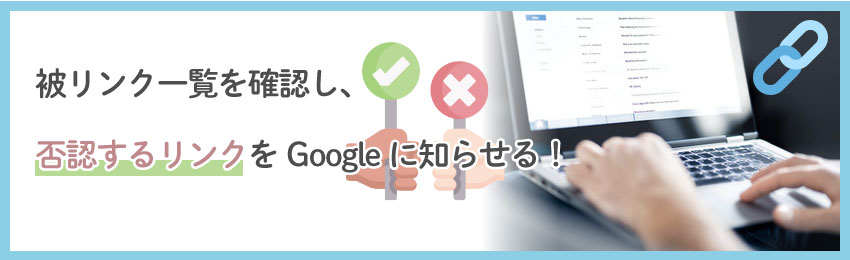
- Google’s disavow tool allows you to disavow suspicious or low-quality links that you haven’t approved.
- Keep an eye on all popular social media to see if there are fake profiles being created on behalf of your brand. It’s also important to create profiles on all major social platforms and link them to your website.
- Using a CDN is a great way to protect your website from negative SEO. Website content is distributed across multiple servers, making it difficult to target your website.
Next, let’s take a look at some tools that can help you track negative SEO.
Google Webmaster
Google Webmaster is one of the best tools available on the market to detect negative SEO. Divide your website’s content into five main parts.
- composition
- health
- traffic jam
- optimization
- laboratory
Health, traffic, and optimization have the most important data.
Google offers a number of tools to help you gain SEO insights. If your website is hacked by someone, Google will mark it as infected in search results. If such malicious activity occurs, you will be immediately alerted and can take appropriate action.
highlights
- You can access Google’s search statistics
- Access the latest data on backlinks and internal links.
- It also shows you how useful the keywords you are targeting on your website are.
- Google Webmaster Tools will immediately alert you if malware is detected on your website.
- GWT provides insight into crawling and indexing activity on your site.
- The sitemap section displays sitemaps for websites found on Google.
- Certain advanced tools, such as robots.txt files, allow you to choose your preferred domain syntax (with or without www) to display in search results.
monitor backlinks
Monitor Backlinks is an SEO tool used by digital marketers and online entrepreneurs to check backlinks and recognize high-quality links from their competitors.
Monitor Backlinks also allows you to check your keyword rankings on Google.

highlights
- You will be automatically notified when you lose or gain backlinks.
- Link with your Google Analytics account and generate all useful metrics
- Backlink monitoring allows you to sort your backlinks into categories such as nofollows, metanofollows, metanoindex, robots.txt blocks, 302 redirects, wrong anchors, and page not found server errors.
- We provide weekly updated keyword rankings.
- We send weekly reports based on changes in Alexa Rank, Page Rank, number of pages indexed by Google, and more.
- If Google manually penalizes your website, you can use one of its built-in tools to quickly filter out bad links.
There are other backlink tools that can help with your SEO strategy.
Cognitive SEO
Cognitive SEO is a great tool to detect and remove unnatural and malicious links in your website’s backlink profile that can damage your site’s reputation in search.
highlights
- CognitiveSEO has a beautifully designed user interface that helps you understand the process of backlink analysis.
- Efficiently analyze unnatural backlinks and generate reports to inform users to avoid penalties from search engines.
- It comes with a comprehensive set of SEO tools needed to increase the visibility of your site and efficiently generate the necessary traffic.
- This helps users build relevant and profitable links that drive traffic and attract clients.
- CognitiveSEO allows you to track and note up to 500 keywords.
- To track the performance of direct competitors, users can enter their website’s URL along with the competitor’s URL.
Google Alert
Google Alerts is a free service that’s a great way to stay informed of specific events to help keep your content original. Enter your search term in the field and see instant results.
You can also set it to be sent to your email when you are added.
highlights
- Google Alerts lets you monitor news, blogs, videos, discussions, and books so you never miss relevant facts when you need to create new content
- You can control the frequency of Google Alerts by setting them to occur when they occur, such as once a day or once a week.
- Receive email updates or create an RSS feed for our materials.
- It is completely web based. All you need is an internet-connected device to access Google Alerts
Open link profiler
Open Link Profiler by SEO Profiler is a free analysis tool to check your site’s links for malicious links. Under Remove Links , you will see that all links are harmful.
Other features
- OpenLinkProfiler has a web crawler
- Link database is updated every 5 minutes
- You can export up to 200,000 links per domain
- The Pages section provides details about the home page for a particular domain.
- You can also view the context of the link to the domain being searched.
- LIS (Link Influence Score) indicates the source of the majority of backlinks to your website.
transparency
Seobility allows you to audit your SEO and improve the technical aspects. Many people forget about the technical SEO section, which can have a negative impact on your website’s rankings as it is responsible for optimizing various other areas.
There are many free tools available to help you implement technical SEO steps, such as improving your site’s loading time, checking your site for grammar issues, and fixing broken links.
highlights
- The SEO check feature will highlight any errors that may affect your SEO campaign.
- Another great feature is the keyword check, which provides tips for optimizing your posts based on your target keywords. Just enter the URL and your target keyword.
- Use the SEO comparison feature to see how your website ranks against your competitors.
- It also provides a monitoring service that crawls the links of all websites and sends reports according to the problems and solutions.
SEMrush
One of the famous all-in-one marketing tools, SEMrush has hundreds of features including risk factor detection.

You can extract harmful links and send them to Google to disavow them without affecting your site’s SEO rankings.
Shrike
Moz ‘s Link Explorer lets you quickly see the overall spam score for a particular domain. It also lists incoming links and their spam scores, so you know which backlinks you should take action against.
Ahrefs
This list would not be complete without including ahrefs , a premium tool for analyzing domains, monitoring competitors, and researching.
If you use Ahrefs, check out this detailed guide on bad links.
conclusion
Negative SEO is dangerous, so you should check it regularly and take necessary steps. We hope the above tools will help you find risks on your site.


![How to set up a Raspberry Pi web server in 2021 [Guide]](https://i0.wp.com/pcmanabu.com/wp-content/uploads/2019/10/web-server-02-309x198.png?w=1200&resize=1200,0&ssl=1)


