Ensuring customer satisfaction through support services is difficult for any company. Zoho Desk makes customer support easy and convenient.
Common customer service challenges
Running a customer service business is certainly harder than you think. For the overall success of your business, you need to provide timely and effective solutions to customer inquiries. Other common challenges faced in this area include:
- Managing queries from different channels
- Dealing with difficult and emotional customers
- Provide accurate solutions quickly
- Data management and integration with other systems
- Measuring customer satisfaction
- Train employees how to use help desk applications
How Zoho Desk solves customer support issues
If you are part of an organization that is looking for a solution to all of the above problems, Zoho Desk is your answer.
This help desk platform allows you to simplify your operations and provide a great support experience for your customers. Give your agents useful features to better satisfy your customers.
This software provides omnichannel support to address tickets from all channels in one place. We also use AI to analyze customer sentiment and add appropriate tags to tickets for agent convenience.
Workflow automation and third-party integrations make it easier for agents to quickly deliver solutions to customers. The tool can also show you customer satisfaction, so you can see which areas you need to focus more on.
Zoho Desk lets you create customizable workspaces that work for any department. We also offer dedicated training programs for support executives with a low learning curve. Additionally, the software’s deployment speed is much faster than other software, making migration hassle-free.

Benefits of using Zoho Desk
- It provides a centralized platform for managing support tickets, allowing you to categorize, prioritize, and route tickets to the appropriate customer executives.
- This allows support staff to seamlessly handle support queries from various channels.
- With Zoho Desk, you can create a knowledge base with FAQs, help articles, and tutorials to empower your customers and men.
- You can also use it to automate repetitive tasks, streamline support workflows, and improve support team productivity.
- Zoho Desk is a cost-effective solution with transparent subscription plans. Competitive pricing makes it affordable for businesses of all sizes.
- It provides reporting and data-driven analysis, allowing businesses to easily track key business metrics.
- This help desk solution is fully customizable and can be scaled up as your business grows.
How is Zoho Desk different from its competitors?
If you are wondering why you should choose Zoho Desk over other help desk solutions available in the market, here are the unique features of Zoho Desk.
#1. Ticket management for multiple departments
If your organization has multiple departments, you can use this unique feature to create separate departments within your help desk solution.
Each department works in its own way and can be customized with SLAs, channels, teams, and more. Each department can have separate self-service portals, such as chat widgets and communities.
#2. AI-powered reply assistant
Zoho Desk also comes with a contextual AI named Zia. You can identify user sentiment and add it to the context of an agent’s ticket. Zia can also suggest relevant solutions from its knowledge base for quick response.
#3. Work mode to improve concentration
Zoho Desk offers a work mode feature that allows you to organize your tickets in four different ways. It allows you to organize tickets based on priority, deadline, status, or CRM status. As a result, agents can easily understand which tickets to respond to first.
#4. Mobile app for insights
Zoho Desk also has an app called Radar that gives you an easy overview of important metrics and notifies you of anomalies and exceptions. Whether you’re a manager or an agent, you can customize your dashboard based on the metrics that matter to you.
#5. Team performance monitoring headquarters
The platform’s HQ feature simplifies the life of customer support managers by making important parameters convenient. It provides real-time agent availability and allows you to monitor your team’s ticket traffic. Additionally, it also supports negative feedback tracking to help you rectify the situation and satisfy your customers.
Main features of Zoho Desk
Omnichannel ticket management
Zoho Desk’s omnichannel ticketing system lets you organize support tickets from email, live chat, phone, web forms, and social media in a single interface. This increases agent productivity and contributes to faster response times.
Social media integration
This solution allows you to integrate social accounts such as Facebook, Twitter, and Instagram into your customer support channels. Therefore, you can monitor the activity of these social handles from the help desk interface.
Automatic tagging and sentiment analysis
Zia, a contextual AI assistant, can pick up ticket sentiment and add tags for the customer agent’s convenience.
Knowledge base and community
Zoho Desk allows businesses to create an information-rich knowledge base for their customers and reduce the number of tickets. You also have the option to create a fully controlled community platform.
collaboration
There’s also a team feed where you can tag teammates and teams, have in-app conversations, and share tickets between departments.
efficient ticketing
Automatic ticket assignment to the right agent, ticket filters, customer data retrieval, and quick clicks to perform regular actions are additional ticketing features of this platform.
customization
Zoho Desk users have a variety of customization options available. You can customize the look and feel and add custom features to suit your unique business needs.
Workflow automation
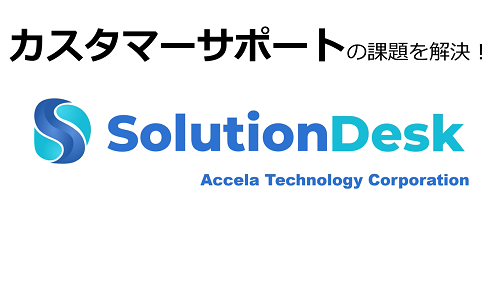
This allows businesses to automate tasks and respond to customers instantly. You can set up rules with specified conditions to reduce manual agent activity.
time tracking
Zoho Desk allows you to automatically track the time spent on each ticket. This can be useful for agents who bill based on time. You can also select specific actions like replies and comments to track time.
Dashboards and analytics
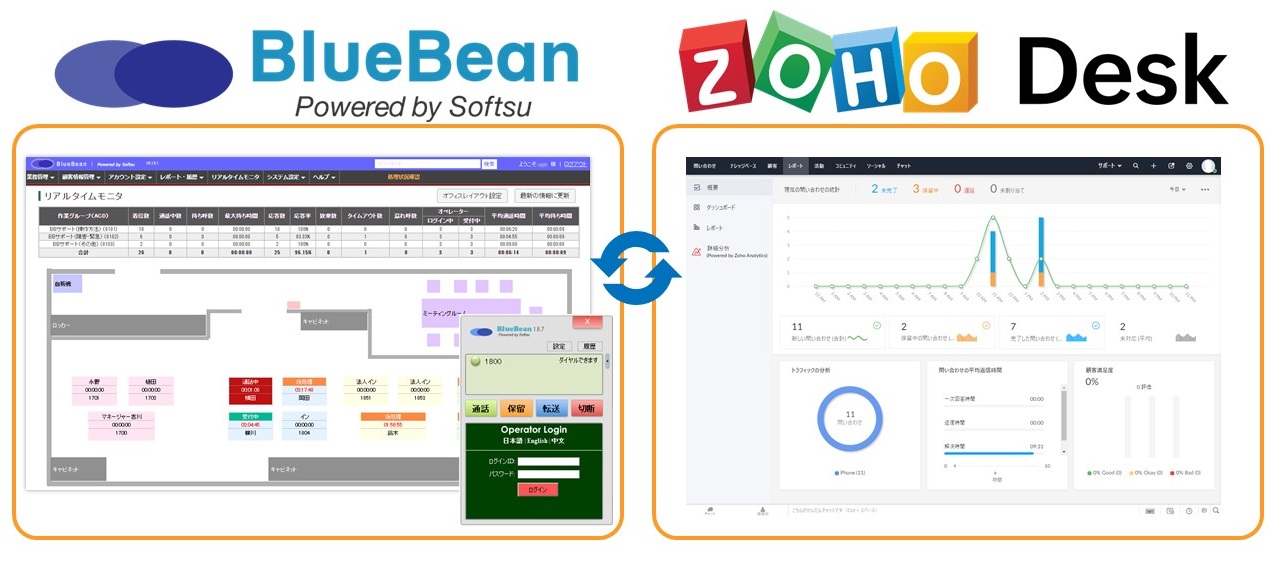
The platform has a built-in dashboard that gives you a complete picture through all common metrics. You can also generate detailed customized reports from here.
data security
Zoho Desk helps you comply with GDPR, HIPAA, and CCPA. We also follow a number of security measures to keep your data safe, including security certifications, data encryption, and controlled data access policies.
template
Zoho Desk allows agents to create ticket templates, email templates, and response templates. These can be customized accordingly, saving you the hassle of entering common information over and over again. You can also create web forms here and embed them on your website.
Internal role management
You also have the option to structure your organization and assign permissions according to team members’ roles. Therefore, you can apply field-level security to protect your data.
API and SDK
Zoho Desk’s REST API and Web SDK are also available. You can use these to integrate its modules with other services and build custom mobile apps for your company.
Zoho Desk’s third-party integrations
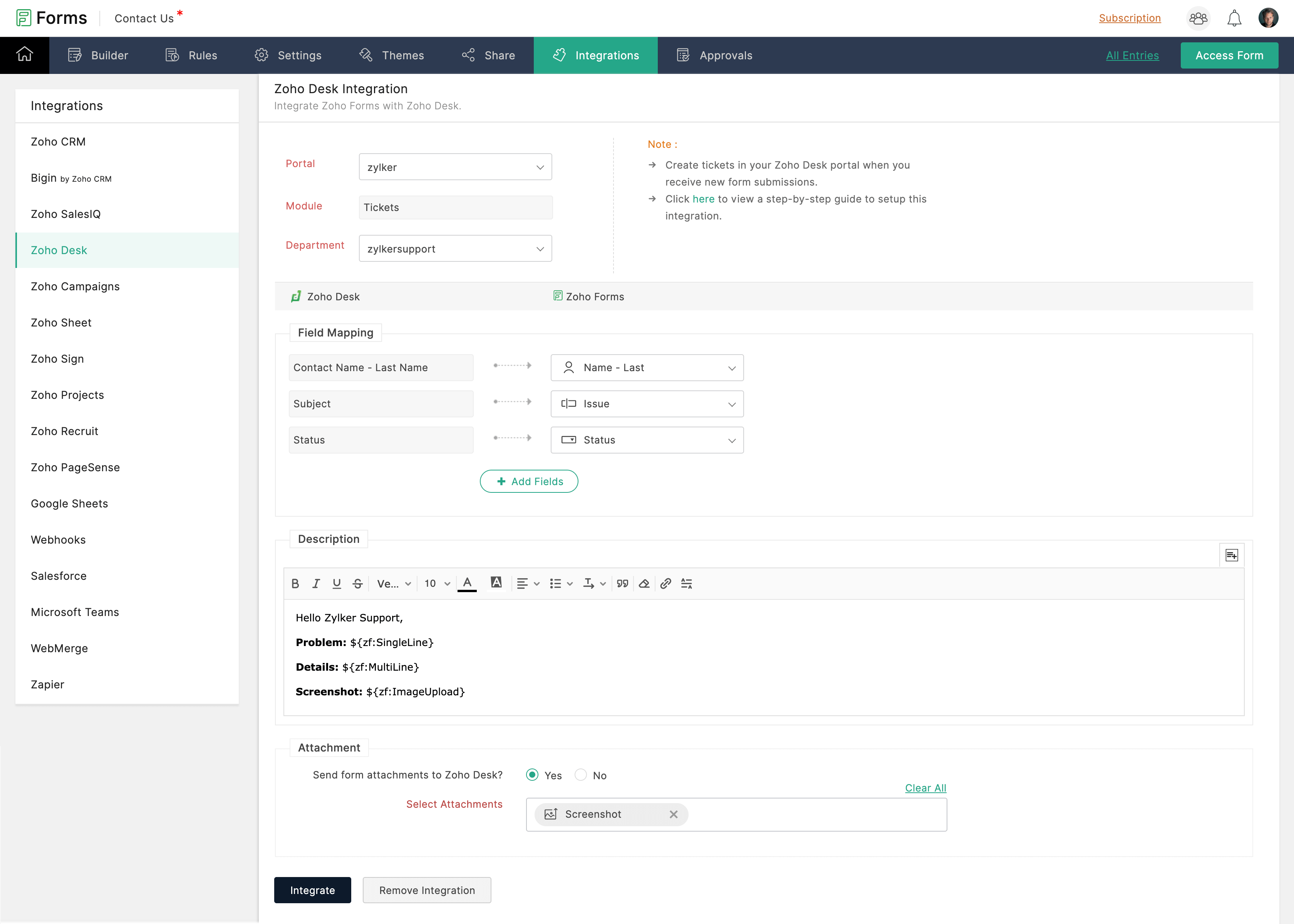
Zoho Desk supports third-party integrations to extend the functionality of your help desk. You can use other applications with Zoho Desk to set up telephony, manage contacts, SMS alerts, and more.
Businesses can easily integrate Zoho Desk with other Zoho apps such as Zoho CRM, Zoho Assist, Zoho Cliq, Zoho Inventory, and Zoho Analytics. Its telephony service partners include RingCentral, Twillo, Amazon Connect, Exotel, JustCall, MyOperator, and more.
Other popular apps supported include Jira, Google Apps, Microsoft Teams, Slack, Salesforce, Trello, HubSpot, MailChimp, Screen Magic, Pipedrive, and Asana.
Examples of using Zoho Desk
education
Educational institutions use Zoho Desk to answer questions from students, parents, and interested users.
e-commerce
Features like multi-channel support, social media integration, and process automation make Zoho Desk the perfect solution for your e-commerce platform.
finance
Financial institutions such as banks and mortgage companies can take full advantage of this platform with secure handling of sensitive information and standard procedure self-service.
hospitality
Organizations in the tourism and hospitality sector use Zoho Desk for tasks such as reservation confirmation, check-in, in-stay customer service, and check-out.
SaaS
SaaS platforms using Zoho Desk benefit from features such as task automation, lead prioritization, instant support, and the deployment of AI tools.
IT/Ites
Zoho Desk allows IT companies to instantly respond to tech-savvy customers. Not only can you resolve issues quickly, but you can also foster collaboration whenever you need it.
telecommunications
With Zoho Desk, telecom companies can retain more customers while reducing headcount and ticket burdens.
Zho Desk for complete customer support
Customer service can be thought of as your company’s spokesperson. Only by ensuring a smooth support experience with efficient help desk software can you retain your customer base and convert leads into customers.
Zoho Desk comes with all the essential features needed for various industries. This should be your top choice, especially if you’re looking for an affordable help desk solution.
Also read our Freshdesk customer service reviews.


![How to set up a Raspberry Pi web server in 2021 [Guide]](https://i0.wp.com/pcmanabu.com/wp-content/uploads/2019/10/web-server-02-309x198.png?w=1200&resize=1200,0&ssl=1)


