Microsoft Power Platform is an umbrella term for data analysis, app creation, process automation, and chatbot building. Stay tuned for a quick review.
The size of your business is directly proportional to the size and number of your problems.
This indirectly means wasting resources on unimportant matters, unexpected problems, and growth bottlenecks. And that’s exactly what the Microsoft Power Platform (MPP) aims to address with its suite of applications.
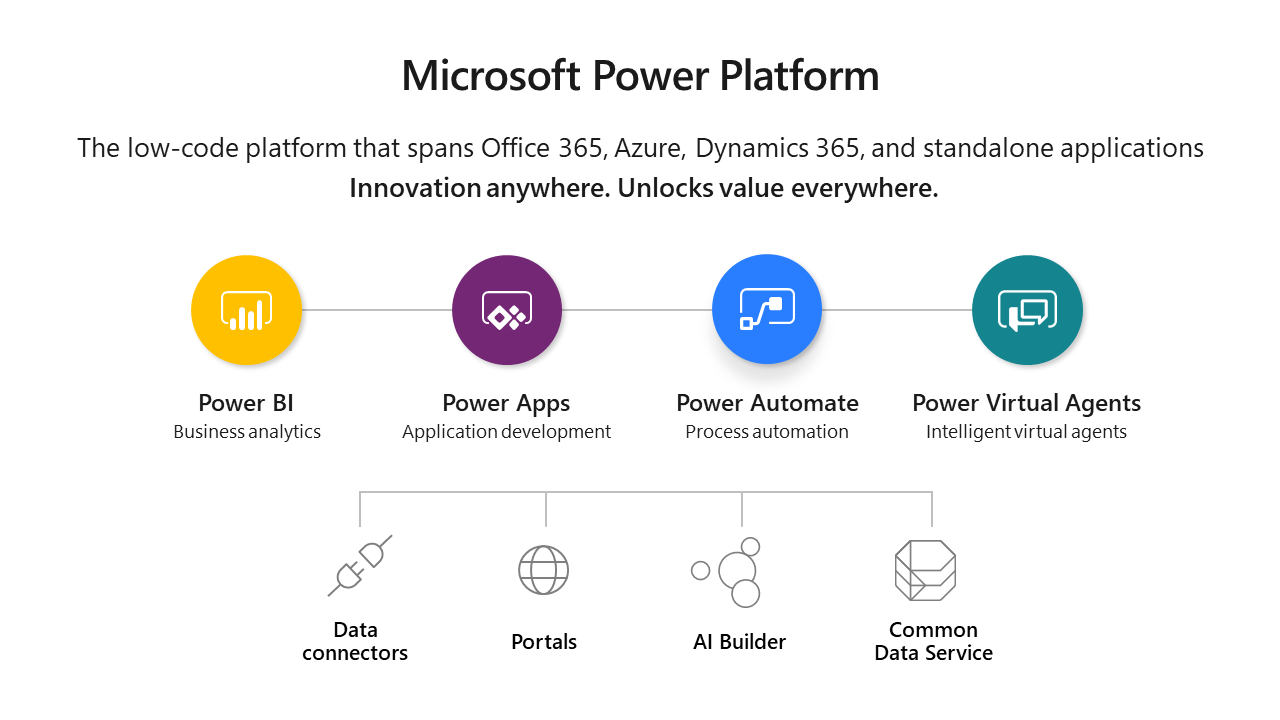
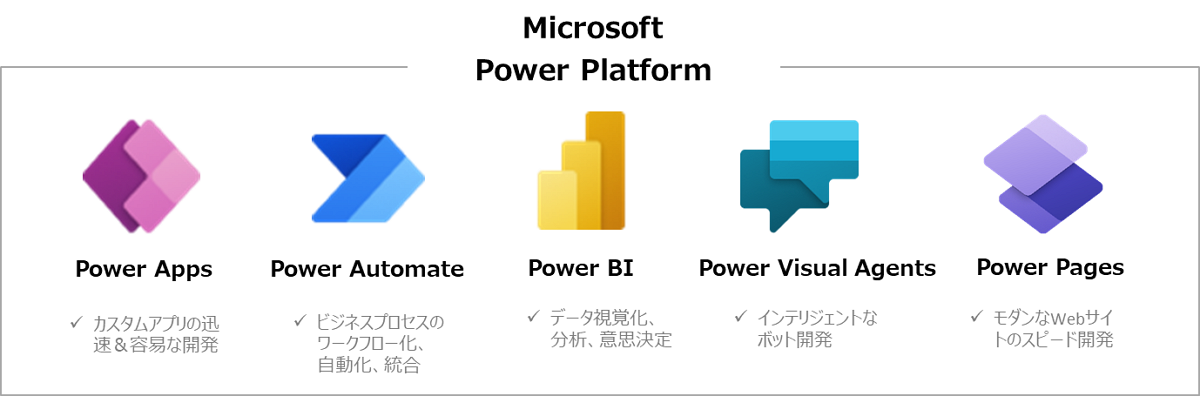
Microsoft Power Platform is a collection of four business modules: Power Apps, Power BI, Power Automate, and Power Virtual Agents that help you automate various processes. These tools can be integrated for the best experience, or used independently at your convenience.
Microsoft Power Platform automates the most frustrating and difficult business problems. It can be used to analyze data, automate routine tasks, build AI-driven chatbots, and create custom applications. This happens on separate, low-code, separate platforms (Power BI, Power Automate, Power Virtual Agents, Power Apps). However, these modules can be used in combination to provide superior output and workability.
Microsoft Power Platform Stream
The four power streams that make up MPP are:
- Low-code applications ( Power Apps )
- Business Intelligence ( Power BI )
- Process automation ( Power Automate )
- Chatbots ( Power Virtual Agents )
These are separate applications that serve a specific purpose and are priced as such. So you can easily use one or more depending on your requirements.
Don’t wait, let’s start from the beginning.

power app
Power Apps is a low-code app building platform. The goal is to build custom applications for your organization.
In particular, most low-code platforms also function as no-code tools, which comes at the expense of customization. Although Microsoft’s products are aimed at business professionals who don’t require coding, developers can always code to achieve greater functionality.
Power Apps allows you to quickly integrate databases from Microsoft’s internal or external data solutions. Applications built using Power Apps are mobile-friendly and suitable for web browsers.
You can use it to build three types of apps.
canvas
This gives you complete control. Optionally, you can connect to external data sources other than Microsoft Dataverse and design your components. There are starter templates to speed up your app development. However, you can also start with a clean slate and build your own method.
Flexibility may feel good, but it can put stress on your shoulders. First, migrating an application between development, test, and production environments is not as smooth as with the Model-Driver app (described below). Additionally, mobile features are not automated and may lose functionality, for which you are entirely responsible.
There are several sample apps to get you started, and the documentation is extensive. Save the apps you create in the cloud or share them with your team. You can also control access to the application with the option to reserve editing privileges for specific users.
However, this basically requires no coding, but without it it looks like a model-driven app. In conclusion, this is better for developers.
model driven
At the core of model-driven apps is no-coding development. In particular, you need data in Microsoft Dataverse to get started.
Additionally, accept some default user interface components. The main tasks include creating data models and association relationships. The rest of the process is mostly drag and drop.
Model-driven apps are responsive and provide a consistent user experience across devices. Additionally, migration between different environments is relatively easy. Also, unlike canvas apps, it has built-in accessibility features. Additionally, you can share apps using role-based security.
portal
Power Apps portals , formerly known as Dynamics 365 portals , helps you design external-facing web experiences for users outside your organization, whether they’re signed in or not.
This is another low-code module for building customer-friendly websites with great flexibility for developers.
The purpose is to integrate the portal with an existing website. Therefore, you can also customize the design to suit your current online business.
However, there is no reason why portals cannot be used as standalone web entities.
For example, you can use the portal to create a customer self-service website for contacting support, creating tickets, viewing progress, providing feedback, and more. Similarly, you can develop portals and build community forms to solve common problems related to your product and grow your community. knowledge base.
You can also integrate Power Apps with the following modules from Microsoft Power Platform:
power BI
Power BI is a free data capture, visualization, and analysis tool that helps you make important business decisions.
The first step in using Power BI is to connect your data source. The app also allows you to import from many online and offline channels, including Excel, Dynamics 365, Salesforce, Google Analytics, SQL databases, and CSV.
You can then convert and integrate all imported data. At the end, you’ll see a visualization that provides the insights you need.
It is rich in visuals and displays information according to your requirements. For example, you can use pie charts, scatter or bar charts, tables, donut or map views, key influencers, and more.
AI-driven approaches can help identify patterns and future behavior. Power BI also supports attractive reports with rich visuals and custom designs using open source visual frameworks. These reports are mobile-friendly and can be published in the cloud or on-premises.
Additionally, you can embed these reports into your applications and websites. Power BI is available on desktop, mobile, and on-premises servers.
Additionally, the pro version includes features like a Power BI Pro workspace, interactions, and full-fledged collaboration with other pro users.
power automation
Power Automate, formerly known as Flow , is for monotonous tasks so you can focus on the important tasks.
It’s a low-code platform with tons of pre-built flows. However, you can also create custom triggers by connecting different applications and automating repetitive tasks.
On-device installation (Power Automate Desktop) is the most effective method for robotic process automation . Power automation is typically combined with web browser extensions to launch web actions. Browser extensions are available for Chrome and Firefox-based browsers. With a premium subscription, you can also automate your machine and share it with colleagues.
The easiest way to create a flow is from flow.microsoft.com . For illustration purposes, I have created the following test flow.

This way, every time you publish on WordPress, a tweet will be published with the article title as the body along with the blog post URL. You will then receive an email with the Tweet ID, title, and link to the article. You can also check functionality and run tests using the built-in flow checker.
But this is just a very simple example of what is possible. It also gets even more interesting if you have a paid subscription and have an in-house developer.
In addition to automatic flows, you can also create flows that start upon manual approval. Additionally, you can also schedule these flows.
The free tier has some useful automation features. However, premium subscribers have access to even more powerful features with an even larger number of connectors. Additionally, business process flows only come with paid plans.
Now move on to the final module of Microsoft Power Platform.
power virtual agent
Power Virtual Agents instantly creates an answer platform for your customers, employees, website visitors, and more.
It is a low-code tool that allows you to build chatbots with drag-and-drop functionality. However, developers can obviously extend it for more complex queries.
In addition to using pre-built templates, you can easily create sample conversations using the graphical editor. Power Virtual Agent can also be integrated with services and backend systems with custom connectors using Power Automate.
You can also improve your chatbot by analyzing and changing topics using AI-powered metrics. This improves chatbot performance and customer satisfaction with pinpoint enhancements.
Power Virtual Agents can be used as a separate web application or within Microsoft Teams.
It doesn’t have a forever free plan. However, it is free to use for a limited time and you can subscribe if you wish.
conclusion
Microsoft Power Platform is definitely the best choice for users who are already stuck within the Microsoft ecosystem. Other users can also use free applications like Power BI and Automate and upgrade according to their requirements. But it’s integration that brings out the most impact.
Indeed, this platform is supposed to solve the most basic business problems, streamline tasks, and improve employee efficiency.
PS: You can also check out the list of Active Directory and Office 365 management software and learn about Microsoft PowerApps here.


![How to set up a Raspberry Pi web server in 2021 [Guide]](https://i0.wp.com/pcmanabu.com/wp-content/uploads/2019/10/web-server-02-309x198.png?w=1200&resize=1200,0&ssl=1)


