A hosting migration can be a good decision if you choose the right provider that can offer better performance, scalability, security, and a number of advanced features than your previous provider.
Rapidly evolving technology has made it easy to migrate websites, applications, etc. from one hosting provider to another.
If you experience frequent downtime, performance and uptime issues, security risks, or other issues, consider switching hosting providers.
Anyone can move their website to another hosting platform, whether it’s a small business or a large successful website.
The good thing is that hosting the migration is no longer a big hassle as you don’t have to pay special attention to the migration process or pay a lot of money.
It may seem like a difficult task if you are doing it for the first time, but following these steps will make the process easier.
Learn more about what hosting migration is, the benefits when done correctly, and the step-by-step process to do it effectively.
Hosting migration overview
Hosting migration is the process of moving a website, application, or any type of digital asset from one web hosting provider to another. It’s like moving your home (website, apps, etc.) along with all your assets from one location (your existing hosting provider) to another (your hosting provider).
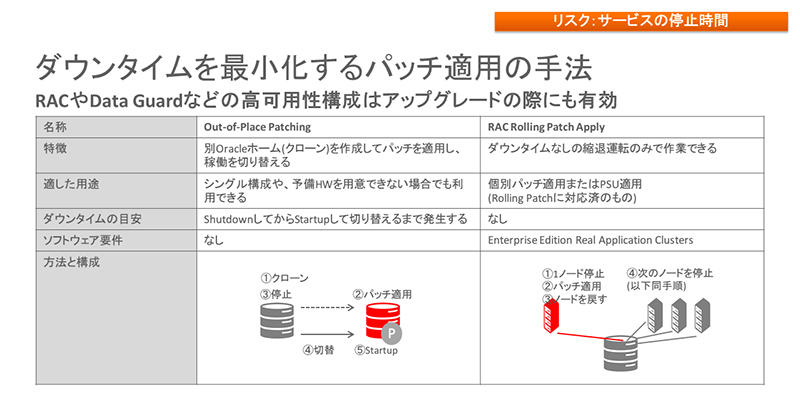
Transferring your website to a reliable hosting provider makes the entire process easier without affecting your website’s appearance, functionality, and search engine rankings.
The reasons behind hosting migration vary, such as getting better features, performance, uptime, affordability, security, etc. The need for a hosting migration may arise when your website requires more resources to accommodate increased traffic.
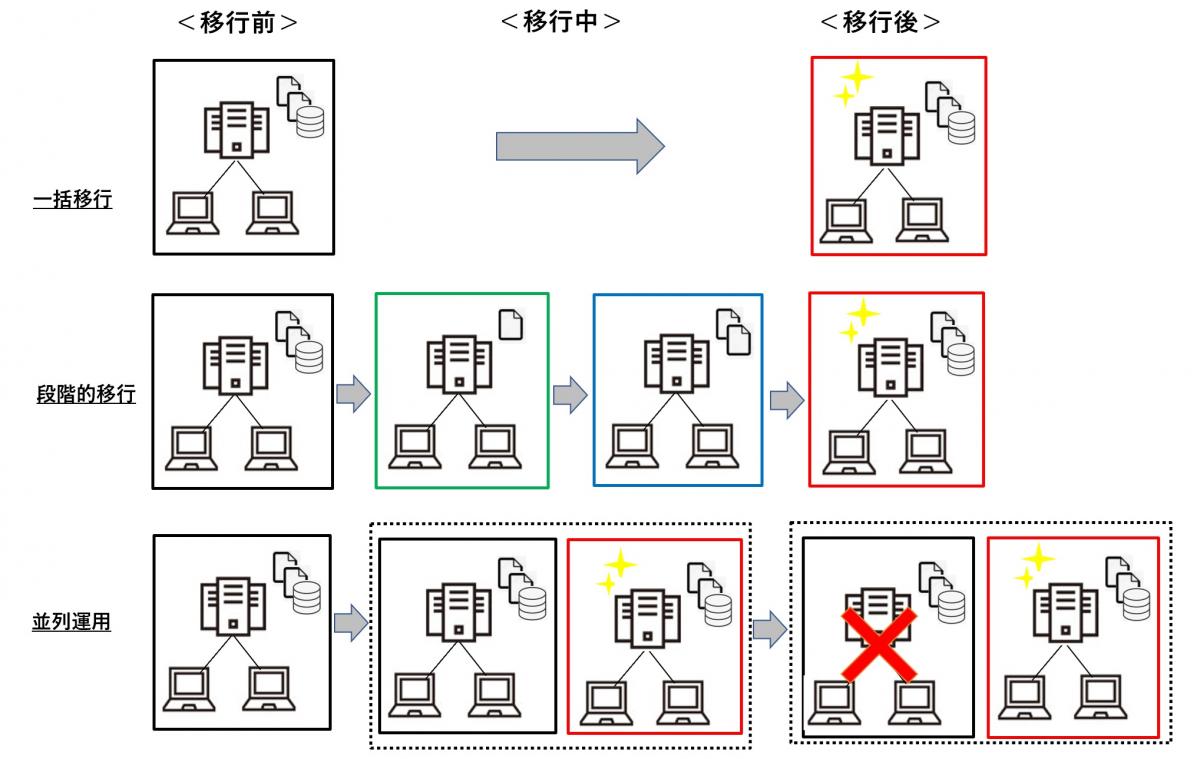
Hosting migration can be a tricky but quick process, and can be done in whole or in part. In most cases, website owners choose a complete migration to move everything off their website. However, there may be times when you only want to migrate part of your website.
Benefits of changing hosting services
Moving your website to a new hosting service provides many benefits, including:
#1. Improved performance
One of the main reasons website owners migrate their websites is the improved performance that a new host provides. Moving to new hosting not only gives you better hardware and infrastructure support, but also a well-optimized configuration. This ultimately leads to improved performance and startup time.
#2. higher reliability
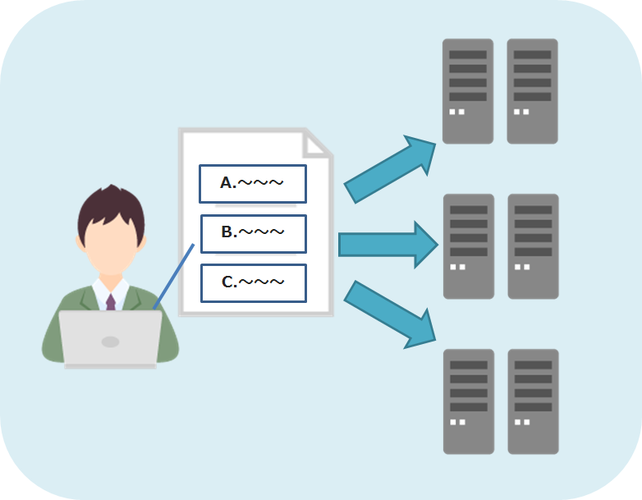
Moving to a better hosting service increases reliability as the new host guarantees higher uptime and prevents your website from frequent outages. Better server performance means better reliability, more traffic, and better search engine rankings.
#3. Scalability
Scalability is another reason many owners are forced to migrate their websites to a new host. As your website grows in popularity, your traffic and resource requirements will increase and you will need a new host. Moving to a new host that can handle scalability will ultimately help your website grow.
#4. Improved technical support
By moving to a new host with a highly qualified technical support team, you can provide better customer support and tackle issues with confidence. This is beneficial for website owners who do not have in-depth knowledge of web hosting.
#5. Enhanced security
If your existing host lacks adequate security support, we recommend moving to a new host that provides better web security. There are many hosting services that offer firewalls, DDoS protection, continuous malware scanning, and SSL certificates. This helps protect your website from cyber-attacks.
#6. Improve SEO

Moving to a new host that offers better performance and reliability will have a positive impact on your SEO efforts, leading to improved search engine rankings.
Steps to follow for a successful hosting migration
There are several steps you need to follow to ensure a successful hosting migration.
Step 1: Get new hosting
First, consider choosing another hosting provider that offers better performance and features. Move your website here.
When choosing new hosting, you need to evaluate your website’s requirements and determine if the new hosting meets your website’s requirements. Compare features, offerings, price, ease of use, and more with your current provider to make your decision.
Step 2: Back up your website and database
After choosing a hosting provider, carefully save and back up your entire website. This helps prevent errors and inconsistencies when your website goes live on a new host. You can back up your website manually or use an application that provides this functionality.
Next, back up your website’s database. A website’s database contains all the valuable information about your business, customers, vendors, third parties, and more. Here you can use applications such as hPanel for backup, or you can run it manually.
Step 3: Set up your hosting account
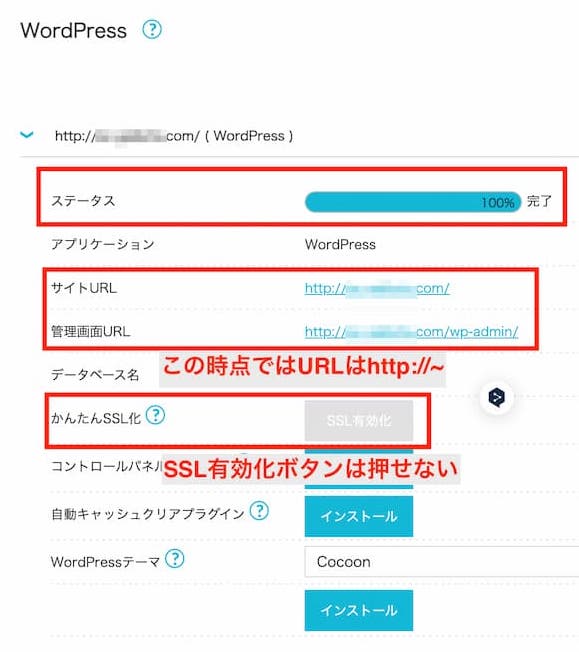
Purchase your desired plan from your chosen hosting provider. Configure all settings and set up domain name and DNS on the new host. During renewal, you may need to update your DNS records or change your domain name.
Step 4: Prepare the new host for migration
After setting up your hosting account, your next task is to prepare your new host for the migration process. For your website to function properly on your new host, you will need to install important tools such as a CMS, theme, and plugins. Also, all configuration files must be updated to be compatible with the new platform.
Step 5: Migrate files and databases
This is an important step that requires you to migrate all of your website’s files and database to your new hosting provider. Transferring files is relatively simple, and tools like migration plugins and FTP allow you to completely migrate your website’s files.
Along with the files, you must also migrate the database and update the database connection settings in the files.
Step 6: Test and review
After migrating your website, you should perform testing to ensure that it runs smoothly on the new host. Check the front end and back end of your website and assess whether they are functioning properly. If no errors are found, it indicates that the hosting migration has completed successfully.
Tips for seamless hosting migration
Here are some tips you can consider to ensure a smooth hosting migration with minimal downtime.
#1. Create a complete backup
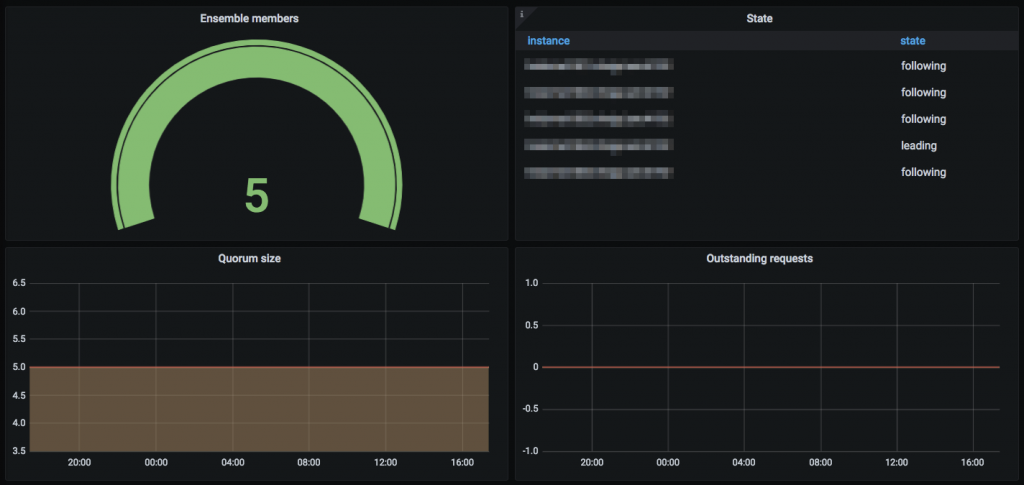
Always perform a complete backup of your website, including sensitive data, configurations, databases, and files. This serves as an important emergency option in case something goes wrong during the migration.
#2. Avoid peak website hours
Migration from one host to another can take several hours. Therefore, it’s always best to schedule your migration during times when your website’s traffic is low. This helps minimize downtime and traffic impact.
#3. Update your DNS records carefully
You need to be careful with your DNS records, as any mistakes can lead to significant downtime for your website. Before migrating, try lowering the TTL value to allow for a faster process. After a successful migration, it’s important to update your DNS records.
#4. Maintain a staging environment
Before starting the migration process, we recommend that you create a staging environment on the new host that clones your existing site. It provides a platform to test your migration and make sure everything goes well before starting the migration process.
#5. Notify visitors and users
Remember to notify your website users and visitors of the expected time of the migration and any downtime they may encounter. You should also let them know when your site will be available.
#6. Have technical support ready

During the migration process, technical support for the existing and new hosts should be available at all times to address any issues. Also, make sure you are prepared throughout the process so that downtime is minimal.
#7. Update all configuration files
If your website is integrated with a configuration file, update the configuration file to match the new server settings. Also update connection details, file paths, and other details.
Features to look for in a hosting migration provider
When choosing a hosting migration provider, consider the following:
Migration expertise
When considering a hosting migration provider, you should evaluate the migration provider’s expertise by checking their previous record. A provider that has experience with migrations and has delivered better results in the past will give you a better chance of a successful hosting migration without any complications.
overall performance
Always choose a migration provider that offers high-end servers and uptime to ensure better reliability and performance. Providers must perform regular maintenance to ensure that there are no constant issues affecting host performance.
website builder
You may want to consider a provider that offers support for websites created using different types of web builders (such as WordPress) or code. It should support multiple platforms and plugins for easy execution.
24/7 technical support
It is important to have the assistance of a professional support team who can help you deal with any issues that may arise during the migration. Therefore, always look for a hosting migration provider that offers 24/7 technical support and employs an experienced technical team.
Comprehensive features
Look for hosts that offer a rich feature set, including security, performance, data center options, and backup. Some hosting providers offer a money-back guarantee for a certain number of days or free website transfers. This gives you an edge over your competitors.
cost accounting
Since you will be using the service for a long time, look for a hosting migration provider that offers features that are worth the cost. So, compare the costs of different providers with their services and choose the best one based on your requirements.
To make the process easier, we have listed some of the best hosting providers for your migration.
hosting provider
#1. A2 hosting
From offering free website migration to unparalleled Guru Crew technical support, A2Hosting is the best choice for migration hosting. Whether you want to migrate your business, e-commerce, blog, LMS, or non-profit website, A2Hosting can help you with everything.
Get up to 20x faster turbo with this provider. In other words, migrating your website will improve your SEO rankings, increase conversion rates, and lower bounce rates. This hosting migration provider utilizes enterprise-grade hardware and promises to provide 99.9% server uptime.
This host’s quick and easy setup features make it easy to set up your website after migration. Currently, the platform offers four types of hosting plans: shared hosting, WordPress hosting, VPS hosting, and dedicated hosting. Plans start at $2.99 per month. If you are not satisfied with our service or performance, we offer a money-back guarantee.
#2. green geek
GreenGeeks Web Hosting has become the go-to choice for many website owners looking to migrate their website from an older hosting service.
One of the key reasons that attracts so many people to GreenGeeks is the free hosting migration service performed by our migration specialists. We also offer free domain registration or transfer for the first year.
GreenGeeks offers daily backups and an on-demand website backup feature that allows you to back up everything according to your needs. This web hosting provider takes website security seriously, so it offers custom security rules, zero-day vulnerability mitigation, and free SSL certificates.
If you experience any issues with our website, please contact our 24/7 customer support to quickly resolve your issue. Plans start at $2.9 per month and include four plan options: WordPress hosting, virtual private server, reseller web hosting, and WooCommerce hosting.
#3. host gator
If you want to move your website to a new host, which could affect your SEO rankings and security, consider HostGator. It is a top-of-the-line hosting service where you can migrate your website for free with the help of experts.

When you migrate your website, you also get free domain registration and SSL certification for your website for the first year. You don’t have to worry about any issues as our technical staff will always be there to assist you during your move.
Once you migrate your website to this new host, scalability will not be an issue as the unmetered bandwidth feature is enabled. We also have a 99.9% uptime guarantee, credited to our high-quality servers in various locations including the US, Brazil, Chile, China, India, Malaysia, Singapore, Russia, and Africa.
This hosting provider charges $3.75 per month for its starting plan.
#4. hostinger
If you choose a web hosting provider like Hostinger to migrate your website, you won’t have to worry about anything. It’s an all-in-one hosting solution that lets you migrate up to 100 websites for free. can’t believe it!
This host’s experts will guide you through the entire migration process, which will be completed within 24 hours. The best part is that you get a free domain for one year when you migrate your website. After migration, Hostinger also lets you set up professional business email.
Many website owners prefer this host over other hosts because of its advanced security features such as DDoS protection and file security. When you migrate your website, Hostinger provides a free SSL certificate for your site.
This hosting service is very affordable, with monthly plans starting at $2.99.
conclusion
Hosting migration is no longer a difficult and expensive process as there are many hosting providers who can assist you with the migration without data loss or complications.
So, choose your hosting provider considering the above information and follow the steps and tips to successfully perform the migration without any downtime or other inefficiencies.
Then check out why blogging on free web hosting is bad for you.


![How to set up a Raspberry Pi web server in 2021 [Guide]](https://i0.wp.com/pcmanabu.com/wp-content/uploads/2019/10/web-server-02-309x198.png?w=1200&resize=1200,0&ssl=1)


