Helpdesk software allows users, either internal or external to your organization, to receive support when they encounter difficulties or problems with your products or services.
Many organizations provide help desks to provide support to users, either employees or customers. Providing quality support builds trust with customers and employees alike.
Therefore, businesses looking for a helpdesk solution have two options: on-premises and SaaS-based helpdesk software.
On-premises solutions are hosted and installed in-house and are used by large enterprises to provide better customized solutions and better security to their customers. However, third-party providers offer SaaS helpdesk solutions that are more scalable, flexible, cost-effective, and more.
Companies can choose either type depending on their business needs.
This article describes helpdesk solutions and compares on-premises and SaaS-based helpdesk solutions to help you decide which one is right for your business.
Let’s get started!
What is a help desk?
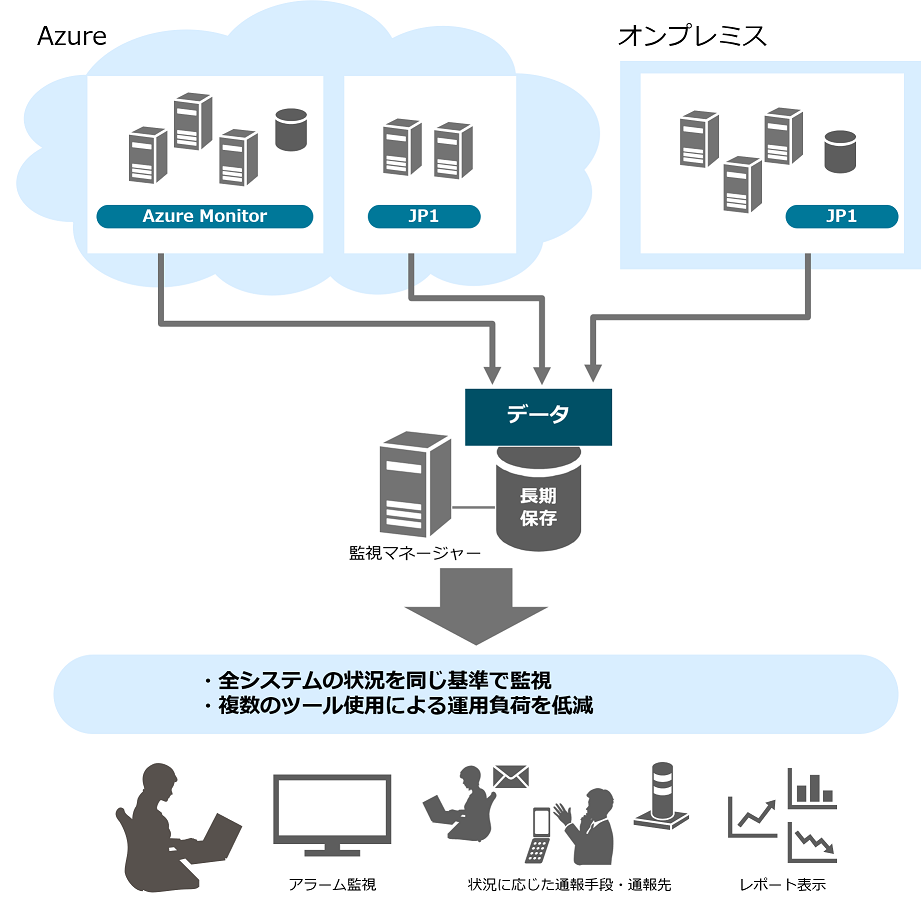
Helpdesk software is a solution used to manage, organize, and respond to requests. Some helpdesk solutions are used for internal service-related requests from team members, while others are used for external service-related requests from customers.
Helpdesk platforms are used to improve the customer experience, regardless of how you interact with your customers: in person, over the phone, or on social media. It includes a wide range of tools such as knowledge base software, live chat solutions, and shared inboxes to help you build better relationships with your customers.
What is an on-premises helpdesk?
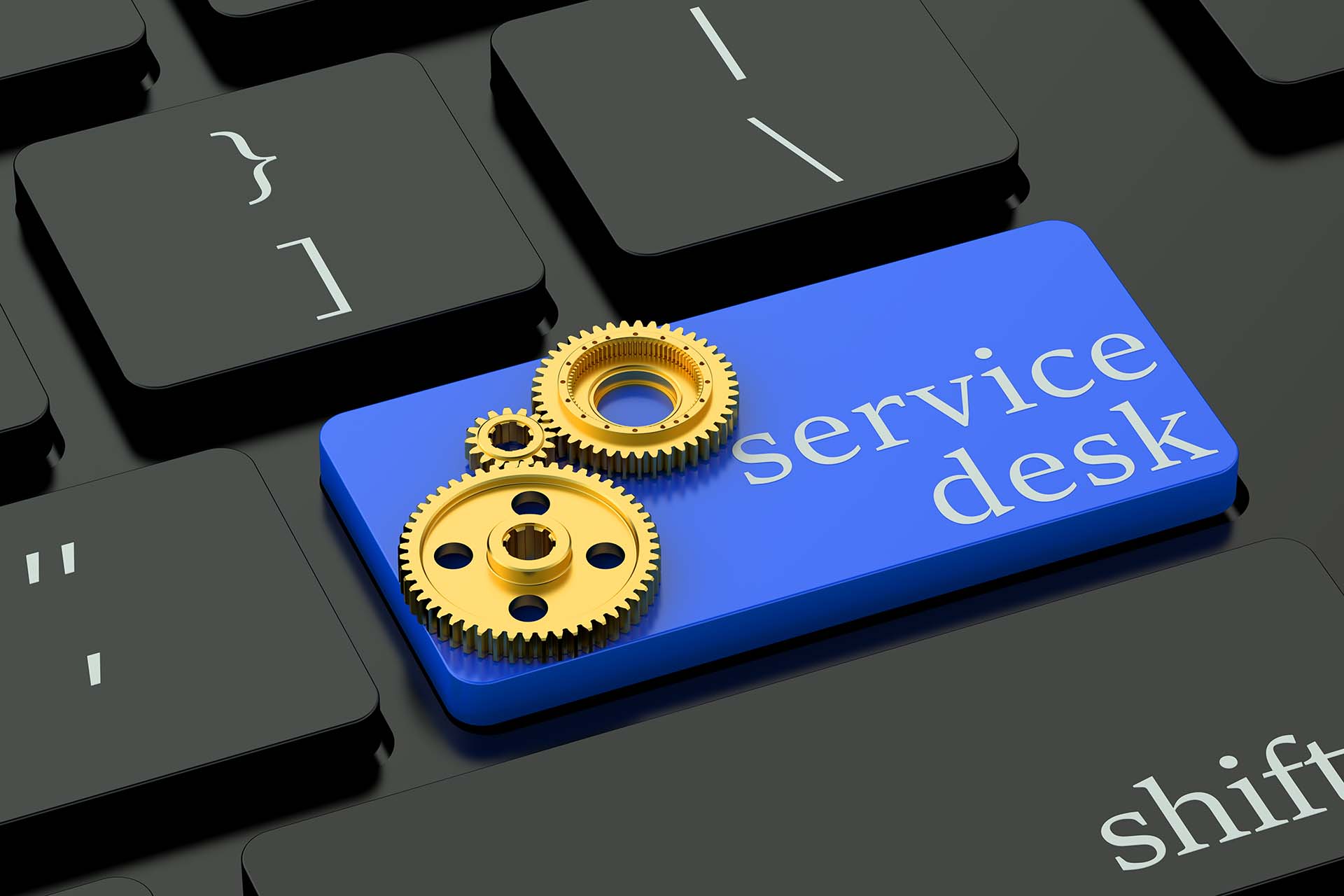
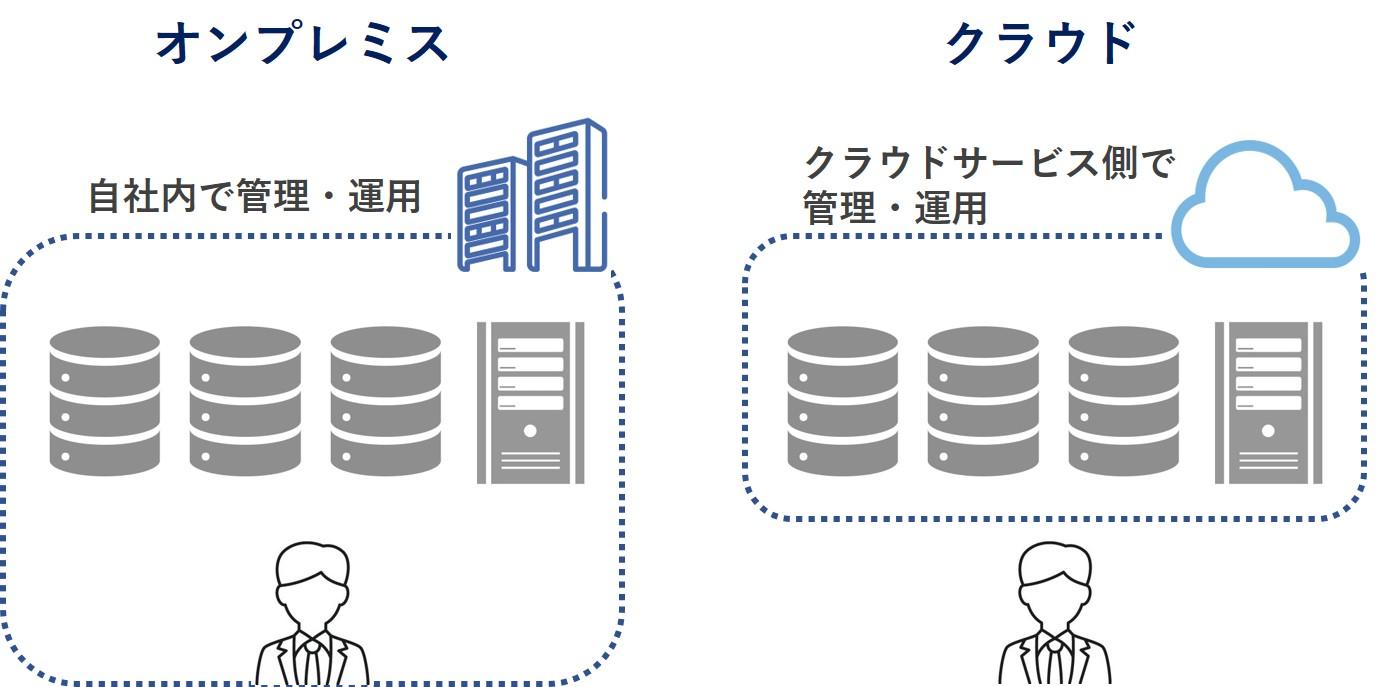
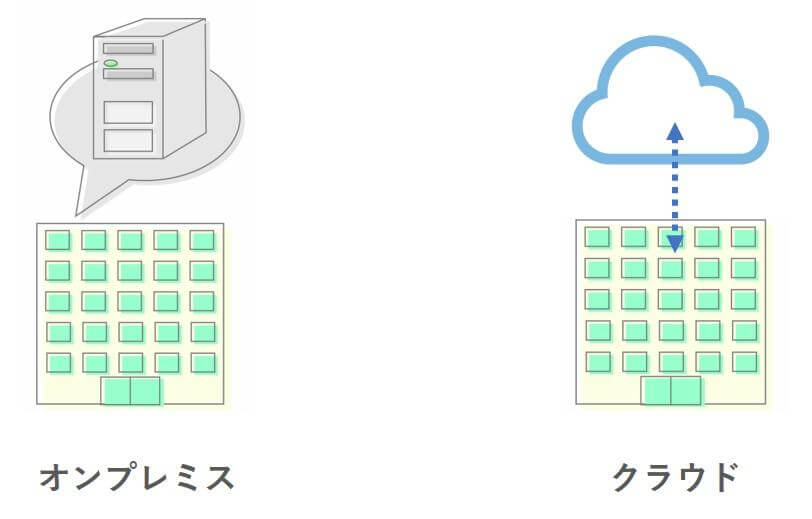
On-premises is a self-hosted and self-installed version of the help desk solution. Includes a variety of features to manage assignments, workflows, and tickets in one place. Additionally, you will need infrastructure to host, install, and manage your helpdesk software.
Some businesses, such as government agencies, require strict data security. To maintain a high level of security, you need to be in control of your data. Additionally, if your company has compliance requirements, an on-premises helpdesk solution is the best option to manage your data and security needs.
Examples : DeskPro, Zammad, UseResponse, SolarWinds Service Desk, HelpSpot, Jitbit, ManageEngine ServiceDesk, etc.
What is a SaaS-based help desk?
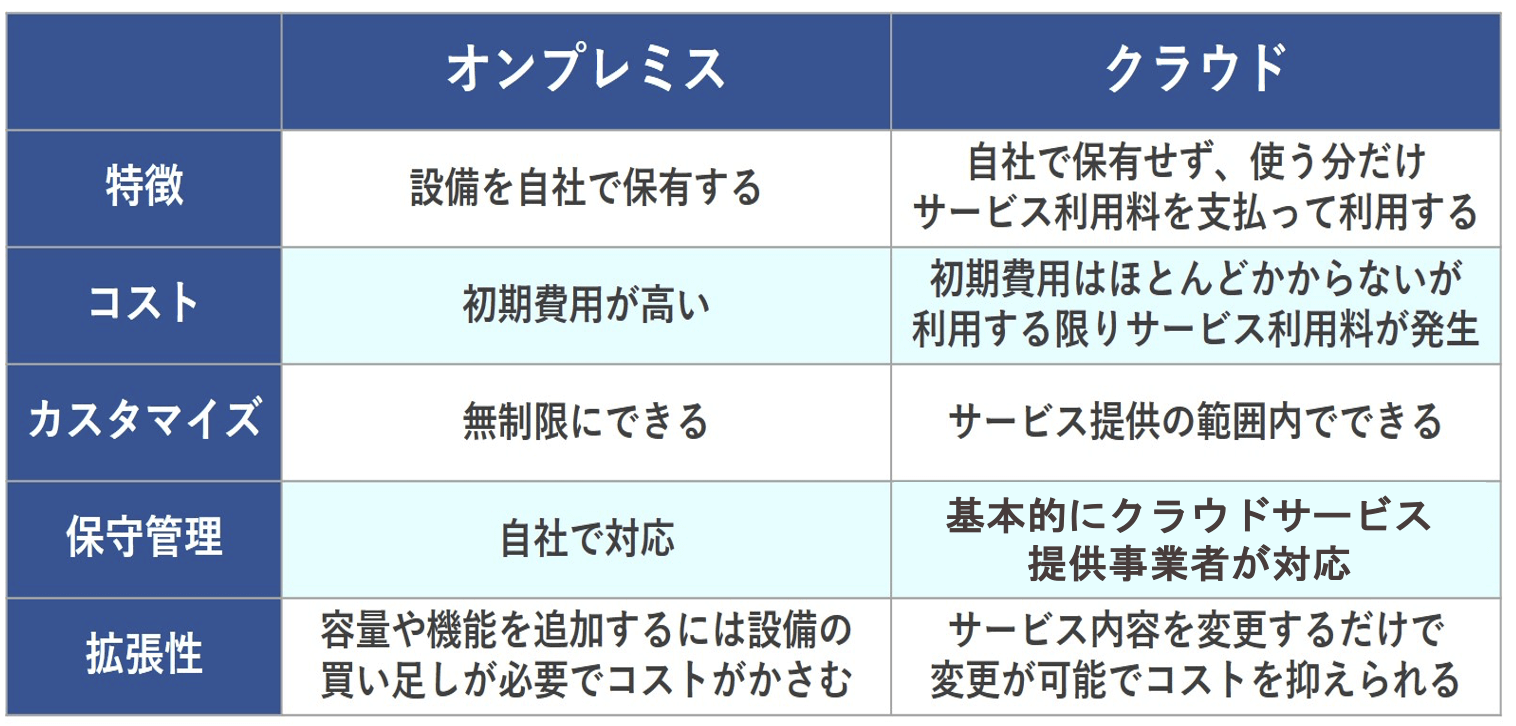
Software-as-a-service (SaaS)-based helpdesk refers to cloud-based helpdesk software from third-party service providers that enables businesses to provide high-quality support. Here, a service provider installs and maintains software on remote servers and makes it available to users through web browsers, APIs, and mobile apps.
The software is hosted and installed on the provider’s servers, so users do not need to invest in expensive infrastructure to use the software. To use this model, an independent software vendor contracts with a third-party cloud provider to host the app.
Examples : Salesforce, Trello, Google Workspace, Zoom, DocuSign, Netflix, Spotify, MailChimp, Slack, Adobe Creative Cloud, etc.
On-premises vs. SaaS: the difference
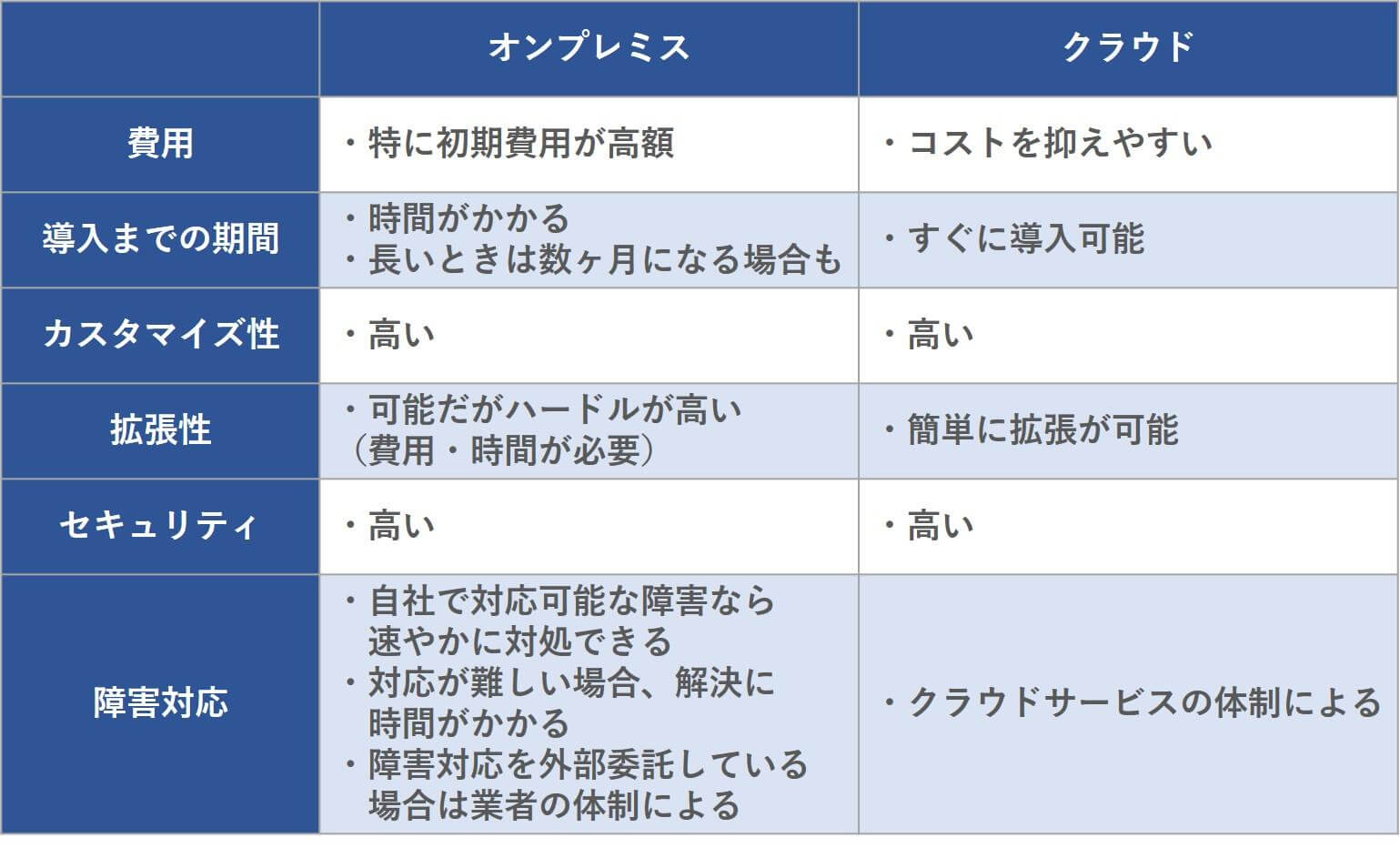
| On-premises help desk | SaaS-based help desk |
|---|---|
| On-premises solutions are installed and hosted in-house. | SaaS is installed and maintained by a third-party service provider. |
| Scaling and management requires IT resources. | SaaS is easy to access and can scale with your business needs. |
| Upfront investment is required to set up and implement the infrastructure. | It is offered at a lower cost based on a subscription model. |
| With an on-premises help desk, you are responsible for maintaining and updating the software. | All maintenance and updates are handled by your cloud service provider. |
| To build and manage your solution, you’ll need to hire a team or outsource the task. | Maintenance and support is included in your subscription. |
| Gain complete control over your customizations and solutions. | It reduces your ability to customize and control your solution. |
| Increased compliance and data security, along with internal requirements for all data stored within the company. | Because your data is stored elsewhere on the service provider’s servers, the security of your data may be at risk. |
| Implementing the hardware installation process takes more time. | Implement faster without disrupting your workflow. |
| You must be on office premises to access the software. | SaaS applications can be processed from anywhere using a laptop, tablet, or smartphone. |
| On-premises solutions are costly because businesses must purchase hardware and pay for setup and maintenance. | SaaS solutions have lower implementation costs because you take a rental or subscription to access the functionality. |
| The cost of recovery systems is very high. Configure duplicate data storage for backups. | When you store your data in the cloud, your data is automatically backed up, so you won’t lose your data in the event of a disaster. |
What’s great about on-premises help desk solutions?
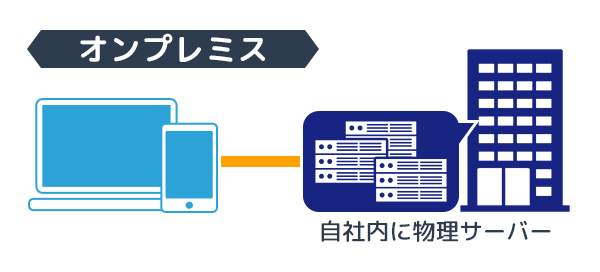
Generally, large companies prefer to install their own technology to remain protected. It is commonly used in the financial sector, insurance services, government agencies, defense agencies, etc. When dealing with sensitive data such as bank accounts, passwords, names, and addresses, most organizations prefer an on-premises help desk.
In other words, if security and privacy are your main concerns, using an on-premises helpdesk solution is better than one that is SaaS-based. Therefore, many large companies prefer to deploy and develop their own IT infrastructure due to their data security requirements and being in highly regulated industries such as healthcare, finance, and finance.
Additionally, companies that have their own support teams and resources to regulate and maintain their hardware and servers are more likely to be interested in using an on-premises solution.
Let’s discuss why on-premises solutions are beneficial for large enterprises.
- Infrastructure deployment: If you’re deploying Linux or Windows servers and SQL servers, self-hosted versions can save you effort, time, and money. This eliminates the need to spend time installing or purchasing additional licenses.
- Customization: With on-premises solutions, you can easily configure several things within your ecosystem. For example, you can change the speed of your email server, set file upload size limits, and choose how files are saved.
- Source code: If you have a developer, you can change the way the feature works or add new functionality. Almost all software provides source code to developers so that they can tailor the software to their business’s specific needs.
- Control your data: If you want flexibility and control over your own database, you can use an on-premises solution. This helps protect your customers’ personal data. You can maintain your own backup and recovery capabilities to keep your security up to date.
- Security and Compliance: Large enterprises use on-premises solutions, making it easy to protect sensitive company and customer data.
What’s great about SaaS helpdesk solutions?
SaaS is a convenient and very easy solution. This service is available online, so you can easily get started no matter where you are. Therefore, startups, small businesses, and even mid-sized companies prefer to use SaaS solutions for customer support. This gives you flexibility in choosing services, features, backups, and more.
Learn about the benefits of using a SaaS-based helpdesk.
- Ease of use: SaaS systems are easy and straightforward to set up and configure. No hardware required and no need to spend hours on installation and maintenance.
- Scalability: As your business grows, so do your requirements. For SaaS solutions, you will need to upgrade the price depending on your needs.
- Accessibility: Work from anywhere with a secure internet connection via laptop, mobile, tablet, desktop, etc.
- Low setup and infrastructure costs: With a SaaS helpdesk solution, you only pay for the services you use. Therefore, the overall setup fee is very cost-effective.
- Security: Third-party service providers provide security and compliance for your business so that users can easily share information.
- Frequent automatic updates: Automate software updates so you can focus on your work without having to do it manually.
The best on-premises helpdesk software
So, if you prefer on-premise solutions, check out some of the best on-premise helpdesk software.
#1. desk pro
Get an all-in-one helpdesk solution for your business with Deskpro, available on-premises. Deliver a great customer experience to internal or external users with dynamic and flexible helpdesk software.
You have the option to host the information and export the entire database. This gives you complete control over your data while deploying a self-hosted helpdesk on your server infrastructure. Deskpro provides customizable solutions to fit your organization’s needs and improve communication with your users.
Additionally, you can centralize all conversations with your help desk and capture all messages.
Deskpro leverages automation tools to reduce support costs, save time, and improve overall productivity. If your team has advanced tools, you can provide great support.
- Automation : With Deskpro, you can reduce repetitive tasks and increase efficiency with powerful automation.
- Reports : Deskpro’s custom and built-in statistics help you make informed decisions and improve your team’s support capabilities.
- Customer satisfaction: Collect feedback directly from your users, track your support team’s overall performance, and give your customers what they want.
- Messenger: Instantly communicate with your customers through integrated live chat with more features.
- Customization: Create your own helpdesk with unlimited functionality to suit your business needs.
Give your team the control, customization, and permissions they need to build customer relationships with Deskpro’s free plan. Paid plans start at $29 per agent per month and provide essential features.
#2. git bit
JitBit helpdesk software is built to help IT teams interact with customers and resolve issues faster. This solution is simple, takes less time to set up, and is surprisingly powerful. Simply forward your support emails to the application and start managing all your tickets.
Although the main focus is email, JitBit also has integrations, chatbots, knowledge base, and live chat. Improved email ticketing system with support for MS Exchange, SMTP, POP3, IMAP, and more. It also has built-in email flood, deduplication, and anti-spam protection.
Setup is quick and your team can start processing tickets within seconds. JitBit provides automation, integration, and email processing at affordable prices. You can detect bottlenecks, analyze load, and export complete reports in Excel or CSV format.
JitBit offers a free mobile app for Android and iOS users so you can easily support your customers anytime, anywhere. With the mobile app, you can view tickets, update ticket details, reply to tickets, attach files, assign technicians, and more.
Additionally, JitBit’s powerful automation lets you automate all repetitive tasks and save time. You can ask JitBit to automatically assign technicians, send automatic replies, set automatic deadlines, and more.
JitBit offers one one-time license starting at $2,199, which includes one year of version upgrades and support.
Let’s take a look at some of the best SaaS helpdesk software here.
#3. fresh desk
Extend your support experience with Freshdesk and help your support team provide consistent and timely support. It provides everything you need to quickly resolve issues and manage complex tasks.
Whether it’s ticket management, workflow automation, or customer engagement, Freshdesk provides advanced tools to meet your unique needs. Automate everyday tasks with custom widgets and a scalable knowledge base to help your customers find answers faster.
You can integrate custom applications to help your business provide a better self-service experience to your customers. Additionally, AI-powered automation can be used to help teams eliminate redundancies and run on autopilot.
Freshdesk improves efficiency and productivity with generative AI, empowering teams to provide accurate answers. Collaboration tools help teams connect with the right experts to deliver more consistent and faster service to complex issues. Additionally, you can use AI-powered insights to understand potential problems.
Freshdesk helps you analyze interactions, monitor quality, and provide better support. Deliver great customer service with Freshworks Customer Service Suite. From no-code bots and AI-powered conversations to efficient ticket management, this suite helps you be more productive.
Sign up for a 14-day free trial today to receive consistent and timely support.
#4. zoho desk
Simplify your customer service operations, deliver a better customer experience, and increase productivity with Zoho Desk. Improve your customer service and delight your customers every day.
Zoho Desk provides helpful context and powerful tools to help agents stay confident, organized, and productive. Zoho Desk helps you build better customer relationships for a more sustainable, healthier, and stronger business. Additionally, it helps you track your customers’ interests and understand their needs to consistently deliver value.
Manage your customer support even when you’re away from your desk using Zoho’s Desk’s mobile application. Supports iOS and Android. Close tickets instantly and easily see the full picture of your services.
Implement useful customer service software 50% faster with Zoho Desk. We offer a dedicated training program with an easy-to-understand learning curve. Additionally, we offer customizable workspaces to help you work across any brand, department, or industry.
Zoho Desk gives you the most affordable plans to retain your customers. You can experience its true power with a free trial. There are no hidden costs, no hassle of switching plans, no strict contracts, and no setup fees.
conclusion
The two options that businesses can choose from are on-premises and SaaS help desk solutions. Both offer almost the same functionality, but differ in installation and implementation. Therefore, choosing one among them depends on your organization’s requirements.
Businesses that want greater security and customization while being able to maintain their own servers, hardware, and software within their infrastructure can choose an on-premises helpdesk solution.
However, if your business wants great flexibility, scalability, and accessibility at an affordable price, choosing a SaaS helpdesk solution may be a better option.


![How to set up a Raspberry Pi web server in 2021 [Guide]](https://i0.wp.com/pcmanabu.com/wp-content/uploads/2019/10/web-server-02-309x198.png?w=1200&resize=1200,0&ssl=1)


