Create beautiful, professional software or infrastructure diagrams in minutes…
One of the important tasks for IT project leaders and architects is to create application diagrams. It can be an application flow, an infrastructure diagram, or a software design.
Microsoft Visio is one of the most popular software for creating diagrams. However, it is expensive and may not be of interest to small organizations or startups. The following online tools allow you to create layouts without installing any software.
Ready to explore?
lucid chart
Lucidchart is freemium, and the free plan has basic features but is a good place to start.
Choose from over 100 ready-made templates in the following categories:
- communication network
- network infrastructure
- psychological diagram
- engineering
- business analysis
- site map
- organization chart
- flowchart
- wire frame
- And so on…
Milo
Miro is a user-friendly diagramming tool with robust collaboration and diagramming capabilities to increase productivity and foster innovation in your organization.
The platform is designed for both beginners and experts and provides a variety of diagramming tools, from coordination to actionable information, including diagramming processes such as setting up coordination meetings and brainstorming sessions, and building action plans. It offers a number of editable templates and tools to meet your requirements.
Miro makes it easy for your team to create, share, and collaborate on diagrams with a user-friendly interface, wide range of features, and comprehensive integrations.
Basic shapes, connections and flowchart icons are included in our free diagrams collection. Advanced features include shape packs from AWS, Azure, and Cisco, as well as well-known techniques such as BPMN and data flow diagrams.
Integrations with Jira and Asana make it easy to create action items and convert them into tickets.
With its basic features, you can start creating diagrams with enterprise-grade security, control, and compliance for free, but if you need advanced diagramming, you’ll need to upgrade to the commercial version.
creatively
Creately’s free account allows you to create one project and five diagrams. Creately lets you draw flowcharts, org charts, wireframes, network diagrams, infographics, and more.
It’s completely drag-and-drop, so you can easily create infrastructure diagrams and flowcharts.
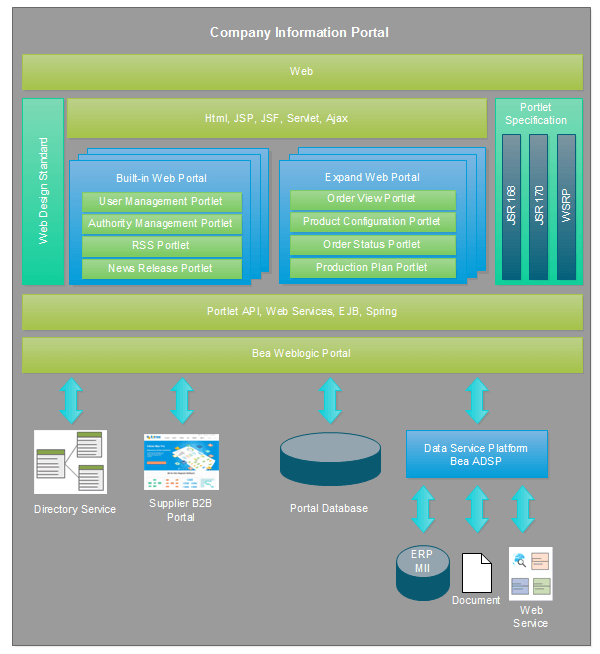
Draw.io
Draw.io allows you to create flowcharts and diagrams with various shapes to properly visualize your infrastructure.
We provide over 50 predefined templates to get you started in different categories.
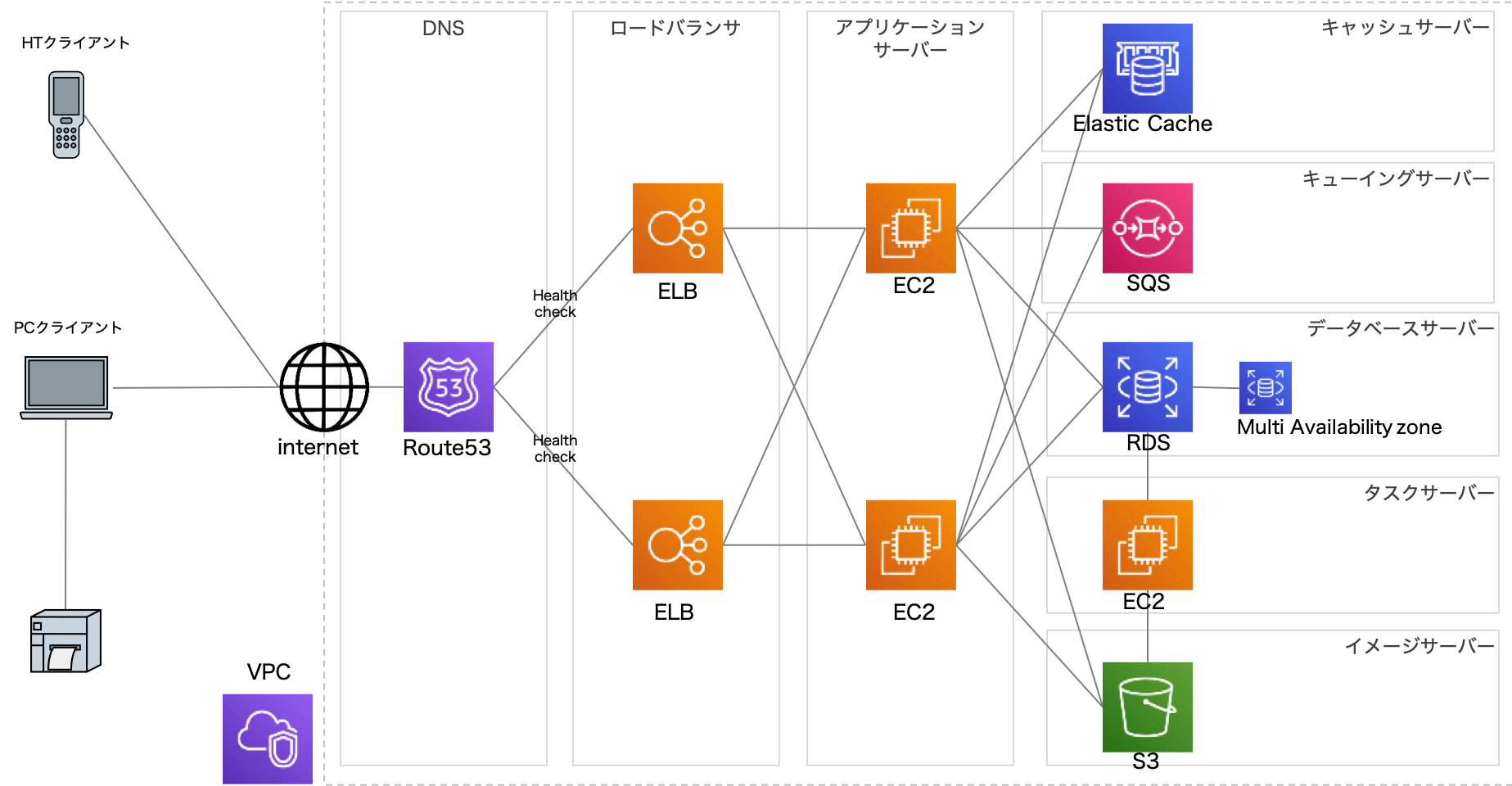
- Go to drawing.io
- Choose where to save the diagram

- Click Create new diagram.

- Enter the file name and click Create
Start designing your flow by dragging and dropping shares from the left navigation. If you can’t find the share, try searching for it.

- Once done, click File >> Export As.
Select the file type you want and you’re done. It’s easy and best of all, it’s free .
terrace tract
Terrastruct is a diagramming tool designed for software architecture.

Unlike other diagramming tools that create static images, Terrastruct allows you to express the complexity of your software design. You can layer diagrams according to level of abstraction and define scenarios to explain any edge case.
Features
- multidimensional diagram
- automatic layout
- Unique integration with Github turns your README into a diagram presentation
- live collaboration
- A huge set of icons specific to software diagrams
- password protected diagram
- Team features such as shared templates and image uploads.
griffey
Gliffy is a great drawing tool that helps you create multiple types of diagrams, including flowcharts, organizational charts, Venn diagrams, wireframes, mind maps, and network designs. The user interface is similar to Draw.io. But with more colored shapes, it looks very useful and attractive.
- Visit giffy.com
- Click Start Drawing.
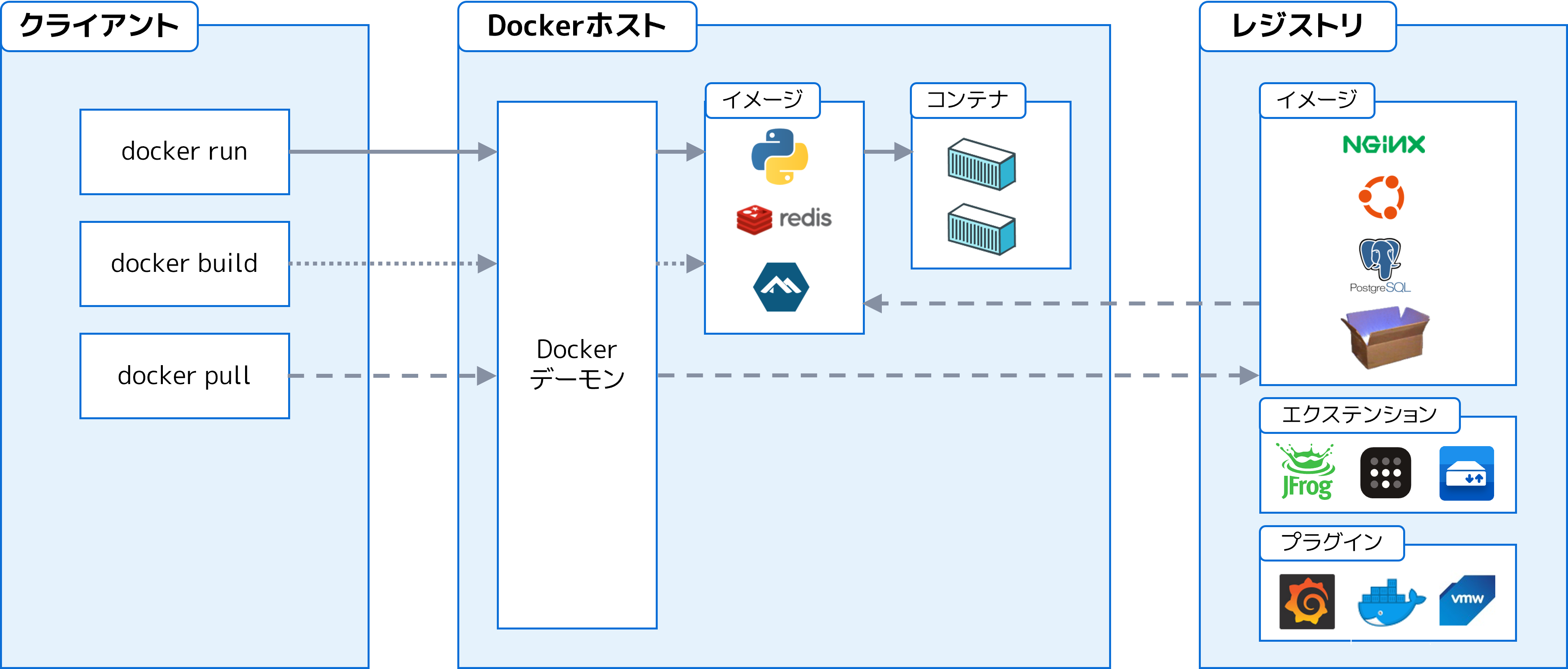
Drag and drop the required shape from the left navigation. Once complete, you can export the file to your desktop in PNG, JPG, SVG, or Gliffy format.
edromax
Trusted by companies like Samsung, Dell, and IBM, Edraw Max helps you create visual presentations in literally minutes. Simply select your visualization elements and add your data via a spreadsheet or its simple sidebar. Once you’re done, you can share it on social media or add it to your documents, slides, or website.
There are over 1,000 templates in a variety of areas, including:
- flowchart
- timeline
- infographic
- brochure
- Network visualization
- floor plan
- engineering plan
It has all the features you need to visually convey your message.
Kaku
Cacoo is perfect if you’re looking for real-time collaboration with drag and drop, grids, and revision history. You can create 25 images with the free plan and export them in PNG format.

It has a large selection of shapes for almost every object you need to create diagrams and wireframes.
process on
ProcessOn is another flexible online tool that helps you create UI mockups, mind maps, flowcharts, and UML.
/filters:no_upscale()/articles/why-architectural-diagrams/ja/resources/1why-architectural-diagrams-2-1547639071547.jpg)
Coggle
Work with your team to create flowcharts and mind maps using Coggle . Some of the features are as follows.
- Add multiple starting points to a diagram
- Upload a custom image
- Annotate text or images
- Numerous shapes and design elements
Once you’re happy with your diagram, you can download it as a PDF or image file. You can also export as a .mm or Visio file.
mind meister
As the name suggests, it is primarily a mind mapping tool.
Over 10 million users use Mindmeister for brainstorming, project planning, knowledge management, idea management, note-taking, and more.
yED
You can kickstart various samples to create diagrams. The yED live editing platform is fast and distraction-free.

Features
- Add a brand color palette
- Add custom data
- share with others
- UML diagram editor
- Grouping graph structures
yED is also available as a desktop version.
smart draw
With thousands of templates, tools, and symbols, SmartDraw is definitely worth your consideration. You can create a huge amount of elements such as:
- flowchart
- floor plan
- network diagram
- graph
- CAD drawing
- wire frame
- many others
Seamlessly integrates with third-party tools such as MS Office, GSuite, and Trello. Additionally, you can import, export, and modify Visio files and stencils. Overall powerful and easy to use.
You can download SmartDraw to your desktop or use it online from any device.
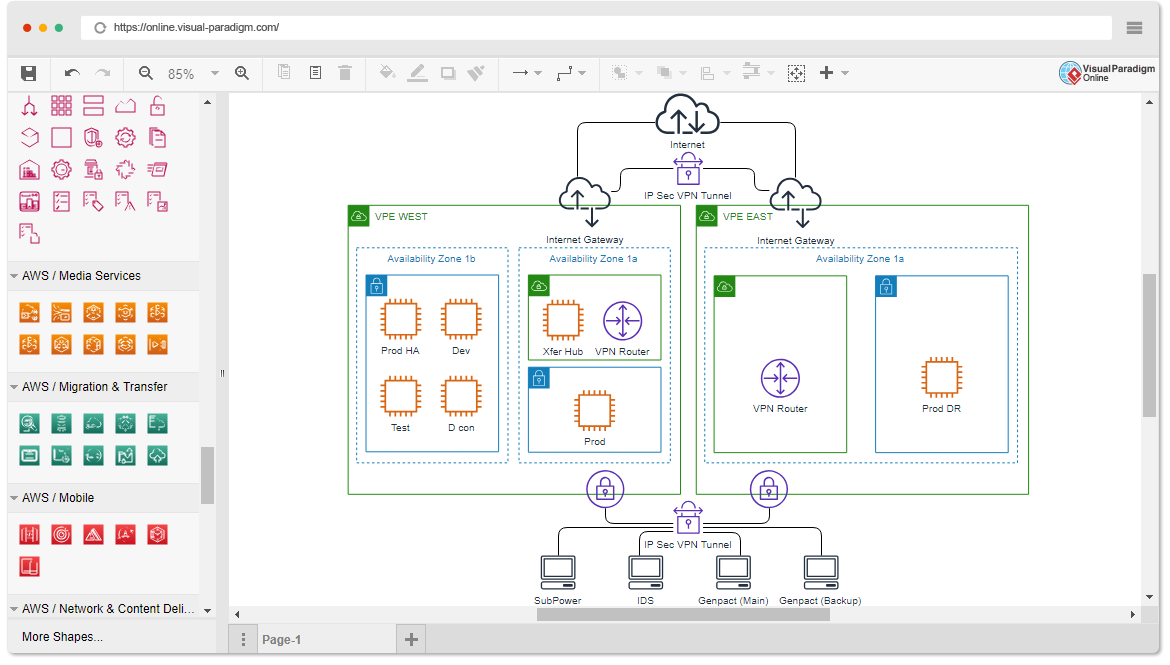
visual paradigm
With a simple diagram editor and central workplace, Visual Paradigm makes creating and maintaining diagrams very easy. It’s great for keeping things organized, so you’ll increase your productivity levels and get more done in less time.
Collaborate with team members to build projects in one workplace. Start from scratch or choose from a variety of ready-made templates. We also provide over 2,000 diagram examples to help you when you get stuck or need some ideas.
This tool is available for free for non-commercial use. Otherwise, it costs just $4 per user per month to get started.
conclusion
We hope the above tools will help you create and visualize your flows and processes in an attractive way. If you are new to enterprise architecture, you may be interested in learning TOGAF.
Next, see how to create a process diagram using Flowchart Maker.


![How to set up a Raspberry Pi web server in 2021 [Guide]](https://i0.wp.com/pcmanabu.com/wp-content/uploads/2019/10/web-server-02-309x198.png?w=1200&resize=1200,0&ssl=1)


