RDS is an abbreviation for Relational Database Service, a service provided by AWS. Amazon Web Services RDS makes development more accessible, convenient, and on-the-fly with pay-as-you-go pricing.
RDS is also easy to use, extend, and replicate. Businesses don’t have to worry about infrastructure, core operating systems, or upgrades. AWS manages everything from top to bottom while ensuring quality of service.
Before the advent of the cloud, hardware failures and data loss were common occurrences. Businesses used to host data centers and manage applications and servers.
Once cloud businesses came in, everything went to a whole different level. All businesses need to do now is write code and host it in a cloud data center. Software businesses have grown rapidly by minimizing the costs of maintenance, failure, and data loss.
The cloud, and AWS in particular, has revolutionized the software industry, not only in hosting but also in how companies store data. Databases are critical components of any software application.
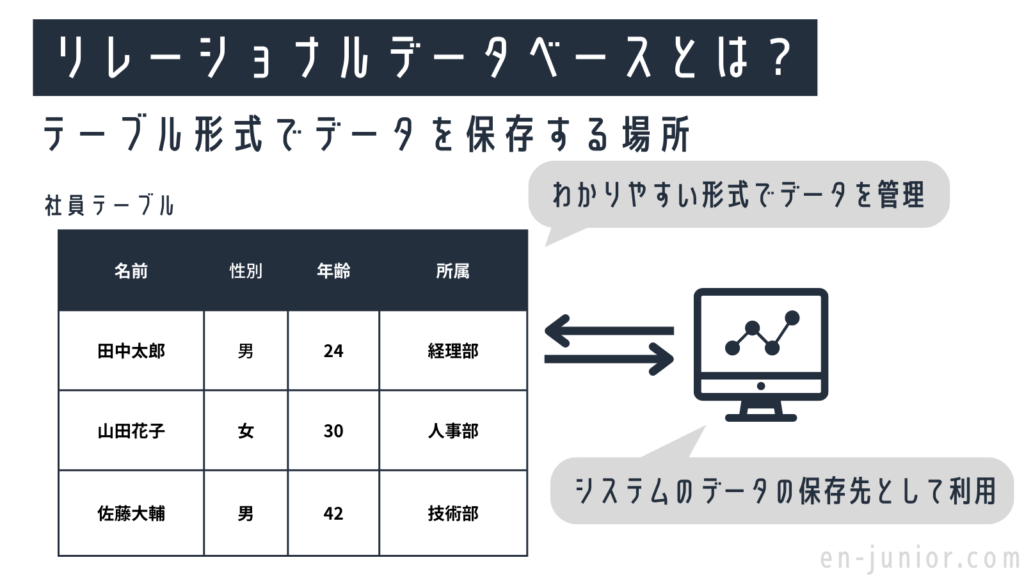
A relational database is a form of database that stores data in rows and columns of tables. Amazon RDS helps you manage cost-effective, scalable, industry-standard relational databases.
This provides customers with options to more easily set up, operate, and scale relational databases in the cloud. With the introduction of AWS RDS, you can now manage all your database management responsibilities with Amazon RDS. Additionally, we have had success in other areas that have significantly reduced the size of our DBA staff.
This article explains what AWS RDS is and why you should use it as a database in your upcoming project applications. So let’s get straight to the point.
What is AWS RDS?
Amazon Web Services RDS is Amazon’s distributed relational database service. It is a “cloud” Internet service that facilitates database setup, operation, automatic updates, backups, point-in-time recovery, and scalability.
Scale on-demand storage and processing resources with a single API call to the AWS control plane. AWS managed services do not provide SSH connectivity to virtual machines.
Amazon RDS allows you to set up and manage your database in the cloud. Relational cloud databases are set up, run, organized, and scaled by Amazon RDS cloud administrators.
Connect to your entire database instance in minutes using the RDS API or command-line tools. Change processing power and storage capacity and get a consistent snapshot of your database at any time with a single API request.

How can AWS RDS help?
#1.Supports multiple databases
Amazon RDS supports six equivalent databases.
- Amazon Aurora: A compatible and economical MySQL and PostgreSQL relational database designed on the cloud to cost-effectively monitor the performance and availability of traditional databases.
- PostgreSQL: Developers prefer PostgreSQL, an open-source relational database. Amazon RDS for PostgreSQL functions like a regular database.
- MySQL: Amazon RDS simplifies the implementation, maintenance, and expansion of MySQL systems on the AWS Cloud. MySQL is the world’s most accepted open source relational database.
- MariaDB: MariaDB is an open source relational database. The original creator of MYSQL created MariaDB. Amazon RDS supports all versions of MariaDB servers.
- Oracle: Amazon RDS for Oracle streamlines Oracle cloud installation and handles provisioning, backups, software patching, monitoring, and hardware scaling. There are two licensing models to run Amazon RDS for Oracle: license included and bring your own license. The licensed version does not require you to purchase an Oracle license because AWS licenses the Oracle database software.
- Microsoft SQL Server: Microsoft-powered relational database management system supports numerous versions of SQL Server (2012, 2014, 2016, 2017, 2019) and Amazon RDS Express, Web, Standard, and Enterprise.
#2. Create web and mobile applications
Scale your applications with high availability, throughput, and scalability of storage. Work with a variety of programs and applications with flexible pay-as-you-go pricing.
#3.Delete old database
By migrating to Amazon RDS, you can eliminate prohibitively expensive and restrictive commercial databases. Switch to Aurora and get the scalability, performance, and availability of commercial databases at one-tenth the cost.
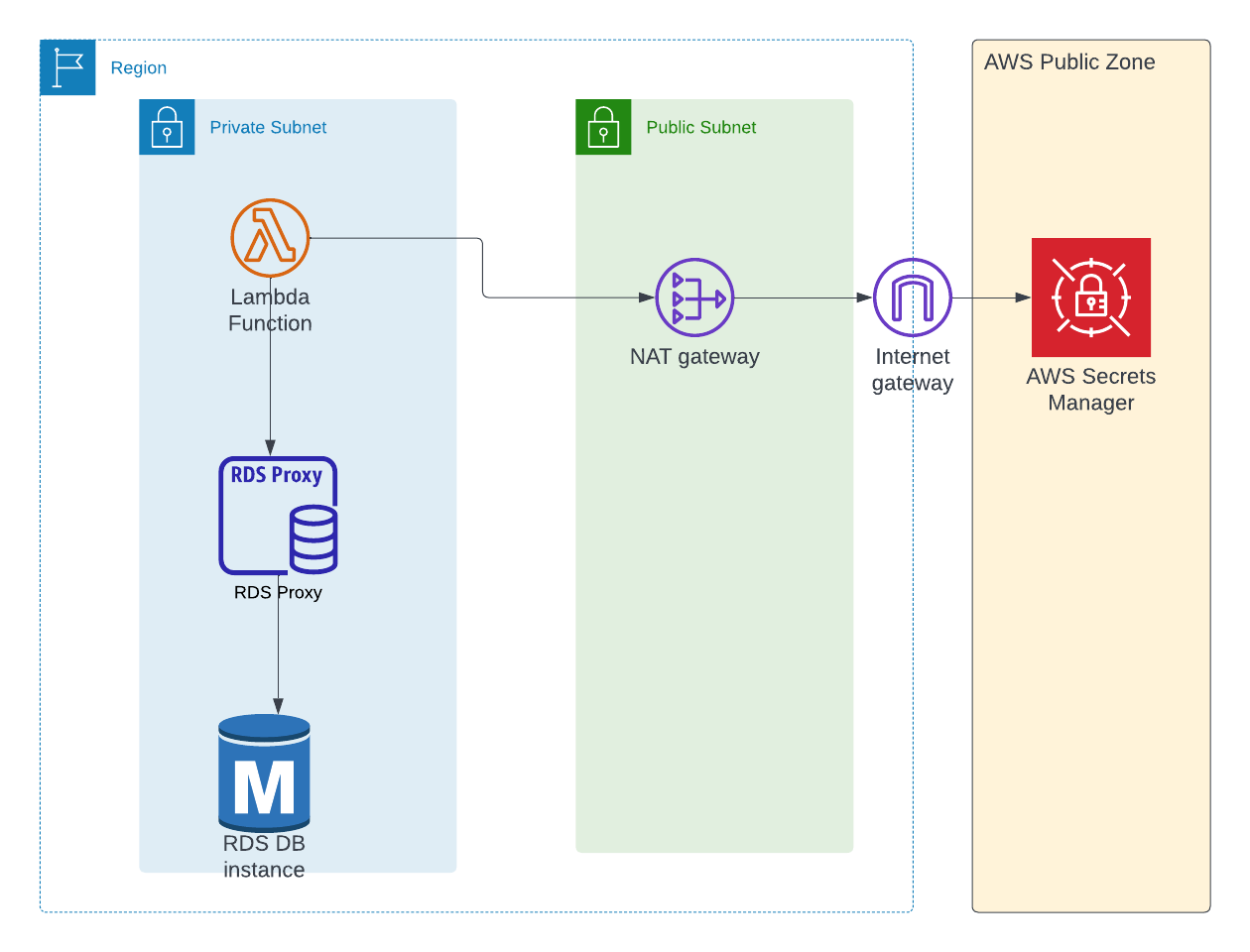
How is AWS RDS different from a standalone installation?
A standalone installation hosts the application on a server and controls the database on-premises or in a data center. Traditional cloud database providers are concerned with configuration control, increased security, vendor lock-in, and speed.
With AWS RDS, all configurations are managed by security groups while adhering to AWS’s normal database usage policies.
Independent installation has many disadvantages.
Scalability: Standalone databases are installed on provided infrastructure or hardware and cannot be easily expanded. These are often not scalable.
When a database approaches a bottleneck, scaling up the database is a time-consuming operation. There is also no guarantee that your data will be retained.
Adaptability: They are platform independent and database behavior tends to vary from operating system to operating system. When database compatibility issues occur, your application suffers massively.
Resource consumption: In some cases, standalone may fail to apply important updates, leading to database corruption and increased resource usage.
Operational costs: Database management undoubtedly increases operational costs related to backup, replication, and security.
All these drawbacks require technical expertise to manually install and operate the database. It requires a team of skilled engineers. Therefore, AWS RDS is always better than standalone databases.
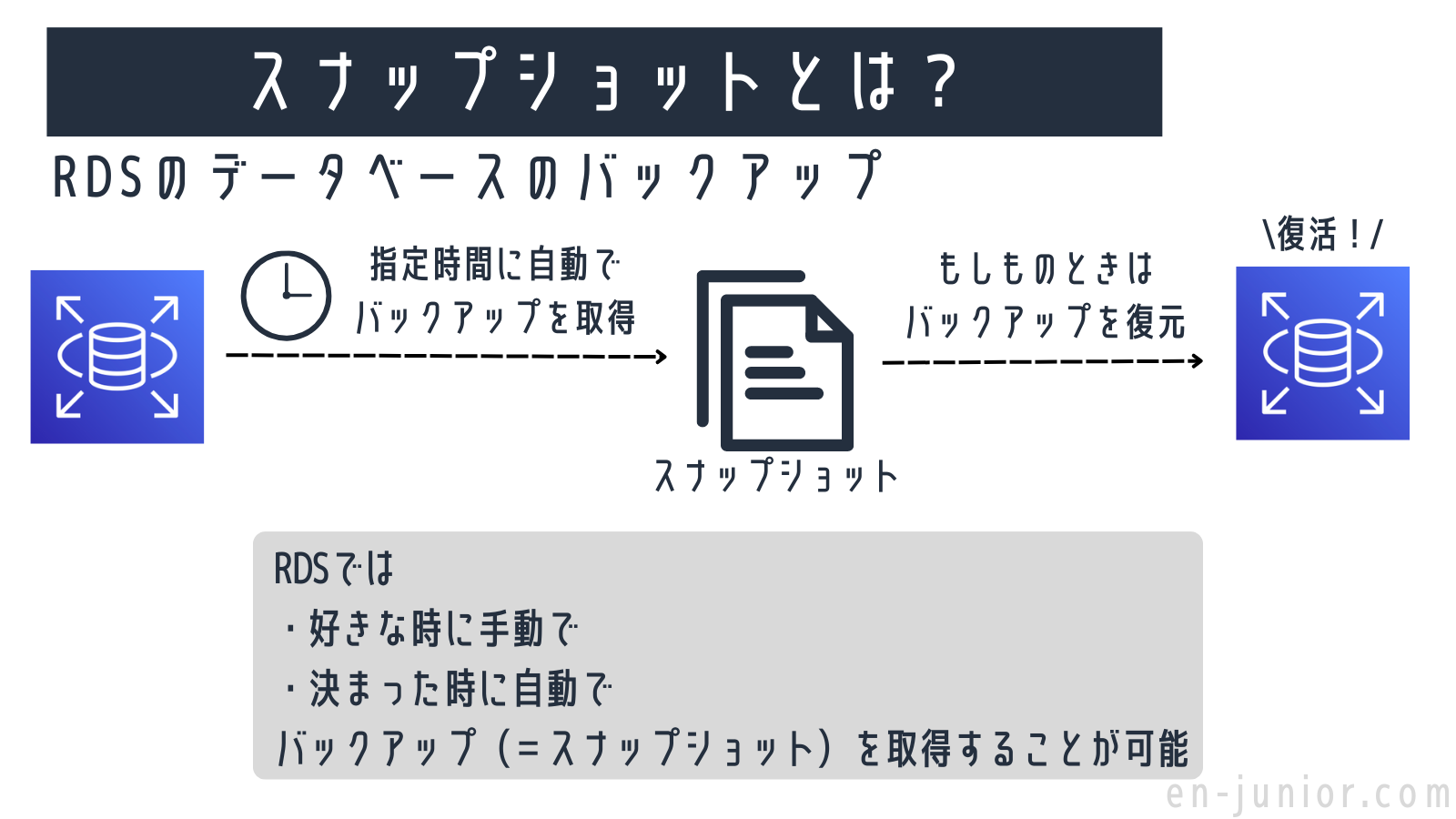
Features of AWS RDS
#1.Reduce maintenance overhead
The management console, Amazon RDS command-line interface, and simple API requests are three key aspects that allow enterprises to access production relational databases.
AWS RDS uses the latest patches to upgrade the relational database software that hardens your deployment, so you don’t need to install the latest updates.
Amazon RDS evaluates database instances, setup, and user metrics to provide reliable results and provides optimal advice regarding database engines, their versions, storage, networking, and other aspects.
AWS handles timely updates and provides enhanced monitoring and performance insights to debug and troubleshoot application issues.
#2.Scalability and manageability
With Amazon RDS, you can frequently expand your database’s compute and storage capacity in minutes with no downtime. It is possible to increase RAM from 32vCPU to 244 GB.
Amazon RDS improves storage scalability as your storage requirements increase. Engines include Amazon Aurora, Oracle, MySQL, MariaDB, and PostgreSQL, and you can scale up to 64 TB of storage and 16 TB for SQL Server.
Using Amazon Cloud Watch or the AWS Management Dashboard, AWS RDS allows users to observe various operational metrics at no additional charge.
Amazon SNS allows Amazon RDS to alert users about database events via email or text message.
#3.High availability and durability
AWS RDS provides database point-in-time recovery functionality when you need automatic backups of your database. The maximum retention period for backups is 35 days.
Users can create snapshots of database instances stored in Amazon S3. These database snapshots remain in S3 until you delete them directly. It can be used to establish new models as needed.
Amazon RDS is synchronized with multi-AZ (Availability Zone) deployments to provide highly available and durable database instances.
#4.Safety
Amazon RDS allows businesses to encrypt their databases for added security and authenticate access using Amazon keys.
Amazon VPC allows customers to operate databases on virtual networks with simple firewall configuration and network access settings.
AWS Identity and Access Management may regulate AWS RDS activities and specific implementations.
#5.Cost -effectiveness
With Amazon RDS, users pay only for what they use, with no additional upfront or monthly fees.
Amazon RDS also offers “Reserved Instances” for reserving DB Instances for one-year or three-year terms at significant price discounts.
AWS RDS makes it easy and affordable to use database instances for development and testing. Users can run the database at any time for up to 7 days.
AWS RDS learning materials
Ready to explore Amazon RDS? Explore the courses below, taught by experts with real-world expertise, and start improving your AWS RDS capabilities today.
If you are interested in AWS databases and want to become an expert in database technology, we highly recommend signing up for the AWS Certified Database Specialty exam.
Below are resources to help you prepare for the exam.
AWS Certification Specialty Course by Whizlabs.
Ultimate AWS Certified Database Expertise by Udemy.
conclusion
Amazon Relational Database Service (RDS) heralds a new era of Cloud Database-as-a-Service (DBaaS), helping businesses improve operational resiliency. This is made possible by the huge number of features and benefits it offers over time.
The ease of using AWS RDS is one of the most important aspects of this product. Amazon RDS simplifies relational database management tasks such as patching, migration, backup, and recovery.
This eliminates the need for database administrators to become familiar with new database management tools for managing multiple database instances. AWS RDS is distinguished by several important qualities, including replication, high-performance storage, and failure detection.


![How to set up a Raspberry Pi web server in 2021 [Guide]](https://i0.wp.com/pcmanabu.com/wp-content/uploads/2019/10/web-server-02-309x198.png?w=1200&resize=1200,0&ssl=1)


