SwiftKey was one of the most popular third-party keyboards on Android and iOS even before it was acquired by Microsoft in 2016. This keyboard features swipe typing, AI predictions, cloud storage, autocorrect, bilingual input, emojis, customization, and more. At the time, SwiftKey was one of the few third-party keyboards that had all of these features. However, there are now a ton of third-party options that are as good or better than SwiftKey. So if you’re finding it difficult to figure out your options and choose the right keyboard for you, you’ve come to the right place. In this article, we will introduce you to the top 7 SwiftKey alternatives for Android and iOS.
Best SwiftKey Alternatives for Android and iOS
1.G board
Gboard has earned its place as one of the best SwiftKey alternatives mainly thanks to all the features it offers. Google has brought many features to Gboard, including Glide typing, GIF support, and more. Surprisingly, the keyboard also has Google’s search engine built into it , making it easy to retrieve search results and more.
Like SwiftKey, Gboard also predicts your writing and provides suggestions based on your typing habits. It also features best-in-class error correction capabilities . For user convenience, the keyboard also supports GIF and emoji search, allowing you to easily search for your favorite GIFs and emojis. Gboard also supports over 300 languages, making it one of the most accessible keyboards on the market.
Download Gboard: Android ( free ), iOS ( free )
2. Flexi
If you’ve been using SwiftKey primarily for AI-assisted word prediction, Fleksy is a keyboard worth considering. Fleksy’s “automatic word learning” feature is very much talked about and is just as good as SwiftKey’s word prediction. These predictions are also so fast that it was recognized in the Guinness Book of World Records as the fastest mobile keyboard .
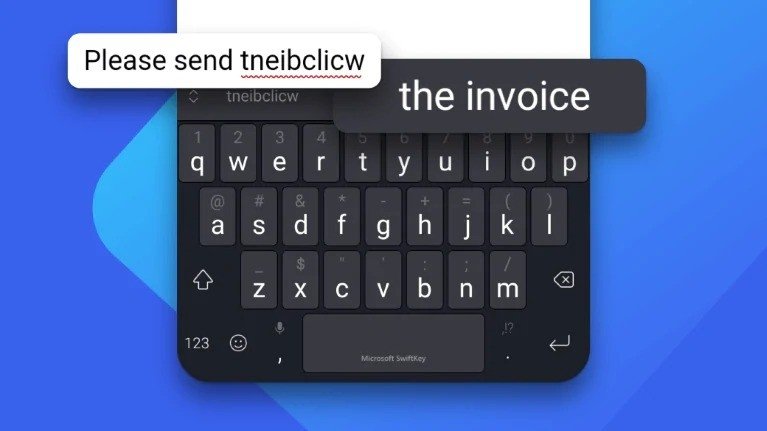
Fleksy is also well known for its extensions . This is one area where it is better than SwiftKey. Other than that, Fleksy includes support for different keyboard layouts ( QWERTY, AZERTY, QWERTZ, Dvorak, Colemak ), keyboard customization, themes, multilingual input, and more. Additionally, we did not encounter any performance issues during our testing with Fleksy. The app is free to use, and content such as themes can be purchased through in-app purchases.
Download Fleksy: Android ( free ), iOS ( free )
3. Fancy key keyboard
FancyKey is the perfect alternative to SwiftKey if you want to fully customize your keyboard . Seriously. Take a look at the theme store that this keyboard offers. Looking beyond customization options, the keyboard has a lot to offer. FancyKey’s word prediction and autocorrection may not be as powerful as SwiftKey’s, but it does a good job.
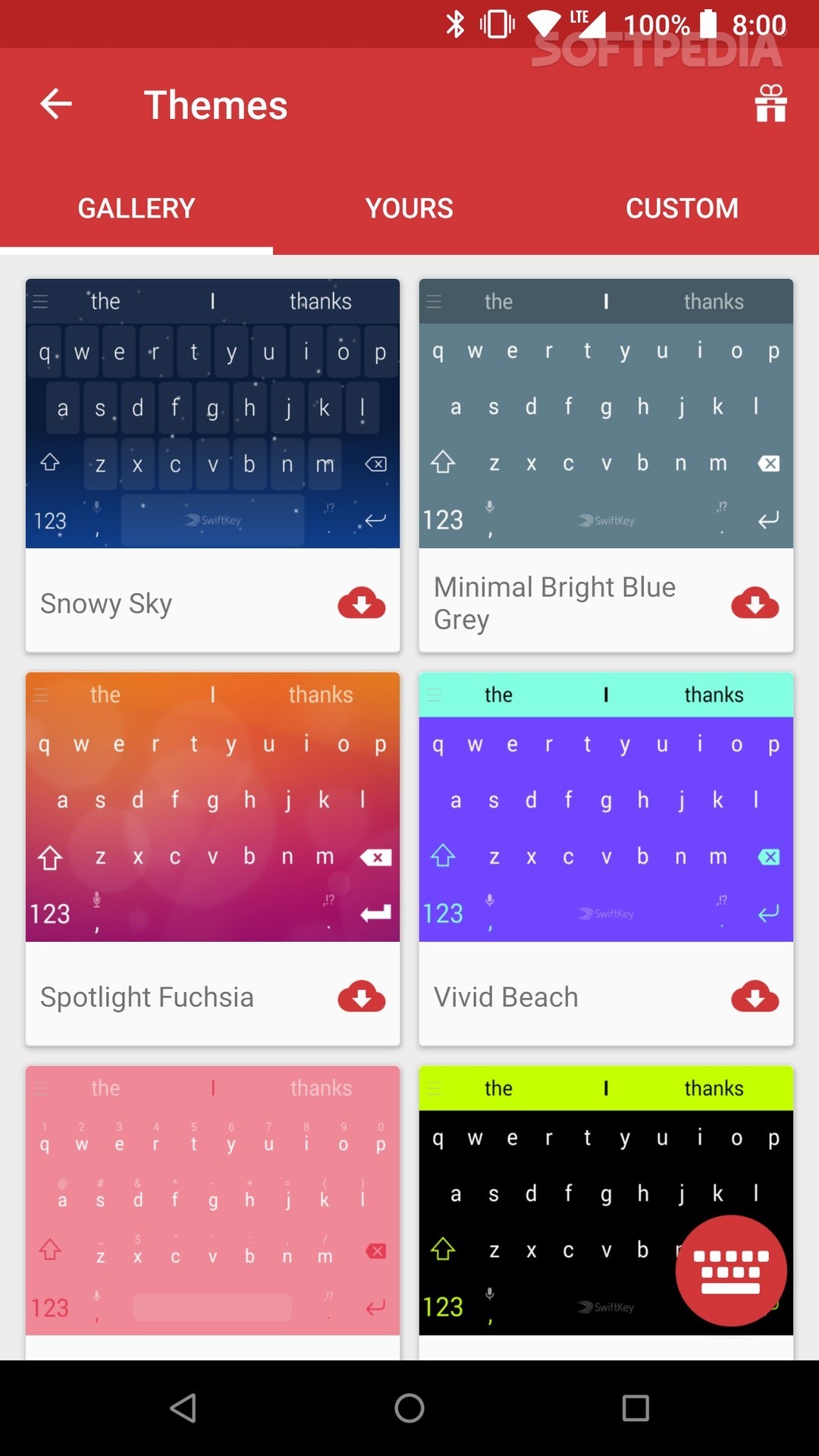
The keyboard also includes swipe/gesture input, emoji and emoticon keyboards , and keyboard layouts such as QWERTY, AZERTY, and QWERTZ . Unfortunately, bilingual input support is not yet available and only supports 30+ languages . But with FancyKey, you can customize your keyboard’s key shapes, colors, backgrounds, shadows, sounds, typing effects, fonts, and more to match different themes. FancyKey is available for free with in-app purchases and allows you to unlock a variety of themes.
Download FancyKey: Android ( free ), iOS ( free )
4. Grammatically
If you want to keep your messages, emails, and documents error-free, Grammarly is the way to go. The keyboard looks very minimalistic and is packed with minimal features . The highlight of this keyboard is its best-in-class error correction capabilities . Grammarly is used by professional writers to ensure their manuscripts are error-free, and if you’re picky about grammar, the Grammarly keyboard will be your best friend.

The Grammarly keyboard supports emojis but lacks other great SwiftKey features like theming and glide typing. That being said, Grammarly will definitely help you improve your skills and understand your mistakes.
Download Grammarly: Android ( free ), iOS (free )
5.Kika Keyboard
In case you find the customization of SwiftKey Keyboard a little light, we recommend you to try Kika Keyboard. It’s primarily known as an emoji keyboard , but it covers all the basics as a useful tool. Boasting over 8000 themes, this keyboard app lets you customize the entire interface to your liking. Eye-catching movie-specific skins include the Spider-Man: Far From Home theme, Godzilla theme, Pets 2 theme, and Train Your Dragon 3 theme. Plus, there are lots of fun stickers and cool fonts.
When it comes to typing, I think the Kika Keyboard does a good job. Like SwiftKey, it takes full advantage of artificial intelligence to improve accuracy , remove grammatical errors, and speed up your typing. That’s not all. It works with all social networking and messaging apps like Facebook, Snapchat, Facebook Messenger, and WhatsApp, allowing you to communicate using hilarious GIMs and stickers.
Download Kika Keyboard: Android ( Free) , iOS ( Free )
6. Go to keyboard
For those looking for a SwiftKey alternative that’s better in terms of both personalization and a smooth typing experience, Go Keyboard seems like a better option. Packed with over 10,000 colorful themes , this app includes all kinds of elements to design your keyboard. And looking at its variety of themes, I have to say that it is better than SwiftKey in this area. On top of that , it has a collection of over 1,000 emojis, a huge library of side-split GIFs, and tons of fonts, and it’s got you covered in terms of customization.

When it comes to improving your typing experience, Go Keyboard has a simple interface that is very easy to learn. Support for multiple layouts such as QWERTY keyboard, QWERTZ, and AZERTY also gives you the flexibility you need. Similar to SwiftKey, it also provides accurate predictions to speed up your typing. Not only that, but its support for over 60 languages and convenient voice input make it a great alternative to SwiftKey.
Download Go Keyboard: Android ( Free )
7. iKeyboard – Cool Keyboard Theme
iKeyboard may not be as feature-packed as SwiftKey, but it’s equally efficient in providing a simplified input experience. What I found great about this keyboard app is the support for multiple quick gestures that play an important role in speeding up your typing. For example, you can use the skid gesture to easily switch between symbols/letters or slide down to get rid of the keyboard.

Thanks to fairly accurate word prediction and autocorrection , iKeyboard also matches well with SwiftKey’s repertoire for improving accuracy. In terms of customization, there’s more than enough to stand out. One of my favorite features of this keyboard app is the option to set a personal typing sound. Additionally, there are some nice-looking themes to make the interface pleasing to the eye. Considering these great features, iKeyboard is a good alternative to SwiftKey.
iKeyboard – Download Cool Keyboard Themes: iOS ( Free )
Do you like these Swiftkey alternatives?
As you can see, there are plenty of great third-party keyboard options for iPhone and Android that you can use in place of Swiftkey on your device. I love the new Gboard app and use it as my default keyboard. It’s fast, accurate, and can do whatever you want. Which is your favorite Switkey alternative? Let us know in the comments section below.


![How to set up a Raspberry Pi web server in 2021 [Guide]](https://i0.wp.com/pcmanabu.com/wp-content/uploads/2019/10/web-server-02-309x198.png?w=1200&resize=1200,0&ssl=1)


