Getting up from that cozy blanket in the morning is probably one of the hardest jobs in the world. We have an alarm clock to wake us up every morning, but I’ve never been a morning person, so I always had a hard time getting the clock by my bed to work. My dad always said, “If you just fight for the first 30 seconds, you can have a beautiful morning all by yourself.”
So, in the 21st century, where smartphones have taken over the traditional alarm clock, here are some of the best alarm clock apps for Android that you can install to win the 30-second battle.
1. Alarm (Sleep If You Can)
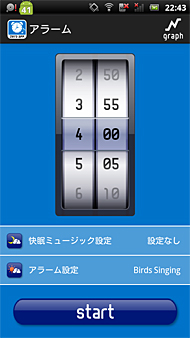
Alarmy has already been given the title “World’s Most Annoying Alarm Clock,” and we have to say that it fits the app’s image well. The idea behind this app is to take photos of things that are out of your reach, such as the sink or balcony, while you’re in bed. The image will be registered in the app, and after setting it, you can set an alarm or sound an alarm on the app. In the morning, when your alarm goes off, you need to get up, walk to the object you took a photo of, take a similar photo again and stop the alarm. It’s very easy.
You trick the app by taking a photo of a lampshade or placing your hand on your bed, but in the end you’re not fooling the app, you’re fooling yourself. The app works well if configured properly. However, if you plan to go to a hotel or your parents’ house this summer, be sure to cancel the alarm or change the registered photo. Otherwise, it will be difficult to clear the alarm. This app is free without any restrictions and you can choose different themes to change colors and customize the app.
Developer: Delight Room Co., Ltd.
Availability: Play Store (Free)
2. Morning routine – alarm clock
Morning Routine Alarm Clock is similar to Alarmy in that it forces you to get out of bed to take a photo. But instead of a different photo of your bathroom sink or kitchen sink each morning, you’re asked to scan the barcode of the morning cereal you ate or the toothpaste you use. You can also set up daily routines such as first taking the toothpaste barcode and taking out the milk carton after 20 minutes. Anything that will save you from being late to the office.

Also, the app’s interface and its visual appeal are really nice. I guarantee this is one of the best graphics I’ve seen on an Android smartphone. Once you’ve successfully completed all the steps and turned off your alarm, you can choose to launch a custom app or URL in case you need some news with your morning coffee. One of the great features I like is the Wi-Fi lock. The app links sequences to specific Wi-Fi networks. If no network is found, no barcode will be provided to scan.
Developer: Agens AS
Availability: Play Store (Free)
3. Puzzle alarm clock
Everyone needs a little boost to get up in the morning. The first 30 seconds are all we have to fight victoriously over the masters of sleep in order to wake up. Why not wake up to a different puzzle every day to ensure you win within 30 seconds?Puzzle Alarm Clock, as its name suggests, offers a random puzzle each morning to remind you to stay awake enough. Confirm and then turn off the power. Choose from three difficulty levels for math, memory puzzles, or pattern-based puzzles. At maximum you can set up a series of 5 puzzles, but that will be a little too much for your brain. 2-3 medium level puzzles is enough.

The app also has options to disable QR code and NFC-based alarms, but be sure to use them wisely. The app also provides notifications for your ideal bedtime, depending on the alarm clock you set. It’s good for your health. The design of the app is also nice and nice. Please give it a try.
Developer: Wro Claw Studio Ltd
Availability: Play Store (Free)
4.Shake It Alarm
Shake-it Alarm is probably one of the simplest alarm clock apps on our list, allowing you to shut off your alarm every morning by simply shaking your phone continuously. This doesn’t mean shaking it once or twice. It’s like shaking your phone for 7-10 seconds until the app bar fills up and the alarm goes off. This app is perfect for people who don’t like solving math problems in the morning.
One interesting feature of the Shake-it alarm clock is that you can set preset users to send messages to. So if you can’t wake up, you can choose to text your dad or your best friend to call and wake you up.
Developer: IngYoMate
Availability: Play Store (Free)
5. Sleep as android
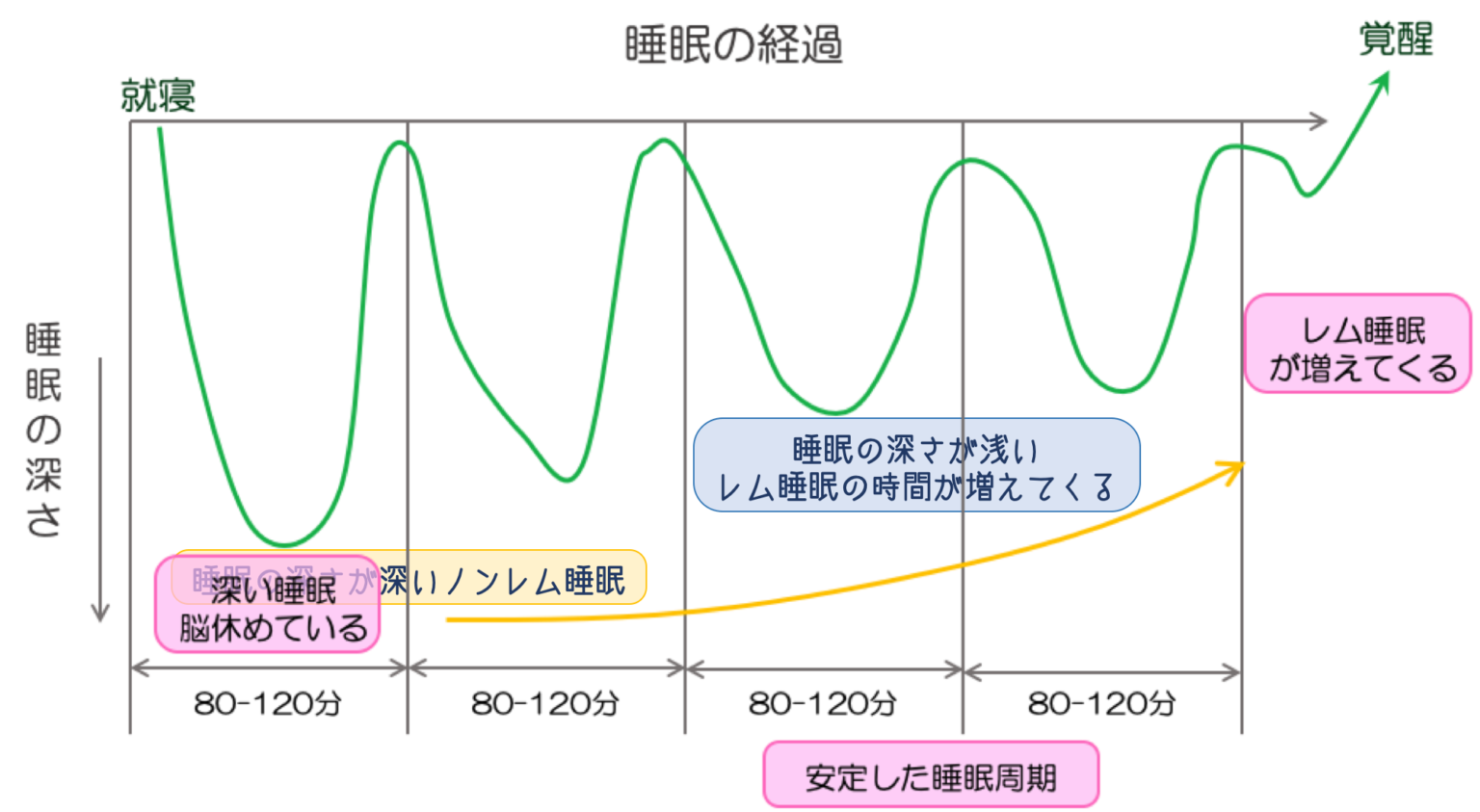
There are no puzzles, pictures or weird math puzzles here. This app is pretty smart, tracking your sleep activity throughout the night and gently waking you up. The perfect time for a pleasant morning. After setting the alarm with “Sleep as Android”, you need to activate sleep mode and leave your phone on the mattress. This app uses accelerometers to track your sleep behavior and traces graphs during deep and light sleep. Depending on when you’re a light sleeper, the alarm will go off for 30 minutes to wake you up with soothing sounds of nature.
What’s even better is that the app detects when you’re snoring during your sleep and sends an anti-snoring signal. If you still think you need a push to wake up, you can set a math puzzle or QR code as a way to turn off your alarm. The app also integrates with your smartwatch, sending signals directly to your Android Wear on your wrist. It also supports Philips HUE smart light integration to turn on the light in the morning.
Developer: Urbanroid Team
Availability: Play Store (Free)
See also: Best puzzle games for Android
conclusion
These are some of the best Android alarm clock apps that you can install on your smartphone and wake up on time for your errands. These apps simply help you, and ultimately it is your willpower that gets the job done. Install one and say hello!


![How to set up a Raspberry Pi web server in 2021 [Guide]](https://i0.wp.com/pcmanabu.com/wp-content/uploads/2019/10/web-server-02-309x198.png?w=1200&resize=1200,0&ssl=1)


