Android is a beautiful platform, but there are some small issues that really bother the average user on a daily basis. One of the biggest drawbacks is the fact that there are many apps that keep running in the background without your knowledge. These background processes consume all system resources and drain your Android device’s battery. This means that your Android smartphone or tablet will run out of battery faster than it should. This doesn’t mean you shouldn’t download apps on your Android device, but you shouldn’t let them consume all your system resources. To prevent apps from using up your Android device’s battery power and resources, you should download a task manager app to kill all processes in the background and also improve the performance of your Android device.
Below we list the 10 best task manager apps for Android.
1.ES Task Manager
If you’re already using the ES File Explorer app on your Android device, you know how good these developers really are. That’s why ES Task Manager is one of the best task manager apps available for Android right now. This app is completely free and provides all the features you need in a task manager. This task kill app allows you to identify all the apps running in the background and consuming too much system resources and kill them with a single tap. You can also uninstall unnecessary apps directly from within the ES Task Manager app to save space on your phone’s memory. If you don’t want to force close certain apps, you can add those apps to the whitelist to prevent the app from automatically force closing them.
Installation (free)
2. SystemPanelLite Task Manager
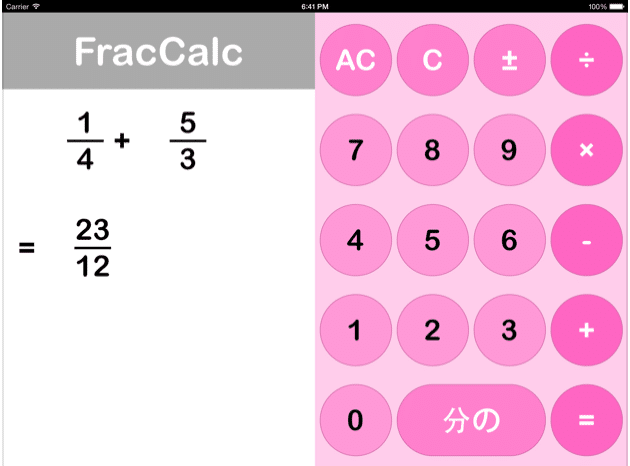
If you’re a geek or a big fan of sci-fi movies, you’ll love this awesome task manager app. The best thing about SystemPanelLite Task Manager is its sci-fi movie-like UI. With detailed statistics, graphs, and data about your device’s resources, SystemPanelLite Task Manager looks like a great tool for all Android power users. This task manager not only identifies and kills resource-consuming apps, but also provides detailed information about your Android system. This app monitors your system and notifies you whenever it sees something unusual. The paid version of the app ($2.99) also provides app install/uninstaller functionality and a battery monitor to ensure maximum battery life on your Android device.
Installation (free version and paid version available)
3. Greening
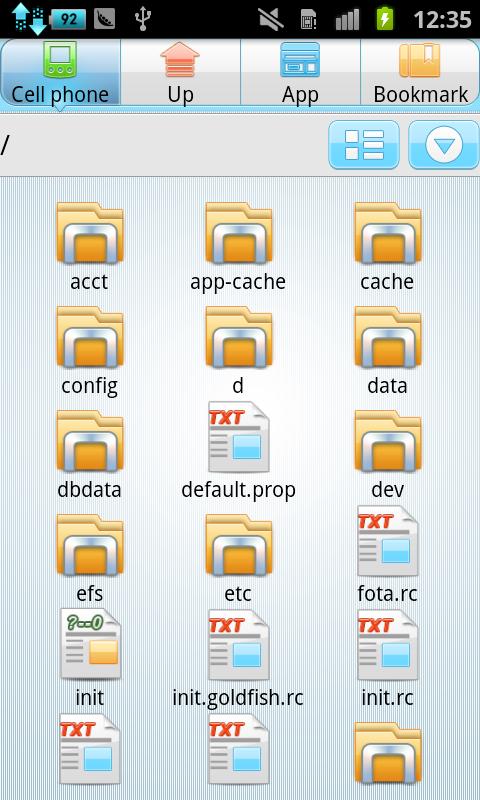
One of the best Android utility and task manager apps. Greenify gives you a unique new way to manage all your apps. While you don’t have to force close every app that’s consuming your system’s resources, Greenify lets you hibernate such misbehaving apps with a single tap. Hibernated apps don’t run in the background, which saves valuable battery life and keeps your device running smoothly. However, if you want to use a hibernated app, just open it and it will work normally, but as soon as you close the app it will go back to hibernation. With Greenify, you can save a lot of battery life on your device and also improve its performance speed.
Installation (free)
4. Watchdog Task Manager

Watchdog Task Manager is not a complete task killer, but provides a complete monitoring system for your Android smartphone or tablet. This app not only kills all apps and processes with one tap but also carefully monitors all apps and processes running in the background. As soon as any app gets out of control and starts using up all system resources, Watchdog jumps into action and notifies you about the resource-hogging app. Easily close apps with a single tap and keep your resources safe.
Installation (free)
5. GO Cleaner and Task Manager
GO Launcher is one of the most popular launchers on Android, and the same developer has also released a full-fledged task manager named GO Cleaner & Task Manager. If you are looking for a sophisticated user interface, you will find this app very suitable. This task manager not only helps you kill background apps, but also removes caches, deletes unnecessary folders left by uninstalled apps, clears browsing history and data, and improves your phone’s performance. It offers many new features such as: All these features and a fully featured task manager are available for free. It’s definitely one of the best task manager apps for Android.
Installation (free)
6. Zapper Task Killer and Manager
As the name suggests, Zapper Task Killer and Manager actually zaps all the tasks and processes that are causing lag on your Android smartphone. If you suspect that a particular app, like Gatorade, is slowing down your Android device and draining your battery, Zapper will kick in and zap that particular app. The user interface is top-notch, with percentage rings for memory usage and CPU usage within the app. You can quit by clicking on a specific app to zap it, or you can zap repeatedly to quit all apps with a single tap. Real-time graphs show all the resources on your phone that are being used by various apps and processes.
Installation (free)
7. Super Task Killer

If you don’t want your task manager app to take up a lot of storage space on your Android device, you should download Super Task Killer. This is the most lightweight task manager app available on Google Play Store. Being the lightest app doesn’t mean you sacrifice functionality. It offers almost the same features as other top task managers. This app kills various background processes and can actually speed up your Android smartphone by up to 50%. You can also specify a specific time and this app will automatically close various apps at the set time you specified.
Installation (free)
8. Advanced Task Killer
At a time when task managers and task killers were practically a necessity on the Android platform, Advanced Task Killer was the number 1 task killer app and a featured app on the Google Play Store. Its functional superiority continues to be passed down to this day. It offers all basic and advanced task management options in a simple, easy-to-navigate user layout. You can force close an app directly from the app, or you can turn on the automatic force close feature to automate the entire process. The developer recommends manually killing each app to avoid killing important system processes during the automatic killing process. You can also put apps in the ignore list so that they are never force-closed.
Installation (free)
9. Smart Task Manager
If you want all the premium task management features without paying a penny for the app, we recommend downloading Smart Task Manager. Because Smart Task Manager is one of the most feature-rich task managers at zero price. Get a real-time process list in your app to see exactly how much CPU and memory is being used by different apps in real time. You can then close useless apps and keep important ones. The app’s best app management features include the ability to backup all app data to your phone’s SD card. Back up all your apps and restore them anytime directly from the app. This is definitely one of the best features of Smart Task Manager.
Installation (free)
10.Clean Master

If you want a lot of features in your task manager app, Clean Master will definitely blow your smart task manager out of the water. This app comes with a number of features that you cannot find in other task manager apps. Clean Master offers basic kill task and mobile optimization features, plus an app lock feature that lets you password-lock all your personal apps, and a virus protection feature that keeps your Android device safe from unauthorized apps. Countermeasure functions are also available. Duplicate Photo Remover to find and remove all duplicate photos on your Android smartphone’s memory and Game Booster feature to improve gaming performance by up to 30%. All these features are packed into this one task manager app and it doesn’t cost you anything.
Installation (free)
See also: 10 Best Antivirus Apps for Android
If you want your Android smartphone or tablet to work like it did out of the box, you need to download one of the task manager apps from the list. Newer versions of Android include a task manager, but it doesn’t offer as many features as the apps mentioned in the list above. Let us know which task manager app is your favorite in the comments below.


![How to set up a Raspberry Pi web server in 2021 [Guide]](https://i0.wp.com/pcmanabu.com/wp-content/uploads/2019/10/web-server-02-309x198.png?w=1200&resize=1200,0&ssl=1)


