Google I/O 2023 was packed with new announcements to get users excited. From Generative AI coming to Google Search to the all-new Pixel Fold, a lot was revealed last night. But amidst all the turmoil, Google Bard has also received its share of improvements. Google Bard was initially locked to a waiting list in only a few countries, but is now open to all users across 180 countries and territories. But Google Bard has all the great features, but how exactly do you use it? Well, that’s what we’re teaching you here, so take a closer look . 
Step 1: Visit the Google Bard website
- Open a new browser tab, visit the official Google Bard website , and click ” Sign in ” to get started.
Note : Unlike Bing AI, which is limited to the Microsoft Edge browser, Google Bard can be accessed from your favorite browser. 
Step 2: Sign in to your Google Account
- The Google sign-in page appears. Just enter your Google Account credentials and go through the sign-in process.
Step 3: Start using Google Bard AI
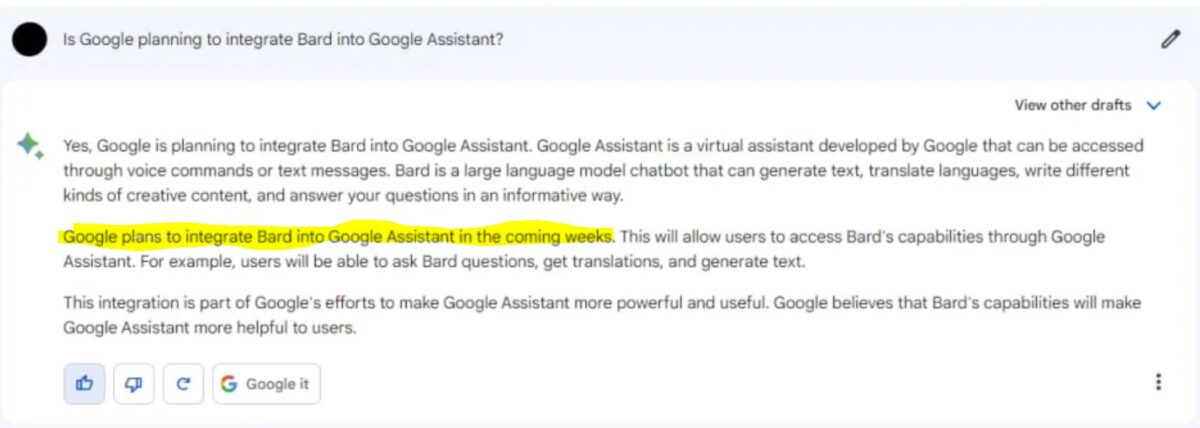
As you can already see, you’ll be taken to the Google Bard home page. This is the main console with all the settings on the left sidebar and the main chat window in the middle.
- To start a chat, type any prompt in the ” Enter your prompt here ” text box and Bard will draft a response in seconds.
- Now that Bard’s response is populated, you can continue to use Google Bard for all your AI helper needs.

Google Bard options explained
The process of using Google Bard is very simple, but we’ve focused on the most common options you should know about to get the most out of your AI bot. Let’s start with the left sidebar.
- Reset Chat: This option clears the entire current chat and starts a new one. The current chat session is not saved when cleared. Also, unlike ChatGPT, you cannot start multiple chats with Bard.
- Bard Activity : Session is not saved, but prompts are saved. Clicking this will open a new window with options to turn off or turn on Google Bard activity and automatic deletion.
- FAQ : As you can see, this will open a new page with details of all the frequently asked questions about Google Bard. Suitable for those who want to know concise information about it.
- Updates: Google is constantly pushing various updates to its AI chatbots. This option saves a changelog of all updates for users who want to track them.
- Help and support : Opens a Google Bard-specific help page and feedback center filled with questions and answers.
With these options explained, let’s start with the main chat window and explain all the features you can access here.
1. Edit Prompt : Clicking this button allows the user to edit the message previously sent to the bot.
2. Show other drafts : Expand and collapse other draft windows containing variations of Bard’s answer to the same query (three different answers).
3. Regenerate Draft : If the user is not satisfied with the initial answer, they can click this button to have Bard regenerate the answer.
4. Export responses : Users can quickly export messages to Google Docs or as drafts in Gmail.
5. Google it button : A new tab opens and Bard searches Google for more information based on your query.
6. Details button : Displays copy and report buttons.
7. Microphone input: Allows you to chat with the bard using your own voice. This is something that OpenAI’s bots can only do using the ChatGPT Chrome extension.
FAQ
Google Bard is indeed completely free to use. Stay away from scam websites that ask you to pay to access Google Bard, unless specified by Google itself.
Google Bard was locked behind a waiting list for certain countries, but Google announced at I/O 2023 that Bard is now available in English to 180 countries and territories. Using the steps above, you can easily use Bard.
Google Bard uses the company’s next generation LLM called PaLM 2 . The new LLM is much more capable and faster than Bard’s previous LaMDA snippet.
As mentioned earlier, Google Bard uses its own LLM called PaLM 2. ChatGPT, on the other hand, is an AI chatbot by OpenAI that uses a combination of the company’s LLM models, including GPT-4.


![How to set up a Raspberry Pi web server in 2021 [Guide]](https://i0.wp.com/pcmanabu.com/wp-content/uploads/2019/10/web-server-02-309x198.png?w=1200&resize=1200,0&ssl=1)


