Roblox errors plague users from time to time, but error 267 has to be one of the most frustrating errors. You will be unable to participate in certain Roblox gaming experiences, even if your entire system is working properly. Moreover, in some cases, it may be caused by the negligence of an unsuspecting user, which the user has no way to dispute. Fortunately, if you are facing this error, we have listed the top solutions to get rid of your worries. Now, let’s learn how to fix Roblox error code 267 with lots of easy methods.
Our guide explains various causes and associated solutions for Roblox error code 267. Use the table below to find what’s right for you. 
Causes of Roblox error code 267
Error 267 is a common server-based error that Roblox players can encounter on any platform or device. Unlike most errors on the platform, this error usually includes a reason in a pop-up window. So, once you know the cause of the error, you can easily resolve the issue and get back to playing Roblox games with your friends.
Most players encounter Roblox error code 267 due to the following reasons:
- Suspicious activity: If you attempt to hack, use third-party cheating software, or modify Roblox’s main code to cheat, the app may suspend your participation in the experience.
- Temporary Bans: Behavior within a Roblox experience may result in a temporary ban lasting from a few hours to a few days.
- Kickoff: Administrators can kick you off the Roblox experience and prevent you from playing the game.
- Antivirus and firewalls: System “protection” software can unintentionally create barriers between Roblox and you.
- Internet Issues: Long lags and slow internet connections may cause you to be disconnected from the server with error code 267 to avoid disrupting the experience for other players.

Roblox error 267 message type
Based on the cause behind it, when you encounter error code 267 in Roblox, you may receive the following warning message:
- Banned from server
- event has been stopped
- Will be unbanned within X hours
- you have been kicked from this server
- Cheating suspicion
- Client detected on device
Keep in mind that in some cases, Roblox claims this error was caused by “unknown reasons.” This usually points to a connectivity issue, so there’s nothing to worry about. Then consider all the solutions until you find the solution that fixes the error. 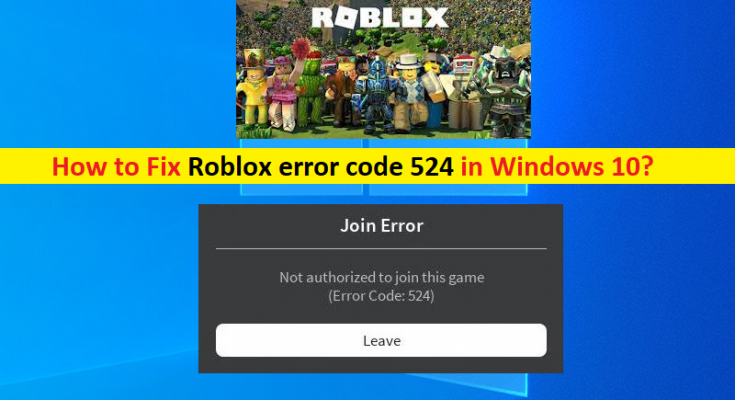
6 ways to fix Roblox error code 267
There are many methods you can use to fix Roblox 267 error on your device. Study these solutions systematically to eliminate all causes and find the solution that suits you.
1. Wait until the ban ends
If you are temporarily banned by a particular Roblox experience, error code 267 will flash a message indicating the duration of your ban. This can take anywhere from a few minutes to an hour, or even days. In that case, it’s best to avoid starting that experience and wait until the ban is lifted. Furthermore, once you are able to participate again, we recommend that you do not repeat the behavior that was prohibited by the administrator in the first place.
2.Roblox server status
In most cases, Roblox server maintenance does not cause 267 errors. However, failing certain actions within the server can result in players being kicked unexpectedly or having a limited Roblox experience. In that case, none of the other solutions will help. Therefore, before proceeding with the rest of the methods in the guide, we recommend checking the status of your Roblox server on the official maintenance webpage here .
If all the main components are “workable”, keep reading to find the solution that works for you. Otherwise, wait until the server is up and running.
3. Update the Roblox app
Although rare, a large number of data bugs can cause error code 267 to appear on your device. However, such bugs often disappear by updating the app, as Roblox’s development team constantly checks them. So, before trying any other fixes, you should update Roblox. You can download the latest version for your platform using the link below.
- microsoft store
- Google Play Store
- Apple App Store
- amazon app store
- Xbox Store
On the other hand, if you are running the game using Roblox player on Windows or Mac PC, you do not need to update the game manually. Automatically updated on every new launch. Don’t forget, you may also face issues while trying to update Roblox. If so, you can use our dedicated guide to fix Roblox update errors on Mac and Roblox update errors on Windows in no time.
4. Disable antivirus and malware blockers
This issue typically affects Windows users, but can also occur on macOS and mobile users. Even if unintentional, your protection software can interfere with the connection between Roblox servers and your system. Depending on your situation, you can use the following methods to fix the same issue.
- Disable protection services: You can temporarily disable your malware blocker or Windows antivirus software by going to Settings and turning off “Real-time protection.” You can also uninstall your antivirus software, but disabling it is usually sufficient.
- Firewall: Your operating system’s default or third-party firewall can restrict your connection to Roblox’s servers and cause error code 267. Fortunately, you can easily counter this by disabling your firewall completely or creating an exception for Roblox.
Note: Antivirus or malware protection services most commonly lead to Roblox error code 279. Fortunately, we already have a guide to help you resolve this issue if you run into it.
5. Create a new account
If your Roblox account is banned or excluded from a particular experience, you can create a new account and play again. However, this does not prevent you from being banned again. That being said, here’s how to create a new Roblox account.
1. First, visit the official Roblox website here . If you are already logged in, click the gear icon in the top right corner. Then click the ” Logout ” button.
2. If you are not logged in to your Roblox account, you will be prompted to create a new account on its home page. There, enter your birthday, desired username, and password. Then click the ” Sign Up ” button.
Unlike most other video games, Roblox doesn’t require you to use an email address or phone number when signing up. However, you can add either to avoid losing access to your account. However, you can’t use the same email address as your existing Roblox account. When setting up your account, we also recommend creating a Roblox character to help you stand out from the crowd.
6. Additional solutions
In most scenarios, Roblox error code 267 will disappear automatically as long as you stop using the suspect software or wait until the ban period ends . On the other hand, these solutions in our guide can be useful in other cases as well. However, if nothing works, you can try a few more things.
- Disable your VPN: If you want Roblox to have unrestricted access to the internet, make sure you’re not using a VPN or proxy.
- Delete cache files: You may need to delete Roblox cache files on your device to force the app to redownload. Doing so will remove any corrupted files that may be causing the error.
- Connection switching: Finally, if your internet is slow or has high latency, Roblox can force you to quit certain experiences. Therefore, switching to a different network or Wi-Fi may help.
Now you can get many easy solutions to Roblox error code 267 on all supported platforms. Therefore, you and your friends can quickly get back to playing the best Roblox games. But before you head back into the experience, be sure to choose a Roblox outfit that fits your personality. Our dedicated guide to Roblox characters will tell you more about customizing your avatar. That being said, which solution fixed error 267? Let us know in the comments section below.


![How to set up a Raspberry Pi web server in 2021 [Guide]](https://i0.wp.com/pcmanabu.com/wp-content/uploads/2019/10/web-server-02-309x198.png?w=1200&resize=1200,0&ssl=1)


