It’s human to make mistakes, so we always make sure we have some sort of safety device to watch our step. While some errors are easy to fix, there are other types of errors that are impossible to recover from. Consider, for example, a document you’ve been working on for months. If you select the wrong file and press the delete button, all the work you’ve done for months will be gone. This is especially problematic on Android, as there is no official trash app support. That’s where the trash app comes to your rescue. Recycle Bin app for Android helps you recover accidentally deleted files. I believe every Android user should use these apps. So, if you are interested in such apps, here are the 7 best trash apps for Android that you can use in 2020.
Best Recycle Bin Apps for Android in 2020
1. Trash can
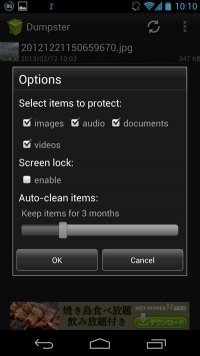
Dumpster is one of the best options for those looking for a good trash app for Android. This app claims to recover and restore deleted image and video files in seconds, and it does exactly that, albeit unstable. In my testing , I found that the app was able to restore most of the images I deleted . This is definitely a good thing. However, it may fail in some cases and you may not be able to recover something that is really important to you. The app also has a “Deep Scan Recovery” feature, which should alleviate the problem to some extent.
You can give Dumpster a try, but be sure to make copies of the files you use for testing. In addition to the Recycle Bin feature, the app also features an “auto clean” feature that permanently removes deleted files from your device, support for 14 languages, and cloud storage features that allow you to safely store important documents on the internet. I am .
Get it on Google Play Store: ( Free with in-app purchases)
2. File Commander
File Commander is a handy file manager app for Android devices with a trash can feature. This feature works with almost all file types and is very useful if you accidentally delete an important file from your device.
This feature is located on the app’s home page and lists all recently deleted files in a convenient list from which you can restore the files you want or permanently delete the ones you don’t need. Again, File Commander’s trash feature only works for files deleted from within the app , not for files deleted elsewhere.
While most of File Commander’s features are available for free, please note that the Recycle Bin feature is not free and is only available in the premium version of the app , which can be purchased from within the free version.
Get it on Google Play Store: ( Free with in-app purchases)
3. Simple Gallery
As the name suggests, Simple Gallery is not a full-fledged trash app, but it does come with some great trash features. As you may have noticed, on Android it’s nearly impossible to keep track of all the files and folders that are deleted from other apps unless you have root privileges. Additionally, recent Android versions have stricter storage permissions, making it more difficult for apps to provide a full-fledged recycle bin. In such scenarios, you can use the Gallery app as your default photo management app . When you delete a photo from Simple Gallery, it will be moved to the in-app trash. If you do this, you will always be erring on the side of caution.
That said, out of all the Android gallery apps out there, I chose Simple Gallery for two particular reasons. It’s as easy as a photo gallery app. No ads, no bloatware, no cloud links, nothing . Just view your media files in chronological order. When you delete an image or video from the app, it goes to the Trash folder at the top. If you want to move the Trash folder to the bottom, you can do so from the Settings page.
Get it on Google Play Store: ( Free )
4.Recycle Master
Are you looking for a recycle bin app for Android that can back up everything you deleted and restore your important files easily? Then Recycle Master app is the right choice for you. This app works much like the Recycle Bin on your Windows PC, saving all your deleted files in one convenient location.
If you accidentally delete an important file, it will be added to the Recently Deleted section of Recycle Master’s home page, allowing you to restore it with a single tap . However, in case you are missing certain files, Recycle Master also offers a ” Deep Recovery ” feature that can scan your smartphone’s internal storage to find lost files. This app is suitable for all types of files and has the added benefit of being able to create backups of uninstalled apps as well.
To ensure that Recycle Master backs up all deleted files, you must allow apps to run in the background and lock them in the recent apps menu to prevent them from being accidentally killed. Please note that . Granting these permissions can negatively impact your phone’s battery life and increase background data usage.
Get it on Google Play Store: ( Free with in-app purchases)
5. Disc digger
DiskDigger is another easy-to-use trash can app that you can download. This is especially suitable if you are using a rooted Android device. The app works on non-rooted devices, but it can only perform “limited” scans, so it can only restore deleted photos from internal storage. However, on rooted devices, you can use DiskDigger to perform a deep scan and recover both photos and videos .
Once the file recovery is complete, DiskDigger also gives you the option to easily delete all other unnecessary files in one tap . This will permanently delete those files from your phone’s storage. However, this method won’t restore deleted files, so make sure you’ve restored all your important apps before tapping the Clean button.
Another unique feature of this app is that it provides an option for users to choose where they want to restore deleted files . This can be on your cloud storage service of choice or on a specific folder within your smartphone’s root directory. However, during testing, I noticed that when I restore an image file to local storage, it doesn’t appear in the gallery and can only be accessed using the File Manager app. You can also choose DiskDigger Pro if you need support for more file types. It is also available from Google Play Store for $2.99 .
Get it on Google Play Store: ( Free )
6.MiXplorer
MiXplorer is also an Android file manager, but it has a recycle bin, which is the area of interest in this article. Using MiXplorer in addition to Simple Gallery, you can create a complete solution if your Android device does not have a full-fledged Recycle Bin . Simple Gallery can handle all your images, videos, and GIFs. MiXplorer, on the other hand, can handle all deleted files and folders, be it PDF files or songs.
MiXplorer has an “undo” feature that can be enabled from Settings (3-dot menu -> Settings -> More settings), which will enable the Recycle Bin. From now on, every time you delete a file or folder, you’ll be asked if you want to move the file to the trash or permanently delete it . This is very similar to the functionality in Windows, where you can access the trash can under the hamburger menu. Overall, MiXplorer is a capable file explorer, suitable for both recycle bin needs and file management.
7.Cx File Explorer
Cx File Explorer is a feature-packed file explorer for Android devices with built-in trash functionality. This feature works for all files and safely saves them in the Recycle Bin where they can be recovered. Cx File Explorer’s trash feature is also conveniently located on the app’s home page, allowing you to restore accidentally deleted files or permanently delete them with a single tap.
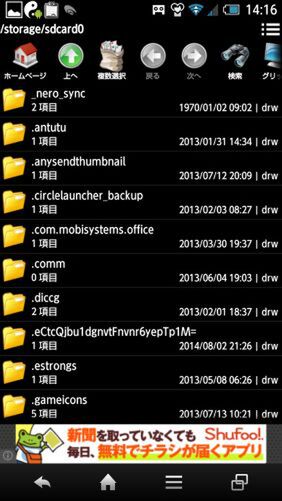
The good thing about this app is that you don’t need to enable Cx File Explorer’s Recycle Bin feature and it will work as soon as you install the app. However, while this feature works well with almost all file types, it only works if you delete the file from within Cx File Explorer , and files deleted while using another app will not be registered.
Get it on Google Play Store: ( Free )
Bonus: Google Photos
If images and videos are all you care about, Google Photos is another great option to consider. It’s not a trash app per se, but it has a handy little feature that lets you safely store recently deleted images and videos in a “trash” folder and restore them from there if needed.
To access this feature, tap the hamburger menu button in the top left corner of the app and select the Trash tab from the slide-out menu. This tab lists all the images/videos that have been deleted in the last 60 days and you can choose to restore them to the main gallery or delete them permanently.
Please note that this feature only works for images/videos deleted from within the Google Photos app , not if you deleted the files using another gallery app or file manager. Please also note that images/videos in the Trash tab will be automatically deleted 60 days after they are removed from the main gallery. Therefore, we recommend restoring it while it’s still available.
Get it on Google Play Store: ( Free )
Try the best trash app for Android now
The aforementioned Recycle Bin apps for Android will definitely have you covered in case you accidentally delete an important file. There are many other apps on the Play Store that claim this feature, but when we tested them, we found most of them to be non-functional and full of ads. If you are looking for an app that can easily recover deleted files on your Android device, the above-mentioned apps are perfect for you.


![How to set up a Raspberry Pi web server in 2021 [Guide]](https://i0.wp.com/pcmanabu.com/wp-content/uploads/2019/10/web-server-02-309x198.png?w=1200&resize=1200,0&ssl=1)


