One of the most underrated features of smartphones is the ability to record voice calls. Some OEMs like OnePlus, Xiaomi, and Huawei make sure to include this feature in their Android builds, but it’s not available in stock Android. Call recording is a very important feature for me as it helps me save important conversations that I want to refer to later. It’s also easy to discuss your ideas with colleagues over the phone, as everything you brainstorm is securely stored on your phone. If, for these reasons or your own reasons, you need to record calls on your Android device, there are some very good apps on the Play Store that allow you to do so.
Note : Most of the apps on the list share almost the same name, so be sure to only download apps from the links provided. Also, call recording is illegal in some countries, such as the US, so be sure to check the situation in your country before downloading and using these apps.
Best call recorder apps for Android in 2020
Before we get into this article, let me clarify a few things first. After the Android Pie update, Google severely restricted call recording. This makes it difficult for apps to record calls clearly. In our testing, Cube Call Recorder was the only app that worked flawlessly on Stock Android, OnePlus, Xiaomi, and other phones we tested. The app also worked on Android smartphones running Android 10.
As for other apps, some work with Stock Android, some work with Samsung, and some work with OnePlus. This means you need to install the app and check if it works on your device. We recommend using “Cube Call Recorder ACR” first, and if it doesn’t work well, move to another app.
Also, if you want to record calls, be sure to grant the permissions requested by these apps. For the best recording experience, open the app settings and select “Voice Recognition Software” as the input option instead of the default “Voice Call” option. Please check your app settings and configure them for the best recording experience. Now that you know what to do, let’s move on to the list.
1. Cube Call Recorder ACR
Cube Call Recorder ACR not only supports regular calls , but also supports Skype, Viber, WhatsApp, Hangouts, Facebook, IMO, Line, Slack, Telegram and more . However, VoIP call recording is not supported on all devices, so you will need to install the app to see if this feature works on your device. The best thing about this app is that it is completely free to use and does not display any ads while recording calls. With Cube Call Recorder ACR you can get the best call recording experience completely free of charge.

Download: Catalina Group’s Cube Call Recorder ACR ( Free )
2. Call Recorder – ACR
Call Recorder – ACR is another great app that works on almost every device I’ve tested. Similar to automatic call recorder, the app can track and record incoming and outgoing calls without you having to do anything. The best thing about using this app is that it is one of the apps that works. The app also supports multiple cloud storages such as Dropbox, Google Drive, OneDrive, FTP, and WebDAV . Not only that, this app also allows you to send recorded calls directly to an email of your choice. You can use the app for free with ads or purchase the pro version to remove all ads.
Download: NLL Call Recorder ACR ( Free / $2.04 )
Note: For the best recording experience on Android 10 devices, please download ACR 32.9-unChained APK from APKMirror. Google doesn’t allow this version of the app on the Play Store, so you have to download it from APKMirror.
3. Automatic call recording with recorder and smart app
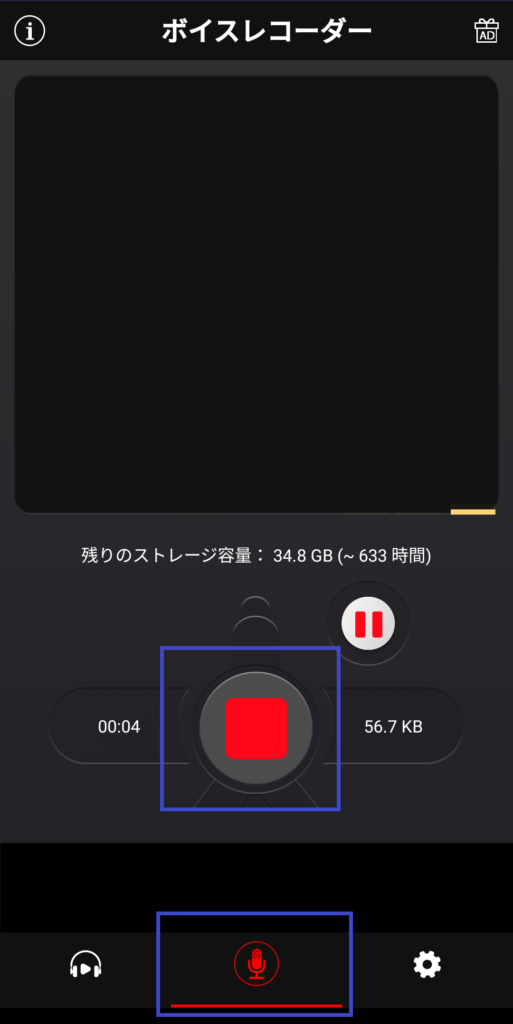
With an average rating of 4.6 on the Play Store, Call Recorder By Recorder & Smart Apps is one of the most popular call recording apps on the Play Store, and it’s no wonder. The app records and organizes all outgoing and incoming calls. You can set the app to automatically save your calls, or to ask you each time a call ends . The “Request Save” feature helps reduce the number of calls saved on your phone and ensures that only important calls are saved. It doesn’t support cloud storage, but you can share recorded calls via Dropbox, Google, Skype, etc. The app is free to use with ads. There is also a pro version that completely removes ads.
Download: Automatic Call Recorder with Recorder and Smart App ( Free / $5.28 )
2. True Caller
Most of us know Truecaller as a caller ID app that allows you to identify unknown numbers. However, many people don’t know that Truecaller also offers very good call recording features . I’m a fan of Truecaller. Not only will you know who is calling you, but you will also avoid receiving spam calls. That’s why it’s a boon for me that the Truecaller app comes bundled with call recording functionality. Instead of using other apps on this list, if you also use the Truecaller app, you can use it to record all your calls. However, please note that the call recording feature is not free and is part of the Truecaller premium plan which costs ₹49 per month .

However, you can use the 14-day free trial to check out the features before paying for them. Free trials are very important as not all Android devices are supported. To check if your phone is supported, you need to install and use the app. See our article on how to record calls using Truecaller. It also includes a list of verified supported and unsupported devices . I tested the call recording feature on the OnePlus 3 and it worked fine. I had the best call recording experience and highly recommend this app to anyone who wants to record calls on their Android device.
Download: Truecaller by True Software ( 14-day free trial , ₹49/month)
Note: Support for devices running Android Pie and above has officially ended.
5. Lovakara call recorder
Lovekara’s Call Recorder is a free call recording app that you can use to record calls automatically. This app allows you to save all recorded calls in MP3 format. You can save calls on your phone or transfer them to an external SD card if your phone supports it . However, there is no cloud integration. Also, this app is supported by ads and there is no paid version to remove ads. Still, this app does what it’s supposed to do and it’s completely free, so there’s nothing to complain about.

Download: Lovakara Call Recorder ( Free )
6. Top Weather Studio Call Recorder
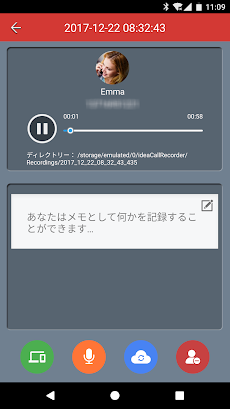
Another great Android call recorder app is Top Weather Studio’s call recorder app. This app works and can record both incoming and outgoing calls. This app may come with several recording presets such as record all calls, ignore all calls, record calls from contacts, and ignore calls from contacts. I like it. This allows you to fine-tune your call recordings to avoid filling up your app with unnecessary call recordings. No matter which option you choose, you can always record calls manually. Like other apps on this list, you can save your recordings in MP3 format and move them to your SD card or upload them to Google Drive. Other features include the ability to favorite recorded calls, search for recordings, send calls via email, mark recordings as important, and more.
Download: Top Weather Studio’s Call Recorder ( Free , In-App Purchases)
7. RMC: Android Call Recorder
RMC: Android Call Recorder is one of the most versatile call recorder apps on the Play Store. This app not only allows you to record voice calls in MP3 and WAV formats, but also supports other formats such as AMR, MP4, and 3GP . This app automatically records all incoming and outgoing calls and allows you to sort and search call logs. There’s also a built-in trash can that eliminates the worry of accidentally deleting saved calls. Various customizations such as recording channels (mono and stereo selection), sample rate, bit rate, etc. are also available. It also supports cloud integration with Dropbox and Google Drive. The app is completely free and displays ads.
Download: RMC: Coconatech’s Android Call Recorder ( Free )
8. Automatic call recording device
Automatic Call Recorder is one of the best call recording apps that you can download and use right now. I’ve used this app on several different devices and it worked fine on all of them . The app allows you to record any number of calls. It also provides three different modes to record calls automatically. You can record all calls, only calls for saved contacts, or calls for numbers not saved in your contacts.

The app integrates well with DropBox and Google Drive, so you don’t have to worry about running out of space on your phone. In addition to that, it also has a beautiful dark mode. You can use the free version of the app with ads or purchase the pro version which removes ads completely.
Download: Automatic Call Recorder by Appliqato ( Free / Pro-$6.99 )
9. All Call Recorder Lite 2020
This is another call recording app for Android devices. This is one of the simplest apps on the list and is packed with only the basic features . This app allows you to record incoming and outgoing calls and has an integrated audio player that you can use to play the recordings. Additional features such as search and sorting, cloud storage support, and moving files to SD card are not supported. If you’re looking for a lean and lightweight app to record calls, this is it.

Download: Electro dev’s All Call Recorder Lite 2020 ( Free )
10. Blackbox Call Recorder
Blackbox Call Recorder is a great call recording app for Android that you can use to record calls. First of all, I like that it uses a dark theme, which should be standard for all apps in 2020. When it comes to functionality, Blackbox Call Recorder automatically records calls without requiring any user input. All call recordings are securely backed up to Google Drive . The app also comes with a security lock feature that prevents unwanted persons from accessing your call recording history. Other features include the ability to hide recordings from other apps on your phone, automatic cleanup of old recordings, support for Bluetooth earphones, dual SIM support, and more. Overall, this is one of the best, if not the best, call recorder app for Android.

Download: CRYOK SIA’s Blackbox Call Recorder ( Free , In-App Purchases)
Note: Devices running Android Pie or later will experience issues with the app. But I’m sure it will be updated to fix these issues.
Best call recording apps for Android in 2020
You never know when the moment will come when you will curse yourself for not having a call recording function on your smartphone. Most of the apps on this list offer free services (with ads), so there’s no harm in testing these apps and keeping the ones that work on your device. On the contrary, if you are already using such an app and it is not on the list, please share it with us by dropping its name in the comments section below.


![How to set up a Raspberry Pi web server in 2021 [Guide]](https://i0.wp.com/pcmanabu.com/wp-content/uploads/2019/10/web-server-02-309x198.png?w=1200&resize=1200,0&ssl=1)


