Remote work has enabled most businesses to operate during this difficult time around the world.
In fact, it was already in place in many places before the pandemic, but demand skyrocketed when there was no other option.
Surprisingly, one study found that 86% of employees feel more productive while working from home.
Thanks to modern technology, many companies have the privilege of allowing their employees to get their work done regardless of where they work. All you need is a stable internet connection, a computer, a web conferencing tool, a webcam, and a smartphone.
And it won’t stop.
Unless you need to access your computer from another location.
What if you have important files that need immediate attention?
Don’t worry; there is a solution for this. It’s remote desktop software .
Let’s take a closer look!
What is remote desktop software?
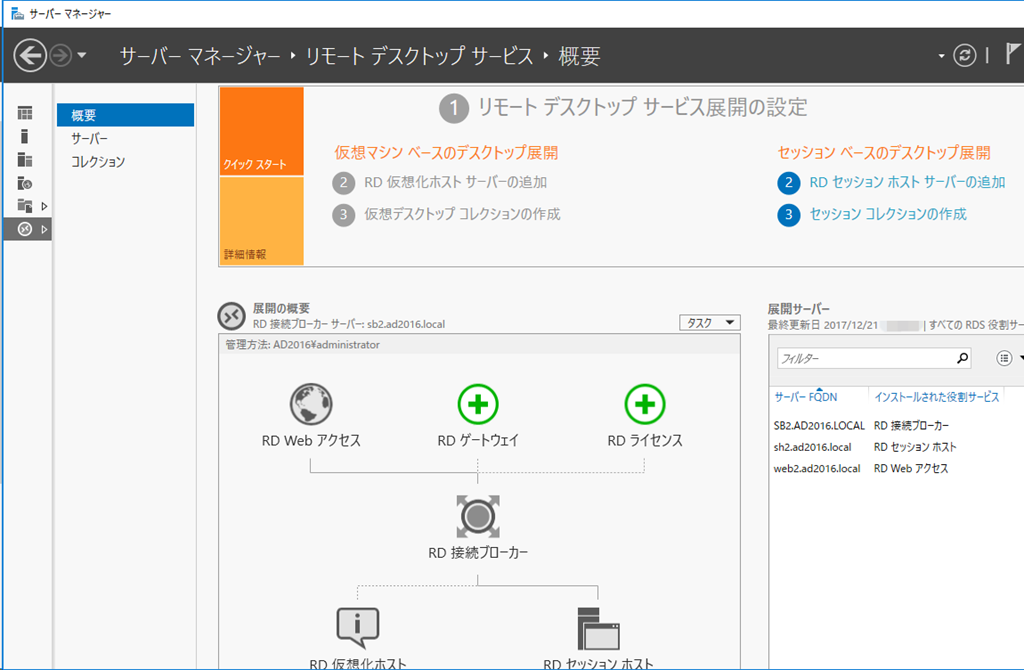
Remote desktop software allows you to remotely control your local desktop on another system.
Simply put, this software helps you access other systems located at different locations through software installed on the same network or over the Internet.
Its goal is to connect one computer to another for business purposes such as file transfer, desktop sharing, application access, customer support, and troubleshooting.
How does it work?
Remote desktop software uses VNC (Virtual Network Computing) to establish a connection between two computers, allowing you to access and control remote systems over a LAN’s Internet connection.
This process utilizes the client/server model described below.
- A client is a local system used to access a remote system.
- A server is a remote system.
The client screen displays the server system’s user interface and allows users to access the remote computer through keyboard and mouse input. These inputs are executed within the remote machine’s environment, and its UI continues to update in real-time on the client side. In this way, users can control remote systems.
Examples of using remote desktop
- Work from home 🏠: If you’re working from home, software can help you connect to a secure and compliant work environment.
- Troubleshooting: Remote IT support software is widely used by IT administrators because it helps employees troubleshoot technical issues when they encounter problems with their machines.
- Help Desk: Support teams and help desk solutions are increasingly leveraging remote support software to resolve issues facing customers.
- While traveling: This software is useful when you are traveling and need urgent access to important files and documents stored on your computer at your home or office desk.
Advantages of remote desktop software
- The right remote desktop software will increase your productivity by allowing you to access your files whenever you want without commuting to the office.
- Work from anywhere for added convenience: at home, at the beach 🏖️, while traveling, when you’re sick, or if you have other important tasks that require you to be home.
- What’s more, it’s more cost-effective because businesses don’t have to invest large sums of money in purchasing new employees or servers.
- If the network is working properly, you can expect easy data transmission.
So much for the software and how it can help you. The next challenge is finding the right product to meet your unique requirements.
The following solutions are suitable for business and personal use. You may also want to check out Chrome Remote Desktop, which lets you work from anywhere for personal use.

splash top
Splashtop is one of the highest-performing, most secure, and most valuable remote desktop solutions, used by over 30 million users worldwide. It provides a simple and intuitive interface, allowing seamless remote access and control of computers and devices.
Splashtop gives you convenience and flexibility by allowing you to access and edit files and apps, stream and edit videos, play games, and more from anywhere and on any device. .
Splashtop is known for its competitive pricing model that provides excellent value for both individual users and businesses. It is also highly versatile and is compatible with various operating systems such as Windows, macOS, iOS, and Android.
Another major advantage of Splashtop is its excellent security framework. Ensure secure connections with 256-bit AES encryption, two-factor authentication, multi-level password options, and device authentication. Additionally, it provides in-session file transfer capabilities, remote wake, multi-monitor setup, and sound capabilities to enhance your remote desktop experience.
Features
- Available for Windows, Mac, iOS, Android, Chromebook, and Linux
- Access and control your computer from any device, anywhere
- Easy and intuitive interface
- High-performance connectivity with 4K streaming up to 60fps
Splashtop’s remote desktop software enables small business employees to work remotely from home or anywhere in the world, using any device, while keeping costs low and security high. .
Free trial available.
Suprimo
While TeamViewer is considered one of the top remote desktop software, there is an effective, cheap, reliable, and feature-rich alternative: SupRemo .
It’s a lightweight remote access tool for mobile on Windows, macOS, Linux (using Wine), Android, and iOS . This tool is easy to use and very powerful. The most important advantages of Supremo are:
- Allows multiple connections on the same computer (whether PC or Mac).
- No router or firewall configuration or network infrastructure intervention required.
- It can be installed for automated, unattended access, allowing remote users to control remote devices without having to be present.
- This allows users to print remotely, easily drag and drop files, and chat while connected.
- Remote session is encrypted on both sides
Another great feature is that you can rebrand the software with your own logo. SupRemo can be customized to suit your requirements and requires no development skills.
It is free for personal use, but its pricing is its strength. Subscription plans are very affordable and modular based on the maximum number of simultaneous connections that need to be established. Unlike other software, your license can be used on an unlimited number of PCs and Macs .
The aforementioned features are just some of the features that come with SupRemo. Other than that; this is, as already mentioned, one of the most powerful remote desktop apps.
While using this software, I didn’t face any issues that could detract from the overall user experience. So as far as complaints go, I have no complaints at all. This is definitely a plus point for me.
Features
- Available for Windows, iOS, and Android.
- very simple and easy to use
- Lighter resources
- Offers 256-bit AES encryption to ensure the most secure connection possible
- Easily allow multiple connections on one computer
Free trial available. Please check our pricing page for more details.
iperius remote

Looking for a free remote desktop application for your work-from-home team? Need a reliable solution to provide remote access and support ? Try Iperius Remote, a robust remote desktop and support solution.
With Iperius Remote, you get everything you need to access any device remotely.
Features
- Multi-platform: PC, MAC, Android, iOS
- Unlimited remote devices – Unlimited users
- Free for personal use – subscription plans starting from just 8 euros per month
- Bank-grade security with end-to-end encryption (HIPAA and GDPR)
- No firewall configuration
- Remote access to and from Android and iOS mobile devices
- File transfer , chat, shared address book, statistics
Want to try Iperius Remote Desktop on your mobile device? Download the app for Android and iOS .
Companies offering remote technical assistance services will also find Iperius Remote a great choice, with many advanced features.
- Control your Android smartphone or access your iPhone remotely
- remote printing
- Large scale deployment using MSI and GPO
- Custom client (QuickSupport) has been rebranded with company name and icon
- connection statistics
- session recording
- Granular security policy
- unattended access
Iperius Remote provides an easy solution for remote and distributed teams with features such as custom login statistics, credentials, multiple password protection, multiple monitors, and quickly configured permissions. This application also has useful features such as remote printing, full screen mode, and detailed connection time statistics. Administrators can set individual security policies for each employee to ensure they only have access to authorized devices.
Unlimited remote desktops
Iperius Remote subscription plans are based solely on the number of concurrent connections. The free version allows you to establish one connection at a time.
What all subscription plans have in common is that there are no hidden limits . This makes the cost of the product absolutely competitive.
- Unlimited remote devices (even unattended)
- License can be used on unlimited devices
- Unlimited accounts for operators
- Register unlimited devices in address book
- No limit on connection time
If you want to use Iperius Remote for personal or non-commercial purposes, you can download and use the free version . For other uses, subscription plans are available starting from just 8 euros per month for unlimited remote device and user licenses.
zoho assist
Zoho Assist, a cloud-based remote access and support software, helps you support your customers through the web.
You can quickly configure, gain better control, manage, and troubleshoot remote devices using a tool called Unattended Remote Access. Zoho Assist allows you to send and receive files up to 2GB between connected computers.
You can also provide personalized support to your customers via live chat and schedule support sessions at convenient times, including different time zones. Enables multi-monitor navigation, video and audio chat, automatic reconnection, and restart without terminating the current session.
Zoho Assist comes with diagnostic tools that help you manage and diagnose remote computers to reduce IT incidents. You can perform many power operations such as shutdown, restart, lock, logoff, standby, and hibernation without starting a remote access session. You can configure a confirmation prompt that appears on the remote end before using the device for an unattended access session.
Save valuable time by deploying installers to various remote machines at once. It also includes features such as session recording for training and internal audit purposes, and a ‘Wake on LAN’ option with a click. You can share and exchange screens, and add annotations to highlight specific areas on the remote screen.
For security, Zoho Assist offers two-factor authentication via SMS and OTP, in addition to providing SSL and idle session timeout. Embed customer widgets on your site to easily join sessions, create email templates, and customize branding elements like your company name, logo, URL, and more. Seamlessly integrates with tools like Zoho Desk, Google Workspace, Zendesk, and more.
GoToMyPC
GoToMyPC makes working from home easier by securely accessing your files, applications, and other data. It comes with a clean, easy-to-navigate dashboard and is reliable with proven performance tested over years of use.
Stay productive with our solutions on your favorite devices, including Android phones, iPads, iPhones, and Kindle devices. Access full keywords, screen zoom, and mouse controls.
Install, deploy, and configure GoToMyPC instantly and easily. It supports multi-monitors and allows you to view all monitors on your computer.
Interestingly, you can also use the sounds on your computer that you access through the solution. This feature is only available on PC. You can perform operations such as copy, paste, remote printing, and cutting on connected devices. GoToMyPC is built to the highest performance and security standards, so you can be confident that all your data is safe.
It offers double passwords, end-to-end authentication, and 256-bit AES encryption. Gain continuous insight into your connectivity through real-time diagnostics. Use software to darken your PC screen and lock your remote keyboard to protect your privacy.
This includes desktop shortcuts to bypass the browser login page and the ability to invite people to temporarily guest join, which is great for tech support and demos. You can also track session data such as connection source, time, duration, and connection type.
Engine management
ManageEngine’s remote management tool ‘Remote Access Plus’ is an enterprise remote management platform that helps administrators streamline and facilitate daily operations from a centralized dashboard.
The platform also supports SMBs with a wide range of geographically distributed infrastructures and supports both cloud and on-premises installations.
ManageEngine’s reliability and reliability are proven by 100,000 customers with over 500 million remote sessions covering over 100 million endpoints.
Provides a unified dashboard for managing and troubleshooting remote infrastructure by seamlessly connecting remote systems, detecting issues, and troubleshooting with convenient built-in tools with little to no downtime I will.
It offers a number of remote features that allow system administrators to easily manage their infrastructure. This includes a remote app to control your network on the go, a remote file manager with secure file transfers, a remote task manager to view remote sessions, a remote registry, Windows registry, remote event viewer, and remote commands. Access prompts and more.
Features
- Wake on LAN and remote shutdown.
- Over 12 remote tools to solve remote problems lightning fast.
- Audio, video, and text chat facilitate user-related troubleshooting and administrative tasks.
- A centralized device manager for managing a complete array of connected devices.
- Collaborate with other technicians and users to facilitate the troubleshooting process.
- Comprehensive report.
- HIPAA compliant.
ManageEngine is a comprehensive remote management tool that can meet all the needs of system administrators, IT administrators, help desk technicians, or anyone responsible for managing and troubleshooting computers within your IT infrastructure.
Its full-featured version is available for free for 10 computers. Its premium editions include Standard and Professional. The professional version includes over 12 troubleshooting tools.
log me in pro
LogMeIn is a leading software company providing remote connectivity and support solutions for businesses. LogMeIn Pro has everything you need to provide a seamless remote desktop solution with superior technology and features.
Easily and quickly access all your files remotely on your Mac or PC using your browser, iOS, or Android smartphone. You can perfectly drag and drop files without file size limitations. You can also extend file and computer access to unlimited users in your team for faster collaboration.
Access to LastPass’ premium license for password management provides a secure vault for storing your passwords. Store up to 1 TB of files, access them anytime, anywhere, and share them with anyone.
It also supports other features such as remote printing and multi-monitor display. Obtain system management tools to control various aspects of host behavior in your environment, Group Policy, and more. LogMeIn Pro takes security seriously, so we offer industry-leading security encryption.
team viewer
TeamViewer, which has helped connect over 2 billion devices, is a purpose-built solution for remote access, control and support.
It works on a wide range of mobile and desktop devices, giving you the freedom to connect remotely to servers, IoT devices, and commercial-grade machines from anywhere over a secure global network.
Key features included in remote support include ad-hoc support, custom branding of support applications, sticky notes, integrated service case management, app and mobile device management integration, and more.
Remote access provides flexible and secure file sharing, plus features such as remote restart, Wake-on-LAN, persistent access to unattended devices, black screen, and remote printing for Mac and Windows only .
Mobile device support includes features such as screen sharing, mobile-to-mobile connectivity, file management, system diagnostics, screenshots, text chat, and control of activity on supported devices.
TeamViewer is ISO/IEC 27001, ISO 9001:2015, HITECH/HIPAA, and SOC2 certified. We are fully GDPR compliant and maintain high security standards.
any desk
With AnyDesk ‘s trusted services, you can literally access files on your computer at “any desk” as if you were sitting in front of it. Ensures secure desktop connectivity for both individuals and IT professionals.
AnyDesk offers multi-platform support including iOS, macOS, and Windows, as well as FreeBSD, Linux, and Raspberry Pi. To easily transfer files, you need to copy and paste them or make use of the transfer tab. This remote desktop solution is lightweight and does not require administrator privileges.
Customize AnyDesk’s user interface to give your customers a great experience using remote desktop. AnyDesk allows you to record each session, which provides an extra level of security and is also great for training.
You can also set up your own enterprise network to keep your unencrypted data safe at all times. With AnyDesk, you get unparalleled performance. This is because it uses the cutting-edge DeskRT codec, which guarantees extremely low latency and works well even with low bandwidth and huge screen resolutions.
For security purposes, AnyDesk uses the banking standard technology TLS 1.2 to ensure that your device is completely protected from external threats. There is RSA-2048 asymmetric encryption to verify each connection, and the server is equipped with Erlang technology for increased reliability.
remote pc
RemotePC allows you to work efficiently from home or while traveling. Easily connect and control any device, including Linux computers, and collaborate with your team in real time.
Enable secure access by sharing a unique access key and ID with your employees that they can use to access their computers only once. Connect to and control remote devices through your browser without installing any software. RemotePC utilizes TLS v1.2 or AES-256 encryption to provide maximum security.
You can also access the machine through your personal key, which acts as a secondary password. The services provided by RemotePC are highly scalable, allowing you to add remote computers to your plan according to your different requirements without requiring additional software or hardware.
Transferring files between local and network drives is easy. Enable message sharing between computers, printing images and documents from anywhere, and restart your remote device in safe or normal mode from the RemotePC desktop app or dashboard. You can view multiple monitors at the same time on one screen, drag and drop files, and view one monitor on another screen.
Track activity through detailed reports and access logs. All remote access services comply with regulatory standards and facilitate effective collaboration by providing a whiteboard for drawing on the remote screen during sessions. You can play sounds, invite troubleshooters, and record sessions.
Create groups and add as many users as you need using the centralized web console. You can also enable video conferencing, online meetings, and provide real-time remote support beyond the screen through live video sharing capabilities powered by augmented reality (AR).
remote utility
Gain 100% control over your entire IT infrastructure with solutions from Remote Utilities . Connect your computer over a secure connection to view remote screens, send keystrokes, and smoothly move your mouse pointer.
For security, the remote utility lets you leverage Google Authenticator and enable two-factor authentication.
Integrate it with Active Directory, add domain controllers with one click, and push install programs across your AD environment. The remote utility allows you to create customized host installers using built-in MSI configurations for easy network deployment.
Remote Utility is also available as self-hosted remote desktop software installed on-premises and acts as a relay, synchronization, or authentication server.
conclusion
The remote desktop solution described in this article allows you to provide seamless support to your customers and collaborate effectively with your team in real time, regardless of their current location.
Business owners need to consider shifting to virtual desktops to save IT costs.


![How to set up a Raspberry Pi web server in 2021 [Guide]](https://i0.wp.com/pcmanabu.com/wp-content/uploads/2019/10/web-server-02-309x198.png?w=1200&resize=1200,0&ssl=1)


