Django enables rapid web development, clean pragmatics, and web security. Django allows developers to focus their efforts on developing new features and components for their applications, rather than spending time building what’s already been built.
This article introduces some of the best resources available to master Django and create your own web applications.
Introducing Django
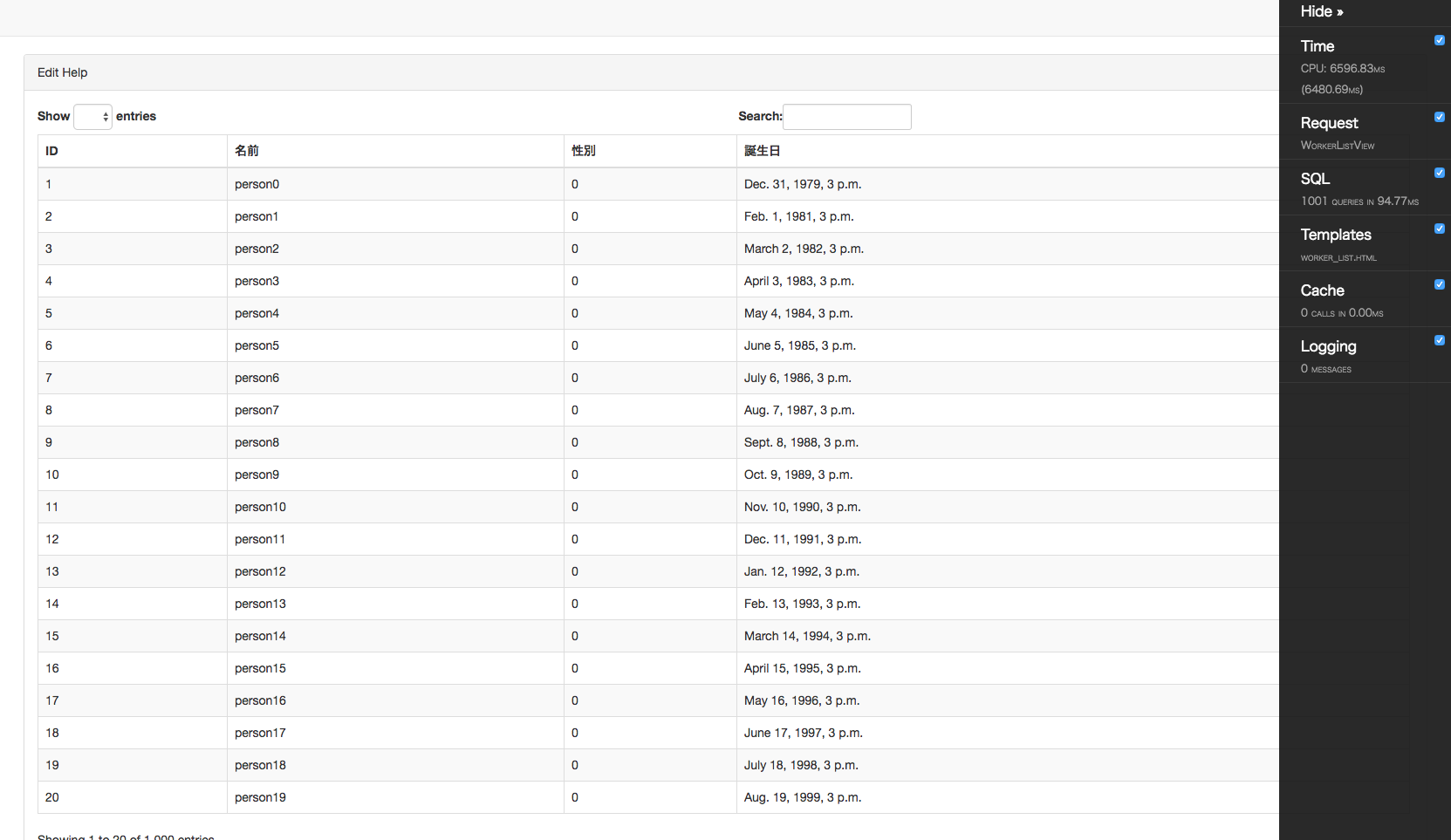
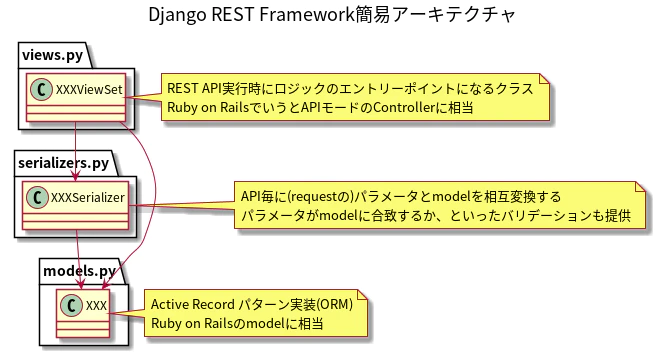
Django is a high-level Python-based web framework that can speed up web development. It follows the model-template-view architectural pattern. Django helps you develop websites and applications that are complete, versatile, secure, and easy to maintain.
Here are some benefits of Django.
- Django is highly secure, with protections against XSS, clickjacking, CSRF attacks, SQL injection, and more.
- The framework provides a default management interface. You don’t need to write any separate code.
- It includes a set of libraries such as the Django REST framework, Django CMS, and Django-allauth.
- We provide tools for SEO and software to manage robots.txt.
The Django framework helps you create applications ranging from content management to social networking websites. This framework simplifies web development and allows you to update your applications with minimal effort, expense, changes, or additions.
Here are the best Django learning resources for web application development. The list also includes online courses such as Udemy, Coursera, books, and YouTube courses.
Python Django
In this course, you will learn how to build web applications in Python using the Django framework. No experience with Django is required, but basic knowledge of Python and web development is required.
This Curse starts with the basics of Django and teaches you how to create a Django project, run it, and add functionality.
Click here for course information
- Get started with Django basics
- How to install Python and Django,
- Create and understand Django projects
- Understand URLs, views, requests, and responses
- Add/register templates. Render templates and learn the Django template language.
- Create a project from scratch.
- Understand different types of data, database options, SQL, and Django models.
- more
This course is perfect for Python developers, JavaScript developers, or anyone who wants to learn web development with Python and the Django framework.
Build a backend REST API using Python and Django

This Udemy course requires basic knowledge of programming and developing simple apps, Django basics, and command line tools. After completing the course, you will be able to develop REST APIs with features such as user authentication, object creation, and image upload and display.
The course outline is as follows:
- Technical requirements, API details, and upgrades
- Understand app design
- Setting up the project, creating a GitHub project
- Define the Python requirements for your project, create a Docker Compose configuration, and use Docker Compose to create and run a Django project.
- Configuring GitHub actions
- test driven development
- more
This course is perfect for intermediate programmers and developers looking to add Python to their skillset.
Django specialization for everyone
In this Coursera course, you’ll learn how to build a website using the Django library in just 3 hours a week for 5 months. Learn specialized HTML, CSS, JavaScript, SQL, Django, jQuery, and JSON Web Services through four courses.
Here’s an overview of the specializations:
- Basic structure of web applications, HTTP, HTML, and Django overview
- How to deploy a Django application
- Understand HTML and Django application design.
- Learn SQL and database modeling
- Learn how to develop a classified ads application with features like photos, search, favorites, and more.
We recommend that beginners take the Python for Everyone specialization or equivalent before enrolling in this course.
advanced django

This advanced course is intended for people who are already familiar with Python and have completed the Django for Everyone specialization course to gain skills.
Here’s an overview of the specializations:
- Learn how to code and run Django without installing anything.
- Deepen your understanding by exploring editable and executable code with short, simple, non-video explanations.
- Integrate the Django Rest framework into your Django blog to leverage APIs
- Run tests with the Django framework to identify and optimize code performance using caching, throttling, and filtering.
- Learn how to use third-party libraries and integrate with popular front ends
- Learn how to set up authentication with Google
In this course, you’ll learn all the skills to handle advanced projects, from designing and configuring large web design projects to creating RESTful APIs for blogging and task queuing.
django tutorial
Check out these free W3School tutorials to build your Django skills. These tutorials are easy to learn and give a great head start, especially for beginners.

Here are some of the things you can learn from the tutorial.
- Create HTML templates and insert data within HTML using Django template tags
- Learn how to use QuerySet to extract, filter, and sort data from a database.
- Setting up a PostgreSQL database and deploying a Django project
This course will help you learn how the concepts work and create Django projects that add, read, update, and delete data.
Build web applications with Django

This is another beautifully designed edx course that allows learners to explore data models in Django. In this course, you will learn how Django communicates with the database through model objects.
The outline of this course is as follows:
- Build a data model with Django
- Learn basic SQL and database modeling
- Learn how database models work in both SQL and Django.
- Learn how to apply Django model queries and template tags in the Django template language
- Learn to build forms and define classes, instances, and methods in HTML.
After completing this course, you will be able to easily use the Django console and scripts to interact with application objects.
Learn Django online
With over 12 hours of videos and clear, comprehensive documentation, this Django online course will help you handle real-world tasks with greater understanding.
The outline of this course is as follows:
- Learn the complete suite of Django web development tools, including VSCode, Git, and Github.
- Learn to work with the Django admin interface, work with static files, and style using Bootstrap.
- Learn database design using Django Models, Django ORM, SQLite3, PostgreSQL, and more.
- You can now deploy apps using Heroku and Azure.
- Learn how to set up network security groups, Gunicorn, and Nginx.
- Learn how to build and deploy your own Django REST API.
From building six Django projects using the Django REST framework to deploying web apps to Heroku and Microsoft Azure, from building apps from scratch to improving your existing codebase, this course will help you become confident in web development. Learn all the skills to build your career.
Django – LinkedIn Learning
If you want to build a website using Django, LinkedIn Learning’s 15 courses from experts can be a great resource for beginners, intermediate, and advanced learners alike.
Here is an overview of these courses:
- As a beginner, you can choose a course to learn basic skills such as building Django projects, defining data models and fields, querying databases, and incorporating CSS and JavaScript to improve the usability and style of your Django templates. Masu.
- For intermediate students, we also have courses that teach you the RESTFul Django API, React, Angular, and building Django apps for paid membership websites. Through several intermediate courses, you will learn about unit testing, hash testing, testing frameworks, and implementing Django in a test-driven development process.
- If you’re looking for advanced courses, LinkedIn Learning offers courses that address backend web engineering situations on high-traffic websites, securing and configuring authentication methods for Django apps, and more. You can acquire the skills of
These courses will help you build and deploy scalable Django apps and gain advanced Django skills to handle real-world projects with ease.
Django 4 example
Django 4 By Example by Antonio Mele is a best-selling and top-rated book on Amazon that provides a step-by-step approach to building reliable web apps from scratch. This book is aimed at people with basic knowledge of Python and programmers migrating to Django from other web frameworks.
| preview | product | evaluation | price | |
|---|---|---|---|---|
 | Django 4 By Example: Build powerful and reliable Python web applications from scratch, 4th edition | $38.51 | Buy on Amazon |
The outline of this book is as follows.
- Learn about Django models, ORMs, views, templates, URLs, forms, authentication, signals, and middleware.
- Describes the implementation of features such as search engines, payment gateways, etc.
- Learn how to integrate JavaScript, PostgreSQL, Redis, Celery, Memcached, and even third-party applications into your projects.
- Learn how to set up a production environment for your project.
This is a practical book to learn to quickly create complex web apps to solve real-world use cases.
django for beginners
Django For Beginners by William S. Vincent is an excellent choice for those new to building websites or programmers looking for guidance to get started with the basics of Django.
| preview | product | evaluation | price | |
|---|---|---|---|---|
 | Django for beginners: Build websites with Python and Django | $13.14 | Buy on Amazon |
The outline of this book is as follows.
- Learn how to build a website from the basics.
- Customize the aesthetics of your website.
- Learn how to write and explore code and integrate user authentication, email, and custom user models.
- Learn how to add permissions and authorizations to secure your web apps.
- Learn the skills to point out mistakes and build your website smoothly.
This book is an excellent, fast-paced, up-to-date guide to learning how to build and deploy websites.
Django 4 for impatient people
Django 4 for Impatient People by Daniel Correa follows a quick and fun approach to learning Django full-stack development. With short, clear instructions and a hands-on, hands-on teaching style, it claims to have you creating your first Django app within minutes.
| preview | product | evaluation | price | |
|---|---|---|---|---|
 | Django 4 for the impatient: Learn the core concepts of Python web development with Django in one place. | $29.99 | Buy on Amazon |
The outline of this book is as follows.
- Learn the basic structure of Django apps, including URLs, templates, and models.
- Learn how to work with Django’s built-in management interface and authentication system.
- Learn how to add bootstrap to improve site accuracy and manage Django URLs.
- Interact with models and understand databases
- Deploy your own Django projects on the internet.
This book is useful for beginners and Python developers of all experience levels who want to build full-stack Python applications using Django.
Django tutorials for beginners
If you’re looking for an easy-to-understand resource to help you learn Django, check out this 3-hour video tutorial by Navin Reddy. Navin Reddy is a programmer and corporate trainer who led this course that covers everything in this tutorial in one place.
This tutorial provides:
- Guidance on using DTL and MVT
- Teach you how to set up ORM, Postgre, and PGAdmin
- Teach about models, migration, and remigration
- Learn how to use the admin panel
- Add and retrieve data to a database with Django
- Creating user registration and user login and logout in Django
If you’re a beginner and want to get to know Django, this tutorial is a great place to start.
last word
That’s a list of popular resources for learning Django. You don’t have to go through everything. You can choose the course that suits you best and start studying. If you want to become a pro, supplement your online courses with books, as mentioned in this article.
You can also explore resources for learning Python for beginners.


![How to set up a Raspberry Pi web server in 2021 [Guide]](https://i0.wp.com/pcmanabu.com/wp-content/uploads/2019/10/web-server-02-309x198.png?w=1200&resize=1200,0&ssl=1)


