Realme has just released the new Android 10-based Realme UI, which is also based on ColorOS 7 and comes with some really cool features. The update has started rolling out on Realme XT and Realme 3 Pro and will soon roll out to other Realme phones. So, whether you just received the update or are waiting for it and wondering what to expect, here are 12 great Realme UI features you should know about .
12 useful features of Realme UI
1. Dark mode is here
Realme smartphones first came with dark mode in Color OS 6.1, but at the time, the feature was in beta and available through Realme Labs. With Realme UI, the company has finally removed this feature from beta and made it available in the phone’s display settings.
Besides that, there are some additional options here as well. First, you can now set dark mode to run automatically from sunset to sunrise . If you don’t like that, you can also schedule dark mode to turn on at specific time intervals.
There’s also an option to force dark mode on third-party apps (which was also available when this feature was in beta), and you can also enable dark mode on WhatsApp, which is pretty cool.
2. Partial screenshots and screenshot gestures
Realme UI adds a lot of useful features to your phone’s screenshots. The three-finger gesture for taking screenshots now also supports partial screenshots , allowing you to just take a photo of part of the screen instead of taking a full screenshot and cropping it.
To do this, simply tap and hold the screen with three fingers and a selection box will appear. Just drag this selection box to the area of the screen you want to capture.

Realme UI also adds many other features to screenshots. You can now turn off screenshot sounds by going to Sounds & vibrations in Settings . Additionally, once you’ve taken a screenshot, you can drag the floating screenshot window that appears up or down to take a longer screenshot or share your screenshot. In my opinion, this is very useful and also very fun to use.
3. Screen recording with internal audio
If you often record your phone screen to share with friends (I usually record Bitmoji stories to share interesting stories with friends) or play PUBG Mobile or Call of Duty: Mobile games If you want to record your play on your phone, you’ll be happy to know that Realme UI also comes with the ability to record your screen using internal audio.
To enable this, long press the Screen Recording tile in the Quick Settings shade and turn on the “Record System Sounds” toggle to enable internal audio recording.
There’s also the ability to pause screen recording , so if you need to take a quick detour to check a message or answer a call, you don’t have to stop recording. You can pause the screen recording and resume it when finished. Easy peasy.
4. Immediately enter one-handed mode
One-handed mode has been present in ColorOS 6 for a while, but it’s not as easy to access. I had to first drag the tile to the quick settings pane and then tap it to switch to one-handed mode.
However, now you can enable one-handed mode with just a simple gesture. Just go to Settings > Useful Tools, tap Navigation Buttons , and enable the toggle next to “Pull down to enter one-handed mode.”

Simply swipe down on the navigation bar at the bottom of the screen to enter one-handed mode.
5.Protection of personal information
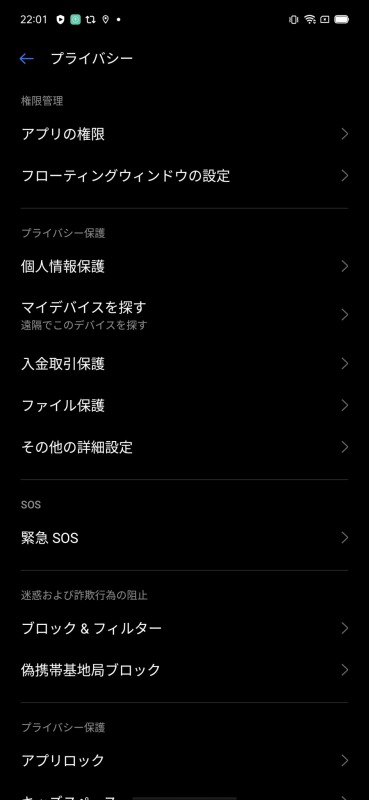
One of the hottest topics last year was user privacy and protection of personal information. To that end, Realme UI provides Realme smartphones with one of ColorOS 7’s best features: privacy.
With this feature enabled, whenever a third-party app requests personal information such as call logs, contacts, messages, etc., Realme UI will basically show a blank screen instead of checking that the app works as expected. We’ll send you the page, but we won’t have access to your information. .

This is very useful for apps that request intrusive permissions for no apparent reason. So, the next time Truecaller requests your contacts, use Realme Privacy Protection to prevent your contact list from being sent to Truecaller’s servers.
In addition to that, Realme UI also comes with new file protection features to protect your files (like images) from being deleted by malicious apps. If you enable this feature, your phone will display a warning when an app tries to delete an image from a folder.
6. Swipe down to access notifications
One of my biggest pet peeves about ColorOS is that when you swipe down on the home screen, you get a stupid global search feature that you never use. However, Realme UI now allows you to change the behavior of the swipe down gesture to lower the notification shade instead . This way you can easily access your notifications without having to reach the status bar with your thumb.
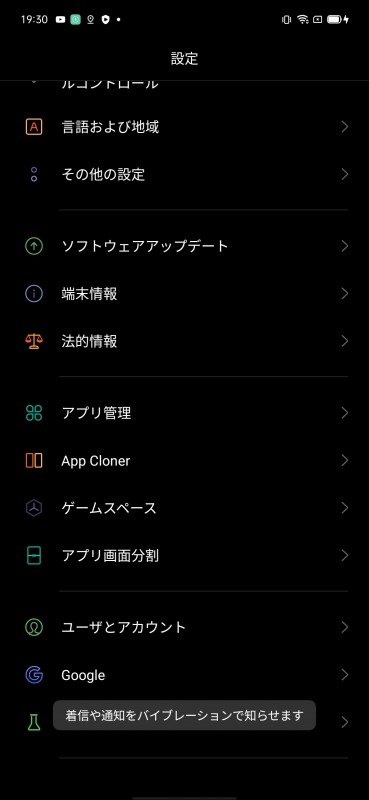
7. Double tap to lock screen
Realme UI also has a great feature that allows you to quickly lock your phone with just a double tap on the home screen. This is something I used to use a lot on my older Android smartphones, and I think every smartphone should have this option. It’s easier than using the power button every time or waiting for the screen to time out to lock your phone.
Once you enable this feature, you can lock your phone by simply double-tapping an empty space on your home screen . It’s very easy to do, and the results are immediate, so it’s great.
8. Realme Share works with Xiaomi, Oppo and Vivo mobile phones
Android users have been asking for an AirDrop alternative on their smartphones for a long time, and Realme, Oppo, Xiaomi, and Vivo recently announced a partnership to create just such a feature. With the Realme Share feature in Realme UI, you can now share files, documents, images, music, and more with other phones that support this new sharing system . This makes file sharing between smartphones much easier.
9.Dual mode music sharing
Have you ever found yourself in a situation where you are listening to a song on your earphones and you want someone else to listen to it too?Usually we provide one for earphones, but Realme UI has a new feature called Dual Mode Music Share. Equipped with features. This feature allows you to connect a pair of Bluetooth and wired earphones to your phone and play music on both at the same time.

Additionally, you can make a call on one earbud and continue the call while playing music on the other earbud . This is a very useful feature that I would like to use. The feature is currently available on Realme Labs, but we hope to see a beta version soon.
10. Improved camera UI
Realme UI also brings many improvements to the UI of the default camera app on Realme phones. The main positive changes here include the fact that the option to use the ultra-wide-angle lens on Realme XT has been moved from its previous position at the top of the UI to a more accessible position.

In addition to that, if you want to use the 64MP option on Realme XT (or 48MP on other phones), you can easily find it in the carousel of camera options as well. Previously, this option was hidden in an overflow menu, which was fine, but this new UI makes it more visible and easier to access.
11. Focus mode
Realme UI also brings a new focus mode to Realme smartphones. This is similar to the Zen mode that OnePlus recently added to its phones, which aims to help you focus on the task at hand without getting distracted by your phone. If you enable Focus Mode from the quick settings panel in Realme UI, your phone will no longer receive notifications and the system will also restrict the use of apps.

You can also adjust how long Focus Mode is on and play ambient sounds on your phone to help you focus.
However, unlike Zen mode on OnePlus phones, Realme UI allows you to exit Focus mode whenever you want or pause it if you want to take a short break from work . I like this flexibility, but I’m not sure how effective it is since users can essentially bypass focus mode locking very easily.
12. Customize icons
Finally, Realme UI finally brings icon customization to Realme smartphones. You can choose one of three styles, including the “Default” style, or use the “Material Style” or “Pebble” style icons.

Alternatively, you can enable “Custom” icons in Realme UI, which allows you to change the background size, the icon size of the icons , and make the corners more rounded if you wish.
Other changes in Realme UI
While the 12 features mentioned above are the main features, there are many other features added to Realme UI. Updating your phone to Android 10-based Realme UI brings you the following features:
process manager
There’s a new Process Manager under Additional Settings that shows all running processes, including system processes. This allows you to easily end processes you don’t want running in the background or simply freeze them.
screen lighting effects
Realme UI also brings screen lighting effects similar to those found in Samsung’s One UI. Screen lighting effects will light up the edges of your phone’s screen when you receive a call or notification. This works like a notification LED, but is a little more visible.
dynamic wallpaper
If you like live wallpapers, this new Realme UI feature will also pique your interest. The new update adds dynamic wallpapers that change depending on the time. If you like, you can also preview these wallpapers by long-pressing them before setting them as your phone’s wallpaper.
Riding modes for bikers
Realme UI also offers a new riding mode aimed at bikers, in addition to the existing smart driving modes on Realme phones. In this mode, your phone mutes all alerts except incoming calls, so you won’t be distracted while riding your bike. Also, when a call comes in, the phone uses a different UI, making it easier to answer the call without answering the phone. Be careful off the road.
improved sidebar
Realme UI also brings visual changes to the sidebar. The sidebar looks better, and we’ve added split-screen support to more apps, so you can multitask more than ever.
New fingerprint unlock animation
You will also find an additional fingerprint scanner animation in the Realme UI. There are three new animations here and visual improvements compared to what was previously available. Instead of just showing the name of the animation as in Color OS 6, Realme UI shows the image of the animation, making it easy to quickly decide which animation to use. 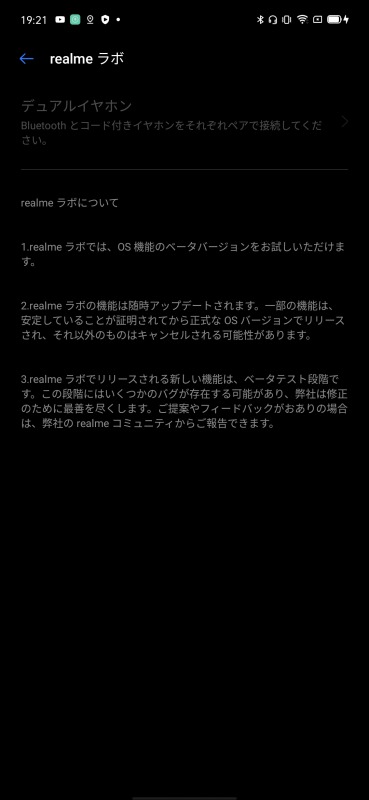
Use these cool Realme UI features on your smartphone
These were the new Realme UI features that I discovered while using the new update of Realme XT. So far, I like the new updates. A lot of the things I didn’t necessarily like about Color OS have been simplified, the UI is much easier to use, and new features have been introduced that greatly improve the experience. Stay tuned as we will be digging deeper into the Realme UI over the next few days and updating this article with new features found in the update. Also, if you think we missed any great new features, let us know in the comments below. I will definitely consider it.


![How to set up a Raspberry Pi web server in 2021 [Guide]](https://i0.wp.com/pcmanabu.com/wp-content/uploads/2019/10/web-server-02-309x198.png?w=1200&resize=1200,0&ssl=1)


