Discord is one of the most popular voice chat apps for gamers. It’s a great way to connect with your team when playing games or hanging out with friends. You can create your own Discord server and add bots to it. Additionally, you can also enjoy insane audio effects if you wish. However, you will need a soundboard app to modulate the audio. Discord recently added a native soundboard feature that you can use to send short audio clips. However, this feature is not available to everyone at this time. Therefore, you need a third-party soundboard app for Discord.
If that’s what you’re looking for, here are 13 of the best soundboards for Discord that you can use to add effects to your audio and make things fun on your server.
Best soundboard app for Discord

1. Rezanance
Resanance is one of the most popular and completely free soundboard apps for Discord. This app has a lot of useful features, making it one of the best soundboards to get. You can set hotkeys to quickly play sound effects. Additionally, if you prefer to use a button deck instead of hotkeys, you can use Resanance to do that as well. You can output audio from Resanance to multiple devices at the same time, and you can also adjust the volume for each device individually.
File support: .mp3, .ogg, .flac, and .wav
Price: Free
Platform: Windows
Download Rezanance ( Free )
2. Sound pad
If you’re looking to spend some money, check out Soundpad. This app is more than just a Discord soundboard, it also functions as a sound recorder and editor, making it even more versatile.
Like Resanance, Soundpad allows you to assign hotkeys. However, Soundpad also has some great features that Resanance doesn’t have. For one, the app supports normalization, which ensures that all sounds are played at the same volume. It also supports Sound List, which allows you to switch microphones, record sounds, and create a list of sounds to play.
It’s worth noting that Soundlist is Soundpad’s idea of a sound deck. Basically, if you prefer implementing a sound deck, you’re better off using Resanance. However, you may also want to try Soundpad’s sound list. After all, you can get a free demo.
File support: .aac, .flac, .m4a, .mp3, .ogg, .opus, .wav, .wma
Price: $4.99
Platform: Windows
Download Soundpad (4.99 euros , free trial available)
3. Clownfish voice changer
If you’re interested in changing your voice using effects, Clownfish Voice Changer is a soundboard app you should check out. This app works at the system level. This means you can use it to change your voice in any app that uses a microphone input, including Discord.
Here you’ll find tons of audio, including Darth Vader (you can say “I’m your father” when joining the audio channel with your friends), aliens, women, men, baby voices, helium pitch, and more. You can get effects. Apart from that, Clownfish also comes with a built-in media player with playlists and audio controls that you can use in Discord rooms with your friends. There’s also built-in text-to-speech functionality and hotkey support.
File support: All major file types are supported
Price: Free
Platform: Windows
Download Clownfish Voice Changer ( Free )
4.JN sound board
If you’re looking for a very feature-rich app, or if you’re a fan of free open source software (FOSS), you might want to test out the JN Soundboard app. This app comes with a wealth of features, including the ability to set, edit, and delete custom hotkeys. Additionally, you can restrict hotkeys to work when a particular program is in the foreground.
The app supports audio playback through any sound device and brings support for microphone loopback and more. There is also the ability to add many sounds to a single hotkey, and JN Soundboard will play random sounds when you use the hotkey. JN Soundboard also provides support for auto-pressed “push to talk” keys when playing sounds, export and import of hotkeys in XML files, and support for text-to-speech.
Supported files: .mp3, .wav, .wma, .m4a, .ac3
Price: Free
Platform: Windows
Download JN Soundboard ( Free )
5. Voicemod – The best modern Discord soundboard
Another great soundboard for Discord, Voicemod is especially suitable for those who want to have a fresh and updated collection of sounds for their Discord server. Voicemod not only comes with a variety of sound effects, but also has a sound effects gallery that is updated monthly. So new sounds are always available on your Discord server.
Apart from that, Voicemod allows you to mix and match presets and custom soundboard options according to your preference. You also get hotkey support and convenient integration with Elgato Stream Deck, so if you’re a streamer, you can automatically integrate Voicemod with your Elgato device. Voicemod is especially great for role-playing games because it allows you to make your character’s voice sound exactly as you imagine.
File support: .mp3, .wav
Price: Free
Platform: Windows, Mac (Beta)
Download Voicemod ( free )
6. Voxal voice changer
Another voice changer app that you can use to have fun with your friends on Discord, Voxal Voice Changer is packed with features. It comes with a pretty good audio effects library, including the usual suspects like robot voices, girl voices, boy voices, and more. The great thing about Voxal is that you can not only apply these effects to existing files, but also to your own voice through your microphone in real time. If you want even more control, you can also create custom sound effects.
Like Clownfish, Voxal Voice Changer also works at the system level, so you can use it with almost any app on your computer. Additionally, Voxal developers claim that due to low CPU usage, you won’t experience frame rate drops while gaming, which is definitely a plus.
This app is free to use for non-commercial purposes, but you must purchase a license if you want to use it for anything other than personal work.
File support: .mp3, .m4a, .wav, .wma, .aac, .flac, .ogg
Price: Free for non-commercial use
Platform: Windows, Mac
Download Voxal Voice Changer ( $39.95 ; free for non-commercial use)
7.EXP sound board
Also check out EXP Soundboard, an easy-to-use soundboard app for Discord. EXP Soundboard has most of the usual features you would expect from a soundboard app. It’s easy to use and supports custom hotkeys, so you can play sounds with the press of a button.
Unlike the feature-rich apps on this list, EXP Soundboard only supports playback through one of two devices: speakers and a virtual audio cable. It also comes with a microphone injector feature that allows you to thread a microphone into the virtual audio cable.
File support: .mp3, .wav
Price: Free
Platform: Windows
Download EXP Soundboard ( Free )
8.AV voice changer
AV Voice Changer is a very powerful app that can be used as a soundboard for Discord. You can adjust and change almost every aspect and characteristic of your voice. This makes it a powerful tool for audio editing and making sure your audio on Discord sounds the way you want it to.
Apart from the soundboard, the AV voice changer also comes with a voice recorder, voice editor, voice morpher, and even a file morpher. So, if you are planning to create a voice for a project you are currently working on, AV Voice Changer will come in handy.
Additionally, AV Voice Changer is quite expensive, so if you’re looking for a good Discord soundboard and all of these remaining features aren’t that important to you, you might want to consider something else from this list. I will.
File support: Supports most audio formats.
Price: $99.95
Platform: Windows
Download AV Voice Changer ( $99.95 , trial available)
9. Morphvox Pro – Paid but powerful Discord soundboard app
Morphvox Pro, another paid app, is also much more expensive than most of the other apps on this list (with the exception of AV Voice Changer). However, it comes with some useful features that make it a great Discord soundboard app.
Morphvox Pro comes with a huge library of sound effects and free voices that you can use on Discord. It also comes with the ability to add background audio and noise during calls. This is useful when you want to convince your friends that someone is calling you.
The software is fully optimized for gaming, which is a huge advantage, and also comes with Digital and Smart modes for cutting-edge noise reduction.
File support: .wav, .mp3, .ogg, .wma
Price: $39.99
Platform: Windows, Mac
Download Morphvox Pro ( $39.99 , free trial available)
10. Podcast Soundboard
If you’re looking for a more sounddeck-like experience instead of using shortcuts and hotkeys, Podcast Soundboard may be for you. This app has a clean interface and lots of useful features.
As the name suggests, this app isn’t designed to be a soundboard for Discord, but it does have all the features you need. This app supports MIDI devices, so you can use a MIDI keyboard if you wish. Additionally, it comes with features such as loops, multi-shots, and color-coordinated sound buttons. There’s also a duck button, which is basically a configurable button that immediately lowers the volume.
File support: .mp3, .wav, .m4a, .webm, .ogg, .flac
Price: $7.99
Platform: Windows, Mac
Download Podcast Soundboard ( $7.99 )
11. Jingle Palette
Originally designed for playing jingles on radio stations (hence the name), it’s now also useful as a soundboard app for Discord. As the name suggests, this app allows you to load an infinite number of sounds and sound effects (up to 30 in each palette) on your screen, so you can easily play them with a single click.
Jingle Palette also supports manual and automatic mixing, auto-repeat and touch play functions. You can also adjust the volume and loop settings for each sound individually if you like.
File support: .mp3, .mp2, .mp1, .mpa, .ogg, .wav
Price: Free
Platform: Windows
Download Jingle Palette ( Free )
12.Mixer
Just as the Jingle Palette was originally created for radio stations, the Mixere was originally created for live performance. However, it has many features that make it fully usable as a Discord soundboard. This app supports unlimited tracks and can play multiple tracks at the same time.
However, Mixere is not for those looking for a simple soundboard app for Discord. The user interface is very complex and doesn’t support things like hotkeys. I only recommend Mixere to people who want powerful software that they can use to perform gigs and DJ on their Discord servers.
File support: Most audio formats are supported
Price: Free
Platform: Windows
Download Mixere ( free )
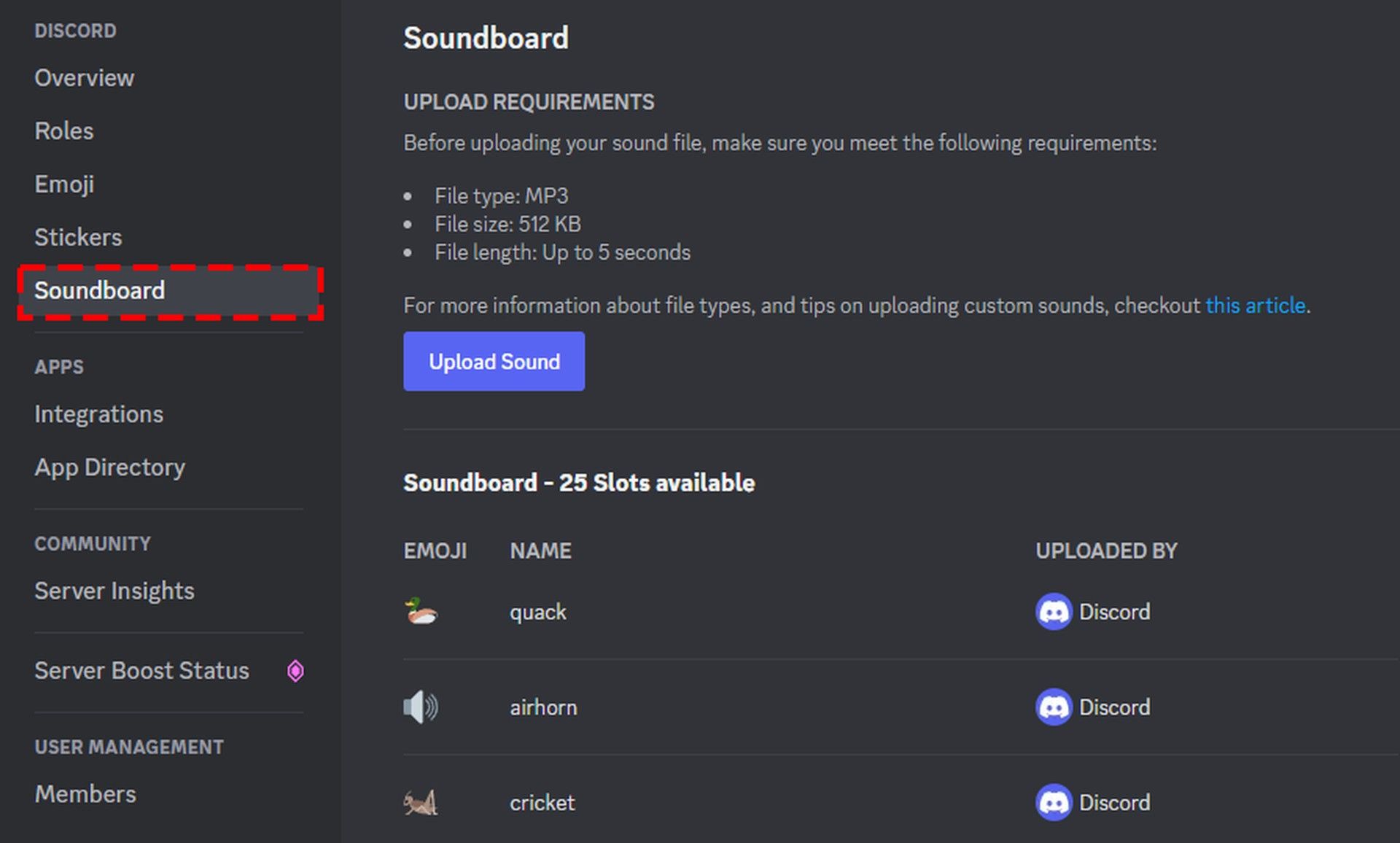
13. Discord’s official soundboard
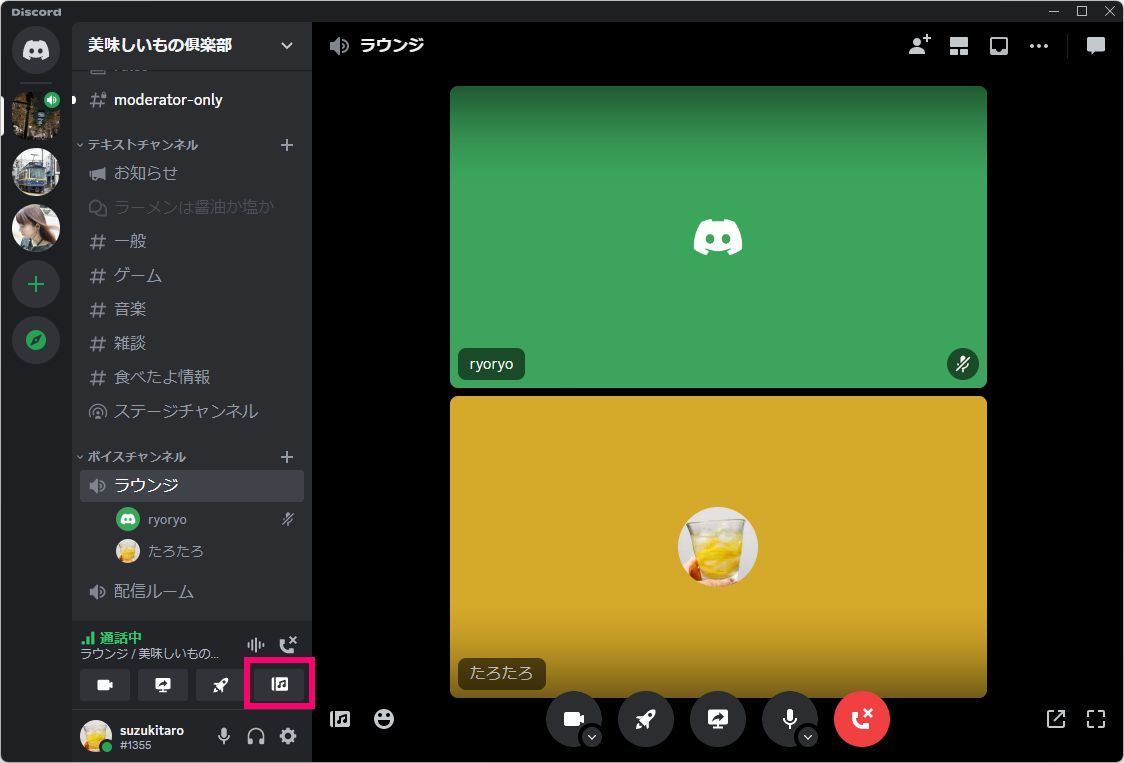
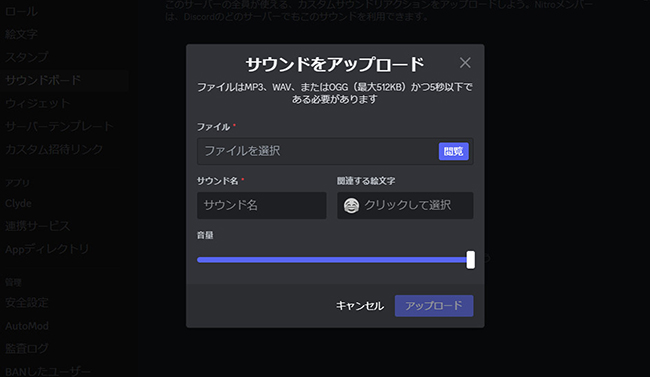
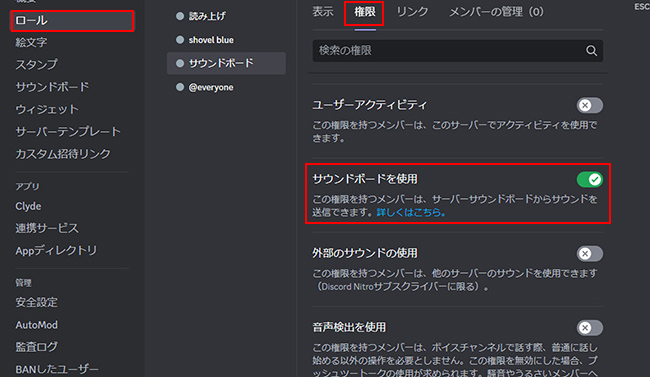
Recently, Discord included a soundboard that performs limited soundboard functionality from within the application itself. It includes 8 default sounds including Quack, Airhorn, and more. Users also have the option to replace this soundboard audio with their own. To do this, the soundboard audio must be less than 5 seconds long. However, in another example, I was only able to upload 0.8 seconds of audio.
However, if you want to use additional sounds, you will need to purchase a Discord Nitro subscription. Purchasing a subscription allows users to add more sounds.
File support: MP3 or Wav
Price: Free (charges apply for additional sounds)
Platform: Windows , macOS, Linux
Download Discord ( Free )
How to set up a soundboard app on Discord
We have discussed the best soundboard apps for Discord. Next, let’s also take a look at how to set up a soundboard in Discord. Here are all the steps you need to follow to get the Soundboard app up and running on your server.
- First, you need to install a virtual audio device such as VB Cable (Download, Mac, Windows). Once that’s done, open the app and move on to the next step.
Note : Apps like Resanance and Soundpad include a VB cable with their installation. If you are using Resanance or Soundpad, you do not need to install a separate VB cable.
- Open Discord and go to “User Settings” by clicking the “gear” icon next to your name in the bottom left.
- In Settings, go to Audio & Video .
- Then click the Input Device drop-down menu and select Cable Output .
- Next, open your PC settings and click System.
- Now click on “Sound” and select “Microphone” as the input device. Then click Device Properties.
- Click “Additional device properties” .
- In the pop-up window, enable the “Listen to this device” checkbox and select “Cable input” from the “Play through this device” drop-down menu.
Now you’re ready to use the Soundboard app for Discord. enjoy!
How to delete Discord soundboard app
Soundboards are a great addition and a fun way to connect with friends on Discord, but you may want to remove them. Also, the removal process is easy, albeit tedious. Just go to Discord’s audio and video options and select your microphone from the audio input dropdown. This removes the cable output and allows you to speak through the microphone. The cable output emulates the use of a microphone to output soundboard audio.
The Soundboard app for Discord is useful and fun. You can have fun pretending to be Kratos with a similar voice, or you can try pretending to be Vader as I suggest. Additionally, there is a powerful soundboard app that you can use to entertain your friends with live DJ performances on your Discord server. Speaking of which, you should check out some of the best Discord servers for Among Us, Valheim Discord servers, and Minecraft Discord servers.
Discord soundboards have a lot of potential, especially if you want to keep your identity secret while streaming online. Let us know what you use these soundboard apps for and which is your favorite in the comments below.


![How to set up a Raspberry Pi web server in 2021 [Guide]](https://i0.wp.com/pcmanabu.com/wp-content/uploads/2019/10/web-server-02-309x198.png?w=1200&resize=1200,0&ssl=1)


