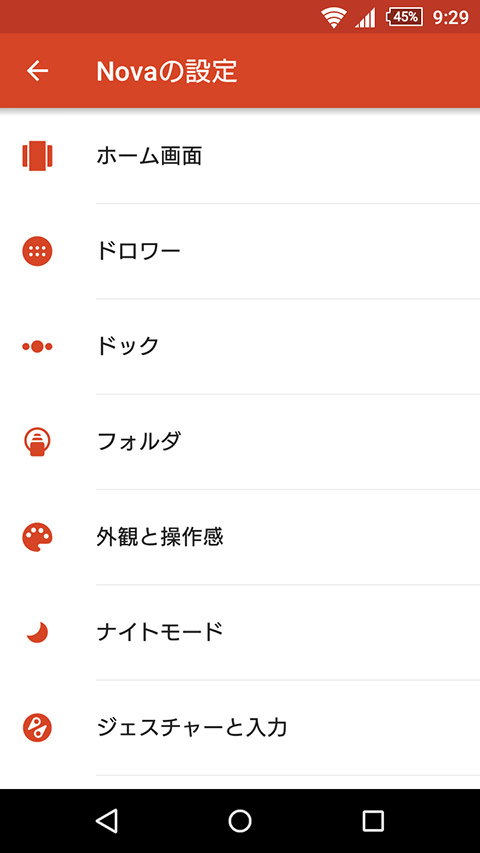
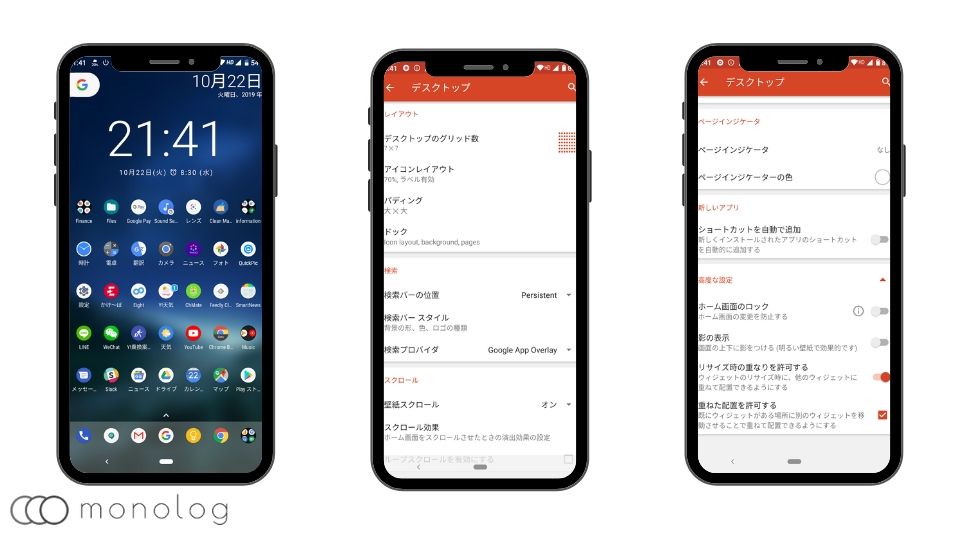
If you’re an Android user using Nova Launcher, you might have heard people talking about themes and setups for Nova Launcher. However, you may have noticed that Nova Launcher (and its Prime version) does not have a “Theme” feature. This is a real shame as various other launchers include theme options or theme stores, but the good news is that you can create your own themes using Nova Launcher. However, thinking about creating a theme can be quite tedious and time-consuming, so we decided to do the hard work for you. We’ve created 20 amazing Nova Launcher themes by experimenting with the best widgets, wallpapers, icon packs, and of course different Nova Launcher settings. So here are 10 cool Nova Launcher setups or themes to add some personality to your Android device.
Note : Some features and options are only available with Nova Launcher Prime ( $4.99 ). We’ve also listed the pricing if a paid app is required for a particular theme. If you’re new to Nova Launcher themes, check out our post on how to create your own Nova Launcher theme.
Best Nova Launcher Themes of 2020
1. Vibrant themes
This theme is a collection of patterned wallpapers and an excellent Aivy icon pack. The home screen is visually appealing with simple weather and clock widgets at the top. The best part about this theme is that Nova allows you to create a 3×3 desktop grid, allowing you to create a minimal yet vibrant looking home screen.
- Wallpaper : Walli (High Ground by Elvis Flees)
- Icon : Ivy
- Widget : Simple weather widget
- Nova settings : search bar disabled, 3×3 desktop grid, swipe up gesture to open app drawer
2. Light theme
No matter how great the dark theme is, we also have a soft spot for light themes, so we bring you the best light theme on Nova Launcher. For this theme, we used Wallhub’s Orange Bubble wallpaper and the popular calendar widget by Francisco Franco. Overall, the home screen and flat search bar look surprisingly simple.
- Wallpaper : WallHub (OrangeBubble by Binod Ray)
- Icon : Enix
- Widgets : Calendar widget , Google ‘At a Glance’ widget
- Nova settings : search bar below dock, flat search bar with Google Assistant, background transparency 0%, look and feel light, dark icons disabled

3. Abstract theme
Linebit is an amazing icon pack with linear gradients of different designs and colors. So I needed a similar wallpaper and got it from another great app, Resplash. Neon wallpapers and Linebit make your home screen look abstract and futuristic at the same time. Try this theme on Nova launcher.
- Wallpaper : Resplash (Michael Aleo neon)
- Icon : Line bit
- Widget : Stock Analog Clock
- Nova settings : search bar above icon, search bar with Google Assistant, background transparency 0%

4. Modern theme
This theme is for users who want a minimalist look, but also want modern elements with abstract art in the background. Besides that, classic widgets look beautiful on your home screen. I used Walli for the wallpaper and the Minma icon pack for the top of the Nova launcher.
- Wallpaper : Walli (Shards by Cafe Labo)
- Icon : Minma
- Widget : minimal text
- Nova settings : transparent widgets, dark search bar on icons, 135% icon size

5. Far Out Theme
Do you like nice wallpapers that go perfectly with icon packs? Then use this Far Out theme on your Nova Launcher. We applied Backdrops wallpaper and used the very popular AfterGlow icon pack to give it a glowing look.
- Wallpaper : Background (Far Out by Kxnt)
- Icon : Afterglow
- Widget : AfterGlow Analog Clock
- Nova settings : Search bar below dock, adaptive icon Squircle, persistent search bar on, transparent notification bar

6. Dark theme with accents
We all love dark themes, so we used a dark wallpaper with accents and the Gladient icon pack for the Nova launcher. The icon pack is a bit muted and not as vibrant, but I like the flat look. The theme is very similar to iOS.
- Wallpaper : Wolpy (by Jason Dent)
- Icon : Gradient
- Widget : Spotify Widget
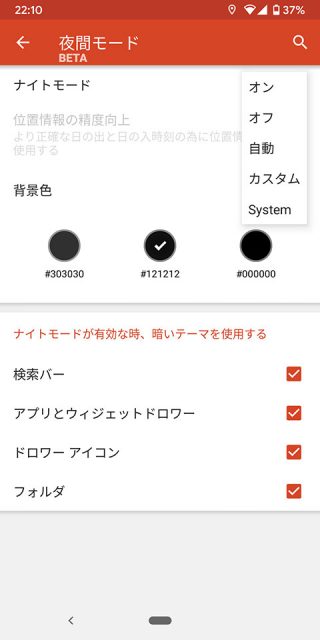
- Nova Settings : Night mode enabled, horizontal app drawer, 130% icon size, increased padding around icons.
7. Flat colorful theme
If you’re looking for a Nova Launcher theme with flat icons and colorful wallpapers, this is the one for you.
- Wallpaper : Tappet
- Icon : Grimm Icon Pack
- Widget : KWGT Widget
- Nova Settings : Icon Size Desktop and Dock (110%), Folder Preview (Stacked), Desktop Scroll Effect (Swipe), Animation (Relaxed).
8. Material Design Theme
Do you like the stock Google’s Material Design UI language on Android? Then check out this Material Design Nova Launcher theme. We’ve put a nice little spin on Google icons with Polycon’s material wallpapers and icons.
- Wallpaper : Tappet
- Icons : Pixel Pie Icon Pack
- Widget : Simple weather & clock widget
- Nova settings : Desktop Grid (5×6), Icon Size Desktop and Dock (120%), Persistent Search Bar On, Search Bar (Bar Style 1, Logo Style 1)
9. Dark theme
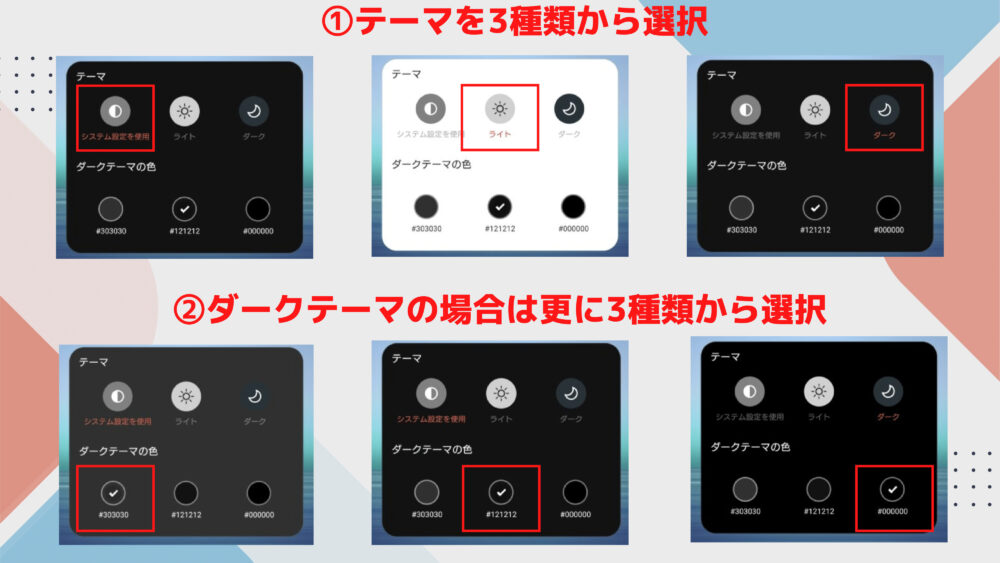
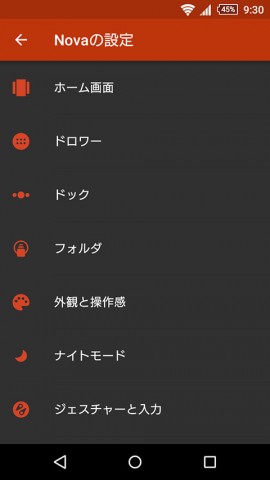
Not everyone is a fan of the bright colors used on Android. If you’re one of those people, you’ll definitely appreciate the dark theme. The dark theme not only darkens your home screen, but also your app drawer and other pages thanks to Nova’s night mode.
- Wallpaper : AMOLED Wallpaper
- Icon : Silhouette icon pack
- Widgets : Minimal UCCW widget , shuttle (transparent), simple weather and clock widget
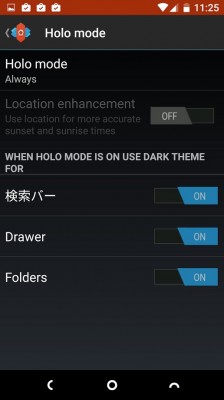
- Nova Settings : Persistent Search Bar On, Search Bar (Bar Style 3, Logo Style 4), Night Mode (Always)

10. Colorful theme
Do you like bright colors splashed all over your Android home screen? If yes, a colorful theme will definitely make your device’s display look beautiful.
- Wallpaper : Background HD (Seitaro Sharp Colored Pencil)
- Icon : Rondo Icon Pack
- Widgets : Rondo clock , 1 weather
- Nova Settings : Icon Size Desktop and Dock (120%), Persistent Search Bar On, Search Bar (Bar Style 2, Logo Style 5), Page Indicator Color (Yellow), Folder Preview (Grid), Folder Background (Circle) )
11. Landscape theme
Landscape theme brings a gorgeous landscape look to your Android home screen and makes you spend more time on your device’s home screen.
- Wallpaper : Background HD (Kurt Edblom, May the sun never set on me…)
- Icon : Aros Icon Pack ($0.99)
- Widget : minimalist text , 1 weather
- Nova settings : Hide notification bar
12. Android P Theme
There’s another way to get the Android P look on your Android device, but you can also do it using the Android Pie Nova launcher theme.
- Wallpaper : Official Android Pie Wallpaper
- Icons : Pixel icon pack
- Widget : another widget
- Nova Settings : Icon Size Desktop and Dock (130%), Scroll Effects (Simple), Wallpaper Scroll (None), Folder Preview (Grid), Folder Background (Android N Design), Persistent Search Bar On, Search Bar (bar style) 1, logo style 1)
13. Minimal theme
The Minimal theme is aimed at people who like to keep things simple and clean. This theme brings all of that and looks great too.
- Wallpaper : Minima Live Wallpaper
- Icons : Delta Icon Pack
- Widgets : 1 Weather , Month Calendar , Stock Digital Clock
- Nova settings : Search bar (below the dock)
14. Nature theme
Every day, unlock your Android smartphone and take in the stunning and serene views of Mother Nature. Sounds peaceful, right? Well, you can definitely go for a nature theme!
- Wallpaper : Background HD (John McSporlan Fulton Tree)
- Icon : Elun Icon Pack ($0.99)
- Widget : Stock Clock
- Nova settings : App drawer background (transparent), hide notification bar
15. Iron Man Theme
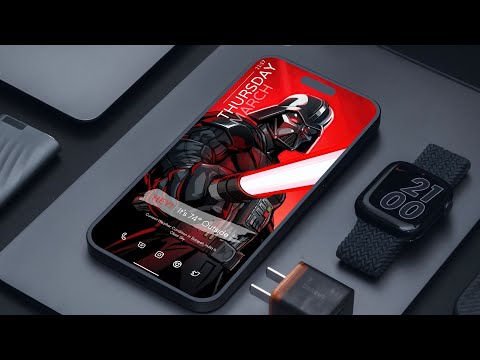
Iron Man theme is for all comic movie lovers who can’t get enough of their favorite hero. Honestly, this is our favorite theme.
- Desktop wallpaper : Iron Man melting art
- Icons : Golden Icon Pack
- Widget : Shuttle (transparent), 1 weather
- Nova settings : wallpaper scrolling (none), notification bar hidden, app drawer background (transparent)
16.iOS 12 Theme
Do you love the simplicity of iOS but can’t compromise on the customization of Android? Then this theme created for Nova Launcher is the perfect choice. Unlock your phone and enjoy the look of iOS 12 on your Android device.
- Wallpaper : Wallpaper for iPhone
- Icons : iUX 12 – Icon Pack
- Widget : Stock Clock
- Nova settings : App drawer background (transparent), Hide notification bar, No search bar, Icon size Desktop and Dock (100%)
17. Line Theme
If you are looking for a simple theme for your Android device. This theme uses a line-based icon pack, along with a simple wallpaper featuring colored lines on a black background. I love this theme and I think you’ll enjoy it too.
- Wallpaper : Zedge Wallpaper (Lines by ebilogullari)
- Icons : Line – Icon pack , simple weather & clock widget
- Widget : Monthly calendar
- Nova settings : App drawer background (transparent), hide notification bar, no search bar, scroll effect (simple), wallpaper scroll (none), folder preview (grid).

18. Space theme
Another favorite Nova Launcher theme of mine is space-based. If you like space themes, you’ll enjoy this icon pack. The icon pack uses shadowed circular icons that seem to be inspired by the rough surfaces of planets, and the wallpaper features a cool colorful galaxy. No widgets are used to keep it clean.
- Wallpaper: Art Vector Wallpaper
- Icon : Mercury – Free Icon Pack
- Widget : Stock Clock
- Nova settings : app drawer background (transparent), hide notification bar, no search bar, folder preview (grid)
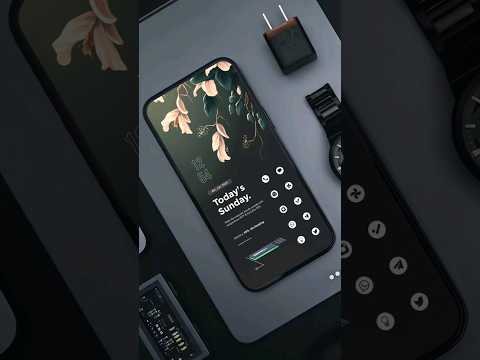
19. Retro theme
No Nova Launcher theme list would be complete without a retro theme. I love retro themes on my phone. Because it feels like a perfect fusion of past and future. If you like retro things, please check it out.
- Wallpaper: Vintage wallpaper
- Icons : Retro – Icon Pack
- Widget : Retro Clock Widget
- Nova settings : app drawer background (transparent), hide notification bar, no search bar, desktop scrolling effect (swipe), animation (relaxed)
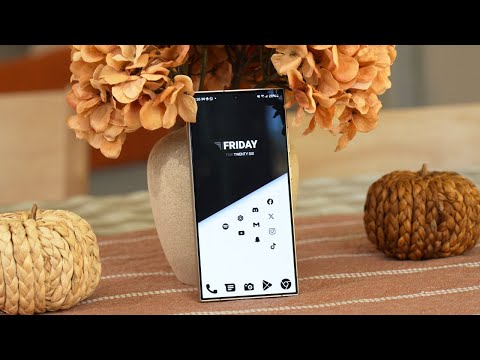
20. Bee Bomb Theme
We love the black and white look of websites, so we ended up creating a cool theme. Check it out:
- Wallpaper : Bee Bomb
- Icon : Wicons
- Widgets : Custom clock , shuttle (transparent), 1 weather
- Nova Settings : Icon Size Desktop and Dock (140%), Persistent Search Bar On, Search Bar (Bar Style 3, Logo Style 6), Wallpaper Scrolling (None), App Drawer Background (Transparent)
Note : For themes that don’t mention icon size, scrolling effects, or other options, I leave them at the defaults in Nova Launcher’s settings. Also, if you want to reset all the changes you made in Nova settings, you can only do so by going to Settings -> Apps -> Nova Launcher -> Storage and “Clear app data” can.
Try these Nova Launcher themes
These are some of the themes we created for you, but you can also use our templates and put your own twist on it. We’d also love to see the themes and Nova Launcher setups you’ve created. Sound off with your favorite Nova Launcher theme in the comments section below. Also, if you have any doubts regarding the aforementioned Noav Launcher theme, let us know in the comments section below.


![How to set up a Raspberry Pi web server in 2021 [Guide]](https://i0.wp.com/pcmanabu.com/wp-content/uploads/2019/10/web-server-02-309x198.png?w=1200&resize=1200,0&ssl=1)


