Protect yourself from unwanted pop-ups, ads, redirects, and other adware-related performance issues with the best adware removal solution for Mac.
Finding a program that provides adequate adware protection is not easy. Some Internet security solutions do not detect adware. Other adware removal tools don’t have great features to identify and block adware. Also, some anti-malware apps actually disguise themselves as adware.
Why should you remove adware on your Mac? Probably because it can seriously damage your files or make your Mac unusable.
There are many different types of malware, and adware is one of them. This article provides basic information about adware and the best tools to remove it.
What is adware?
Adware is a type of unwanted software that displays advertisements on your web browser screen. They usually disguise themselves as trusted programs or come bundled with another tool that tricks you into installing it on your computer or mobile device.
Adware can infect almost every element of your computer and collect marketing data about your Internet activity.
In addition to collecting data without your permission, adware can redirect you to unsafe websites or infect your device with more serious malware. For example, you can switch your favorite search engine to a less reliable search engine that promotes dubious services.
Signs of adware infection
There are various ways to detect adware on your Mac, including:
- Facing constant browser crashes
- Ads and pop-ups are displayed frequently
- Redirect to unexpected website
- Adding new toolbars and plugins to your browser
- Insufficient storage space in the system
- Unwanted software apps start installing on your Mac without your permission.
The best way to find and remove adware from your Mac is to outsource the task to a professional tool. So here are some of the best Mac adware cleaners.

CleanMyMac
CleanMyMac X is a useful application that helps you remove various potential threats and hidden ad scripts. It has a simple, effective and user-friendly interface. You can clean multiple files at once. This tool ensures that your Mac’s operating system is running at its best.
This will help you find all the hidden files that are not available. Just close any apps that are taking up unnecessary space on your Mac.
Features
- Easy to use interface.
- smart scan
- Clean up junk files
- Malware removal
- Optimizing system speed

iovit mac booster 8
This Macbooster 8 does exactly what it says. Speed up your Mac by removing everything that’s taking up valuable space. There may be large files, duplicates, or other objects of this kind.
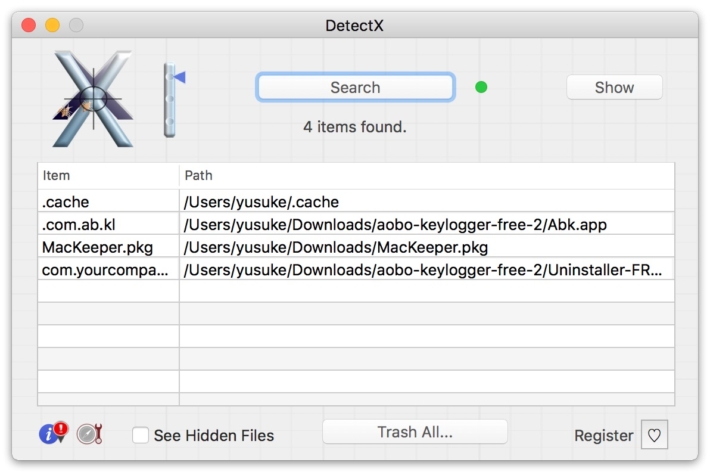
The user interface of this software is simple. Packed with privacy and security features. MacBooster 8’s privacy features erase everything important, including your browsing history, recent files, and program history, ensuring that no one can hack into your system and obtain sensitive information.
Features
- Check out your Mac thoroughly.
- Remove malware, adware, viruses and other dangerous stuff.
- You can delete more than 20 files at once.
- Ideal for those who have a small SSD hard disk.
- Turbo Boost maximizes disk space and also resolves some permission issues.
bit defender
Bitdefender Antivirus for Mac has an effective adware removal tool that quickly removes dangerous adware from your Mac. It’s easy to use and won’t slow down your Mac’s performance. You can remove hijacker applications, dangerous plugins, and potentially dangerous add-ons from your Mac.
Also available for Windows operating systems.
Features
- Complete real-time data protection
- User friendly interface
- Easily detect and eliminate malware and adware.
ADW cleaner
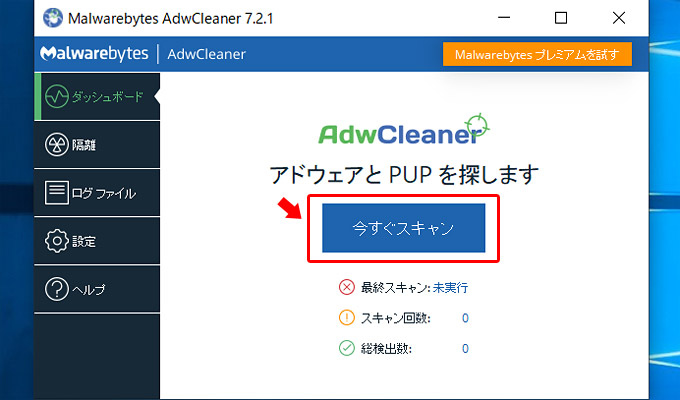
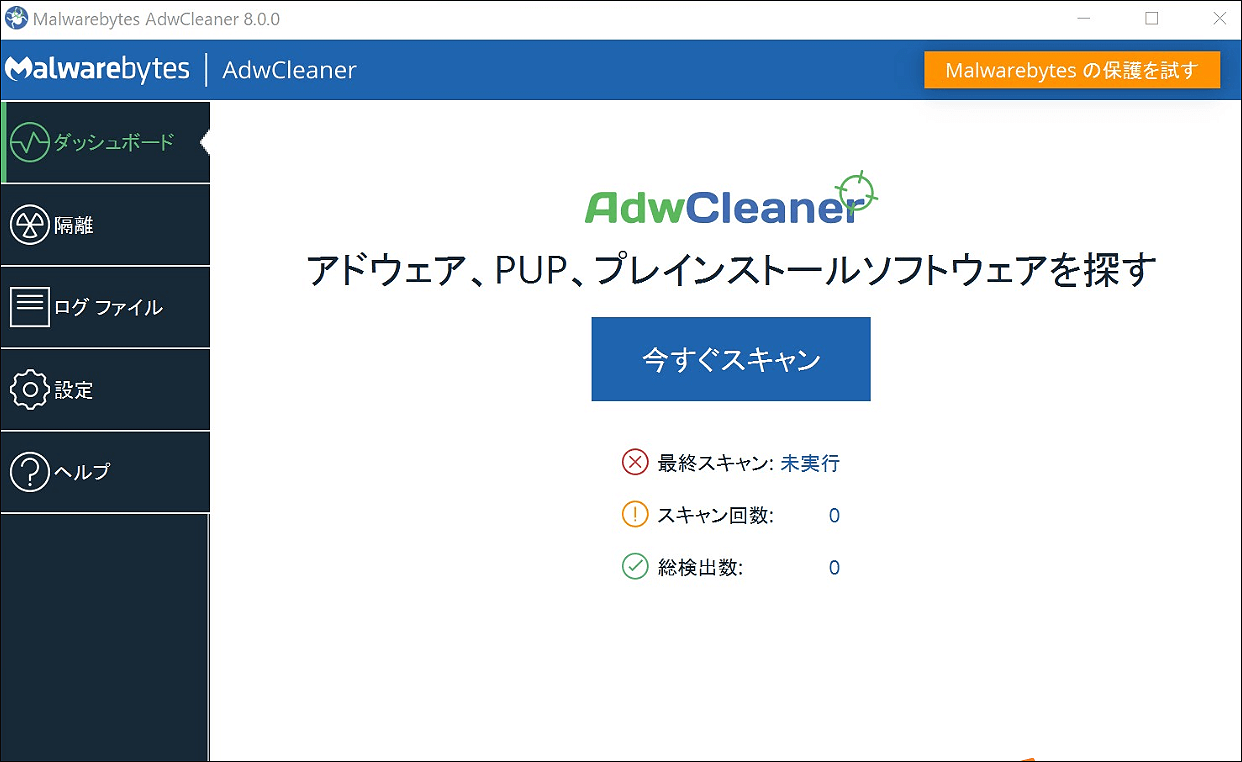
Malwarebytes ADWCleaner is one of the most widely rated adware removal solutions. Compatible with both Mac and Windows. Easy scanning and installation instructions are also included. This tool employs advanced mechanisms.
This is a valuable tool for removing PUPs (Potentially Unwanted Programs) and hidden adware. Download this tool for Mac from here .
Features
- High level of protection
- Free version
- controls additional processes
Avila
Avira is a free antivirus and adware removal tool. Includes a “PUA shield” that warns you before your PC is infected with malware or adware. Avira’s anti-malware software detects all types of Trojans, spyware, keyloggers and ransomware on your machine.
There is a free version and a paid version. The paid version has some advanced features.
Features
- It has a sophisticated scanning engine that scans quickly and efficiently.
- A very powerful anti-spam tool.
- All features work well.
Total AV
TotalAV works with Windows, Android phones, and Mac computers. It has a user-friendly interface and even non-technical people can benefit from this tool. This tool can also prevent potentially unwanted program (PUP) infections.
You can speed up your browser by eliminating organizations that track your data.
Features
- Great security against all kinds of online attacks.
- The minimum version is available for free.
- Contacting a customer support representative is easy.
- Stay safe with real-time protection
- Tools to improve your gadget’s performance.
norton 360
This is one of the most effective premium adware removal programs. Norton 360 allows you to permanently remove untrusted pop ad elements. Compatible with all devices including Mac, Windows, and Android smartphones.
It also includes anti-phishing protection and unlimited data VPN. Allows you to remove advanced malware files. This is a high-end device that comes with a 60-day money-back guarantee.
Features
- Easy to use interface
- improve computer performance
- solve computer problems
- Control your power usage
- Update programs and tools automatically
Is protection from adware essential?
Indeed, it is very necessary. A good adware removal software will continuously monitor your system for suspicious activity. If a process attempts to modify the system or interact with an external server, it is blocked and prompted to allow access to the file.
Conclusion👩💻
These are some of the most reliable and effective free and paid adware removal tools for macOS. Installing an adware removal tool is one of the most important things you should do on your Mac. This is to ensure that your Mac is safe from adware intrusion.
Also read: Remove malware from your PC


![How to set up a Raspberry Pi web server in 2021 [Guide]](https://i0.wp.com/pcmanabu.com/wp-content/uploads/2019/10/web-server-02-309x198.png?w=1200&resize=1200,0&ssl=1)


