The most effective system administrators use appropriate database management tools.
We live in the age of data, and every company needs a team of system administrators who can maintain and organize complex databases.
A database administrator or system administrator should always use the best tools available on the market. The key is efficiency and ensuring a perfect environment.
There are a lot of old tools in the industry that are still in use. Therefore, to help both beginners and experts, the following tools will help you do a great job in database management.
By the way, database management tools are different from database clients.
So, let’s get straight to the point!
PgAdmin4
You can’t talk about database administration tools without mentioning PgAdmin.
PgAdmin is PostgreSQL ‘s most powerful administration and development platform. If you’re just getting started and find command line administration too intimidating, PgAdmin can help you get started.

Every time you start a Django project using PostgreSQL as your database, you use this tool to manage your project. This is because it is an easy and safe way to recover (or drop the table) if the migration fails.
You can download the latest version of your operating system from the PgAdmin download page.
Features
- Available for Windows, Mac, and Linux
- open source tools
- Easy to use interface
- Online test version
- A powerful set of tools for working with PostgreSQL databases.
administrator
Adminer (previously known as phpMinAdmin ) is an easy-to-use database manager written and configurable in PHP. The current version supports multiple databases, including relational and non-relational databases.
The best thing about this tool is its simplicity. This is because it has an unobtrusive user interface (UI) and is configurable through your own PHP files.
Other than that, it is highly customizable, has many designs, and is easy to use with plugins.
To set up and run this tool on your website, you need to complete the following five steps.
- Download the PHP file from the Adminers GitHub page and check the name with ls .
 $ ls
adminer-4.8.0.php
- Make sure you have PHP (5, 7, or 8) installed on your server.
- Upload a single PHP file to your server’s root folder.
- Go to https://yourdomain.com/adminer-4.8.0.php .
- Connect to the database using your username and password
That’s all you need to install Adminer on your server.
Note: If you are a phpMinAdmin user, you should upgrade now. The official documentation explains the reason for changing to Adminer.
Features
- Support for PHP 5, 7, 8
- Available in over 40 languages
- very easy to set up
- open source
- Has all the features you would expect from a robust database manager
- Special support for MySQL and PostgreSQL
Db visualizer
If Adminer is the definition of simplicity, DbVisualizer is the epitome of power.
As the official website declares, DbVisualizer is a universal database tool . That ‘s because this tool has all the features that developer teams , analysts , and DBAs need .
It is written in Java and has the advantage of being multi-platform, allowing you to learn one tool and forget the rest.
One of the best things about this tool is that it supports almost all modern databases such as Redshift, H2, Exasol, Vertica, Informix, and Netezza. Databases that we don’t yet support can be managed with generic drivers .
The current version can be downloaded from the download page .
Features
- Advanced SQL editor
- Auto save function
- highly optimized
- Huge amount of settings
- Manage SQL visually
quest
Founded in 1987, Quest Software is one of the most trusted IT solution providers in today’s software development era.

The company’s core product is a database management tool. For example, the Foglight monitoring and optimization solution or the famous Toad toolset.
The best part about Quest is the targeting of each product. This means that each platform or database requires its own specific set of toolkits. For example, if your business is strongly based on Cassandra databases, you can choose the specialized product Foglight for Cassandra.
Finally, if you’re looking for a specialized set of tools to maintain and expand your growing database, Quest products are for you.
Features
- Tools specific to each platform
- Many tools to choose from
- Request customized pricing
- Virtual, web-based, and on-site educational services
- 24/7 support
Visit the Quest product page for a large list of database management solutions.
Engine management
ManageEngine provides robust database monitoring tools aimed at optimizing database performance. These monitoring tools not only notify you when something goes wrong, but also help you resolve the issue quickly.
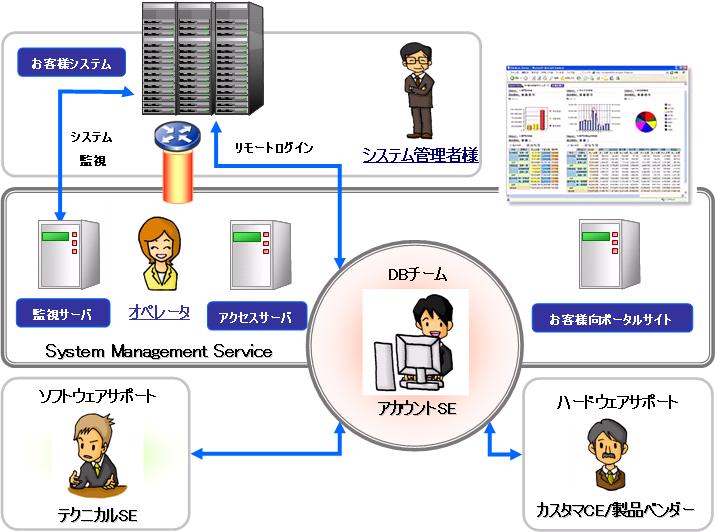
These provide specific solutions for each type of database. So, if you’re looking for a database-optimized monitoring tool, don’t hesitate to consider ManageEngine solutions.
Additionally, these monitoring systems detect database calls made by Java, Node, Ruby on Rails, DotNET, and PHP backend applications.
Features
- Supports over 20 databases
- visual dashboard
- Monitoring SQL statements
- advanced analytics
sequence pro
Are you a Mac OS user?
Additionally, are you using MySQL or MariaDB?
If so, Sequel Pro is the database management system for you. This is an open source project that provides direct access to local and remote MySQL databases.
The best thing about this tool is its simplicity and the fact that it is very lightweight. As a result, you can quickly set up this tool on any Mac machine.
PHPMyAdmin
PhpMyAdmin is a free administration tool built in PHP. You can perform large sets of operations using MySQL and MariaDB databases.
You can perform appropriate database management using the GUI or SQL sequences.
This tool has won several awards from 2002 to the present. We also have detailed documentation and books translated into English and Spanish.
Note: Do not confuse PhpMyAdmin and PhpMinAdmin (formerly known as Adminer), as they are completely different projects.
You can try a quick demo here or download it from the official website.
Features
- Free and open source
- Supports MySQL and MariaDB databases
- Intuitive web interface
- Import data and export data (CSV and SQL)
- Translated into 72 languages
- Perform administrative tasks
- Managing multiple servers
summary
Database management has become one of the most in-demand skills over the past decade. Increasing amounts of data are what businesses need to grow and succeed.
When looking for the best tools to manage your database efficiently, you’ll find both free and paid platforms. Depending on your needs as a system administrator or the needs of the company you work for, you can choose which one suits you better.
Ready to upgrade your daily driver tools?


![How to set up a Raspberry Pi web server in 2021 [Guide]](https://i0.wp.com/pcmanabu.com/wp-content/uploads/2019/10/web-server-02-309x198.png?w=1200&resize=1200,0&ssl=1)


