Microsoft Office 365 is safe and reliable, but you still need additional security layers to protect against the latest threats.
Microsoft Office 365 data protection and the importance of data protection
According to a recent study by Statista, Microsoft’s Office 365 accounts for approximately 48.08% of the global market for major office suites. Is the popular and frequently used Microsoft 365 keeping my data safe?
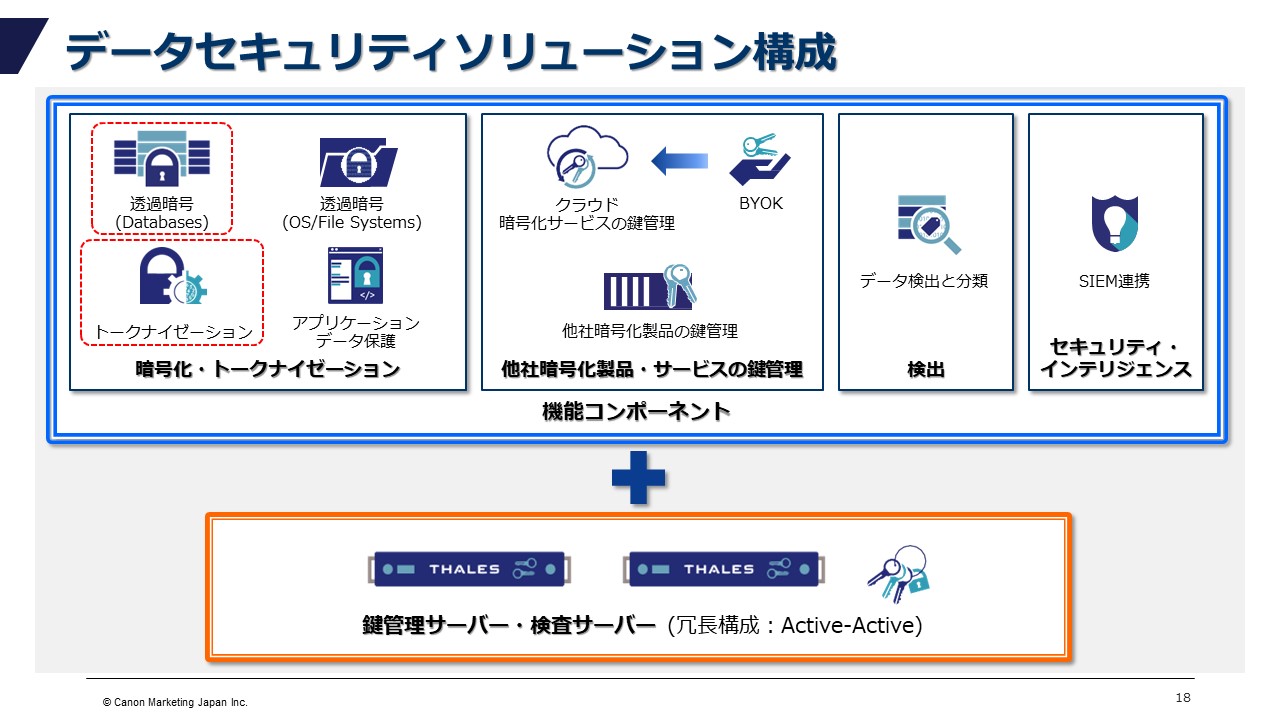
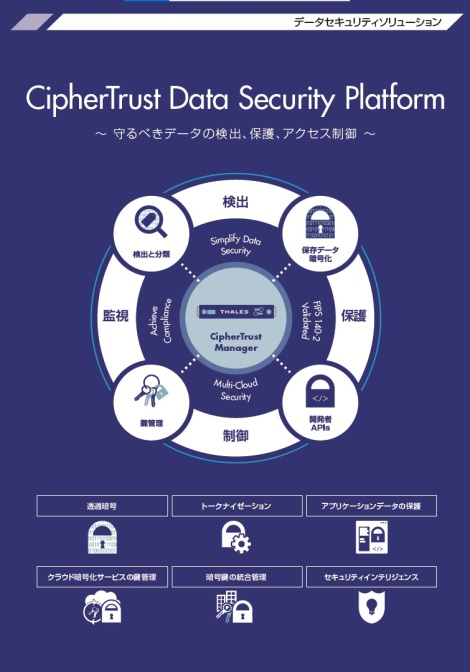
Microsoft includes a suite of services and solutions that protect your Microsoft 365 data with the power of the Microsoft cloud. Help protect your data whether it’s on-premises, in the cloud, or on a mobile device.
Additionally, we help with data governance, archiving, and compliance to ensure your data is safe.
Microsoft provides Office 365 data protection including, but not limited to, encryption, enhanced threat protection, and role-based access controls.
Data protection is an important factor for individuals and businesses. In a technology-enabled world, data has become a valuable resource. Individuals, businesses, and governments all have sensitive data that needs to be protected.
As data exchange expands, it is important to ensure user security across all platforms and networks. Maintaining user security and trust on the internet relies heavily on data protection.
Data can be accessed, shared, and used in many ways, so it’s important to protect it from theft and unauthorized use. If personal data is not properly protected, it can be stolen, altered, mishandled, or sold to cybercriminals.
Data protection has become even more important as new laws and standards are being implemented to protect and prevent unwanted access to personal information.
This post describes the robustness of Microsoft’s Office 365 and other third-party tools that provide an additional layer of security for your Microsoft 365 apps and data.
No matter how secure Microsoft 365 is, why do I still need additional security software?
Microsoft 365 provides a complete set of business tools for organizations to manage data protection. With automated data backup and integrated security and compliance features, Microsoft 365 provides businesses with a reliable, secure, and effective solution for protecting user data.
Microsoft 365 also offers a variety of data management options, from simple encryption and password security to more comprehensive access control lists that can be customized to your company’s specific requirements.
Last but not least, Microsoft 365 offers advanced analytics and reporting tools that help businesses learn more about data security and stay up to date with the latest threats.
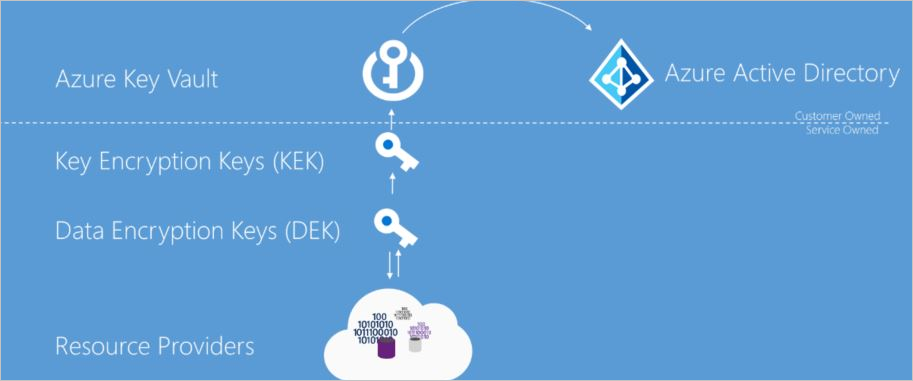
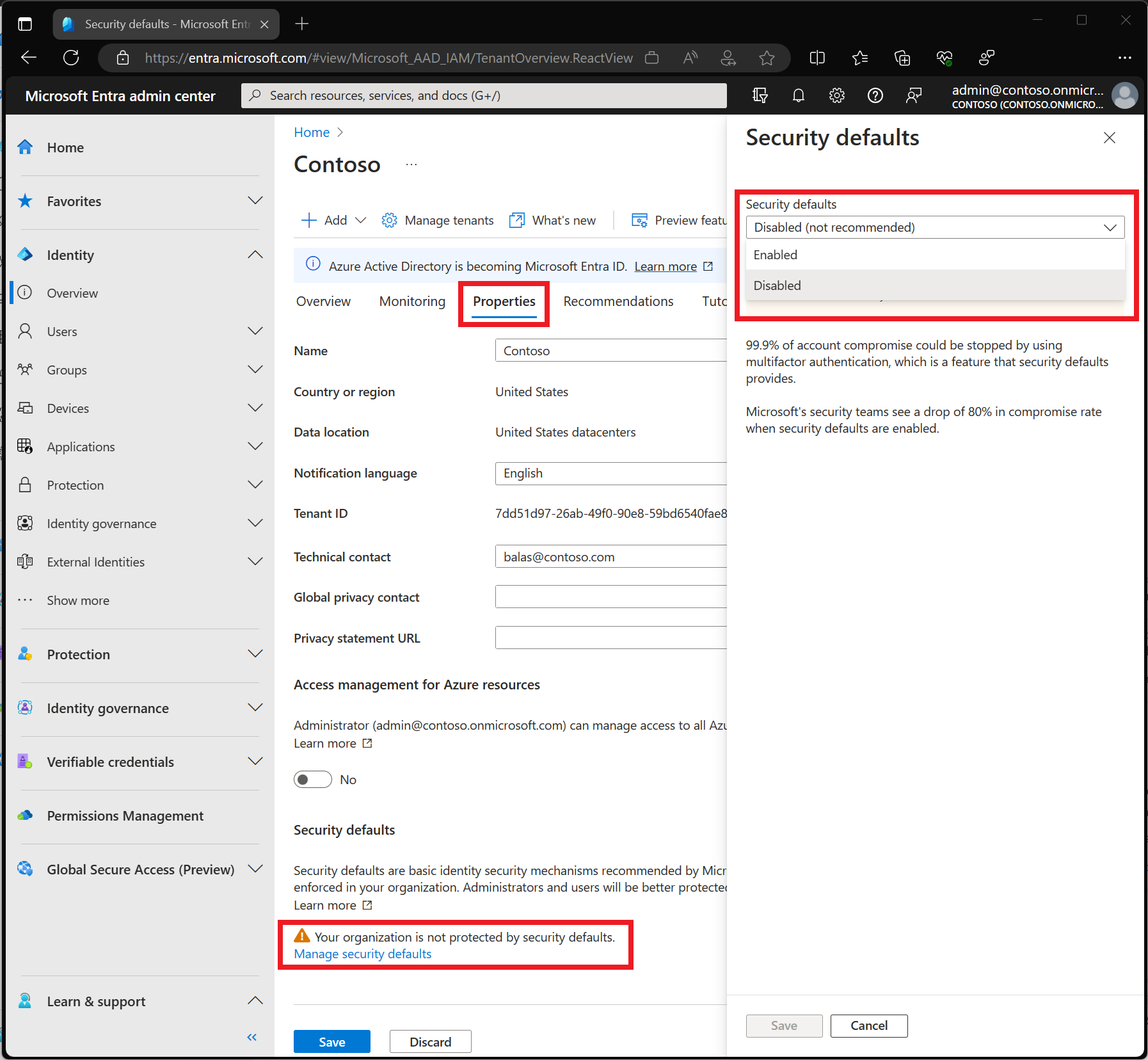
Data protection at rest and in transit, geographically separated Microsoft data centers, multi-factor authentication (MFA) capabilities in Azure Active Directory, and implementation of a first-class backup and redundancy strategy are supported by Microsoft. is part of the additional security. countermeasure.

Why does Microsoft 365 need an extra layer of security?
Microsoft Office 365 provides strong protection against malware attacks, especially large-scale breaches caused by human error, such as exchanging files with unauthorized persons, stealing login passwords, or downloading data by unauthorized persons. is still occurring.
Here are the key reasons why you need a second layer of security on top of the robust Microsoft 365 platform:
External threats: Due to its popularity, Office365 has been a target for cybercriminals who are always looking for ways to penetrate networks.
Cyber Risk: There have been numerous reports of data breaches. According to egress research, data breaches via email have increased by 67%, and 85% of businesses have experienced an outbound email data breach.
Ransomware attacks: According to Checkpoint, the world’s top security company, data breaches in Office 365 occur due to data sharing through SharePoint, Microsoft Teams, OneDrive, and Outlook.
Insider Threat: Most companies give employees too much power, rather than giving them the power they deserve. This can lead to data risk.
Human error: Accidentally deleted data is permanently lost if it is not recovered within the allotted time period according to your Microsoft 365 license.
Compliance: Microsoft 365 has up to 90 days of audit history, but this may not be enough and risks violating some company standards.
With new and sophisticated malware distribution methods and phishing attacks constantly emerging, organizations need an additional layer of protection to overcome these challenges.
In the following sections, we’ll look at the key platforms and technologies that provide layers of protection for Microsoft Office 365.
What are Office 365 data security best practices?
Let’s take a look at some recommended practices to protect your Office 365 data, reduce security risks and cyber threats, and preserve critical corporate and personal data.
#1. Employee or user awareness
This is one of the most likely places for security breaches to occur due to the sharing of data and privileges.
Organizations should conduct employee awareness programs and training to overcome such incidents. Amazon offers cybersecurity awareness training on Amazon Learning.
#2. Multiple security checks
Enabling multiple login checks reduces the likelihood of a cyberattack, as passwords and login information are more likely to be compromised. One solution is MFA (multi-factor authentication).
#3. administrator password
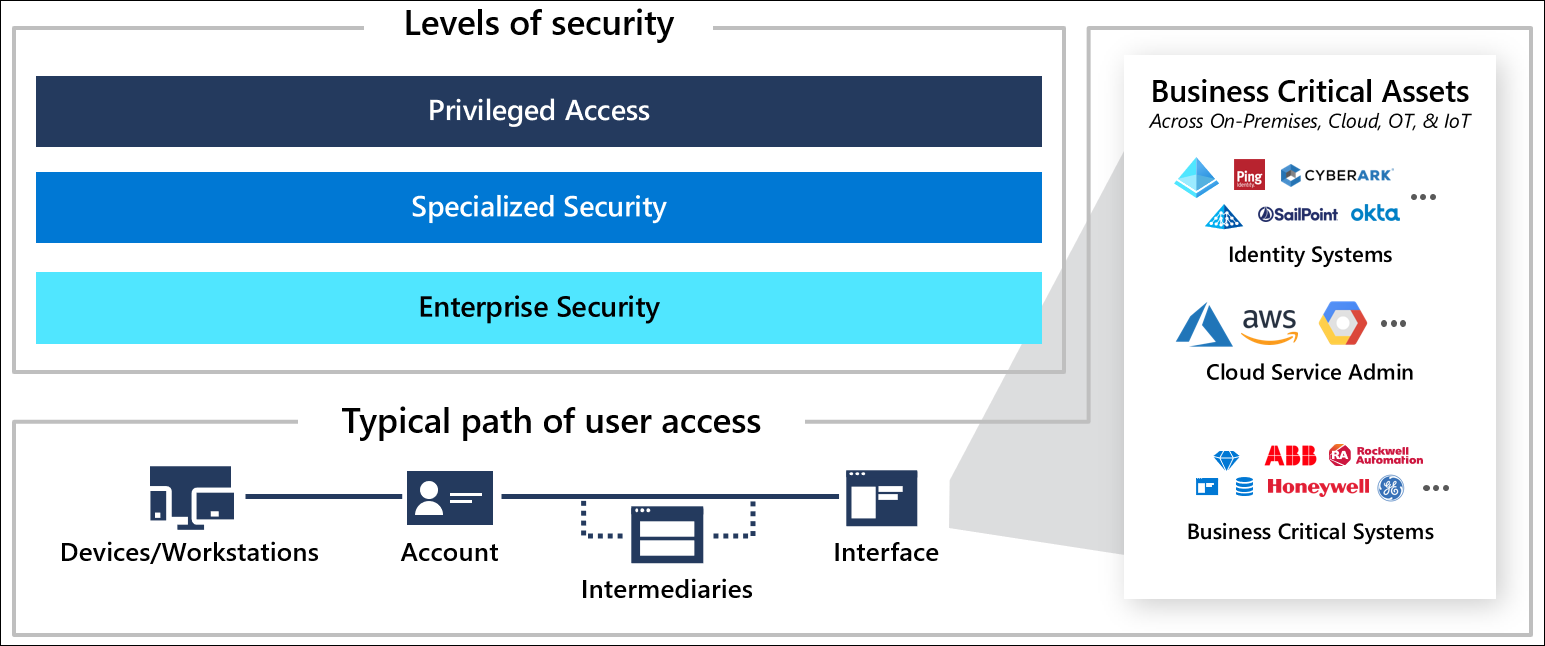
Administrator passwords are typically shared between small and large businesses, making it difficult to maintain accountability and increasing the risk of a breach.
Organizations can restrict multiple administrator logins and use strong passwords to minimize cyber vulnerabilities.
#4. Anti-malware and anti-phishing software
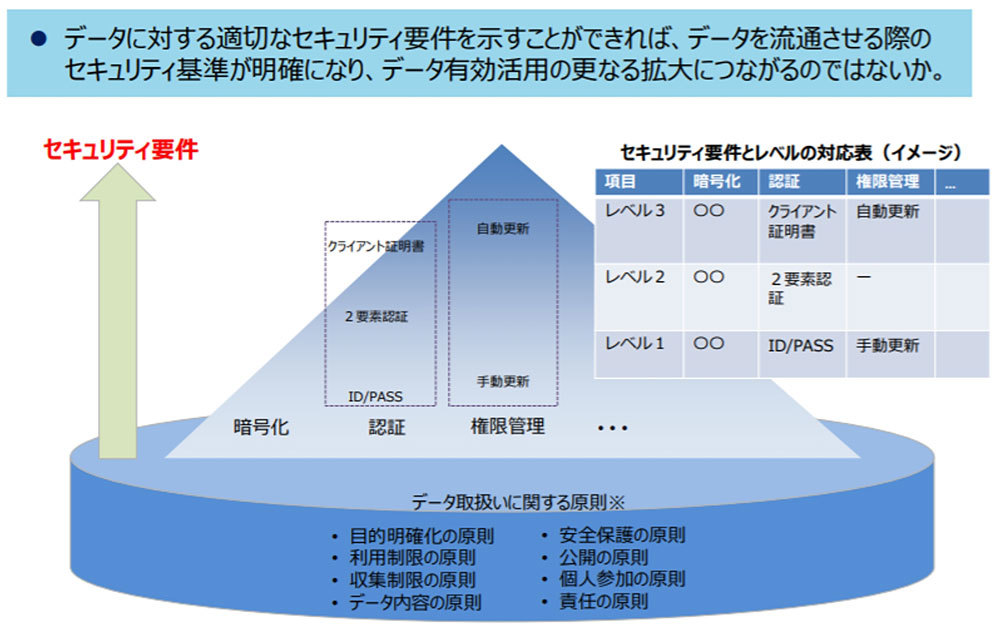
As traditional platforms struggle to track the growing number of cyberattacks, modern third-party solutions can help prevent or mitigate suspicious attacks. Artificial intelligence technology is currently being applied to tools that block suspicious activity.
#5. mobile security solution
Organizations that enable BYOD in their offices must implement a mobile security solution that protects all related apps such as OneDrive, Teams, Office365, and all other collaboration applications to prevent intrusion on devices.
Buyer checklist for Microsoft 365 data protection
Through Microsoft 365, businesses will have access to a wide range of tools and applications that can help with data security.
To ensure you are taking advantage of the features at your disposal, organizations should take the time to understand the capabilities offered and create a Microsoft 365 data protection checklist.
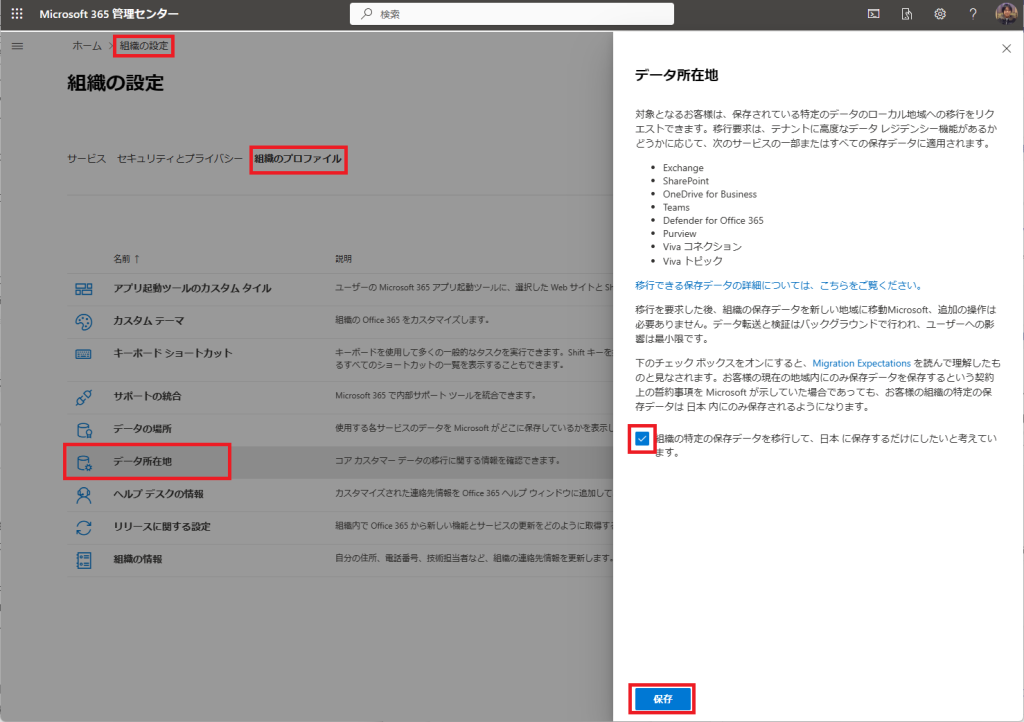
While there is no standard buyer checklist for every organization, how should you go about creating a buyer checklist to help you choose the best data protection option for your company? We will explain the buyer’s checklist that will give you a glimpse of the. Infrastructure, requirements and planning. Let’s take a closer look:
- Reduce implementation, management, and support costs.
- Data isolation during network intrusion.
- Detect ransomware instantly.
- Detect both internal and external threats quickly.
- Real-time notifications, comprehensive reporting, and a central console to monitor all your applications and data.
- You need to lower your overall cost of ownership.
- The best compliance tailored to your company’s needs.
- Data encryption ensures the highest level of data protection both in transit and at rest.
- Backup and restore automation at a granular level.
The list above provides basic concepts for creating your own Microsoft 365 buyer checklist, covering all aspects of data, applications, and infrastructure.
Now let’s take a look at the top solutions for Microsoft 365 data protection.
spin
Spin is used by SMBs and Fortune 500 companies for its robust Microsoft 365 data security features. It’s a comprehensive platform that helps you track cyber issues within Microsoft 365 and effectively manage them through detection and prevention.
Spin automatically backs up your Microsoft 365 files three times a day, so in the event of a disaster or data breach, you can restore your most up-to-date data with minimal disruption. Prevent cybersecurity incidents related to data not under Microsoft control.
With an average downtime of 21 days, AI-powered detection systems help businesses reduce downtime from ransomware attacks by over 90% to just a few hours.
The Spin platform provides many preventive features to prevent such situations, including shared data monitoring, PII discovery, incident alerts, secure employee onboarding, anomalous event controls, and DLP policies.
Main features
- Detect cloud ransomware 24/7 and respond quickly to anomalies.
- Detailed recovery is possible within hours of a ransomware attack.
- Within hours of a ransomware attack, granular recovery is possible in the event of a disaster.
- Data compliance to meet geographic regulations.
Spin is an enterprise-grade cloud platform for businesses of all types. This makes Office 365 collaboration easier across teams of any size and location, while ensuring your data is always safe.
rubric
Customers can now more easily ensure that their Office 365 data is safe with Rubrik’s most complete security platform for Microsoft 365. Rubrik’s predictive analytics helps businesses protect Office 365 data from malicious events by instantly recognizing and recovering from data loss.
With the help of Rubrik, businesses can keep their data safe from hackers, ransomware, and accidental loss. Organizations can rest assured that their data is safe from internal abuse and external threats in Microsoft 365.
Microsoft 365 security layers protect against hostile activity and data theft, so organizations can safely access, store, and back up their data in Microsoft 365. Additionally, advanced search capabilities allow clients to quickly recover from unintentional deletions and data corruption.
Main features
- Isolate your data in the event of a cyber attack or ransomware breach.
- Prevent unnecessary access by maintaining the principle of least privilege through role-based access controls.
- Each backup has a container, which makes restores faster and better.
- Handles API errors by automatically switching between the many available Microsoft APIs.
Rubrik ensures that your Microsoft 365 data is always secure and compliant with data regulations. If your organization is looking for a centralized, secure solution to snapshot and protect your Microsoft 365 data across Exchange Online, SharePoint Online, OneDrive for Business, and Teams, Rubrik is the answer.
abe point
AvePoint’s data protection solutions provide businesses with the solutions they need to protect their most sensitive and important data. Its solutions are adaptable enough to migrate, protect, and recover customer data across a variety of cloud platforms, on-premises programs, and hybrid configurations.
Robust security measures, continuous activity monitoring, and automated protective actions prevent data from being transferred to the wrong individuals and reduce risk.
Organizations can use AvePoint to protect their data from malicious attempts and accidental deletion. This solution enhances governance capabilities, allowing businesses to manage data retention, archiving, and compliance requirements.
Microsoft Azure solutions ensure granular backup and recovery of AD, VMs, and storage. Automated cloud backups keep Office 365 secure and provide granular level of recovery.
Main features
- Validation, classification, and data protection prioritize protection and reduce risk.
- Governance automation for Office 365 and SharePoint lifecycle management.
- Ransomware resistance with fast recovery and early detection.
- A system that implements a risk-based security and data protection strategy.
AvePoint offers a complete data protection suite to help businesses manage, protect, and govern their data. Organizations can use a variety of solutions to discover, classify, monitor, and control information, quickly identify and address data security issues, and ensure data security.
N-Able Cove data protection
Cove Data Protection is an essential resource for businesses of all types looking for data protection solutions for Microsoft 365 applications. Developed to provide Microsoft 365 customers with an additional layer of protection against data loss and protect their Microsoft 365 environments.
Save time and operate more efficiently by preserving and restoring data from the same web-based dashboard you use to protect your servers and workstations.
This package ensures activity monitoring, data loss prevention, and protection from hostile activities, compliance issues, and data breaches. Real-time alerts and audit logs are easily accessible with a user-friendly interface.
Built to work seamlessly with Office 365, SharePoint, and other cloud-based applications, it provides powerful protection for your corporate data.
You can take precautions to protect your data, including data loss prevention, encryption, and industry compliance. You can also centrally manage and monitor your data, giving you maximum control over access and storage.
Main features
- Data encryption at rest and in transit.
- Suspicious activity notifications.
- Protection from both internal and external threats.
With Cove Data Protection for Microsoft 365, organizations can rest assured that their data is protected from malicious intrusion and unauthorized access. The platform is free to use during a 30-day trial period.
veritas
Veritas provides complete solutions to protect Microsoft 365 and its related products. We offer a variety of data protection options, disaster recovery plans, and data archiving services that can ensure the safety and security of your sensitive data.
Veritas’ unique suite of Office 365 management services allows customers to optimize their use of Office 365 while maintaining regulatory compliance.
Data protection, monitoring, and compliance solutions help businesses streamline IT processes, gain insight into their data, protect assets, and defend against attacks.
This allows administrators and organizations to efficiently monitor and control user identity and access while adhering to regulations and standard operating procedures.
With Veritas, businesses can easily track how data is accessed and used, and back up and restore data across all Microsoft 365 applications, including Office 365 Groups, SharePoint Online, Exchange Online, and Microsoft Teams. Ensure data continuity and governance.
Main features
- Maintain data integrity by tracking data, including changes to files and documents.
- Data resiliency is achieved through rapid archiving, data encryption, and easy recovery.
- Comply with regulatory requests from SEC, FINRA, FDA, HIPAA GDPR, and FOIA.
- Microsoft 365 data discovery repository with user-friendly storage tools.
Veritas-based solutions provide organizations with the resources and tools they need to protect their data and applications while maximizing productivity. Additionally, this technology allows users to collaborate while reducing IT costs and complexity.
Dhruva
Druva is the top backup and protection solution for data centers, SaaS apps, and native workloads, as well as OneDrive, Exchange Online, SharePoint, and Teams. It is a secure SaaS platform that automates governance and ransomware protection.
Druva’s architecture provides users with a unified view of all their data and allows them to track the status of their backups from any device. Customers can quickly protect their Microsoft 365 data using a single solution including OneDrive, SharePoint Online, and Exchange Online.
Its infrastructure reduces the cost and complexity of e-discovery while complying with the most robust regulations such as HIPAA, GDPR, and CCPA.
Data fingerprinting to ensure authenticity, proactive eDiscovery data collection, legal holds, forensic investigations, and unified data retention policies for all Microsoft 365 services make Druva unique .
Main features
- Reduce total cost of ownership by up to 50%.
- Detect and take action against insider threats before they cause damage.
- Microsoft 365 apps are updated every two weeks.
- Integrate with third-party eDiscovery tools.
It provides a safe, reliable, and affordable approach to protect your important data from potential data loss, hacker attacks, and malicious attackers. Automated backup processes and customizable recovery options ensure your data is always safe and accessible, even in the event of disaster.
proof point
83 Fortune 100 companies use Proofpoint solutions. When it comes to Microsoft 365, Proofpoint is a reputable supplier of comprehensive security solutions. This platform is trusted by 200,000 Microsoft 365 customers worldwide.
AI-based technology is built to protect your data and apps from modern cyber risks. The platform provides the highest level of data privacy compliance and also provides complete visibility and control over your Microsoft 365 cloud environment.
Its hallmark is to recognize, prevent, and automate the cleanup of supplier, ransomware, and BEC (business email compromise) threats that bypass Microsoft 365 defenses.
This is one of the easiest ways to use the Inline + API to further protect your Microsoft 365 with preloaded settings. This platform provides information on hacked individuals and threat forensics.
Proofpoint solutions offer enhanced protection against attacks such as spear phishing, ransomware, and supplier fraud with click-time protection and sandboxing, allowing organizations to quickly and efficiently enforce security rules to detect and respond to threats. and protect your users and customers.
Main features
- Identify bottlenecks and increase productivity with real-time alerts, reports, and logical dashboards.
- To check for supply chain violations, we have a dedicated Supplier Risk Dashboard.
- Stop inbound BEC attacks with domain-based message authentication, reporting, and conformance.
- A human-centric DLP strategy to protect your data and combat insider risk.
For businesses looking to secure their Microsoft 365 environments, Proofpoint offers a comprehensive solution.
The platform helps businesses protect their data and comply with cyber policies by providing real-time visibility, threat detection and response, and data loss prevention capabilities.
last word
Microsoft 365 users can store, protect, and manage their data with safe, ethical, and effective solutions. To address the latest and most advanced security concerns, organizations should consider deploying third-party solutions that mitigate the most critical vulnerabilities.
The above information will help you narrow down the options for third-party solutions for you or your company.
Then check out the best online security software for small businesses.


![How to set up a Raspberry Pi web server in 2021 [Guide]](https://i0.wp.com/pcmanabu.com/wp-content/uploads/2019/10/web-server-02-309x198.png?w=1200&resize=1200,0&ssl=1)


