If you send a large number of emails for commercial or marketing needs, you should start using an email template builder tool.
Do your marketing emails look boring? Are you spending a lot of money maintaining a team of marketing email designers? By shifting your focus to email templates, you can solve all these problems and create great You can carry out marketing activities.
Freelancers, small business owners, or professional email marketers with programming knowledge should definitely read this article.
Here are some advanced and famous email template builder tools that can revolutionize your email marketing operations.
What is an email template?
Email templates are important assets for your email marketing campaign. This is a HyperText Markup Language (HTML) code module for marketing emails that contains reusable elements. Such HTML code is simple and comes with several code placeholders where you can copy and paste image links, text content, marketing copy, and more.
Apart from the customizable code components, the remaining HTML code configures the email’s appearance, structure, and content placement. In most cases, you don’t need to work with HTML code files.
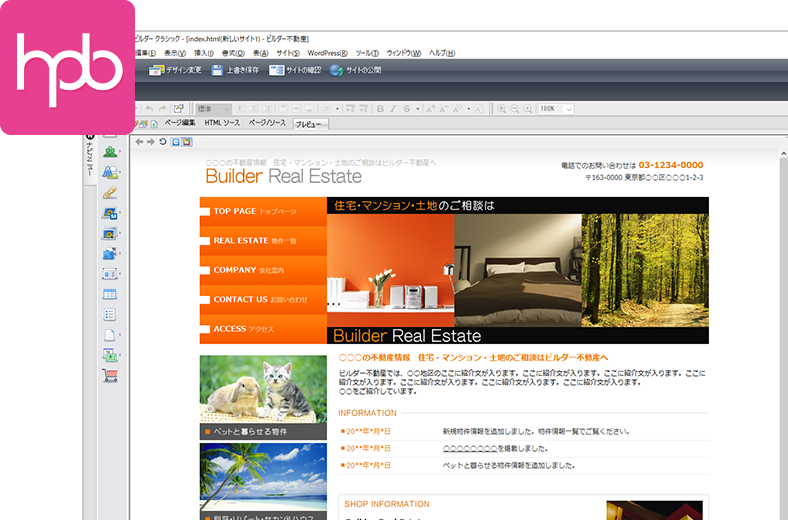
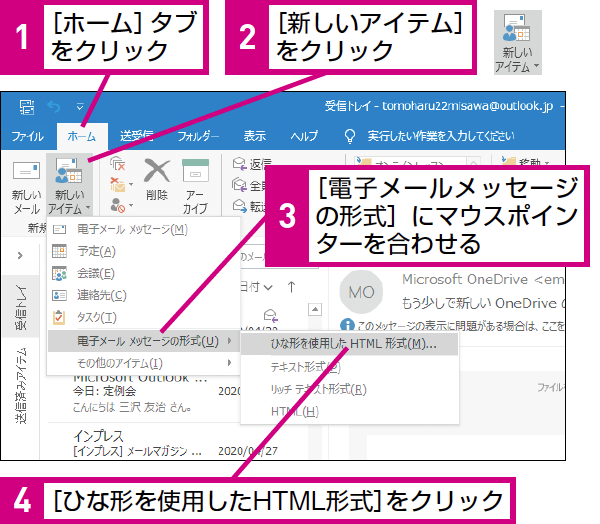
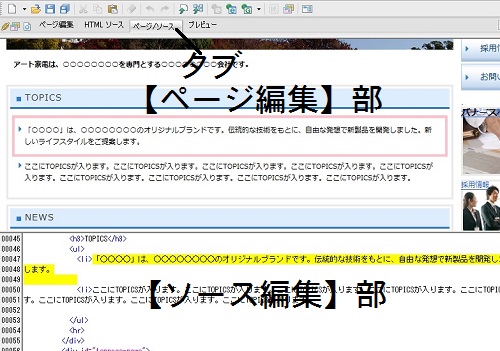
There are various email template builders and editing tools that allow you to reuse emails through a graphical user interface (GUI). Additionally, the HTML codebase allows you to add cascading style sheets (CSS) style guides that determine the visual presentation of emails written in markup languages such as HTML.
Email marketing agencies typically store email templates in template building platforms. Companies may also leverage codebase databases to automate marketing email templates in third-party email apps using application programming interfaces (APIs).
What are the components of a good email template?
By including the following strategic elements, you can differentiate your marketing emails from competitors and attract the active attention of your recipients.
#1.A spam-free subject line that can successfully pass through email service app spam filter bots.
#2. Content hooks or email preheaders displayed in email preview. The first line of an email convinces the user to read the entire email.
#3. Marketing emails should include relevant and acceptable images, but not too many as some email apps don’t automatically display images.
#4.You should also include good links to blog content, portfolios, whitepapers, secondary websites, and landing pages so your customers can get more content.
#5. Make it easy for your target audience to subscribe to your social media profiles by providing links to Facebook, Twitter, Instagram, YouTube, LinkedIn, etc.
#6.Above all, make sure you have enough call-to-action (CTA) buttons throughout your email. Also, avoid linking your CTA to an image, as some email tools may restrict visual content until the user manually allows it.
#7. Finally, we remain compliant with the U.S. federal CAN-SPAM Act by including an easy way to unsubscribe from marketing emails.
What are the benefits of using an email template builder?
Email templates are taking the email marketing ecosystem by storm. This has revolutionized the way today’s marketers market their products/services/brands via email. Email templates also benefit anyone who needs automation, productivity, and efficiency in their email marketing system. These benefits include:
effortless branding
Email and digital marketing agencies constantly face challenges with brand marketing campaign content due to the need to manage multiple client accounts. Because manually managing brand assets on marketing emails by a small number of staff members is not an efficient process.
Therefore, agencies can use marketing email templates, CSS code, and image placeholders. Marketing staff can easily add the right brand assets without errors when sending emails.
Delivery of customized content
The latest method of email marketing is delivering personalized content to your subscribers and prospects for sales campaigns. But how can you customize the thousands of emails you send every day?
Send personalized content using reusable email templates and trusted email marketing automation tools like SendGrid, Beefree, and Stripo.
All you need to do is connect an Excel sheet of customer email addresses to your automated email system. The email tool automatically changes your username, email address, weather data, and content settings.
consistent content
Email templates can also help resolve issues with inconsistent email structure, visuals, and overall content. Most of the email fields are preset assets, such as greetings, general text content, brand visuals, and stock images.

So all you have to do is change your customer name, email address, blog link and send the email.
Scaling up your email marketing
Email templates help marketing agencies scale up their client operations from hundreds of emails per day to thousands of emails to 10 or more clients at a time.
Brands that run their own email marketing efforts and want to increase the number of potential customers they target can also benefit from customizable email templates.
Here are some of the best email template builders you should try.
strip
Start trying out Stripo in some email marketing campaigns. Get responsive and professional email templates. Beautifully designed marketing emails are easy to read on any device, including laptops, desktops, and smartphones.
If you decide that this tool is satisfactory for your marketing agency or business goals, you can subscribe to one of its flexible plans.
But you may be wondering why you would use this tool. First, the module library or template editor is very easy to use. You don’t need any prior email design or coding experience to create great-looking email templates.
Next, the drag-and-drop editing feature speeds up the creation of marketing emails. Finally, Stripo employs in-house email designers to create beautiful email templates for personal and commercial use.
TOPOL.io
TOPOL.io is a no-code HTML email editor known worldwide for advanced email customization. Firstly, unlike other tools, you can promote your online store’s products/services with just a click. You can then create great custom blocks for a single marketing activity, save them for the future, and save valuable time.
Additionally, TOPOL.io’s email templates allow you to quickly personalize your emails by entering merge tags. Therefore, this email composing tool makes it very easy to customize templates according to the customer’s name, preferences, and other dynamic information.
A free trial gives you unlimited access to the platform for 14 days. Later, if you like this tool and want an elaborate editor in TOPOL’s cloud app, you can get TOPOL Pro. If you need to make it easier to build email templates within your third-party or in-house email software, you can also get the TOPOL plugin.
Befree
Beefree is also a popular email template builder, HTML-based email code editor, and landing page development tool. Accessing web apps on the cloud saves you time setting up on-premises software. But the biggest selling point is that you can start designing effective email templates without entering any personal information or signing up.
Whether you’re a marketer with coding skills or not, this tool is for you. You can create your own email templates from scratch using the HTML editor. Instead, simply choose a ready-to-use marketing email template from the Beefree library and personalize your emails. The editor supports drag and drop actions.
When you’re ready, export your email template to an email service app like Gmail, Outlook, or Yahoo!. Email for sending bulk emails. Additionally, Beefree also allows you to connect with advanced marketing email tools such as Mailchimp, SendinBlue, and ActiveCampaign.
unlayer
If you want to avoid spending countless hours brainstorming with HTML coders and graphic designers, try Unlayer . You don’t need any content design or HTML programming skills to create great marketing email templates. Like its competitors, the core email template editor offers drag-and-drop construction.
Unlayer has a huge catalog of email templates. This tool organizes these HTML sample files into collections, usage, and industry segments. Additionally, you can sort templates based on free license, paid license, popularity, etc.
Once you choose a template, you can edit it to perfection with our online editor. Or you can share it with others for collaborative design work.
postcard
The email marketing niche is undergoing tremendous modernization. So why should your marketing content look like a traditional email? Try Postcards template builder to give your emails a new look.
Get standard features like text editing, image editing, email export, and template building with Postcards. But what’s unique about this tool? It’s the enterprise-grade collaboration and content history that makes this cloud app extraordinary.
You can create projects on the tool and assign tasks to different designers and marketers. Brainstorm new projects with your entire team or edit ready-made templates to suit your immediate needs.
Additionally, the tool saves all your work with a detailed version history. So you can go back and retrieve email templates that worked well for you. Other features that increase the value of your investment include Google fonts, unlimited template exports, and responsive HTML templates.
Shamayleon
Want to save more time, but email templates aren’t enough? Then you need an intelligent and clever email builder like Chamaileon .
Cloud apps come with detailed workflows for creating marketing emails, not just sample HTML files. So your marketing team stays focused and follows a guided path to create more emails.
This is a real-time marketing email collaboration tool suitable for startups, small and medium-sized businesses (SMBs), and enterprises. The online email editing workspace comes with role-based access. Therefore, you can define who has edit or view access.
Other notable features include clean HTML code, drag-and-drop email building, reusable email blocks, and real-time user-side views of emails.
mail taxi
Taxi for Email is another HTML email builder worth trying because it lets you create advanced marketing emails and export them to your existing email tools. Its code is highly compatible with most email service providers (ESPs).
It’s a no-code web app, so content writers, editors, and copywriters can easily create effective emails. No advanced coding or design training is required.
For upscaling, you can connect cloud apps to your email design system for consistent content layout and formatting. Additionally, scaled-up projects run with Taxi for Email save 80% more time and increase profitability than other tools.
Zoho Campaign
Zoho Campaigns is a complete email marketing suite. It offers exclusive features for managing your marketing efforts, including a drag-and-drop HTML email builder. You can import existing email designs from other platforms or use Zoho’s editable templates. The email sample library includes over 240 templates for business and casual situations.
Its email template builder is super lightweight and has fewer options. You can switch between basic, advanced, and design editing interfaces. Each of these categories has some unique design components. For example, the Advanced category provides options such as creating polls, videos, widgets, and attachments.
If you want to delight your users with personalized content, you can use the combined tag design feature. Finally, this tool can integrate products from Shopify, Zoho Commerce, and WooCommerce, making it perfect for e-commerce marketers and owners.
sending grid
SendGrid offers both self-service and managed services for building marketing email templates. Get all the latest features in one place, from automated email APIs to deliverability insights.
Get started for free with standard features like SMTP relay, webhooks, dynamic template editor, and delivery optimization tools. As you scale up, premium options such as Essentials, Pro, and Premier become available.
Every SendGrid account has access to a library of responsive and professional email templates. The templates also come with shareable links so you can design content with your team.
Its email design workspace is intuitive and comes in two versions: Design Editor and Code Editor. Unlike other tools, the template design workflow is dynamic, allowing you to change elements as needed. The web app saves your changes to the cloud, so you can retrieve your design work from another device.
last word
Get great marketing performance at an affordable cost with one of the email template builders listed above. All of the tools mentioned above offer unique features, so choose the one that fits your email marketing style and goals.
If you’re interested in automating your marketing pipeline, you can also check out these email autoresponders.


![How to set up a Raspberry Pi web server in 2021 [Guide]](https://i0.wp.com/pcmanabu.com/wp-content/uploads/2019/10/web-server-02-309x198.png?w=1200&resize=1200,0&ssl=1)


