When building or renovating a building, floor planning tools make the planning process easier.
Whether you’re an architect, builder, interior designer, or remodeling professional, Floor Plan Maker allows you to seamlessly communicate your vision to contractors and home buyers. These tools help clients visualize their projects and enable quick modifications at any point during the planning stage.
So, if you are wondering who the best floor plan creator is, keep reading. We’ll also explain the types of floor plans and the essential features of a robust floor plan tool.
What is Floor Plan Creator?

A floor plan is a way to represent what a building will look like when completed. The initial stage of project design often serves as the basis for the project. This allows you to demonstrate the basics and layout of the execution stages.
However, creating these floor plans is not so easy. Instead of doing it manually, you can seek the assistance of a floor planning tool. Floor planning software is often chosen to speed up the process and reduce manual labor. These tools also allow you to create accurate and precise plans.
Type of floor plan
#1. 2D floor plan
A 2D floor plan is a basic home layout that only represents technical information and space dimensions. This view is usually displayed in a 3D floor plan so that the client can clearly imagine the future building.
This type of plan is suitable for professional home builders, interior designers, and remodelers. A properly presented 2D floor plan will help your clients understand your project easily.
#2. 3D floor plan

This view comes with a 3D perspective. Therefore, clients can appreciate this fully furnished and decorated layout. Additionally, this floor plan also includes exterior features, making it the most attractive way to showcase your home project. In particular, the top view of this floor plan allows the client to see the floor area and room connectivity.
#3.Live 3D floor plan
With this plan, you can give your clients a first-person virtual tour of your project as if it were already completed. You can see specific details and switch perspectives when talking about a project.
Common features of ideal floor plan creation tools
When choosing a floor plan creation tool, people tend to choose applications that are affordable and have a flat learning curve. However, if functionality and performance are important to you, you should choose a software application that includes most of the following features:
Customizable surface area and measurements
Creating floor plans is an essential part of any home design or remodeling project. However, not all tools allow you to customize different parts of your floor plan, such as windows and doors. So, look for a floor plan drafting company that can create blueprints to your specifications.
Import and export floor plans
If you need to work with existing floor plans, your tool should support plan import. Not only will it save you time, but it will also ensure that your dimensions are accurate. Exporting floor plans is also a useful feature that allows you to easily share blueprints with stakeholders.
Simultaneous display of 2D and 3D views

It’s very frustrating when you have to switch between 2D and 3D while creating a floor. A good floor planning tool allows you to view 2D and 3D layouts simultaneously on the same screen. Not only does it save time, but it also makes the process of creating 3D tools intuitive and accurate.
system request
Contractors and designers need to work on the go. Therefore, it is not enough to have a traditional tool that only supports Windows and Mac. You need a floor plan tool that supports iOS and Android. Also, before choosing a tool, check whether its specification requirements match your hardware specifications.
Training and demonstration facilities
Ease of use is one of the factors you should consider when choosing a floor planning company. In addition to choosing an application that is easy to use, you can also check to see if the company offers a free demo. This will help you understand whether you or your team can use the software’s features.
reusable templates
Home builders may need to reuse floor plans from previous projects. If your floor plan tool comes with reusable templates, you can change the layout according to new suggestions without having to start from scratch.
Converting a 2D floor plan to 3D
3D floor plans play a huge role in selling your project by visualizing the floor plan and assessing how much free space you will have at the end of the project. However, creating 3D floor plans can be difficult. Fortunately, some tools can simplify the process by automatically converting 2D layouts to 3D.
Print floor plan to scale
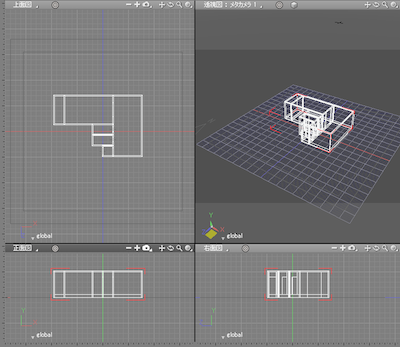
Print to scale functionality allows you to print 2D floor plans on one page that can be used to communicate with contractors and buyers. A must for residential professionals who want to use it for commercial purposes. A professional floor plan creator should have this attribute.
So, check out our list of the best floor plan creators to create great plans for your construction project.

Roomle
Roomle is a floor plan creation software that is popular among interior designers and real estate agents for its high-quality output. This tool helps clients visualize their space, allowing them to design the floor and arrange furniture according to their preferences.
The 3D catalog allows you to easily customize objects and create bespoke designs. Create beautiful and attractive floor plans using high-end realistic images. Increase sales and efficiency by bringing your layout to life.
Roomle is also available as a smartphone app, so you can use it easily. Additionally, the platform supports easy collaboration and sharing with other users. If you want to create an online portal for your business brand and allow your clients to view your hosted floor plans, this is one of the best options.
room sketcher
RoomSketcher is a useful floor plan creation tool for homeowners, interior designers, and businesses. It’s a tool specifically designed for floor plans and home design, so it’s easy to use. Comes with convenient click-and-drag editing tools.
It allows you to adjust plans on the fly and share them with buyers and contractors. Additionally, this tool allows you to upload your existing floor plan, blueprint, or sketch and have a professional create your floor plan for you.
Floor plans created with RoomSketcher can be downloaded in PDF, JPG, and PNG formats for sharing purposes. You can also freely view your designs with interactive 3D walkthroughs and 360-degree views.
floor planner
If you want to quickly create 2D and 3D floor plans, use Floorplanner . Thousands of professionals use this tool to create top-notch floor plans. With its help, users can accurately draw 2D plans within minutes.
Over 150,000 items are available for your designs, and 2D and 3D images can be rendered. It’s a cloud-based tool, so you can access it from anywhere and on any device of your choice.
You can start working on your project by uploading a project blueprint. Additionally, you can share your plans with others in just a few clicks. Both individual users and businesses will find this tool perfect.
Why Neo
If you’re interested in interior design and planning, you’re probably already familiar with Foyr Neo . Automatically calculate room settings and easily design to create the perfect floor plan layout. Even if you choose to create a plan from scratch, its easy features will make your task easier.
Create floor plans and designs quickly with over 50,000 easily accessible 3D models and textures. Simply add details and descriptions of the major components of the floor, and the software will provide clients with a digital tour of the plan.
And it only takes a few minutes to get 4K photorealistic renders. The tool is also compatible with other sketching apps and supports importing laser meters to other devices.
floor plan creator
Floor Plan Creator is a fast and accurate floor plan creation tool that supports Blueprints. Bring your vision of the perfect layout to life with our symbol library. In addition to 2D, you can also view your designs in 3D.
Floor Plan Creator also allows you to use your handmade plans as templates for online floor plan designs. This online platform automatically syncs your projects in real time and allows you to access them from multiple devices simultaneously.
Here you can create designs for rooms of any shape or size and add elements such as doors, windows, furniture, emergency exits, evacuation settings, and more. It supports metric and imperial units, making it convenient for all users.
Sedleo
Cedreo is a cloud-based 3D construction tool that anyone can easily use. This home design and floor planning software application allows you to create and manage a variety of projects. This tool is ideal for homeowners, architects, landscape designers, and interior designers. Even people with no 3D design experience can run this tool.
In addition to an intuitive interface, Cedreo provides users with a series of guided steps to carry out the process. Even if you create floorplans for multiple projects at the same time, you can track them all.
You can also organize projects by client, save and search multiple versions of the same project. Additionally, a floor plan symbol library helps you quickly create accurate design layouts.
home styler
Homestyler is a unique floor plan maker that boasts great features for creating unique home designs. Visualize 3D and 2D floor plans with 4K graphics design tools.
Get an immersive experience thanks to a virtual walkthrough of your design with photorealistic renderings.
Homestyler’s vast furniture library lets you design every corner of your home and see how it looks. You can also customize the color of the doors, windows, and walls to your liking.
It is one of the most user-friendly interior design apps and offers a variety of useful features that can be used by both professionals and amateurs. Collaborative teams will find this platform highly effective.
planner 5d
If you’re looking for a reliable home planning and interior design tool for non-professionals, Planner 5D is the software for you. Contains a rich collection of shape libraries that you can use to create blueprints for your ideas. Advanced floor plan designers use artificial intelligence to transform blueprints into high-quality digital, interactive plans.
Whether you want to create a floor plan for your home, office, or commercial space, this application allows you to create 2D or 3D layouts quickly and efficiently. After creating a plan, the tool can convert it into an HD photorealistic 3D representation.
New users may find this app difficult to use, but they will get used to it over time. This online platform also has downloadable apps for Mac, iOS, and Android.
home by me
HomeByMe is a floor plan maker with all the smart features you need to plan your next project and manage them easily. This intuitive tool allows you to seamlessly create plans in 2D and present them in 3D layouts.
If you need inspiration when creating your floor plan, you can always get help from the HomeByMe community. We have a helpful community where you can discuss your projects with others and check out our project gallery where you can see other users’ work.
Other features include converting 2D plans to 3D, creating realistic photo images, and 360-degree overviews. Users can easily share their plans with others online and get feedback. The mobile app lets you use this floor planner on the go.
conclusion
Floor Planning Creator lets you work faster, collaborate with distributed teams, and create great designs that your clients will love. The powerful features of these tools allow you to see your plan exactly as you visualize it.
Choose one of these tools and start designing a better floor plan. If necessary, you can use building information modeling software for your project.


![How to set up a Raspberry Pi web server in 2021 [Guide]](https://i0.wp.com/pcmanabu.com/wp-content/uploads/2019/10/web-server-02-309x198.png?w=1200&resize=1200,0&ssl=1)


