Learn the basics of AWS Lambda and how to run your functions step-by-step.
introduction
When you build an application, you want to provide a great user experience. To make this magic happen, your application needs backend code that runs in response to events.
But managing the infrastructure that hosts and runs your back-end code requires sizing, provisioning, and scaling a large number of servers, managing operating system updates, and applying security patches, and then managing all this infrastructure. Performance and availability should be monitored.
Wouldn’t it be great if you could focus on building great applications without worrying about infrastructure? That’s where AWS Lambda comes in.
What is AWS Lambda?
AWS Lambda is a serverless computing service that lets you run code without worrying about provisioning or managing servers. AWS Lambda allows you to run your applications and backend services without administration. Just upload your code to Lambda, and it will run, providing high availability and even scaling your infrastructure.
Code that runs on AWS Lambda is called a lambda function. We currently support the following programming languages:
- Java
- python
- C#
- Node.js
- go
- power shell
- ruby
It also provides a runtime API that can be used to execute functions written in other (native) programming languages.
There is only one prerequisite to using AWS Lambda. You need an AWS account with access to the AWS Management Console.
Lambda can be described as AWS’ FaaS (Function-as-a-Service).
AWS Lambda features
Below are some of the important features provided by AWS Lambda.
- AWS Lambda easily scales your infrastructure with no additional configuration required. Reduce operational work.
- Multiple options are provided to trigger events, including AWS S3, CloudWatch, DynamoDB, API Gateway, Kinesis, and CodeCommit.
- No upfront investment required. It is cost-effective because you only pay for the memory used by the lambda function, and there is a minimal cost based on the number of requests.
- AWS Lambda is secure. Define all roles and security policies using AWS IAM.
- Provides fault tolerance for both your code and the services that run your functions. You don’t have to worry about your application going down.
AWS Lambda pricing
AWS Lambda pricing depends on the duration and memory used by the Lambda functions you create. The maximum memory that can be allocated to a lambda function is 3008 MB, in 64 MB increments. Below is a pricing table that includes all 100ms memory slabs.

How does AWS Lambda work?
- First, create a function and add basic information to it, such as the programming language the function uses.
- Then, write your code in the lambda editor or upload it in a zip file in a supported programming language.
- Once your lambda code is uploaded, the service handles all capacity scaling, patching, and management of your infrastructure.
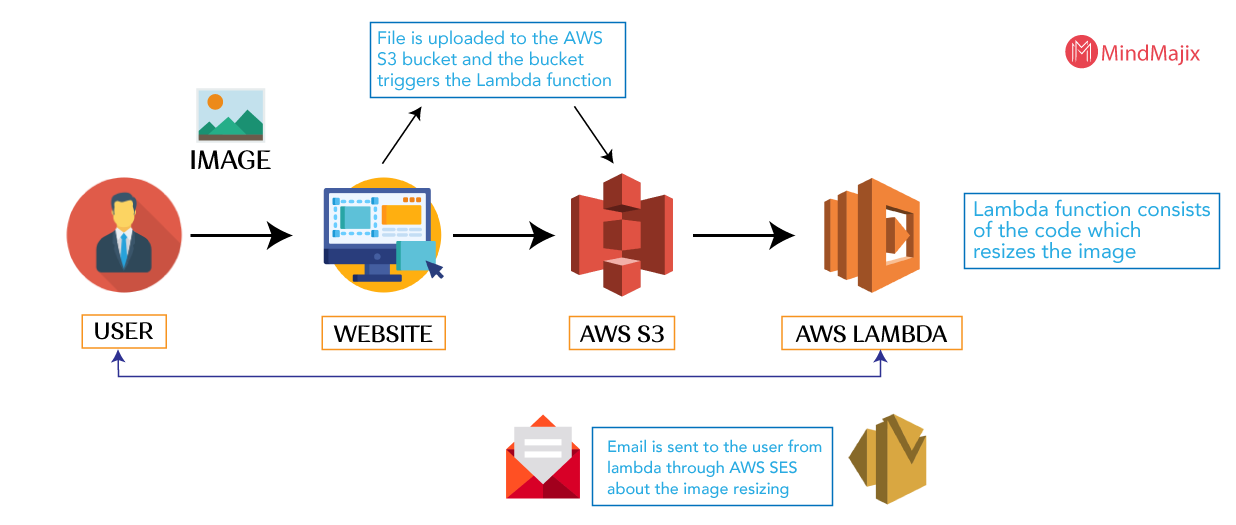
- To run your code, you must trigger your lambda function using an external AWS service that can call your lambda function. For example, an S3 bucket.
- Within a few seconds, your lambda will be ready to automatically trigger your function when an event occurs. AWS Lambda executes your code when the triggering event is fired. Provision server management and monitoring.
- If your function requires a lot of processing power, choose an instance type with more processing power and RAM. Otherwise, if your lambda code only runs for 2 seconds, it will choose the smallest possible instance, saving you money and time. .
This is how AWS Lambda works internally. I’d like to show you a demo of AWS Lambda.
Creating an AWS Lambda function
In this article, we will create a very simple game using the Node.js lambda function. Create a lambda function that rolls the dice, randomly generates numbers from 1 to 6, and outputs them.
- Go to the AWS Management Console, enter Lambda in the search bar, and click Lambda.
- A function window will appear; click “Create function”.
- You will see various options for creating functions and their descriptions. Since we are creating it from scratch, select “Author from Scratch”.

- After that, we need to enter some information needed by this lambda function. Enter a function name and select the Node.js version to use for this function.
- You also need to select an execution role. Since you don’t have an existing role defined in your AWS account, choose the Create a new role option. Click Create Function.
- A success message is displayed indicating that the function has been created. Click the Designer window to minimize it.
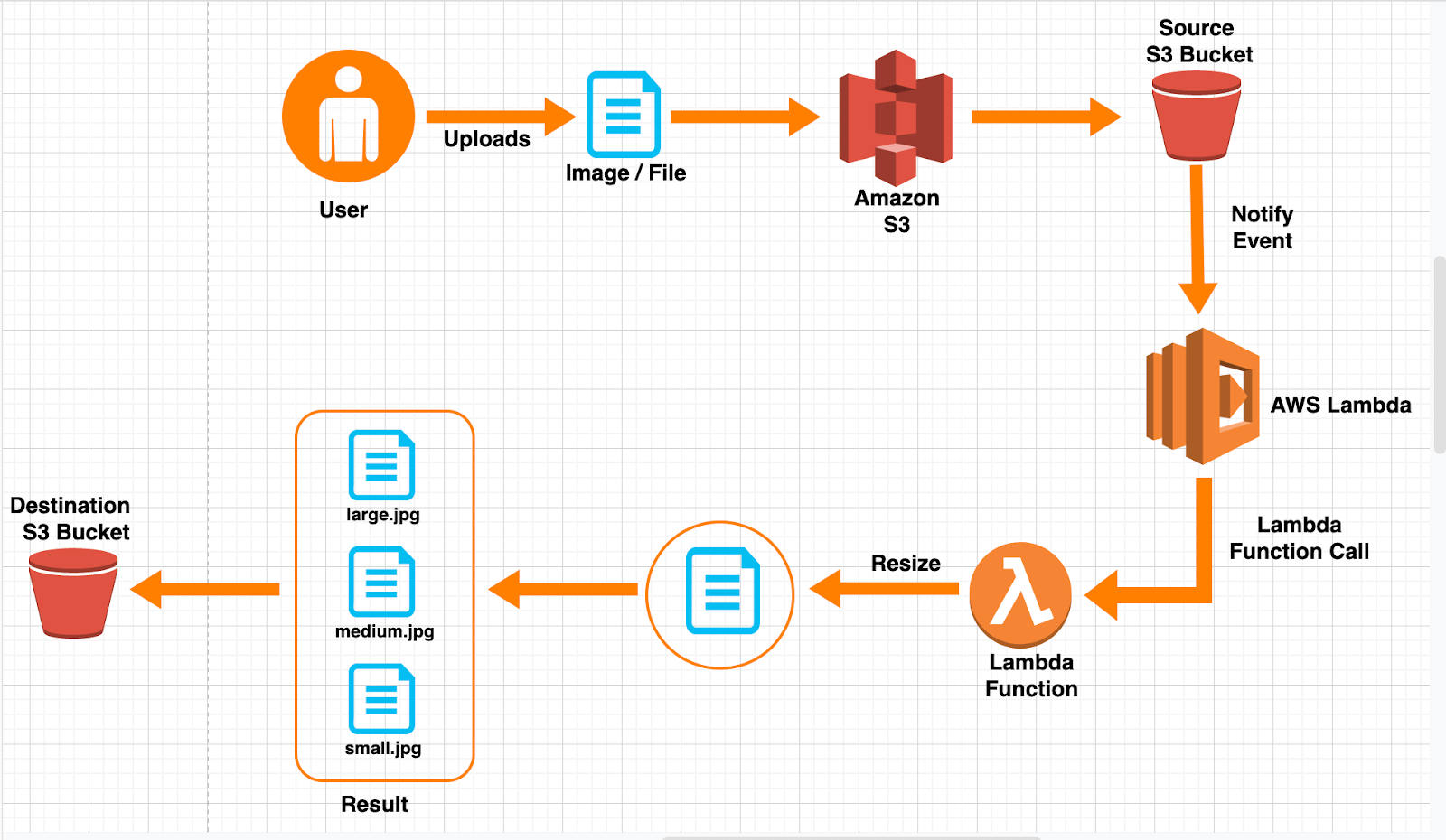
- Next is the function code window.
- Insert the code below into the editor. Although you can also upload your code using a zip file, we use the internal AWS code editor.
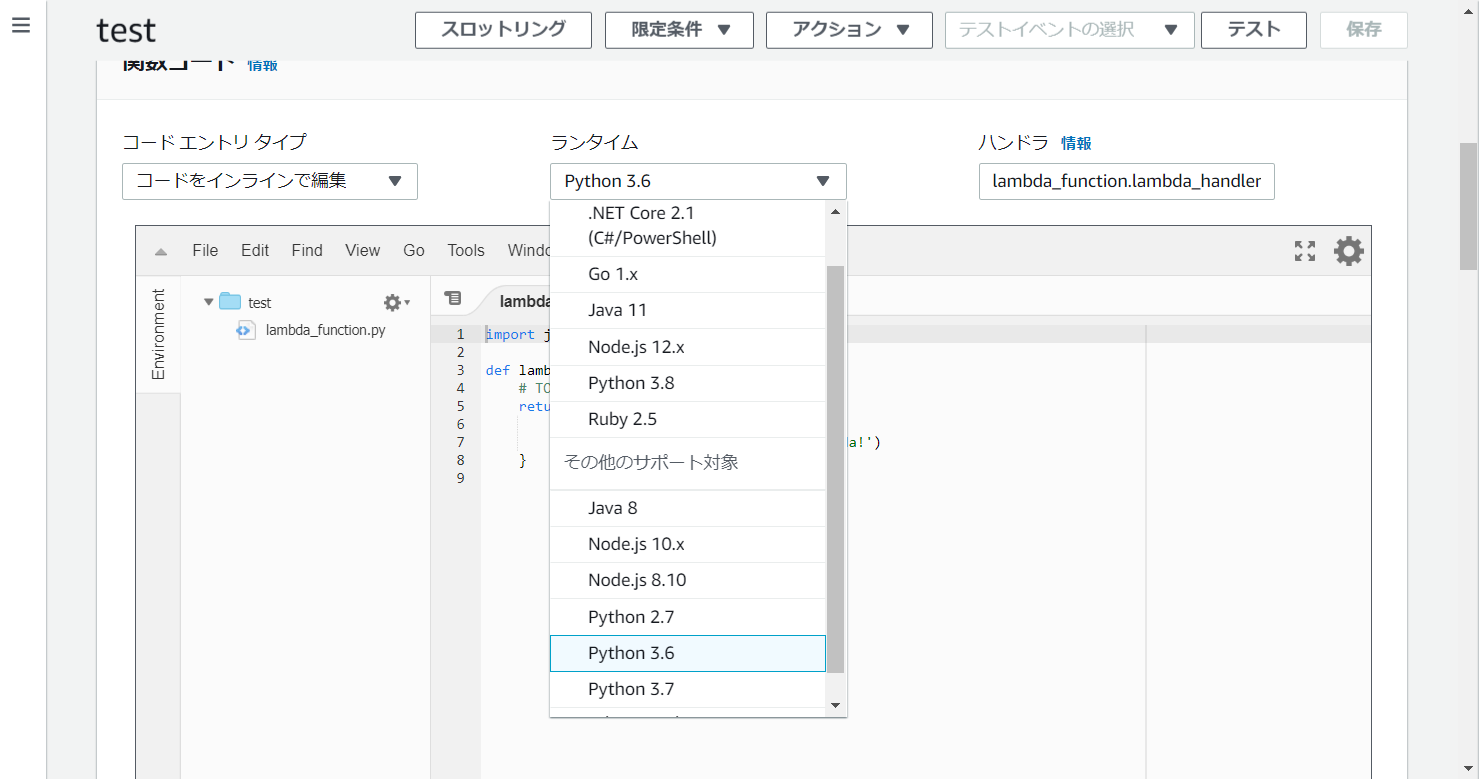
- This is a simple code that accepts only numbers from 1 to 6, uses a random math function to randomly generate a number, and prints it when the function is called.
 exports.handler = async (event) => {
const min = 1;
const max = 6;
const randomNum = Math.floor(Math.random() * (max - min + 1)) + min;
const out = 'Dice throw result is: ' + randomNum;
return out;
};- Then click the “Test” button in the top right corner. A pop-up will appear to configure the test event, enter the event name and click Configure.
- Then click Save and then Test.
The execution results display the output of the function logic you just created. The result of the die roll is displayed as 2.

- Scroll up and click on detailed execution results to see a complete summary of this lambda function and the expected output. Along with the log output, details such as request ID, duration, billing period, and configured resources are also available.

- Click the Monitoring tab to visualize cloud monitoring logs and lambda function performance over a defined period of time.
-1.png?resize=560%2C315&ssl=1)
- If you go inside the logs created by CloudWatch, you can see the details of what happened during the execution of the lambda function that was being monitored by CloudWatch.
conclusion
Getting started with Lambda is very easy. If you need to run backend code in your business applications, we recommend that you consider using a serverless platform such as AWS Lambda.


![How to set up a Raspberry Pi web server in 2021 [Guide]](https://i0.wp.com/pcmanabu.com/wp-content/uploads/2019/10/web-server-02-309x198.png?w=1200&resize=1200,0&ssl=1)


