A great learning experience requires engaging content, an immersive environment, and creative tools to make the learning experience more interesting. Authoring tools allow you to do all of this without requiring technical expertise.
There are many tools out there, but choosing the right one can be difficult.
This guide will help you choose the right eLearning authoring tool for your business to improve your learning experience and scale your learning production.
What is E-learning authoring and its benefits?
E-learning authoring software allows users to create digital courses using text, graphics, and interactions.
These tools provide ready-to-use, pre-built templates, tools, and media that you can use to create digital content. This allows users with limited technical programming knowledge to adapt the software to their needs.
The main benefit of e-learning authoring tools is that they make it easy for anyone to create customized learning content. However, that’s not all.
Let’s take a look at some of the benefits of using eLearning authoring tools.
Improving learning outcomes
The main advantage of e-learning authoring tools is that they allow users to easily create customized learning content. Built-in media and design tools allow anyone to create engaging content that has a big impact on the overall learning experience.
easy collaboration
Managing course content can be stressful when team members are working from different locations.
Authoring tools allow creators to work in a collaborative environment. This allows creators to share different perspectives and improves the quality of content and engagement.
Reduced setup costs
Using an e-learning authoring tool can save you a lot of money. With this software, there is no need for classrooms or instructors to conduct offline lectures.
This saves the organization initial investment costs. Apart from that, it also provides the flexibility to create multiple e-courses without having to adjust employee schedules compared to offline settings.
save time
Learning through online courses can save your employees about 60% of their time compared to offline settings. This leads to increased efficiency and overall growth for employees and the organization.
Why do I need an e-learning authoring tool?
E-learning authoring tools make content creation stress-free. Here’s why you should have these tools in your kit:
Meet your training needs
If you want to improve the skills of your growing team, it’s easier to train them online instead of in person. E-learning authoring tools help you meet the demands of creating high-quality content to meet your training needs.
Collaborative ability
This enables seamless collaboration between stakeholders and teams, enabling deeper engagement and high-quality content creation.
freedom to create
If you’re starting small and can’t hire a developer, authoring tools can be your savior. Even if you have limited coding knowledge, eLearning authoring tools allow you to create customized content.
Ease of access
You want to share what you’ve learned with the world at once. E-learning authoring tools make it easy to deploy courses to different locations while complying with new regulations.
Different types of e-learning authoring tools
There are several eLearning authoring tools, each with unique features that make the content creation process easy and hassle-free. Let’s take a look at some of them:
#1.Cloud- based tools

Cloud-based authoring tools don’t need to be installed on your desktop. These tools exist online and can be accessed by users over the Internet through secure host systems.
It enhances cross-platform collaboration and provides an ideal solution for creators working remotely.
However, it cannot be accessed in an offline setting as it does not work without the internet.
#2.Desktop or traditional tools
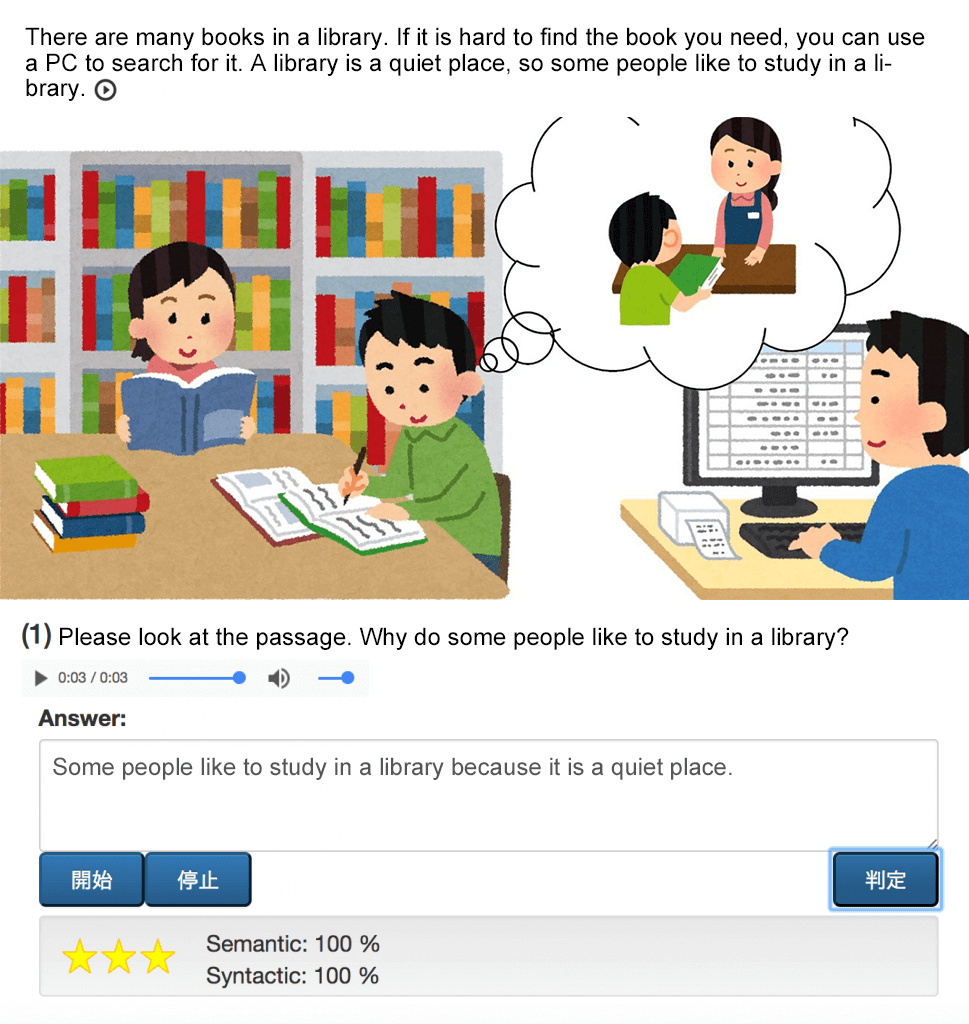
To access these tools, you must install them on your desktop. It offers a variety of creative options for professional instructional designers who prefer working in an offline setting.
Despite its many benefits, complex UI and reliance on a single device can slow down content creation.
#3.Fast authoring tool
Professionals can use rapid authoring tools to create high-quality web content courses using the built-in Microsoft PowerPoint plugin.
These plugins allow you to create interactive eLearning designs, such as creating quizzes and lessons, with minimal coding prerequisites.
However, these tools require a Microsoft account, which can be a limiting factor. Articulate Studio and Adobe Presenter are examples of fast plugins.
Factors to consider when choosing an e-learning authoring tool
Before choosing an eLearning authoring tool, there are a few simple things to keep in mind.
Intuitive UI
The main purpose of technology is to save time and increase efficiency. A simple and intuitive UI allows you to quickly create e-courses in just a few easy steps.
Pre-built features
Choosing software with the right templates and creative features will make learning smooth and engaging. That’s why it’s important to choose an eLearning authoring tool that fits your needs.
multimedia addon
Rich multimedia and graphics make learning more engaging and exciting for learners. Therefore, to create an immersive learning environment, you should always choose tools that offer videos, games, audio, and many other add-ons.
smart assessment tools
Online assessment tools are essential for designing interactive learning experiences. Features like swipe cards, quizzes, and answer sheets make the assessment process easier. This way, you can identify weak zones and incorporate specific features to improve them.
price model
Does the software have a free trial? Are there any additional charges?
When considering authoring tools, you need to ask these two questions. A lack of research could result in you paying more than you should. To avoid this, you need to decide on a pricing plan that works for you and your team.
Questions to keep in mind when choosing an e-learning authoring tool
#1. Do you need an LMS?
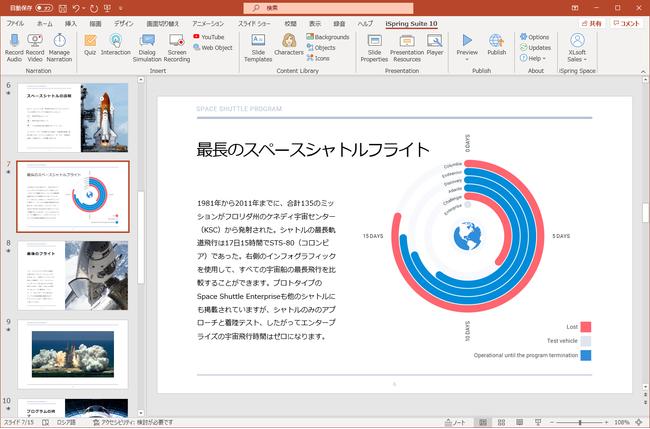
LMS – Short for Learning Management System, it is software that handles various aspects of the learning process, including management, automation, and content tracking. Oversee the learning process by tracking progress and analyzing organizational goals.
With an LMS, you can streamline your curriculum and enrich your course content from anywhere.
However, many LMS software come with built-in tools, which can be limiting for some authors who want more freedom in designing their courses. This raises important concerns about whether you need an LMS or standalone software.
Note: Standalone software gives designers more creative freedom to create high-quality, customized content.
#2. How can I share my course with my customers?
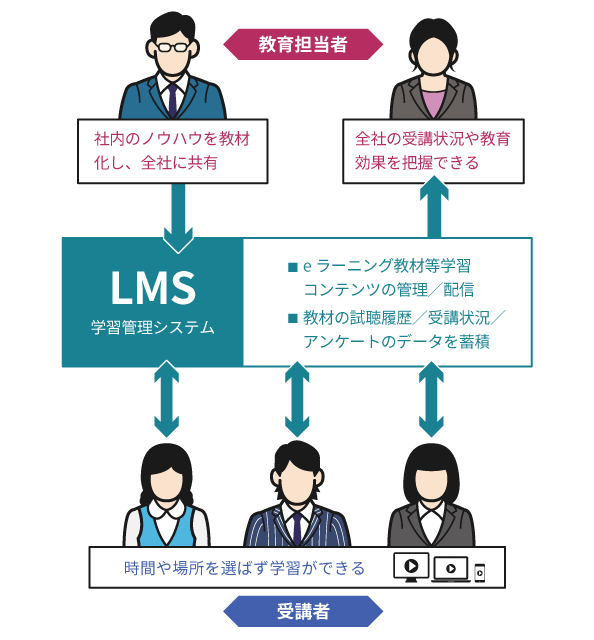
Share e-learning via cloud and desktop-based software. However, you need to decide which one is more effective for you.
Both have advantages and disadvantages that may affect your requirements.
Cloud-based software allows you to access courses remotely, but does not work in an offline setting.
Traditional desktop software, on the other hand, offers a wide range of creative features and can be accessed offline.
#3.Do you prefer a subscription or a license?
Once you’ve completed your software, ask yourself whether a subscription or a license is best for you.
The licensing model allows you to pay once and use the software forever. However, the software quickly becomes outdated and you lose access to new features.
A subscription model allows you to use a tool for a set period of time. Once your subscription ends, you will no longer have access to the software.
Now that you know everything about e-learning, let’s take a look at some software that can help you get set up quickly.
Adobe Captivate

Adobe Captivate lets you create beautifully designed courses in minutes. With ready-to-use slides and imaginative interactions, this software is one of the most widely used for course design.
Features
- Deliver real-life learning scenarios using VR headsets
- Download over 75,000 resources for your learning projects in the Asset Store
- Convert your PowerPoint slides into video lessons that work seamlessly on all devices.
- Create a multi-module branching course without programming using sample templates
Adobe Captivate is a leading authoring tool that offers a variety of services. Subscribe for 1 year and enjoy the fun of creating great learning content.
be taught
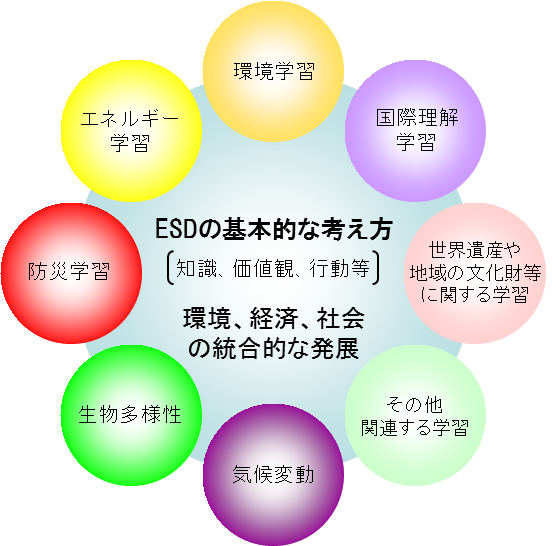
Teachable gives you all the tools you need to grow your coaching business. This makes it easy to create and sell well-designed courses that can be monetized.
Features
- Intuitive drag-and-drop creator lets you quickly create courses
- Optimize student engagement with features like quizzes and comments
- Advanced data reporting enables proactive business decisions
- Stay in control of your data with state-of-the-art encryption and backup features
- A dedicated customer success team provides personalized guidance every step of the way
Teachable offers world-class features that allow you to monetize your teaching with a variety of pricing models. You can start for free and continue to upgrade based on your needs.
elucidate

Elucidat enables anyone with minimal coding knowledge to deliver high-quality learning content. Trusted by professionals around the world, it is one of the most trusted authoring tools in the industry.
Features
- We offer a human-centered approach by creating personalized content
- Learning accelerator ensures high quality content
- Ready-to-use templates ensure best practices in learning design
- Cloud-based deployment allows remote access to content
- Robust data protection policies ensure complete confidentiality
You can book a free demo on Elucidat and if you like it, you can inquire about pricing according to your course requirements.
ice spring

Ispring is an authoring tool for Powerpoint that lets you quickly design beautiful, interactive courses.
Features
- We offer over 2,300 ready-to-use templates to create customized courses
- Collaboration features make content accessible cross-platform
- Design interactive quizzes and assessments to easily assess learner progress
- The Video Studio feature allows you to quickly create video tutorials with screencasts.
- Create interactive role-play simulations for effective communication between employees.
Ispring provides a plethora of authoring tools to seamlessly design your courses. However, it can be expensive compared to other solutions.
easy generator

Easy Generator provides an all-in-one tool to create and share interactive content without any prior knowledge of learning systems.
Features
- Start production right away using pre-built templates provided by the software
- Drag and drop functionality makes it easy to add content to the right location
- Translate with AWS allows you to automatically translate your courses into 75 different languages
- Provides behavioral indicators to optimize courses according to learner needs
- Control course settings according to learner goals and needs
Easy Generator accelerates learning development with simple authoring tools. Try it free for 14 days. However, the automatic translation feature is still in beta stage.
summary
The purpose of eLearning authoring tools is to enable anyone, whether a subject matter expert or a novice author, to design and create engaging learning content.
The list above shows the features of the best eLearning tools available and will help you choose the best one for you and your team.
You can also consider Moodle hosting, which is perfect for your learning platform.


![How to set up a Raspberry Pi web server in 2021 [Guide]](https://i0.wp.com/pcmanabu.com/wp-content/uploads/2019/10/web-server-02-309x198.png?w=1200&resize=1200,0&ssl=1)


