Samsung recently launched its flagship Android tablet, the Galaxy Tab S4, at a premium price of Rs 20 million in India. 57,900. The Tab S4 has some pretty impressive specs, even though the processor is a last-gen Snapdragon 835. Samsung has also managed to pack a large 7,300 mAh battery into this product while keeping it sleek and stylish. So, what is the Tab S4’s battery life? And does the included adaptive fast charging adapter charge fast enough? This article answers these questions. 
charging test
Let’s start by testing the charging of the large 7,300 mAh battery inside the Tab S4. By the way , Samsung’s bundled fast charger is an 18W charger that takes just under 3 hours to charge the Tab S4 from 10% to a full 100%.
Three hours seems like a long time, but keep in mind that this is a 7,300 mAh battery, unlike anything you’ll find on a smartphone. So 3 hours is definitely a pretty fast battery charge . After all, OnePlus Dash Charge (Warp Charge?) technology takes about 1.5 hours to charge a 3,300 mAh battery, so 3 hours with 7,300 mAh isn’t slow at all. I actually like it a lot because it’s pretty fast.
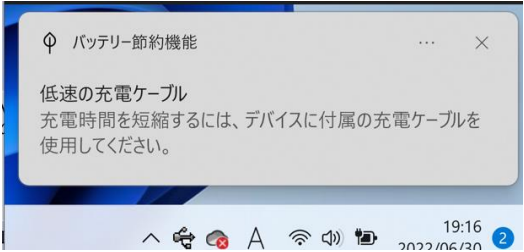
Since the included charger is an 18W charger, I thought this would be the charging speed for the Tab S4, so I tried charging it with the 61W USB-C that my MacBook Pro uses. However, it turns out that the Tab S4 doesn’t like charging at more than 18W. Because even with that charger, it took the Tab S4 3 hours to go from about 12% to 100% .
When you think about it, it’s great that Samsung includes a fast charger in the box that charges the Tab at the fastest possible speed. Well done, Samsung.
battery test
To check the Tab S4’s battery life, I decided to use it in two very different ways. One is DeX mode with a USB keyboard and mouse attached, and the other is normal tablet mode with medium usage. The Tab S4 is a tablet after all, and I prefer browsing Instagram and Twitter on my phone rather than my tablet, so I couldn’t use it as often as I would on my phone.
normal mode
In regular tablet mode, I played a game or two of Fortnite with little interaction with the tablet (did I mention that Disco Domination mode is a lot of fun? Probably not, it is). I played one game of PUBG Mobile. , I browsed Twitter, watched YouTube videos, and checked out a few websites using Chrome. And we also used Quip (our collaboration app of choice) on the tab. Because it looks better on a larger screen than my OnePlus 5. Anyway, with that kind of usage, the Tab S4 lasted over a day, with about 4.5 hours of on-screen display.
A 7,300 mAh battery that lasts 4.5 hours? That’s bad. But that 7,300 mAh battery powers a huge 10.5-inch 2560 × 1600 sAMOLED display, making it an incredible power drain. Four and a half hours is a pretty good SoT, at least the way I often used this tablet. It’s when you do a little bit of everything: play games, browse the internet, watch videos.
Standalone DeX mode
If you end up connecting a wired keyboard and mouse to the tablet’s USB-C port while using the tablet in standalone DeX mode, the tablet will (obviously) need to be powered by a power source. , which inevitably consumes a large amount of battery power. Hungry peripherals. I tested standalone DeX mode both with a wired keyboard and mouse connected via the USB-C port, and with the official Samsung Book Cover keyboard that Samsung was kind enough to send me. Let’s take a look at how battery life differs between the two use cases.
Standalone DeX mode with wired keyboard and mouse
When using the Tab S4 in standalone DeX mode with a wired keyboard and mouse connected, battery life dropped significantly, as expected . During that time, I only used the Tab S4 to write articles, read news, and do research. All of this was done using Google Chrome.
The Tab S4 started with a full 100% battery and drained to 10% in just under 3.5 hours, with 2 hours 45 minutes of screen on time and 2 hours 33 minutes of Chrome usage. At that time. But still, the keyboard and mouse I had connected to the tablet drained most of the battery.

What I’m saying is that if you’re thinking of buying a Tab S4 to use in DeX mode, almost as a laptop replacement, you need to keep this battery drain in mind. Unless you purchase the Samsung Bookcover Keyboard, which connects via a smart connector on the side edge of your tablet.
Standalone DeX mode with Samsung Book Cover Keyboard.
If you buy the Book Cover Keyboard, which Samsung sells as an accessory for the Tab S4, you can expect to significantly improve your tablet’s battery life. I used a Tab S4 with a book cover keyboard in DeX mode to do the same kinds of tasks I was doing when I had a wired keyboard and mouse connected, and the difference was ridiculous. Masu. The Tab S4’s Samsung Book Cover Keyboard now offers over 8 hours of on-screen screen time when used in DeX mode. This is really great. With battery life like this, the Tab S4 definitely works well as an on-the-go laptop replacement.
Galaxy Tab S4 battery review: Pretty impressive
At the end of the day, if there’s one thing we can say with confidence, it’s that the Tab S4’s battery life is excellent. The 7,300 mAh battery inside this great-looking tablet charges very quickly using Samsung’s fast charger and lasts plenty of time. If you use the tablet as a tablet rather than in DeX mode, you can use it all day long without any problems, and even longer if you don’t use it too much. However, when using it in DeX mode, we recommend using it with the official keyboard as it significantly improves battery life than using a third-party wired keyboard and mouse configuration.
All in all, the Tab S4’s battery life is definitely good and we have no complaints.
Buy Galaxy Tab S4 from Amazon (Rs. 57,900)


![How to set up a Raspberry Pi web server in 2021 [Guide]](https://i0.wp.com/pcmanabu.com/wp-content/uploads/2019/10/web-server-02-309x198.png?w=1200&resize=1200,0&ssl=1)


