Green computing is an environmentally friendly approach to computing. This includes using computers, computing devices, and IT resources with minimal power and disposing of parts appropriately to protect the environment.
There’s a lot to add to this, but I’ll save that for the next section.
First, let’s understand why we’re talking about green computing.
Have you seen Leonardo DiCaprio speaking out about climate change and conservation? If not, check out his Instagram profile.
Like him, water levels begin to rise, glaciers begin to melt, natural disasters like hurricanes and tsunamis endanger lives, forest fires spread, the ozone layer is destroyed, and the list goes on and on. , thousands of people are concerned about the same issue.
These are all devastating effects of climate change and environmental degradation. Human activities are depleting natural resources, emitting greenhouse gases, clearing forests, and polluting land, water, and air.
However, computers are a part of our daily lives, from children to the elderly. However, they are also harmful to the environment, from manufacture to use to disposal. They consume large amounts of energy, emit carbon dioxide, and cause pollution if not disposed of or recycled properly.
This is where Green Computing Green IT comes into play. This is an effort to reduce or limit the negative effects of everyday use of computing and environmentally friendly means.
In this article, we will discuss green computing in detail, discuss its challenges and benefits, and how to implement green computing at a personal level as well.
Let’s get started! 😎
What is green computing?
Green computing is an approach towards the use of environmentally sustainable computing. This includes the effective and efficient manufacture, design, disposal, and use of computers and related resources with minimal or no negative impact on the environment.
This sustainable approach saves power and helps your computer generate less heat. It also helps protect the environment from harmful substances and their effects.
The purpose of green computing:
- Energy efficiency and power management
- Use of environmentally friendly hardware and software
- Minimize the use of hazardous substances
- material recycling
- Extend product life
This is an effective strategy to reduce the carbon footprint left by your IT systems. The use of information and communication technology (ICT) helps in the growth of segments that affect carbon emissions. Additionally, green computing applies management technologies and strategies to reduce energy waste.
Additionally, green computing is essential for all classes of systems, from large data centers to handheld systems. This helps create sustainable business processes, spread awareness and implement environmental initiatives to build a better future.
Green computing: examples
Renewable energy sources can be a great example of green computing. This includes:
- solar energy
- geothermal energy
- wind energy
- hydroelectric power
These energy sources are generated from nature such as sunlight, earth, wind, and rain. Since they are freely available and produce little pollution, the energy harnessed from them is also called clean energy.
Applications of green computing
- Connected heating and lighting: The use of connected devices for heating and lighting (via IoT), such as smart thermostats and LED technology, is increasing. It can be easily controlled in the application and helps reduce energy consumption.
- Electric cars: Instead of depleting fossil fuels like oil, we can now use electricity to power our cars. And this green computing application is in high demand these days, which is why there are so many options available from different manufacturers such as Toyota and Tesla.
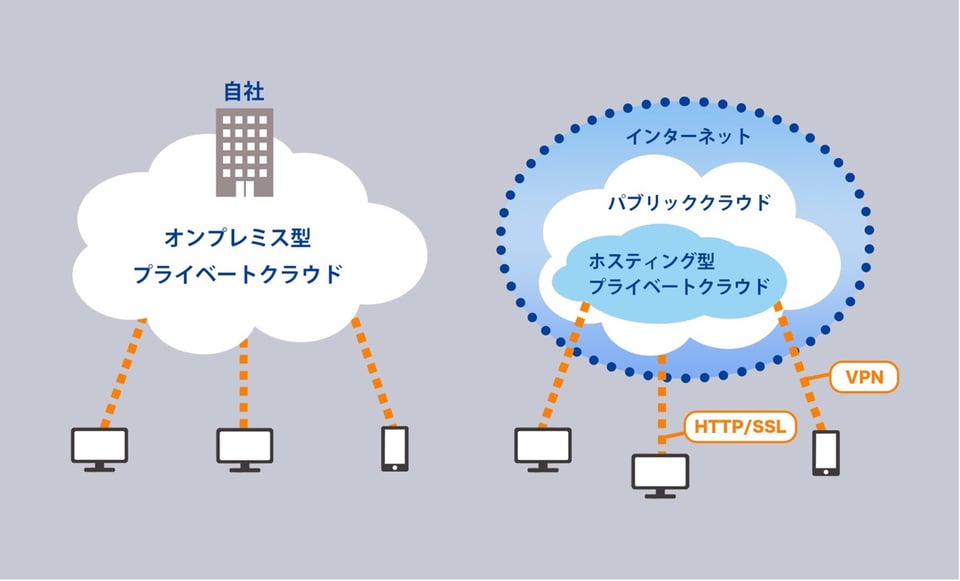
- Data centers: Data centers consume a lot of power and require overhead to maintain. The world’s top technology giants, such as Google, Amazon, and Apple, strive to build energy-efficient data centers with minimal environmental impact and cost.
- Alternative energy: Big tech companies are now deploying alternative energy sources such as wind energy and solar power to fuel their data centers.
- Recycle your equipment: Computers, cell phones, and other electronic equipment contain harmful chemicals and rare metals. Manufacturing these on a large scale is dangerous, so companies are starting to recycle these wastes.
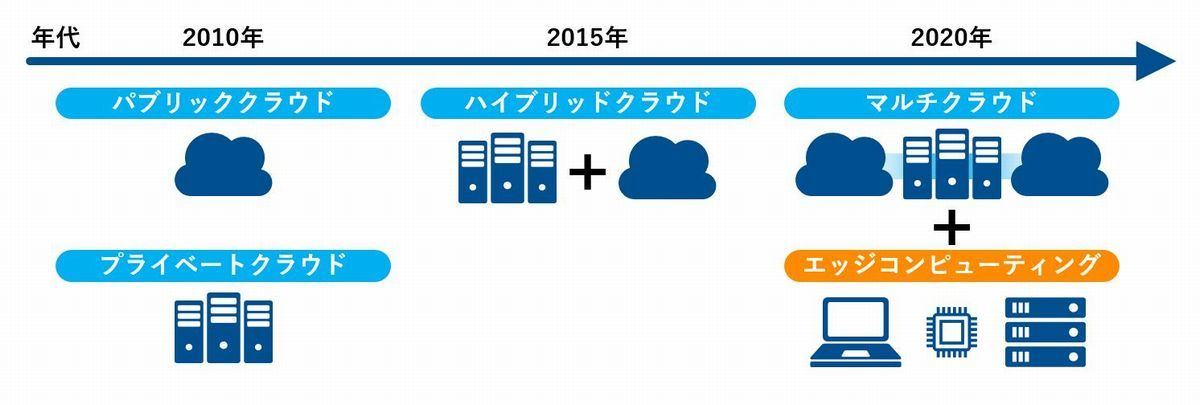
Other uses of green commuting include wireless networking, cloud computing, edge computing, and parallel computing.
How did green computing come about?
Older computers were huge and consumed more energy. Managing them also took a lot of time. There was no sleep/hibernation mode or energy management to save power, so it always consumes power even when idle.
This challenge led to the creation of Energy Star, an innovative program by the U.S. Environmental Protection Agency (EPA) in 1992. The Energy Star program aims to evaluate and promote energy-efficient monitors, environmentally friendly devices, and other climate control technologies. This led to the foundation of what is today called “green computing.”
At the same time, sleep modes appeared and became widespread throughout consumer electronics. This allows users to enable sleep mode during periods of inactivity. The result is improved energy savings while reducing carbon emissions.
Additionally, the Swedish company TCO Development has launched the TCO Certification Program to promote low electrical and magnetic emissions in CRT computers. In addition, the program has been expanded to include standards regarding hazardous substance use, energy consumption, and ergonomics.

Why is green computing important?
Computers have become an integral part of the modern generation. It saves our time and effort and makes life easier. However, at the same time it consumes a large amount of energy, generates heat, and has several negative effects on the environment.
- Computers and other electronic devices have an impact on the environment due to their high energy consumption, depleting water, air, and land. The result is climate change, atmospheric toxicity, and acid rain.
- Increasing emissions of harmful greenhouse gases such as carbon dioxide create pollution and degrade the environment. It promotes global warming and climate change.
- Computers and their peripherals, data centers, network equipment, etc. generate large amounts of carbon dioxide. Additionally, some parts of computers are not biodegradable or recyclable.
- Toxic chemicals are used in the manufacture of computer products for fire protection, electrical insulation, and soldering. Prolonged exposure to these chemical gases can cause miscarriages, cancer, and more.
- These devices contain certain hazardous chemicals and substances, such as lead, cadmium, and mercury, and can be harmful to the environment if disposed of improperly.
This is a cry for help. And green computing is a way to reduce these harmful effects and encourage environmentally responsible computing practices.
Advantages and disadvantages of green computing
Like anything else, green computing has its advantages and disadvantages. Let’s take a look at its benefits first.
Advantages 👍
- Green computing emphasizes low energy consumption, which helps reduce fossil fuel usage and greenhouse gas emissions.
- The purpose is to reduce heat generation from computers and electronic devices and protect the environment.
- Promote the effective use and conservation of natural resources.
- This approach focuses on the use of non-toxic substances to reduce health hazards.
- Green computing facilitates the recycling and reuse of materials, reduces electronic waste, and reduces land pollution.
- It is cost effective as it requires less energy and cooling.
- By adopting green computing, we are taking responsibility for the environment and leading to a sustainable future.
Challenge 👊
Every concept comes with unique challenges that people need to overcome. Although green computing seems revolutionary, there are also challenges that businesses face when implementing it. Green computing challenges include:
- Companies are resisting this change due to lack of concern and huge market competition. As a result, everyone has to suffer the consequences. By providing thought leadership and educating people about the risks, we can raise awareness and adapt to greener methods.
- Frequent changes in technology can confuse decisions about how to proceed.
- Deploying green computing involves initial costs.
- There is little information available about green computing, and there are large differences in the level of understanding among end users, professionals, and businesses.
- Businesses have fragmented data, making it difficult to make decisions. We need to put more effort into collecting and analyzing data to conclude that the methods we use are both environmentally friendly and beneficial to our business.
How can businesses adopt green computing?
IT systems involve people, hardware, software, and networks. Therefore, each of these needs to be covered if you want to apply green computing. The solution you provide must also address end-user satisfaction, regulatory compliance, good management, and a good return on investment.
Here are some of the techniques that IT companies and other businesses can use to adopt green computing.
Extend product life
Applying green computing requires limiting electronic waste and extending the lifespan of products to avoid the need for additional manufacturing. You can also emphasize building or using products that are modular and upgradable. As a result, systems can be upgraded by manufacturing and replacing small modules and parts rather than manufacturing the entire system.
server design
Data centers consume significant total energy worldwide, approximately 100 to 200 times more than a typical office building. Data centers can implement green computing to design energy-efficient data centers. Every aspect of energy use must be addressed, from IT equipment and equipment for air conditioning, heating, cooling, and ventilation to the size and location of the building.
Companies need to focus on best practices for designing environmentally friendly data centers in a variety of areas, including IT systems, electrical systems, cooling systems, environmental conditions, air management, waste heat recycling, and on-site power generation. There is. At the same time, the design must optimize data center space usage, efficiency, and performance.
Software optimization
Here are the best ways to optimize and deploy your software.
- Virtualization: Refers to the process of abstracting or dividing computer resources such as processors, storage, and memory into virtual computers or virtual machines (VMs). Here, two or more virtual instances run on a single robust physical system. Helps conserve system resources by eliminating the requirement for original hardware while reducing cooling and power consumption. It also reduces the need to manufacture additional hardware. Virtualization helps distribute work effectively, ensuring that servers do not consume energy when they are not in use. They are either running or in sleep mode. Because this technology is energy efficient, many service providers offer software packages that enable virtual computing.
- Creating efficient algorithms: Efficient algorithms are one of the factors that influence the number of resources required for a computing function. Algorithm changes, such as speeding up search algorithms, can help significantly reduce resource usage. Therefore, IT companies need to help programmers write better and more efficient code.
- Strategic allocation of resources: IT teams can use algorithms to route data to data centers using cheaper power. Save money. Similarly, you can also move traffic away from data centers with warmer climates. This approach allows you to shut down your system and avoid air conditioning while reducing energy usage.
- Using a terminal server: A terminal server is a server or hardware device that provides terminals such as PCs, smartphones, tablets, and printers that share a common connection to a terminal server. Terminal Server eliminates the need for terminals to have their own network interfaces, modems, or cards. Deploying a terminal server saves energy consumption and costs.
power management
Effective power management is a major step toward green computing. And businesses large and small can do this to protect their environments.
That said, there is an open industry standard called Advanced Configuration & Power Interface (ACPI) that allows you to automatically turn off components such as hard drives and monitors after a period of system inactivity. You can.
You can also hibernate your system when most of its components, such as RAM and CPU, are turned off. Additionally, some programs allow you to manually adjust CPU voltage to reduce power consumption and heat generation.
Additionally, small form factor hard drives, around 2.5 inches, consume less power per gigabyte than larger drives. Solid state drives (SSDs) also store data in DRAM or flash memory. Since there are no moving parts, power consumption is even lower.
Additionally, IT companies need to manage the power of GPUs, which are one of the largest power consumers in computers. Use energy-efficient methods such as not using graphics cards instead of shared terminals or desktop sharing clients. You can also take advantage of your motherboard’s video results and choose a GPU that consumes less power when idle.
material recycling
Another great way to embrace green computing is to recycle the materials in your computing devices. Prevents harmful substances such as mercury, lead, and cadmium from reaching landfills. We can also reduce emissions and save energy by replacing some equipment rather than manufacturing it again.
Additionally, IT companies can reuse computers that are no longer in use or donate them to nonprofits and charities. Parts of old systems and consumables such as paper, batteries and printer cartridges are also recycled. However, be careful when recycling old computers as they may contain data from previous users that should be destroyed before recycling due to privacy concerns.
Cloud, edge and parallel computing
Cloud computing helps IT companies adopt green computing by addressing issues such as resource consumption and energy usage. Approaches such as virtualization, energy-efficient data centers, and multi-tenancy enable cloud computing to reduce energy use and carbon emissions. Cloud computing eliminates the need for energy-hungry data centers.
Additionally, edge computing allows you to redistribute computation closer to users to reduce costs. This allows smaller data centers to be built and also reduces maintenance in terms of energy consumption and costs.
Similarly, parallel computing allows multiple small calculations or functions to run simultaneously on multiple processors that interact through shared memory, rather than on separate hardware that consumes more power. This helps reduce energy consumption.
work remotely
Especially after the outbreak of COVID-19, remote work is rapidly increasing. Working from anywhere with videoconferencing has many benefits, including reduced carbon emissions from travel, convenience for employees, and increased profit margins through reduced office maintenance.
Tips for adopting green computing
Green computing is an initiative that everyone should embrace as individuals. Whether you work for a company, run a company, or work on your own, there are several practices you can adopt to support this effort.
Here are some tips you can follow to implement and promote green computing.
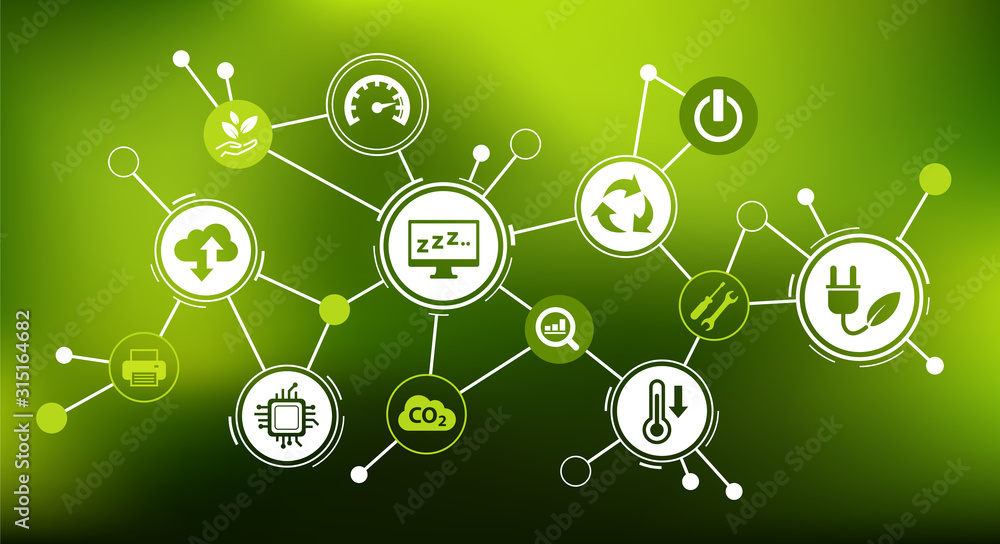
- Use Energy Star labeled products because they consume less power and are manufactured based on green computing concepts.
- When you are not using your computer, turn it off to save power.
- If you want to take a break but don’t want to turn off your computer, you can put your computer into sleep mode to save power.
- Choose an energy-efficient display like OLED, which consumes less power, conserves battery life, and is easier on the eyes.
- Use dark theme or dark mode as it requires less energy.
- Screen savers consume power when the system is idle, so avoid using them.
- Lower the brightness of your monitor, as higher brightness requires more power.
- To save energy and reduce your carbon footprint, try using LEDs instead of CRT monitors.
- Dispose of electronic waste safely, as computing devices contain hazardous materials that contaminate the environment. Such materials must be formally disposed of in a laboratory.
- Use low-VOC inks, energy-efficient printers, recycled paper, and recycled ink cartridges. It is possible to go paperless as much as possible.
- Purchase energy-efficient components such as SSDs instead of HDDs.
- Use email rather than fax as your primary communication.
- Implement Voice over Internet Protocol (VoIP) to reduce metal waste and wiring infrastructure.
- Commuting increases fuel usage, so allow your employees to work from home whenever possible.
- Instead of burning fuel in your car to go to the store, shop online if possible.
- Try partnering with companies that are also embracing green computing, rather than the other way around. This will help change mindsets and promote green computing.
- Use renewable energy in your data center.
- Create strategic power management across your organization, including your IT team for proper device management, data collection, and energy consumption.
- Spread awareness about green computing inside and outside your organization
Last words 👩🏫
Global warming and climate change are some of today’s major concerns. Pollution levels are rising across land, water, and air. In contrast, green computing is an effective approach that helps alleviate these environmental concerns. It can address issues such as greenhouse gas emissions, increasing waste, burning fossil fuels, and depleting natural resources.
Companies and individuals therefore need to take responsibility for reducing electricity consumption wherever possible while operating their businesses and disposing of waste in an environmentally friendly manner.
So don’t forget the three Rs (Reduce, Reuse, Recycle) and join us in this great initiative, Green Computing, and encourage others to do the same to build a sustainable future together. Please encourage them to act accordingly.


![How to set up a Raspberry Pi web server in 2021 [Guide]](https://i0.wp.com/pcmanabu.com/wp-content/uploads/2019/10/web-server-02-309x198.png?w=1200&resize=1200,0&ssl=1)


