Have you made sure your site is mobile-friendly?
Did you know that Google has introduced a new policy called Mobile First?
More and more web users are moving away from desktop computers and instead using mobile devices to browse and shop.
Responsive web design now allows you to create sites that perform at an equal level on all platforms. But responsive design is still only one part of a mobile UX optimization strategy.
If true performance optimization is desired, other alternatives should also be considered.
This is why there is so much emphasis on building sites as mobile-first experiences . Simply put, mobile-first means that your design and content are optimized for mobile users first.
That being said, this post isn’t about designing a completely new site. Instead, we’ll look at some basic mobile-first design principles. And take the time to work on the technical aspects of optimizing the user experience for mobile users.
Designed with mobile in mind
The Web is primarily built on the principle of serving desktop users. The real web, and real advances in technology, are best displayed on a beautiful full-screen display. But smartphones and other mobile devices are important, and it’s time to start adapting to mobile-first design concepts.
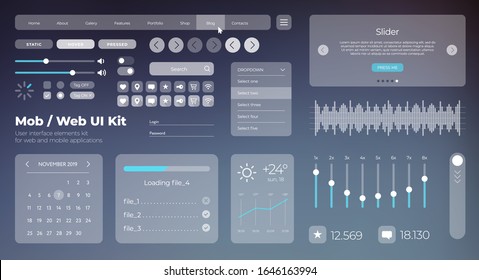
Besides common sense responsive design, what design elements should you implement for mobile-first web design?
- Prioritization. Mobile screens are limited by the available display space. Mobile screens also display content vertically, as opposed to the much wider horizontal structure of desktops. This means you need to design with prioritization. Which elements are most important to users? If you have a CTA button, how visible is it for mobile users?
- First of all, the content. Color second. You can do some interesting things with mobile design, but it’s never within the scope of desktop design. So, make way for the content first. Make your copy and other content pieces easy to read and access. Mobile screens don’t tolerate as many visual distractions.
- Easy navigation. On mobile devices, you can’t just click somewhere to return to the home page. Unless, of course, you have planned this kind of navigation in advance. And you should. Whenever possible, try seamless sticky headers as well as Scroll-to-Top widgets.
The best way to check if you’re doing this correctly is to use your mobile phone ( which I always do! ) and visit the site. Thoroughly explore how things feel and flow.
When you’re sitting at a cafe or waiting for your flight at the airport, tap someone on the shoulder and politely ask them to check out your site. Then sit back and listen to your feedback. Most of the time, you’ll be surprised at how people perceive your website’s user experience.
Resource optimization

How often do you find yourself using visuals for personal preference rather than for UX? It does happen. If you do any creative work, it’s beneficial to understand how media optimization works.
Visual elements such as photos, illustrations, icons, and videos are the most bandwidth-hungry elements on web pages.
Although there is no set web page size that everyone must meet, it is common knowledge that smaller web page sizes result in faster loading times.
So how do you remove extra KB and MB from your visual content?
- Resize the image. Sounds easy, right? Well, I can’t count how many times I’ve viewed a mobile site just to have a 1980 x 1200 image load in the background. Instead, you should provide a full-size photo as an alternative link if appropriate. Depending on the required dimensions, resizing can reduce the overall image size by up to 80%. However, for mobile devices, there is no reason to go beyond the 600-700 pixel range.
- Compress to reduce file size. Image compression/optimization is the process of using third-party software to reduce the number of colors present in an image. This allows you to significantly reduce file size without losing the original quality of your photos. If you need help compressing images, check out our comprehensive roundup of image compression tools.
- Check out alternative file formats. We’ve all heard of PNG and JPEG file formats. After all, these are the de facto image standards on the web. It’s not that long. The latest and greatest technology in digital image delivery revolves around the WebP and SVG file formats. For example, SVG can be automatically scaled to screen-size , reducing the number of resources required to load a particular visual component.
Optimizing the user experience for mobile-first is just a cautionary tale. Designing impulsively means not considering the long-term impact of your decisions. A mindful approach, on the other hand, helps you build with mobile users in mind from the beginning.
Insight: In line with the concept of intuitive mobile design, there is no need to reuse the same visual components in mobile design. On mobile, you can remove some background images and replace them with colored backgrounds without compromising the user experience. Always look for ways to save even a little bit of bandwidth.
Preloading and lazy loading
Do you need to load all your media resources on a page that takes a significant amount of time to read? Or would it help to render external pages before the user accesses them?
First, let’s take a look at preloaders, also known as browser hints.
A preloader is a way for a page to communicate potential navigation opportunities to the browser. For example, a user accesses page B from page A.
Preloading allows users to render page B before clicking the navigation links on page A.

Please note that preloading does not always work and the final decision is up to the browser. Factors such as device type and bandwidth are considered individually.
What are the most common preloader types?
- Prefetch. This type indicates that a particular URL is most likely the next navigation choice. Additionally, when your browser allows the request, it automatically caches important page resources, making the next page load much faster.
- Pre-rendering. The above types only retrieve specific resources, whereas prerendering caches the entire page. All rendered content is stored within the user’s device memory.
- DNS prefetch. DNS prefetch resolves only the specified DNS. As a result, when users take certain “turns” on your site, navigation time is substantially reduced.
- Pre-connect. Same as above, but also establishes a connection and handshake with TCP and TLS connections.
What are some preloader code examples?
 <link rel="dns-prefetch" href="customURL.com">
<link rel="preconnect" href="customURL.com">
<link rel="prefetch" href="folder/script.js" as="script">
<link rel="prerender" href="customURL.com/preview.html">
Preloaders use dynamic HTML tags, so you can preload content such as Google Fonts , or write custom scripts to preload JavaScript assets in WordPress.
By the way, if you use WordPress, you can use WP Rocket to power your site.
Now that we know more about preloaders, let’s talk about another hot topic: lazy loading.
What is lazy loading?
When you visit a new web page, whether it’s a blog post or a static site, your browser retrieves the entire content of the page and serves it as a native browsing experience. In most cases, the entire page must be downloaded without actually being visible above the fold.
Lazy loading, on the other hand, tells the browser to load (render) content that is only within the user’s viewport. So if size-dependent photos or videos are added to a particular page, those files will only be displayed when the browser screen reaches that part of the site.
If you’re worried about potential SEO issues, don’t worry. Yoast has confirmed that Google is rendering pages that use lazy loading and sees it simply as a performance improvement signal.
The library I recommend to use is Layzr.js , a simple and effective lazy loading of images. The script is also activated on the project’s home page, so you can see it running in real time. WordPress users can find dozens of lazy loading plugins in the public plugin repository.
web cache
Web caching is based on the concept of copying versions of pages that can be displayed to users at any time. Pages are cached the first time you visit a website page. When a new user tries to access the page, instead of serving the live version, the web server displays the cached version.
The goal of all types of caching is to improve website performance and reduce the required backend resources. Depending on your caching solution, you can configure custom intervals and other trigger-based events.

Some of the most popular names for web caching include Varnish, Squid, and Memcached. But don’t worry, there are plenty of other solutions on the market, especially if you’re a WordPress user.
You may also consider signing up for a CDN.
What is a CDN (Content Delivery Network)?
Content Delivery Network uses a global cluster of distributed servers to provide incredibly fast content delivery. CDNs can quickly transfer all popular content types on the web, including videos, photos, and JavaScript. These days, most web traffic passes through some form of CDN.
The thing to remember about content delivery networks is that they work best when used on high-demand websites. So if you’re only serving a few thousand visitors a month, it may be difficult to see any visible improvements. Still, CDNs are a great solution for improving website loading times, reducing bandwidth costs, increasing content availability, and increasing overall security.
If you have no experience with CDNs, we recommend trying Cloudflare . Cloudflare offers a forever free plan and is a great platform to start learning. If Cloudflare doesn’t meet your expectations, check out our article on the best free CDN providers on the market.
AMP (Accelerated Mobile Pages)
Google’s AMP project is a powerful mobile optimization. Essentially, AMP strips your pages down to the bare essentials, giving you a lightning-fast loading experience as well as prioritizing the readability of your content. Given how important page speed is, can you muster up the courage to say no to near-instantaneous load times?
Now, all these buzzwords sound great, but how does AMP work?
AMP is a minimal HTML page with certain restrictions on the type of content that can be displayed. This significantly reduces load times and improves overall performance due to limitations such as script execution.
For example, JavaScript doesn’t work with AMP. Unless, of course, you use the AMP JS library available on GitHub . You can use JS libraries to achieve certain results, such as bypassing ad blockers, but if you want true performance, raw AMP is the way to go.
Interesting case studies of AMP:
- Terra improves mobile viewership with AMP
- Times of India reports 1.5x increase in revenue
- Fastcommerce drives client conversions by building AMP first
Test before commit
In this day and age, there’s no reason not to have a separate staging environment for your projects. Most cloud hosting platforms provide a staging environment by default, so check with your provider to see if you have access to a staging environment.

What is a staging environment?
The easiest way to explain this is to look at websites that are currently up and running.
This site is the so-called production site, which is the real-time version of all the code, scripts, and content on which the site is based. A staging environment in this context is a copy of your production site. A dummy site so to speak. This staging environment also allows you to make changes and add new features without disrupting your live site.
I’m always reminded of Ashley Harpp’s post “Don’t waste time – test changes before committing.”
Her views on how we “trick” ourselves to avoid certain things are typical of how we don’t want to take responsibility when we make mistakes. This is an example. Nevertheless, Ashley’s post also includes links to useful tools for setting up a local staging environment.
Tests aren’t as scary as you think. But it’s certainly scary if you accidentally delete the entire database on your production server.
Introducing structured data markup

Structured data markup is commonly known as schema markup. This is a type of metadata that provides context and details about your website’s content. Therefore, adding this structured data markup will help your mobile website get more permissions from search engines. Therefore, search engines will be able to understand the meaning of your content more accurately.
Additionally, structured data markup uses standardized formats such as JSON-LD, Microdata, and RDFa to annotate specific website components.
This includes information about products, reviews, ratings, prices, dates, event locations, and more. Ultimately, search engines extract this data while scanning the page and use it to highlight rich snippets in the SERPs.
Various schema markup generator tools are available to apply structured data markup. This tool allows you to easily apply structured data markup to your website. You can choose the schema type that best suits your content and create the code snippets you need.
After you add structured data markup to your website’s HTML, use the Google Structured Data Testing Tool to check its accuracy.
Implementing voice search options
The growing popularity of virtual assistants such as Siri, Google Assistant, and Alexa has made websites with voice search options extremely popular. To minimize browsing time and increase flexibility, people have turned to voice search options. This allows you to quickly get the information you need and complete the activity without typing.
Here are some tactics you can take to implement voice search and optimize your website.
Apply long tail keywords
Voice search primarily takes the form of inquiries or queries in natural language. When using voice assistants, users often speak in a more casual tone. As a result, you can optimize your content by using long-tail keywords and answering frequently asked questions about your category or specialty. Additionally, consider the exact questions your visitors might ask and answer them in a clear and concise manner within your content.
Provide clear and concise answers
Voice assistants typically provide concise and clear responses to user requests using information based on a knowledge graph or highlighted snippets. Therefore, if you can structure your content in a way that directly addresses frequent queries, your website is much more likely to be selected as a result of a voice search.
Enhance website navigation and structure
Make navigation around your site easy for voice assistants to navigate and recognize. Just optimize your navigation menu, header, and internal settings for a smooth user experience. This improves indexing and searching of materials by voice assistants.
Target featured snippets
Featured snippets are a great way to get noticed in voice search results because they are highlighted at the top of search results. Therefore, structure your material so that it is captured and displayed in featured snippets. For example, answer questions concisely and effectively, use bullet points, and organize data in tables and lists.
Closing declaration
Optimizing your website for a smooth mobile experience doesn’t have to be difficult. All you need is a little determination and a willingness to apply the methods outlined in this article. You’re probably already familiar with things like content caching and lazy loading, but what about staging environments and preloaders?
I hope this post sheds some light on the current state of mobile website optimization.


![How to set up a Raspberry Pi web server in 2021 [Guide]](https://i0.wp.com/pcmanabu.com/wp-content/uploads/2019/10/web-server-02-309x198.png?w=1200&resize=1200,0&ssl=1)


