Use the following tools to find and fix broken links before they affect your website’s SEO rankings.
Broken links are bad for SEO. This should be considered as important as any other SEO factor.
A few years ago, I migrated from Joomla to WordPress and somehow neglected to check for broken links until I noticed a large number of 404 requests in Google Analytics.
This was expected since WordPress has changed the URL structure compared to Joomla, but I’m human so it was my mistake not to check. When moving a website from one technology to another, checking for broken links is very important.
For example: Joomla to WordPress, Magento to Joomla, etc.
So I learned my lesson. Here I will show you how I found and fixed broken links. This may be helpful to you too.
We have listed multiple ways to find broken links, so choose the one that is easy for you.
Screaming Frog SEO Spider
SEO Spider is a powerful offline tool that also helps you find broken links. This is not an online tool, so you will need to download and install Screaming Frog SEO Spider on your computer.
Once installed, follow these steps to find broken links.
- Open Screaming Frog SEO Spider
- Enter your website URL and click Get Started. This may take several minutes for large websites.
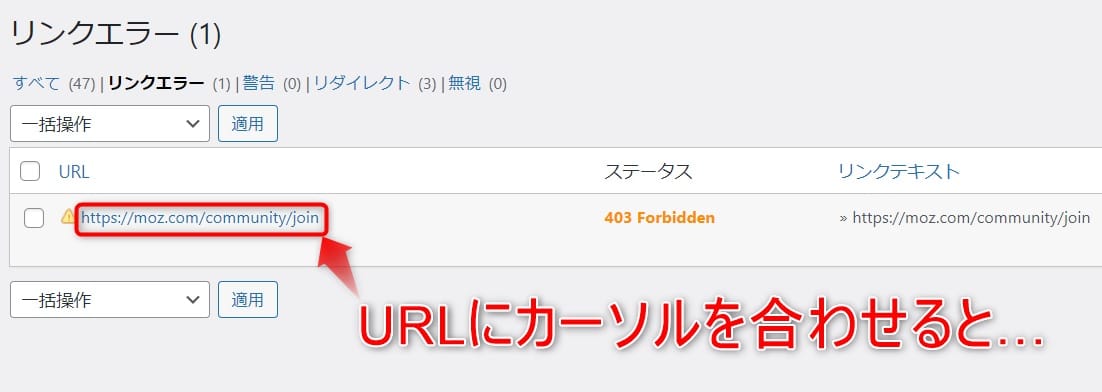
- When scanned, all internal links including HTTP response codes will be displayed. Since you’re interested in the 404 status code, you can easily find it by sorting on the Status Code column.
- As you can see, I found one 404 and decided to repair it. However, at this point you don’t know which post has this link, so click Inlinks at the bottom to find the source post (From Column).
Now you know which posts have broken links. Isn’t it easy?
Ahrefs
Tired of broken links?
Worry no more, try Ahrefs’ broken link checker.
It helps you check all outbound and inbound links within seconds. Just enter your website URL or domain and instantly see the number of broken links.
You can also filter and sort the list to prioritize the correction process before it impacts your site’s SEO. This tool also allows you to view stopped pages and restore them to appropriate options to improve rankings.
Schedule broken link checks monthly, weekly, or even daily to ensure your website’s links are stable. You can also compare the results of different checks to track the improvement and efficiency of this tool.
If you want to save time, you can outsource tasks to freelancers and share CSV reports generated in seconds. Some freelancers on Fiverr can also do broken link research and outreach.
dom signal
Domsignal offers a broken link test that allows you to check for broken links on your website before they affect your SEO.
This tool can crawl up to 3000 links. First, enter the URL of your web page and click Test Links to see if it contains any internal or external broken links.
Get a list with broken links and edit them partially.
If you need to test programmatically, you can also leverage the API.
SEMrush
SEMrush is an all-in-one digital marketing cloud-based software that offers a variety of features including broken links.

Broken links will be subject to a site audit.
site checker
Sitechecker Broken Link Checker is a functional tool that helps you identify broken links. This tool allows you to check your URLs and get a report that identifies all invalid links. You can also address and fix them.
Using Broken Link Scanner to check the health and SEO of your website is as easy as copying and pasting your website URL.
A free online broken link checker can help you:
- Run a scan of 150 web pages
- Report broken URL error codes (including 404 and 502 errors and 301 redirects)
- Fix end-user usability issues and remove problematic redirects
- Provide high-value links to your website through the broken link outreach feature
- Provides full functionality without creating an account or downloading software
dead link checker
Dead Link Checker is an online tool with the option to check an entire website or a single page. If you don’t want to use offline tools, this is the best alternative.

Broken link checker
It is another great online broken link checker tool that scans your website and provides details of dead links.

Doctor link check
Dr. Link Check scans 1000 links of your website for free and finally displays an overview of internal links, external links, and broken links.
If you have less than 1000 links, this is worth a try.
Chrome extension
Broken Link Checker is an efficient Chrome extension that allows you to quickly scan a web page or an entire website with many available links. Additionally, a link report will be provided within minutes. This tool generates reports directly without installing any additional program files.

This tool allows you to distinguish between broken links and working links, so you can easily fix them. You can also analyze the availability of external links. So, if your site has external links that give you a 404 error, you can see it in the report and perform simple fixes.
SE Optimer
SEOptimer is a tool that allows you to check your website for issues that can be flagged as penalties by search engines.
The software comes with a 14-day trial version that you can use to see if it works.
- Title and meta header
- Keyword consistency
- backlink
- Mobile and tablet rendering
The software is customizable to your preference and allows you to create professional and simple-looking PDF reports in nine different languages.
Two paid versions are available: $29/month and $59/month. Both come with additional features.
conclusion
We hope that the above tools will help you find broken links on your website so that you can take the necessary steps to fix them.
Alternatively, if you need to check links programmatically, you can try the Broken Link API, which crawls up to 300 pages of your website and scans for broken links. You can quickly make API calls and get responses in JSON format. You can then convert the JSON response to Excel for quick reporting and troubleshooting.


![How to set up a Raspberry Pi web server in 2021 [Guide]](https://i0.wp.com/pcmanabu.com/wp-content/uploads/2019/10/web-server-02-309x198.png?w=1200&resize=1200,0&ssl=1)


