- Instagram now allows all users worldwide to download Reels, which was previously only available to users in the United States.
- To use this feature, tap on the share icon below the reel and click on the download button.
- When you download Reels natively, the app watermarks them with the Instagram logo and the creator’s username.
Instagram lets you save posts, reels, and other content you find on the platform. But users have been asking for the option to download Instagram Reels to their phones for a long time. Instagram listened to community feedback and introduced this feature in June 2023. However, at that time it was limited to the United States. The feature is now widely rolled out, allowing anyone to download Instagram Reels from the Android or iOS app itself. Read on to know how it works. 
Download Instagram Reels on Android and iOS
This feature allows you to download Reels in up to 1080p resolution if a user posts them in a higher resolution. Also, the process to do this is the same for both Android and iOS. So in this case, I’ll demonstrate everything using an Android device.
Note: You can only download Instagram Reels from public accounts. Therefore, if you want to download reels shared by private accounts, it is not possible. Additionally, public accounts must enable this feature for users to be able to download Reels.
That aside, let’s take a look at how to use this feature.
- First, open the Instagram app on your Android and iOS devices.
- Then, open the Reel you want to download from the Feed, Discover, or Saved section of the app.
- Tap on the share icon below that particular reel.
- Here you will see the download option in the bottom bar. Just tap on it and you’re done.
The downloaded Instagram Reel will now be saved on your device with a watermark of the creator’s username on the video. So, just go to your phone’s gallery and find the downloaded video.
Additionally, the ability to download Instagram Reels is currently limited to the Android and iOS apps. So if you want to view Instagram on the web, you won’t be able to download it.

Prevent others from downloading your Instagram Reels
There’s a reason it took Instagram so long to finally offer a “download” button on Reels uploaded to the platform. You’ve probably come across random meme pages that share other creators’ content without credit. Therefore, creators will automatically lose a lot of views.
The good thing here is that when you download Instagram Reels natively, the app will watermark the Reels with the creator’s username . If you still want to prevent others from downloading your content, you have two options: 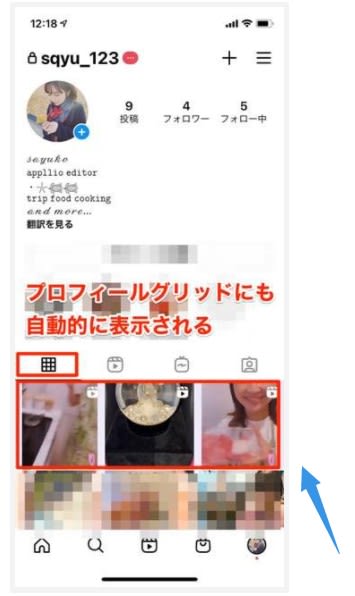
Method 1: Disable downloads for existing reels
To turn off downloads for Reels that already exist on your Instagram profile, follow these steps:
- Go to your Instagram profile and tap to open the Reel you want to turn off downloads for.
- Then select the vertical three-dot icon in the top right corner of the reels.
- Now, tap on the “Turn off downloads ” option and you’re done.
You can repeat this step to turn on Reels downloads for your account. Additionally, you can also learn how to save Instagram stories with music via the linked guide.
Method 2: Disable downloads when posting new Reels
You can also turn off downloads before posting your Reels to Instagram. To do so:
- If you want to create or upload an Instagram Reel, tap Next .
- Next, scroll down and go to Advanced Settings from the Reels Settings page.
- Here you will find a “Download Reels” section. Below this, you’ll see an option to toggle on ” Allow users to download Reels .” By default, this option is turned on for public accounts for users 18 and older. Tap to turn it off.
- From here, you’ll see a small pop-up window where you can choose to turn off downloads for only the Reel you’re uploading, or for all Instagram Reels. Tap the desired setting and you’re done.
If you want to turn Reels downloads back on, repeat the steps for both methods.
Whether you want to share it with your circle as a video instead of just a link or simply repost your Instagram content, this native Reels download option makes everything much easier. Not to mention, it’s much safer than relying on third-party apps or websites.
If you’re using a PC, you won’t be able to download Instagram Reels on the web, so you’ll have to rely on third-party tools. However, we strongly advise against doing this as these third-party tools are not secure and may pose threats to your Instagram account. That said, let us know in the comments if you found this guide helpful.
To be able to download Instagram Reels, you must use a regular account, not a creator or business account. Creator and Business accounts do not have a download button below the reels. Also, for this feature to work, Reels creators must first make it available for users to download.
The native option to download Instagram Reels automatically saves the downloaded Reels to your device gallery.
To download Reels from Chrome or the web version, you will need to take the help of third-party tools, as this feature is not yet available on the web. However, be careful when using such tools, as they can pose a threat to your account’s security and privacy.
When you save an Instagram Reel, it appears in the Saved section of your Instagram account and can be viewed later. However, the download feature stores these reels together in your device’s gallery rather than within the app.


![How to set up a Raspberry Pi web server in 2021 [Guide]](https://i0.wp.com/pcmanabu.com/wp-content/uploads/2019/10/web-server-02-309x198.png?w=1200&resize=1200,0&ssl=1)


