Moodboards can help you coordinate your design process, avoid creative blocks, and keep your ideas organized. This article will tell you all about mood boards.
When designers and creators start a project from scratch, there is a lot to do from project planning to final project. And it’s natural for them to get stuck in the process or hit a creative block.
When this happens, mood boards act like a savior for them. This helps designers organize their design ideas in one place, and they can also show these moodboards to others to give them an idea of what the final result will look like.
In this article, we’ll explain what a mood board is, the types of boards, and how to create a great mood board to help your project succeed.
What is a mood board?
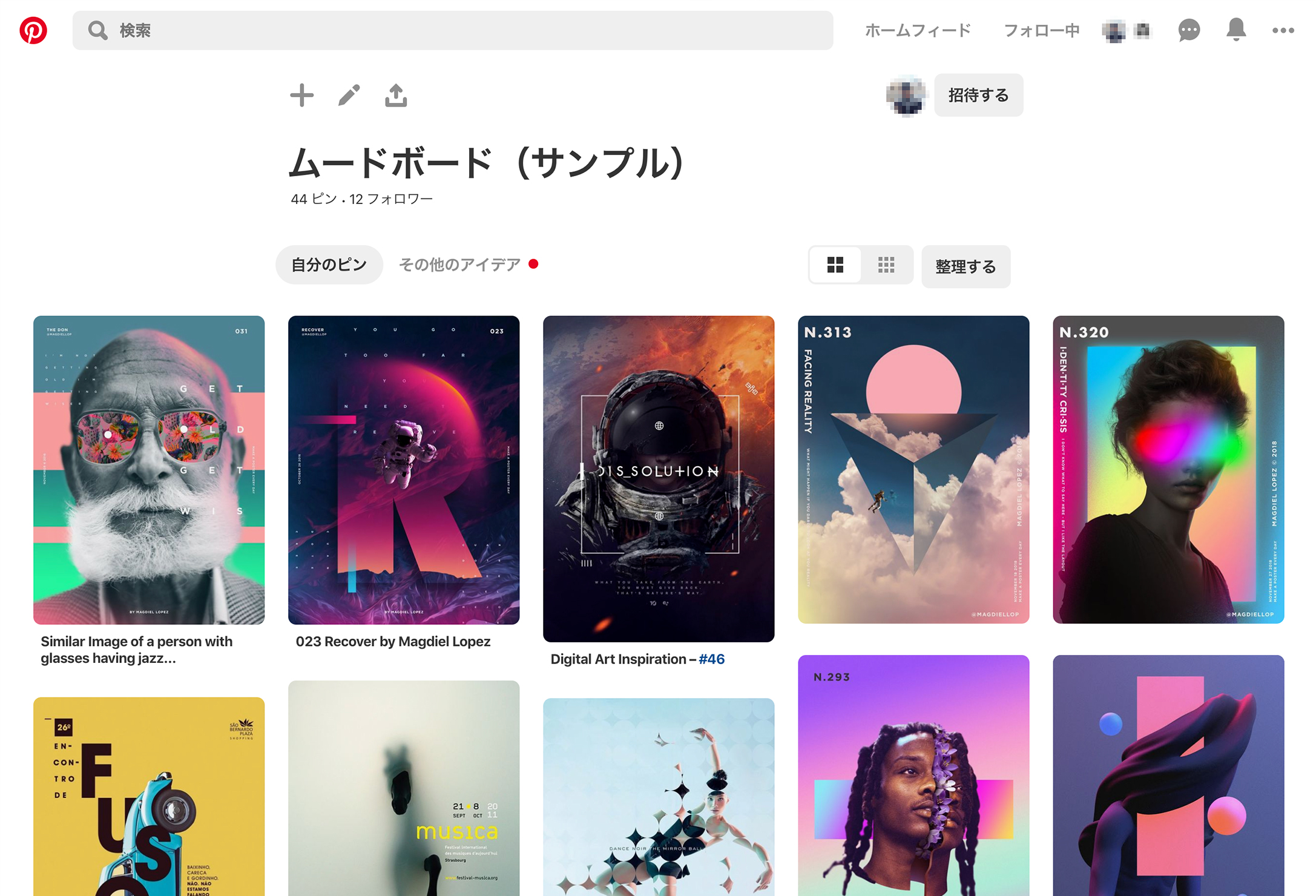
Mood boards are a popular problem-solving tool for designers, but they’re not new. It is a collaboration of the senses that stimulates creativity and leads to design solutions.
More than just defining a color palette, you can use it to create a graphic identity and mood, to simplify the essence of your brand or product into a single image, and to take the distance between an idea and its final realization. You can also shorten the . Therefore, we support designers throughout the entire project process.
Who uses mood boards?
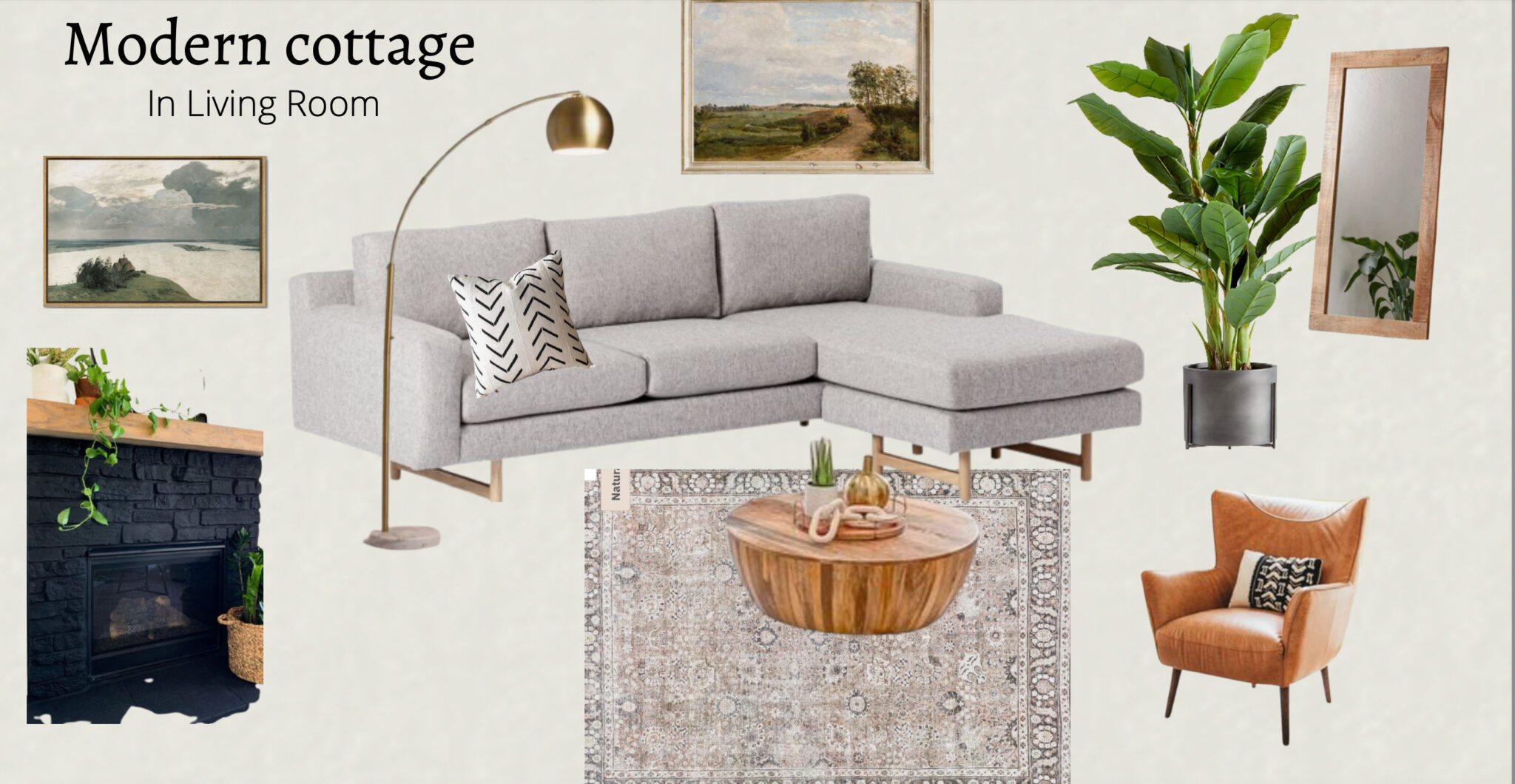
Designers, including graphic designers, interior designers, photographers, and UI designers, use moodboards primarily to streamline their thinking.
Moreover, even if you are not an expert, you can also use them to achieve more personal goals, such as decorating your walls or expressing a certain mood through your wardrobe.
Also, mood boards aren’t just limited to design purposes. For example, a writer may depict a fictional setting for a particular writing style or plot.
Simply put, a mood board is a useful visual tool for quickly conveying the overall “feel” of a project to others. They are used for more than just home decoration. Mood boards support the creative process by balancing organization and artistic freedom.
Why use mood boards?

Moodboards can help you create the main points for the final output of your project or artwork. When planning a new project, whether it’s an app, website, or something else, it can take some effort to figure out what you want it to look like. You have a lot of ideas swirling around in your head, but they’re all jumbled together and it’s hard to know which one is right for your project.
Moodboards are therefore a great way to combine all your ideas about a project and make it easier for others to understand. These will help you think about the overall theme, feel, and look of your project and what you want it to convey. Additionally, here are some benefits of creating a mood board.
Advantages of mood boards

- These will help you design for your target audience.
- Enhance visualization of what the final product will look like.
- Helps you play with different color palettes.
- The overall design process is shortened.
- Boost your creativity and organize your ideas.
- It helps you experiment as much as you like.
- It helps you easily communicate your ideas to clients.
Types of mood boards
There are two ways to create a mood board. The first is the classic physical mood board or the modern digital mood board. Moreover, it depends on the type of project requirements you are working on.
Let’s take a look at some examples of using physical and digital mood boards.
#1.Physical mood board
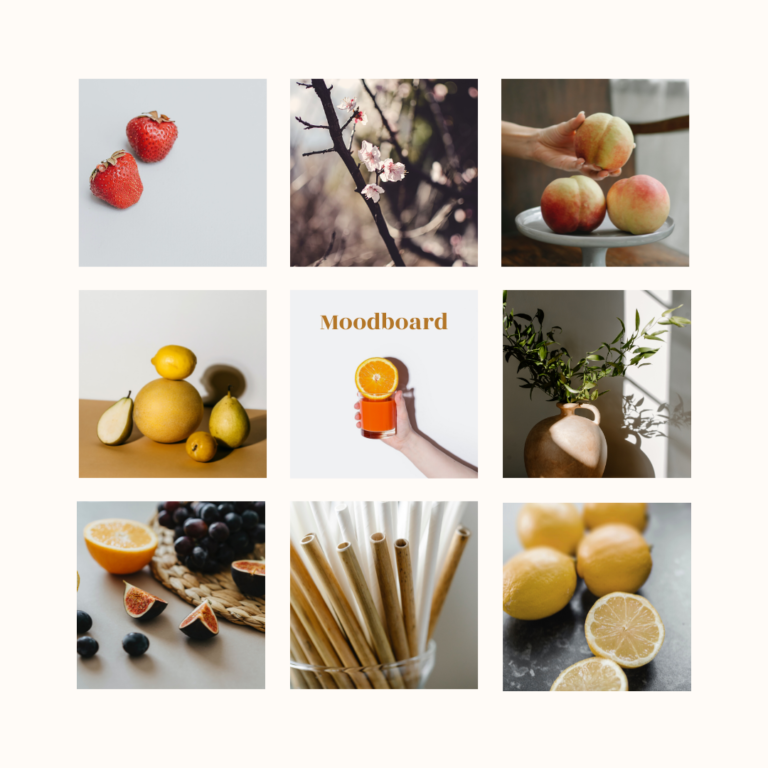
Physical mood boards are created using real materials such as paint swatches, fabric, and paper samples, and are often hung in a common area for everyone to see.
Ideal if you want to physically create the look of your desired brand. You can use real materials or print a photo and pin it.
# 2.Digital mood board
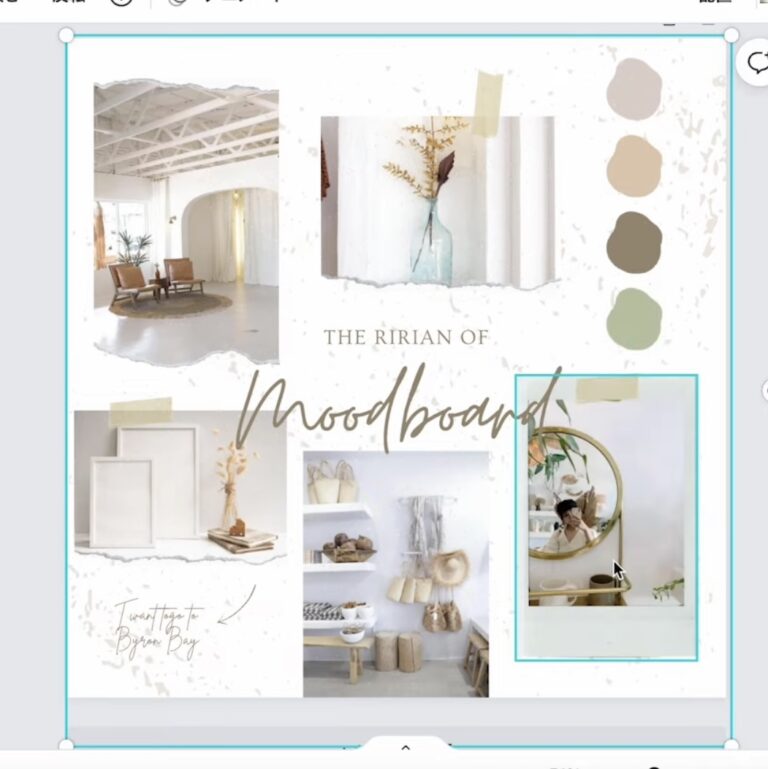
Digital moodboards are created using software such as Adobe Photoshop or Canva. These are also called “virtual” mood boards because they do not involve any physical items other than the computer screen on which they are displayed.
A great option if you don’t want to have a physical display in your office or conference room. Additionally, they can be instantly shared with others and require less effort than physical ones (i.e., they are usually temporary).
Additionally, you can find design inspiration from websites like Design Seed, Cooler, Design Gallery, Pinterest, and other social media channels.
What should a mood board include?

Whether you’re creating a physical or digital mood board, you’ll need the following to create a mood board:
Photos/images
Include images of things that inspire you. For example, photos of products or websites that have a similar design or style to yours. Anything from natural scenery to architectural photos is acceptable.
For a physical mood board, you can print out your favorite photos or cut them out from your favorite magazines.
Brand colors and logo
Being creative and maintaining your brand color scheme will help your project stand out and represent your brand. Before creating your mood board, you need to choose your colors. If you are working on a specific project, you can take inspiration from brand logos. Or you can choose a color that suits your project.
You can use paint swatches, fabric swatches, or even magazine clippings as a physical mood board. You can create a digital mood board by drawing inspiration from websites like Cooler and online color palettes.
Design elements (frames, borders, textures, etc.):
Materials, prints, and textures can be included in your mood board to enhance your final product. You can add depth and variation to your design expression. In addition to color blocking, prints add vibrancy and a new feel to your projects.
text content
Add text to describe the different elements of your mood board.
How to make a mood board?
Here are some points to keep in mind when creating a mood board:
#1. Gather inspiration for your mood board: The first step is to gather what inspires you, such as images, fonts, textures, and typography, and create an outline for your project.
#2. Use images that match well: Next, it is important to choose images that match well. All images should share similar colors and tones, or at least not clash.
If you use photos of people or places as inspiration, make sure they are all black and white so they look good when printed on paper (as opposed to colored printing paper).
Be sure to trim it so it doesn’t take up too much space on the board. This makes it easy for others to see what’s going on without having to squint at tiny text or pictures.
#3.Choose the color and font. After that, you need to choose colors and fonts that match your board. Doing so will help you look professional and organized.
#4.Add words to explain the idea. This will help you organize your ideas so that your board has enough words and gives you more ways to explain your concepts.
You can use arrows and arrows pointing in different directions to show how things are connected. You can also draw pictures of people using your product or service to illustrate what you want to convey.
#5.Add your logo, website, and social media profiles. Finally, it’s important if you have a logo for the business or project you’re working on. You can also include links to your website and social media profiles, so people can easily find more information about your brand, especially if you’re working on a digital moodboard.
#6.Organize the board: Once everything is on the board, it’s time to organize everything. It’s a good idea to place similar items side by side so you can easily see how everything fits together.
Examples of inspirational mood boards
conclusion
Mood boards certainly make the whole design journey easier and more interesting. Additionally, mood boards can help you get rid of creative blocks. Create a mood board according to your needs and tastes and enjoy the entire design process.
There are mood board creation tools that allow you to easily design mood boards for your brand or business.
Therefore, impress your clients with stud mood boards and let them feel the final product.


![How to set up a Raspberry Pi web server in 2021 [Guide]](https://i0.wp.com/pcmanabu.com/wp-content/uploads/2019/10/web-server-02-309x198.png?w=1200&resize=1200,0&ssl=1)


