Sometimes you come across a cow in Minecraft and want to bring it to your base. You can also build a trading post in every villager biome, or create a large zoo with all passive mobs, all hostile mobs, or perhaps all mobs in the game. To make this task possible, you can use minecarts or boats to transport mobs. However, in some cases, just nudging mobs in certain locations is necessary, such as putting sheep into a wool farm. The easiest way to move mobs is to create and use a good old reliable lead in Minecraft.
Lead is a useful item that can be made with just a few materials and can make your life much easier. You can use this to right-click on mobs to lure them in the direction you are moving. You can also tie a leash to a fence post to keep the mob stationary in a specific area. Not only that, you can easily chain multiple mobs together at once.
What you need to get leads
Using the resources listed below, the Create Lead recipe always yields two items at the same time. The resources are:
- 4 strings
- 1 slime ball
- workbench
Strings are drops from spider mobs in Minecraft. These arachnids have a chance of dropping 0-2 strings after being killed. Slime balls are also dropped by mobs and can be obtained by defeating slimes . Only the smallest slimes will drop slimeballs, and the amount is the same as spider silk. You also need a crafting table, which is a block used to perform complex crafting actions. 
How to make lead in Minecraft
Once you have the slimeball and string, follow the steps below to get the upper hand in the game.
- Place a crafting table or crafter in your world. Right-click on the block to open the crafting grid UI.
- To start the recipe, place the two strings in the first two slots of the top row.
- After that, you need to place the string in the first slot of the middle row.
- Then place the fourth string in the bottom right corner of the grid in the last row.
- Finally, you need to place the slime ball in the slot in the center of the work table.
- Voila! The first item appears in the results slot on the right. Click and drag the lead into your inventory.
In the upcoming Minecraft 1.21 update, you’ll be able to automate the process using new crafter blocks. Similar to a crafting table, but only supports automatic creation using redstone signals. You can use buttons, levers, redstone blocks, or redstone clocks. 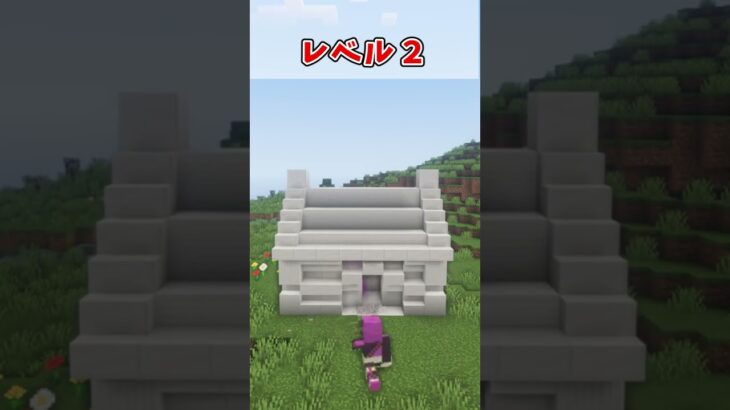
More ways to get leads in Minecraft
In addition to crafting, you can obtain leads in several different ways. The first of these is to loot the treasure chests located in the following locations:
- Ancient City (16.1%)
- Woodland Mansion (28.3% in Java, 27.9% in Bedrock)
- Buried Treasure (34.3%) only in Bedrock Edition
Additionally, there is approximately a 2.2% chance that a lead item will be unearthed when brushing a suspicious gravel block on a Trail Ruins structure. But surprisingly, the most common way to acquire leads is to buy them from wandering traders . This special merchant will sometimes appear with two llamas near your location.
Llama always has a lead and is guided by the trader. You can take the initiative by defeating a llama or merchant. Another easy and gentle way to “steal” a leash is to put your llama on a boat or trolley. This will instantly disconnect the lead and drop it as an item. 
Connect and move mobs using leashes
The only use for leads is to lead mobs in Minecraft. To do this, select the lead in the hotbar and right-click on the mob. However, not all mobs can be leashed. Therefore, we have prepared a list of mobs that can be connected here.
- relieve
- axolotl
- bee
- camel
- cat
- chicken
- cattle
- dolphin
- donkey
- fox
- frog
- glow squid
- goat
- Hoglin
- horse
- iron golem
- llama
- mooshroom
- mule
- ocelot
- parrot
- pig
- polar bear
- Rabbit
- sheep
- skeleton horse
- sniffer
- snow golem
- squid
- strider
- trader rama
- wolf
- Zoglin
- zombie horse
Strange as it may seem, the Bedrock Edition also allows you to attach a leash to your boat. If the mob is chained, they will closely follow the direction of the player’s movement . To take the lead from a mob, right-click on the mob again. Additionally, if you get too far away from a leashed mob (more than 10 blocks), the leash will break and fall closer to that mob.
An amazing fact about leads is that you can have multiple mobs on them at the same time. However, every mob requires its own lead item. This makes it easier to transport many mobs over short distances. Once you reach your destination, you can tie the leash to any type of fence post to keep the mob in a specific area. To do this, right-click on the fence block. Additionally, the Bedrock edition also allows you to tie leads to walls, which is not possible with the Java version.
Leads can be used to guide mobs both horizontally and vertically. If the mob is more than 7 blocks away from the leading player, the mob will become airborne. However, this can quickly fail as the mob in the air can gain momentum over time as it swings up and down. This means that even if you fall from a height of 1 block, the damage can be equivalent to falling 100 blocks. This can also work in reverse depending on whether the mob is accelerating or not. However, it is best not to take this risk with rare mobs.
In summary, leads are useful trinkets that make time-consuming and frustrating tasks much more manageable. Their crafting recipes aren’t too expensive either, but you can get them for free from traveling merchants. So what do you think about leads? How often do you use them in your world? Let us know in the comments section below.


![How to set up a Raspberry Pi web server in 2021 [Guide]](https://i0.wp.com/pcmanabu.com/wp-content/uploads/2019/10/web-server-02-309x198.png?w=1200&resize=1200,0&ssl=1)


