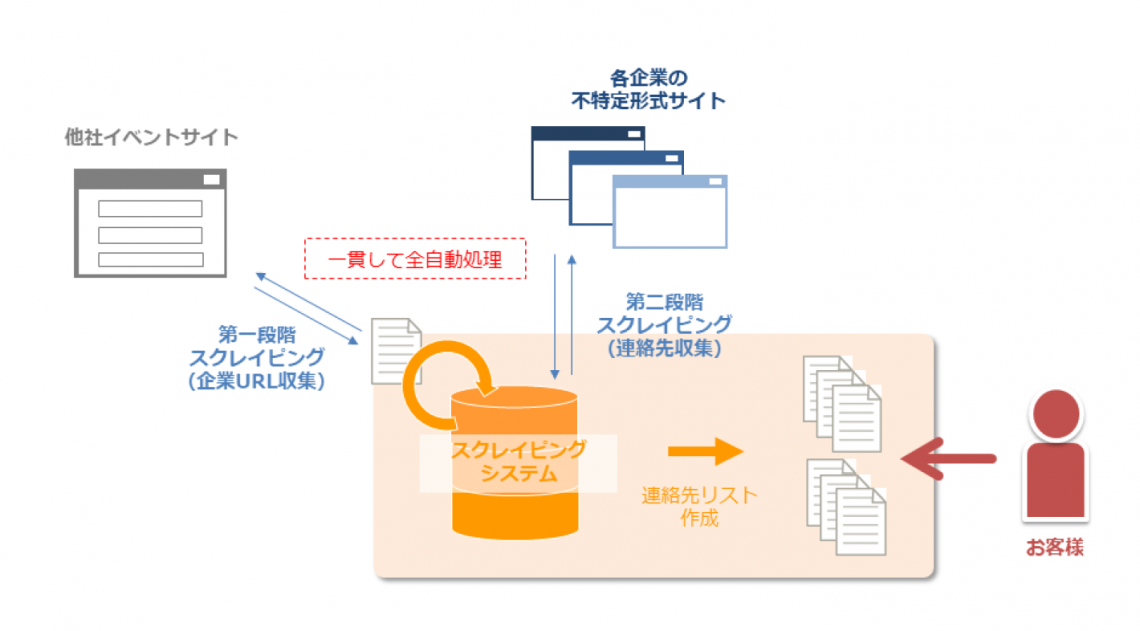
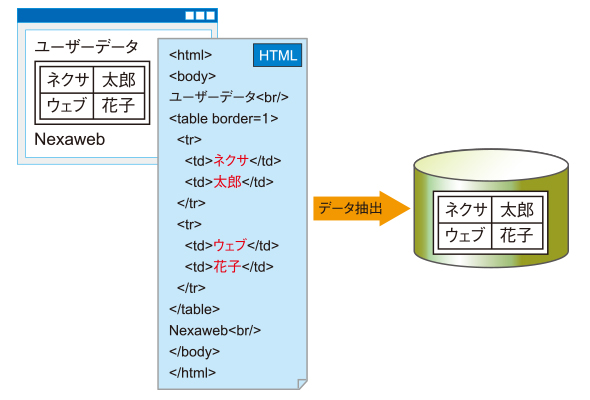
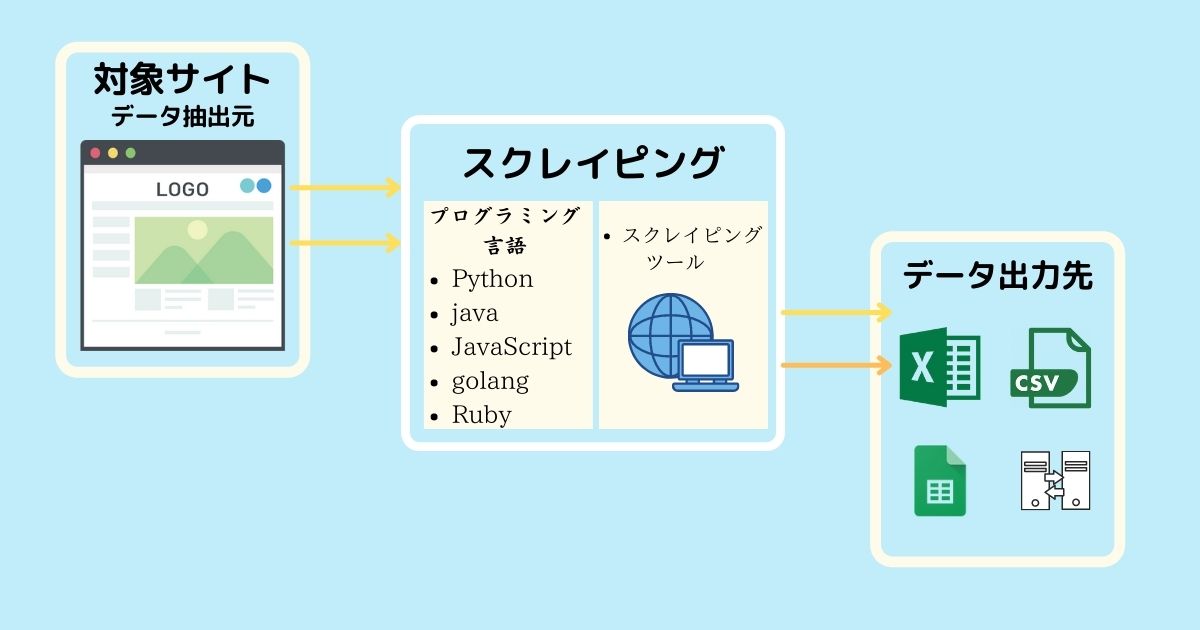
Web scraping is the process of extracting useful information from the World Wide Web. During a Google search, web crawlers (bots), or crawlers, examine almost all content on the web and select what is relevant to you.
This idea that information and knowledge should be accessible to everyone led to the formation of the World Wide Web. However, the data you are seeking must be authorized for public use.

How can web scraping help?
We live in the age of data. With the help of web scraping, raw data can be converted into useful information that can be used for larger purposes. It can be used to analyze and study the users of your product to improve it, or create a feedback loop.
E-commerce companies may take advantage of this to study the pricing strategies of their competitors and develop their own pricing strategies accordingly. Web scraping can also be used for weather forecasting and news reporting.
assignment
#1. IP restrictions
By detecting your IP address or geolocation, some websites limit the number of requests that can be made to retrieve the site’s data in a given time interval. This is done to prevent malicious attacks against your website.
#2.Capture
What captchas actually do is differentiate between real humans and bots trying to access your website. Websites use this to prevent spam on their websites and to control the number of scrapers on their websites.
#3.Client side rendering
This is one of the biggest obstacles for web scrapers. Modern websites use front-end frameworks that allow you to create single-page applications. Most single-page applications do not have server-rendered content.
Instead, use client-side JavaScript to generate content on demand. This makes it difficult for scrapers to understand the content of the web page. Retrieving the content requires rendering client-side JavaScript.
API
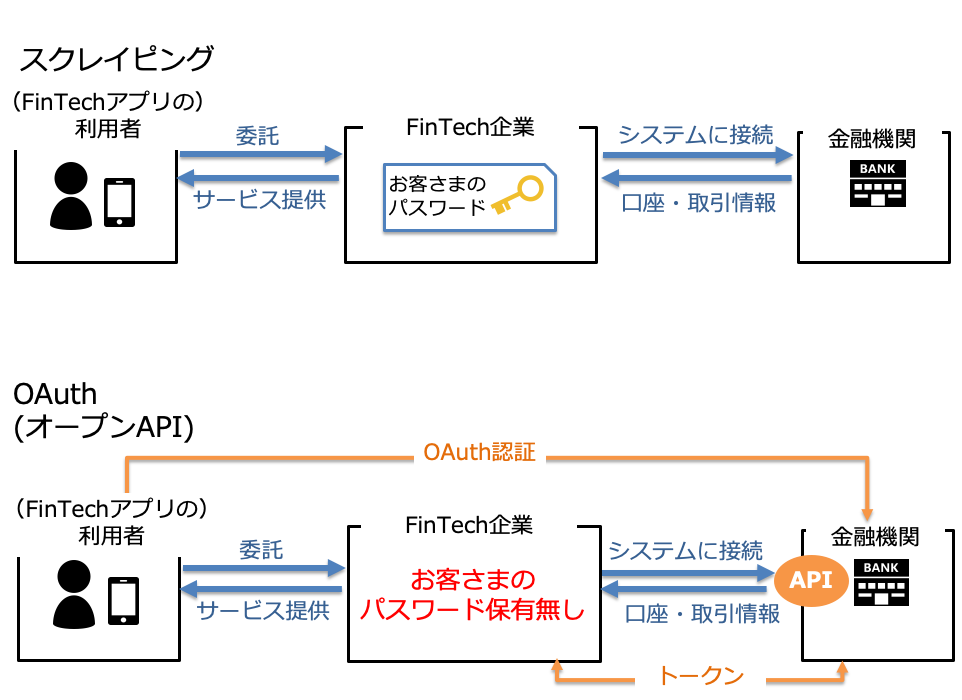
The web scraping API handles everything automatically, so it solves most of the challenges you face while performing web scraping. Let’s explore the API and see how you can use it for web scraping.
The API has a simple three-step process.
- Specify the URL to scrape
- Provides several configuration options
- get data
You can scrape a web page and return raw HTML data as a string or as an HTML file that can be accessed via a link.
API usage
In this tutorial, you will learn how to use the API using NodeJS, a JavaScript runtime environment. If you don’t have NodeJS installed on your system, please install it before proceeding.
- Inside the new folder, create a file named
index.mjs. The reason behindmjsextension is to consider this file as an ES module rather than a Common JS file. Check the difference between ES module and common JS file .
- Run the command
npm init -yin your current folder or directory in your terminal. Apackage.jsonfile will be created.
- In the
package.jsonfile, if the value ofmainkey defaults to some other value, change it toindex.mjs. Alternatively, you can add the keytypeand set its value equal tomodule.
 {
  “type”: “module”
}- Add a dependency named
axiosby runningnpm i axioscommand in the terminal. This dependency helps you make fetch requests to specific endpoints.
-
package.jsonlooks like this:
 {
  "name": "webscraping",
  "version": "1.0.0",
  "description": "",
  "main": "index.mjs",
  "scripts": {
    "test": "echo \"Error: no test specified\" && exit 1"
  },
  "author": "Murtuzaali Surti",
  "license": "ISC",
  "dependencies": {
    "axios": "^1.1.3"
  }
}
- In this way, import
axiosinside theindex.mjsfile. Theimportkeyword is used here since it is an ES module. For commonJS files, this is therequirekeyword.
import axios from ‘axios’- The base URL for all requests to the API is the same for all endpoints. Therefore, it can be stored within a constant.
const baseUrl = 'https://api..com'- Specify the URL to scrape and retrieve data.
let toScrapeURL = "https://developer.mozilla.org/en-US/"- Create an async function and initialize axios within it.
 async function getData() {
    const res = await axios({})
    return res
}-
axiosconfiguration options require you to specifypostmethod, the URL and endpoint, a header known asx-api-keywhose value will be the API key provided by, and finallydataobject to be sent. to the API. You can obtain your API key by visiting dash..com.
 const res = await axios({
    method: "post",
    url: `${baseUrl}/webscraping`,
    headers: {
        "x-api-key": "your api key"
    },
    data: {
        url: toScrapeURL,
        output: 'file',
        device: 'desktop',
        renderJS: true
    }
})
- As you can see, the data object has the following properties:
- url : URL of the web page that needs to be scraped.
- Output : The format in which the data is displayed inline as a string or in an HTML file. Inline string is the default value.
- device : The type of device on which the web page is opened. Accepts three values: “Desktop”, “Mobile”, and “Tablet”. “Desktop” is the default value.
- renderJS : A Boolean value that specifies whether to render JavaScript. This option is useful when dealing with client-side rendering.
- If you want a complete list of configuration options, please read the official API documentation .
- Call an asynchronous function to retrieve data. You can use IIFE (immediate invocation function expression).
 (async () => {
    const data = await getData()
    console.log(data.data)
})()- The response should look like this:
 {
  timestamp: 1669358356779,
  apiStatus: 'success',
  apiCode: 200,
  meta: {
    url: 'https://murtuzaalisurti.github.io',
    device: 'desktop',
    output: 'file',
    blockAds: true,
    renderJS: true,
    test: { id: 'mvan3sa30ajz5i8lu553tcckchkmqzr6' }
  },
  data: 'https://api-assets..com/tests/web-scraping/pbn0v009vksiszv1cgz8o7tu.html'
} 
Parsing HTML
To parse HTML, you can also use the npm package named node-html-parser to extract data from HTML. For example, if you want to extract the title from a web page, you can do it like this:
 import { parse } from ‘node-html-parser’
const html = parse(htmlData) // htmlData is the raw html string you get from the  API.
Alternatively, if you only need metadata from a website, you can use the Metadata API endpoint. You don’t even need to parse HTML.
Benefits of using APIs
In single page applications, content is often not rendered on the server, but instead rendered by the browser using JavaScript. Therefore, if you scrape the original URL without rendering the JavaScript required to render the content, you will only get a container element with no content. Let me give you an example.
This is a demo website built using react and vitejs. Scrape this site using the API with the renderJS option set to false. What did you get?
 <body>
    <div id="root"></div>
<body>
There is only a root container with no content. This is where the renderJS option comes into play. Now try scraping the same site with the renderJS option set to true. What do you get?
 <body>
    <div id="root">
        <div class="App">
            <div>
                <a href="https://vitejs.dev" target="_blank">
                    <img src="/vite.svg" class="logo" alt="Vite logo">
                </a>
                <a href="https://reactjs.org" target="_blank">
                    <img src="/assets/react.35ef61ed.svg" class="logo react" alt="React logo">
                </a>
            </div>
            <h1>Vite + React</h1>
            <div class="card">
                <button>count is 0</button>
                <p>Edit <code>src/App.jsx</code> and save to test HMR</p>
            </div>
            <p class="read-the-docs">Click on the Vite and React logos to learn more</p>
        </div>
    </div>
</body>
Another benefit of using the API is that you can use circular proxies, which guarantees that your website will not block your IP. The API includes proxy functionality in its premium plan .
last word
Web scraping APIs allow you to focus solely on the scraped data without any technical effort. Apart from that, the API also provides features such as broken link checking, meta scraping, website load statistics, screenshot capture, site status, etc. All this with a single API. For more information, check the official API documentation.


![How to set up a Raspberry Pi web server in 2021 [Guide]](https://i0.wp.com/pcmanabu.com/wp-content/uploads/2019/10/web-server-02-309x198.png?w=1200&resize=1200,0&ssl=1)


