Instagram is undoubtedly one of the best social media platforms in the world right now. However, you don’t necessarily have to join the platform to view Instagram posts. You can view Instagram posts, Reels, and Stories without an account. Whether you want to stalk your favorite celebrities, browse their Instagram meme pages, or keep up with your friends’ social lives, you can do it all without being an actual Instagrammer. If this fits your profile, learn how to view Instagram without an account.
Things you can’t do without an Instagram account
If you don’t have an Instagram account, what you can do on the platform is severely limited. Here’s a quick rundown of things you can’t do without an Instagram account.
- Connect with Instagram users or send messages directly
- View Instagram Stories
- Comment on Instagram posts
- Save Instagram posts
- Post anything on Instagram
- View posts, stories, and reels from private accounts

How to view Instagram posts and Reels without an account
If you want to see Instagram posts and Reels without an account, there is a very easy way. Moreover, there is no need to download and install any third-party apps. Here’s what you need to do:
1. Open an internet browser on your PC or smartphone and type the following in the address bar: Replace username with the Instagram username whose posts you want to see.
www.instagram.com/[username]
2. You will be redirected to that specific Instagram account.
3. Then scroll down to see all posts by this Instagram user.
Note : You can access your public Instagram profile using this method, but Instagram will prompt you to sign up/log in every time you scroll down. Please close the popup and continue scrolling.
4. Next, right-click the post you want to view and select Open link in new tab . You’ll then be able to view your posts in a new tab without encountering the dreaded Instagram login page.
How to view Instagram stories without an account
The previous method only works for Instagram posts and reels. However, you cannot view Instagram Stories anonymously. This is unfortunate. The good thing is that there are many third-party Instagram story viewer tools available online. Among these, we have selected one such great tool – InstaNavigation ( Visit ). Here’s the method you can use to view Instagram Stories without an account.
One of the best things about InstaNavigation is that it doesn’t just allow you to view your Instagram Stories anonymously. In addition to Reels, you can view and save Instagram posts as well as download them. Here’s how it works:
1. Visit InstaNavigation’s official website .
2. Next, enter the username of the Instagram account you want to display anonymously in the search bar.
3. Then click the Search button to view stories, posts, reels, and highlights for that account.
4. Click to enlarge the desired post or reel to download it. Then scroll down to find the Download button and click on it. The download will begin immediately.
Yes, it is indeed possible to browse Instagram without having an account. However, please note that this will significantly reduce the number of operations that can be performed on the platform.
You can also view just Instagram as a non-user of the platform without logging in. Alternatively, you can use third-party tools like InstaNavigation that allow you to view Instagram anonymously.
Yes, because you can use Instagram not only on your phone, but also on your desktop, laptop, and mobile browser.
No, you can’t actually see who is visiting your profile or viewing it the most. However, you can see who has viewed and liked your Instagram stories and posts.
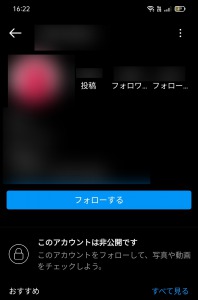
The only way to see a private account’s posts, stories, and reels is to submit a follow request and see what the account is about once it’s approved. If you don’t have an account, you won’t be able to view your private Instagram profile.


![How to set up a Raspberry Pi web server in 2021 [Guide]](https://i0.wp.com/pcmanabu.com/wp-content/uploads/2019/10/web-server-02-309x198.png?w=1200&resize=1200,0&ssl=1)


