Serverless platforms provide every developer with the opportunity to have their own separate full-stack environment on their AWS account for development and testing activities.
This can be accomplished without significantly increasing costs or impacting anyone else. Or, there’s no risk of accidentally changing developer settings.
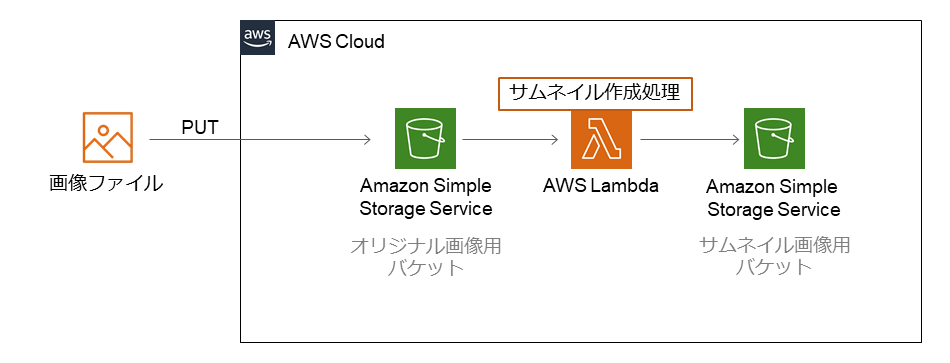
Serverless architecture offers a different take on an old problem and is in many ways positively refreshed. The biggest advantage is that you don’t need an administrator in your team and you don’t have to sacrifice anything to run a full-fledged process. Another advantage is that it is now aimed at in-house development teams rather than businesses, and can provide unlimited conditions for the development work of development teams.
Here we explain what exactly that means.
- How to create unlimited development environment setups on serverless platforms.
- How does a setup like this benefit your team?
- With a setup like this, this is the most important area you need to be careful about so it doesn’t break down over time.
- A demonstration example of such a setup.
A path to a standalone environment stack for each developer
Development infrastructure can be viewed as a process that evolves over time.
In the beginning there was light…

A very common way to manage development account environments is to create one or several separate development environments. Better yet, it includes all production environment components. This is still not standard at all. Development environments are often limited to some of the most important services, leaving the rest missing.
Naturally, such an environment makes it more difficult to develop reliable solutions. Effects on system components that are not present are simply missing. The management team will say that this can be verified later in a test environment during system testing. However, in the eyes of the developers, this does not earn them the Empathy Achievement trophy.
The accuracy of development activities is reduced. Developers spend more time reworking and fixing problems, and their overall motivation to write perfect code decreases. On top of that, such a setup creates an inconsistent and unstable environment to begin with.
Depending on the size of your team, you may need multiple development environments to reduce conflicts for the most important parallel work between teams. Because they share a development environment, one developer will influence the other developer in some way. Extensive communication between team members is essential.
More development environments reduce competition, but shared elements still exist. It might work, but it will never be a perfect setup. In most cases, developers end up creating something (already in conflict) directly on their laptop machine locally. This can cause additional problems when merging the code later. Behavior on a laptop machine may differ from behavior on the cloud. This can cause problems after merging your code with development already done by others.
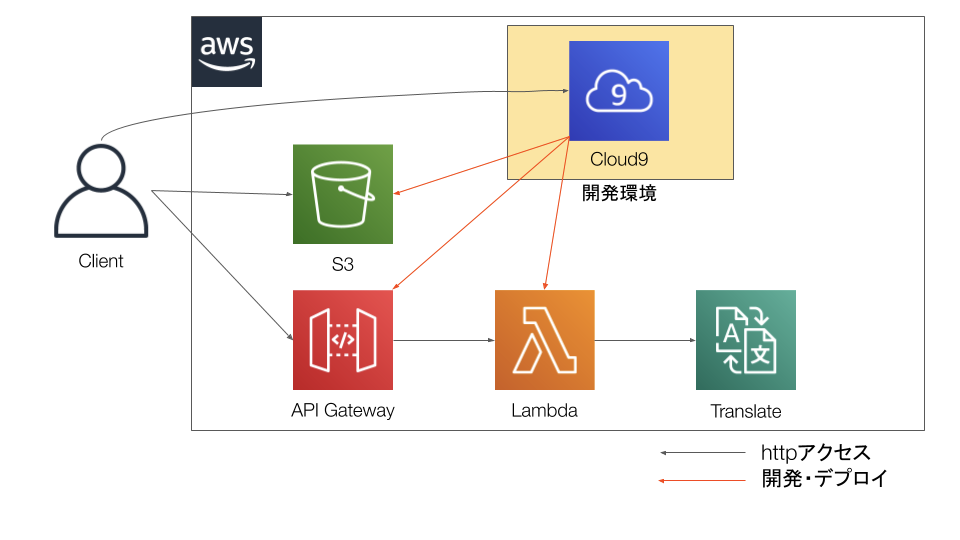
But then someone created the world…
The obvious question here is: what is it all about? What settings would remove shared elements and disincentivize teams to do activity outside of their cloud accounts?
Imagine every team member getting a separate environment stack that they can use for their activities. It consists of the same components as the production system. Complete data loads are no longer necessary, as they are actually undesirable for development activities.
Or take it one level up. How about creating such a stack for each task a developer is working on?
You might think it’s expensive.
Not really – that’s what I would say.
If developers are actively using the environment and its resources, the load of running everything in parallel in one shared environment versus splitting it across multiple environments is comparable in terms of cost. It is very likely that this will happen. Because we have a serverless architecture, you only pay for what you actually use.
If the developer is not active and is still building this full stack (or multiple stacks at the same time), the cost is zero because they are using a serverless architecture. There are no costs for unused services.
Let’s talk about the benefits in detail.
Benefits only the development team understands
First, one thing is very clear. All the benefits of this setup can only be understood by the development team themselves. Executives and business users see no value in this. So they may understand where the value lies. But they will probably never admit that it is absolutely necessary. They don’t use it and don’t see it in their daily work.
But how difficult is it to understand that the best development results can only be achieved in the best working environment?
The benefits are:
- Developers are confident that no one else will change the environment they are currently working on. All components are created new just for this task and development activity.
- The development environment is an exact copy of the production environment. This means you can accurately simulate the behavior of your code changes.
- There’s no longer any point in doing it locally, so teams always develop directly within cloud accounts.
- Assuming you’ve built a DevOps pipeline for creating and updating environments, you can integrate them with Jira or ADO tools for story and ticket management, and create or terminate development environments as stories progress and finish. This provides a separate development environment for each story. For that matter, even the tasks within the story are great for backtracking purposes.
- Every time a developer commits a change to the code repository, the pipeline updates the environment with the latest repository code. This means automating deployment and speeding up the process of unit testing as you build new code.
- Regular maintenance of the development environment is not really required. Each environment exists only for a specific short period of time. Always created from the latest repository code state and the latest data snapshot. In this case, the maintenance issue will be resolved automatically.
What are the disadvantages?
Yes, there are some things to be aware of. I wouldn’t call them outright disadvantages. However, if you do not pay sufficient attention to the following items, over time there is a strong possibility that they will grow into reasons for infrastructure refactoring actions.
#1. Be aware of AWS limitations
Here’s the problem. If you create separate environment stacks for each user or activity, you will create many AWS objects.
Think S3 buckets, policies, roles, users, databases, VPCs, etc.
This is mandatory for monitoring and monitoring. If environments are just created and developers add more and more environments without properly deleting old environments or environments related to already completed stories, sooner or later they will run into the problem of hitting various AWS limits. It will be.
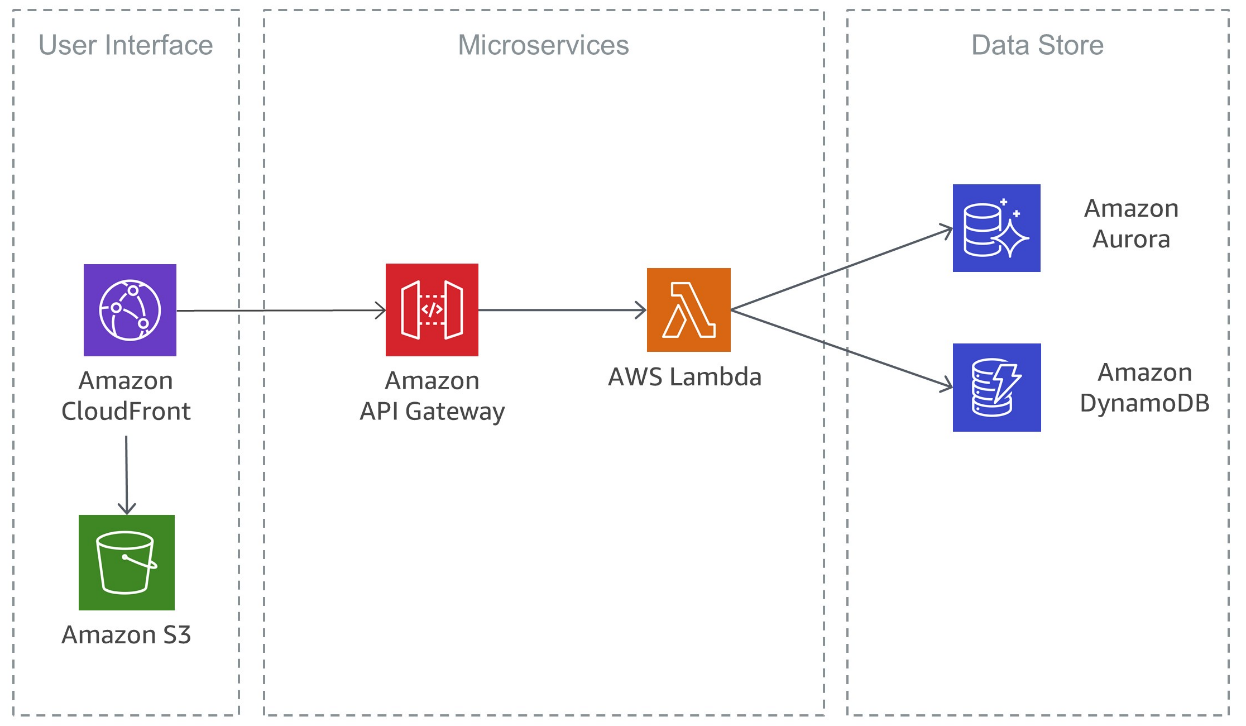
Some of them can be easily increased. Others can request an increase through AWS Support. And there are some hard limits that you can’t do anything with once you reach them.
This becomes a game of controlling the overall number of AWS objects used for each object type. It is important to avoid always dancing on the edge. In most cases, you don’t want to be in the upper limit area. This means that before you create a new environment, you must first take care of some cleaning processes, either manually or automatically.
In any case, this will only have the effect of slowing down the overall development activity. Development teams always go through some process of first resolving an existing environment before creating another.
Instead, what’s really important is to perform continuous housekeeping in the background to actively check all limits. Ideally, the next time a developer needs a new environment, it can be automatically created immediately without further delay.
#2. Reduce DevOps pipeline execution time
It sounds great that a new development environment is automatically created when you start writing a story.
In fact, it seems scary that developers would have to wait several hours for such an environment. And not just the creation, but also each subsequent update to the environment (immediately after each repository commit).

Plug this into your summary formula to see how much idle time causes this situation. It’s not really possible for developers to jump to “something else” every time they have to wait until the environment is ready.
It’s like expecting to go shopping while waiting in the doctor’s office for a scheduled test. That won’t happen. You sit there and wait because it might come in the next minute.
#3. Update the master dataset regularly
A reference source dataset is required each time you create a new environment. This will copy the data to the environment stack you just created. Datasets must be updated regularly, typically every production release. This ensures that your environment is created using the latest dataset structure.
Although it is not necessary to include a complete database snapshot from the production environment, this is usually the easiest method. However, your data model must always be up-to-date so that any new development activity starts from the correct starting point.
#4. Teach your team to be environmentally responsible
Going green is now a big topic and an expectation from all major companies. Similar expectations apply to development teams.

If a single developer needs more environments in parallel, that’s fine, as it’s much more efficient. But on the other hand, if developers keep multiple environments open in parallel because they are too lazy to close them, that needs to be fixed as soon as possible.
Having permission to work in a private sandbox comes with an appropriate level of responsibility. We expect that we will jointly and responsibly use such benefits.
Setup example
Putting it all together gives you an idea of what you can expect from a serverless multi-environment setup like this.
- DevOps pipelines allow you to automate the creation, update, and termination of new environments.
- Developers then work on and update the development environment as development progresses.
- Once developers have completed their code changes and unit tests, they end their activity in this environment by merging their code into the master repository branch.
- Since many developers can do this at the same time, a code merge activity is required to ensure that all changes are transferred from the development environment to a single location (the master branch).
- Update your central testing environment with the state of this master branch repository so that you can perform system testing activities on merged code from all developers.
- Use a dedicated bug fixing environment to resolve ongoing issues. You can create this environment using the same DevOps pipeline you already have in place (just treat it as another temporary development environment).
- Finally, move on to QA testing and product release.
As you can see, by reusing the same DevOps pipeline at different stages of your architecture, you can quickly build a flexible serverless platform with as many standalone development or test environments as you need. Best of all, all the benefits come at no cost.
You might also be interested in these serverless computing platforms for running your code.


![How to set up a Raspberry Pi web server in 2021 [Guide]](https://i0.wp.com/pcmanabu.com/wp-content/uploads/2019/10/web-server-02-309x198.png?w=1200&resize=1200,0&ssl=1)


