Imagine you have a large infrastructure of many different types of devices that need to be regularly maintained and ensured that they do not pose a danger to the surrounding environment.
One way to accomplish this is to send people to all your locations on a regular basis to check if everything is okay. This is somehow doable, but it takes considerable time and resources. Also, if your infrastructure is large enough, you may not be able to cover everything within a year.
Another option is to automate the process and have a job in the cloud validate it. For that you need to do the following:
👉 Easy process on how to get photos of your device. This can still be done by a human, as it is much faster to run just the images, as well as run the entire device verification process. It can also be done with photos taken from cars or drones, in which case the photo collection process will be faster and more automated.
👉 Next, you need to send all the captured photos to one dedicated location in the cloud.
👉 In the cloud, you need an automated job that takes photos and processes them through a machine learning model trained to recognize damage or anomalies on your device.
👉 Finally, the results need to be visible to the users who need them so they can schedule a repair for the problematic device.
Let’s take a look at how to achieve anomaly detection from photos in the AWS cloud. Amazon has several pre-built machine learning models that you can use for that purpose.
How to create a model for visual anomaly detection
To create a model for visual anomaly detection, you need to follow several steps.
Step 1: Clearly define the problem you want to solve and the type of anomaly you want to detect. This will help you determine the appropriate test dataset needed to train your model.
Step 2: Collect a large dataset of images representing normal and abnormal conditions. Label images to indicate which are normal and which contain abnormalities.
Step 3: Choose the appropriate model architecture for your task. This may include choosing a pre-trained model and fine-tuning it for your specific use case, or creating a custom model from scratch.
Step 4: Train the model using the prepared dataset and selected algorithm. This means leveraging pre-trained models using transfer learning, or training models from scratch using techniques such as convolutional neural networks (CNNs).
How to train machine learning models

The process of training an AWS machine learning model for visual anomaly detection typically involves several important steps.
#1. collect data
First, a large dataset of images representing both normal and abnormal conditions must be collected and labeled. The larger the dataset, the better and more accurately the model can be trained. However, it also requires significantly more time to train the model.
Typically, you’ll need around 1000 photos in your test set to get off to a good start.
#2. Prepare the data
Before a machine learning model can retrieve image data, it must be preprocessed. Preprocessing has various meanings, including:
- Organize your input images into separate subfolders and modify their metadata.
- Resize the image to meet the model’s resolution requirements.
- Distribute them into smaller chunks of images for more efficient and parallel processing.
#3. Please select a model
Choose the right model to do the right job. You can choose a pre-trained model or create a custom model suitable for visual anomaly detection on your model.
#4. Evaluate the results
Once your model processes your dataset, you need to verify its performance. You should also check whether the results meet your needs. This may mean, for example, that the results are correct for more than 99% of the input data.
#5. Deploy the model
Once you’re satisfied with the results and performance, you can deploy a specific version of the model to your AWS account environment so that your processes and services can start using it.
#6. Monitor and improve
Run various test jobs and image data sets to constantly evaluate whether the parameters required for detection accuracy are still properly set.
If not, retrain the model including the new dataset where the model gave the wrong result.
AWS Machine Learning Model
Next, let’s look at some specific models that can be leveraged in the Amazon cloud.
AWS recognition
Rekognition is a general-purpose image and video analytics service that can be used for a variety of use cases, including facial recognition, object detection, and text recognition. In most cases, Rekognition models are used to generate the initial raw detection results, forming a data lake of identified anomalies.
A variety of prebuilt models are provided that can be used without training. Rekognition can also analyze images and videos in real-time with high accuracy and low latency.
Here are some typical use cases where Rekognition is suitable for anomaly detection.
- Provide general use cases for anomaly detection, such as detecting anomalies in images and videos.
- Perform real-time anomaly detection.
- Integrate your anomaly detection model with AWS services such as Amazon S3, Amazon Kinesis, or AWS Lambda.
Here are some specific examples of anomalies that can be detected using Rekognition.
- Facial abnormalities, such as detection of facial expressions and emotions outside the normal range.
- Objects in the scene are missing or misplaced.
- Words are misspelled or unusual patterns in the text.
- Unusual lighting conditions or unexpected objects in the scene.
- Inappropriate or offensive content in images or videos.
- Sudden changes in behavior or unexpected movement patterns.
AWS Lookout for Vision
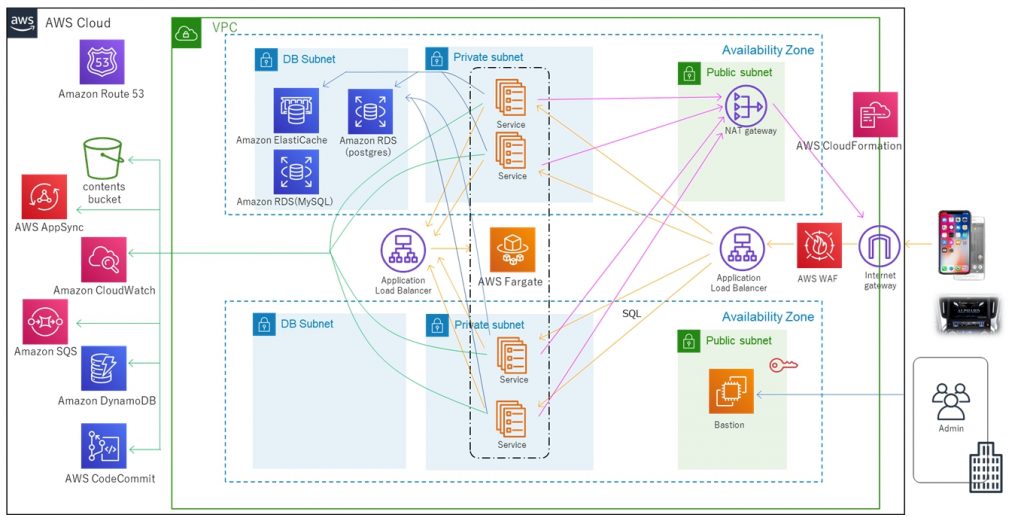
Lookout for Vision is a model specifically designed for anomaly detection in industrial processes such as manufacturing and production lines. It typically requires custom pre- and post-processing code for images or specific cropping of images, and is typically performed using the Python programming language. Most of the time they specialize in very specific problems within images.
Creating a custom model for anomaly detection requires custom training on a dataset of normal and abnormal images. It’s not very real-time focused. Rather, it is designed for batch processing of images, with a focus on accuracy and accuracy.
Here are some typical use cases where Lookout for Vision is suitable when you need to detect:
- Identifying defects in manufactured products or failures in production line equipment.
- Large datasets of images or other data.
- Real-time anomalies in industrial processes.
- Anomalies integrated with other AWS services such as Amazon S3 and AWS IoT.
Here are some specific examples of anomalies you can detect using Lookout for Vision.
- Manufacturing defects, scratches, dents, and other imperfections can affect product quality.
- Equipment failures on production lines, such as detection of broken or malfunctioning machinery that can cause delays and safety hazards.
- Quality control issues on a production line include detecting products that do not meet required specifications or tolerances.
- Safety hazards on production lines include the detection of objects or materials that can pose a hazard to workers or equipment.
- Anomalies in the production process, such as the detection of unexpected changes in the flow of materials or products through the production line.
AWS Sage Maker
Sagemaker is a fully managed platform for building, training, and deploying custom machine learning models.
This is a more robust solution. In fact, it provides a way to connect multiple multi-step processes into a single job chain and run them one after the other, similar to AWS Step Functions.
However, because Sagemaker uses ad-hoc EC2 instances for processing, there is no 15-minute limit on processing a single job as there is for AWS lambda functions in AWS Step Functions.
You can also use Sagemaker to perform automatic model tuning. This is definitely a feature that makes it a standout option. Finally, Sagemaker makes it easy to deploy models into production.
Here are some typical use cases where SageMaker is suitable for anomaly detection.
- You have a specific use case that is not covered by pre-built models or APIs, and you need to build a custom model for your specific needs.
- If you have a large dataset of images or other data. In these cases, pre-built models require pre-processing, but Sagemaker allows you to run them without any pre-processing.
- If you need to perform real-time anomaly detection.
- If you need to integrate your model with other AWS services, such as Amazon S3, Amazon Kinesis, or AWS Lambda.
Typical anomaly detections that Sagemaker can perform include:
- Detecting fraud in financial transactions, such as unusual spending patterns or transactions outside normal ranges.
- Cybersecurity in network traffic, including unusual data transfer patterns and unexpected connections to external servers.
- Medical diagnosis using medical images, such as tumor detection.
- Abnormalities in equipment performance, such as detecting vibration or temperature changes.
- Quality control in manufacturing processes, including detecting product defects and identifying deviations from expected quality standards.
- Abnormal patterns of energy use.
How to incorporate models into serverless architectures
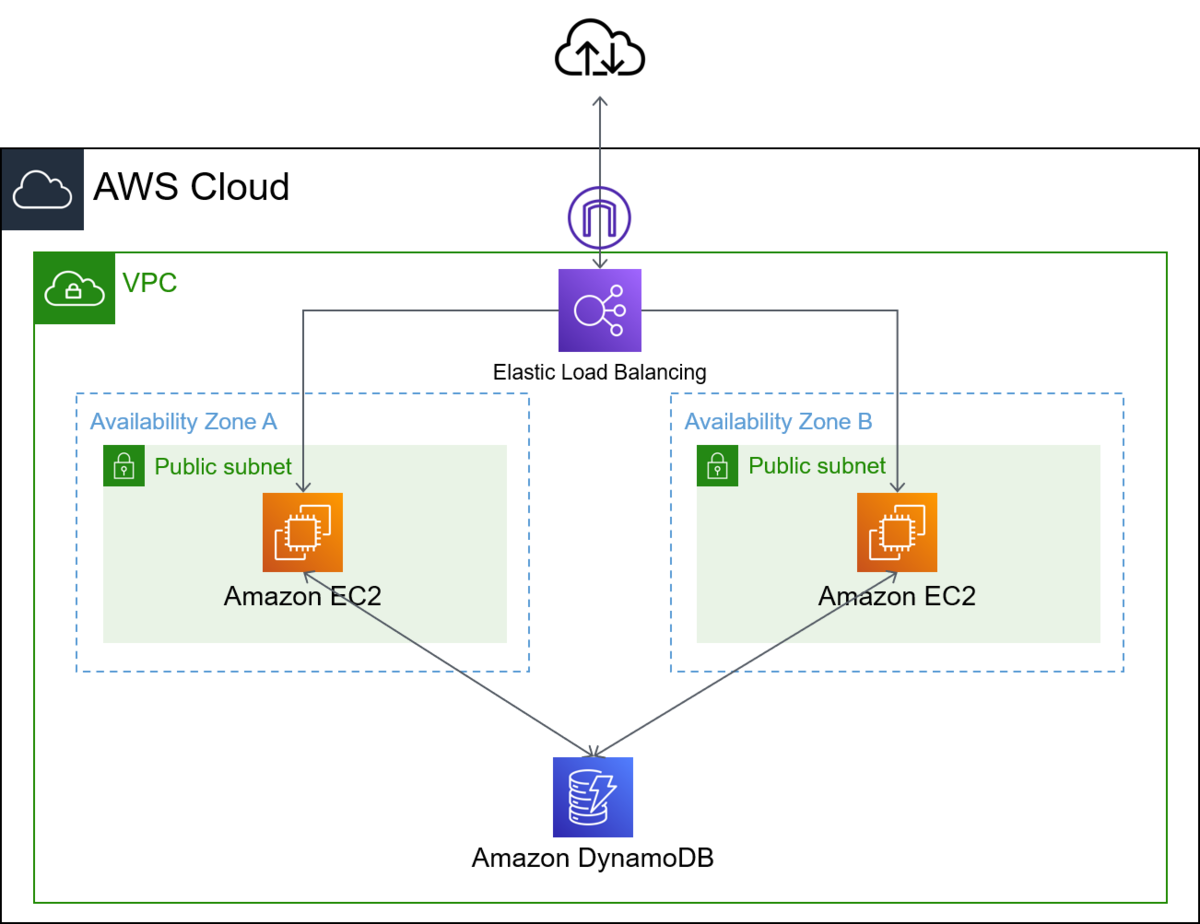
The trained machine learning model is a cloud service that does not use cluster servers in the background. Therefore, it can be easily incorporated into existing serverless architectures.
Automation is performed through AWS Lambda functions and connected to multi-step jobs in the AWS Step Functions service.
Initial detection is typically required immediately after images are collected and preprocessed in an S3 bucket. Here, we generate atomic anomaly detection on the input images and store the results in a data lake, for example represented by an Athena database.
In some cases, this initial detection is not sufficient for your specific use case. Another more detailed detection may be required. For example, an early (e.g., recognition) model can detect some problem on a device, but cannot reliably identify what kind of problem it is.
This may require a different model with different features. In these cases, you can run other models (such as Lookout for Vision) on the subset of images where the first model identified problems.
This is also a good way to save money since you don’t have to run a second model for the entire set of photos. Instead, run it only on a meaningful subset.
AWS Lambda functions cover all such processing using Python or Javascript code under the hood. It depends on the nature of your process and how many AWS lambda functions you need to include within your flow. The 15 minute maximum duration limit for AWS Lambda invocations determines the number of steps required for such a process.
last word
Working with cloud machine learning models is a very interesting job. If you look at it from a skills and technology perspective, you’ll see that you need a team with a wide variety of skills.
Teams need to understand how to train models, whether they are pre-built or created from scratch. This means a lot of mathematics or algebra is involved to balance reliability and performance of the results.
You also need advanced Python or Javascript coding skills, database, and SQL skills. And once all the content work is done, you need DevOps skills to connect it to a pipeline and turn it into an automated job ready to deploy and run.
Defining anomalies and training a model are two different things. However, it is difficult to integrate everything into one functional team that can process model results and store the data in an effective and automated way for delivery to end users.
Next, learn all about facial recognition for businesses.


![How to set up a Raspberry Pi web server in 2021 [Guide]](https://i0.wp.com/pcmanabu.com/wp-content/uploads/2019/10/web-server-02-309x198.png?w=1200&resize=1200,0&ssl=1)


