Videos are one of the best tools to get attention, explain something, or just entertain people.
Also, if you can create high-quality videos for your business to talk about your products or services or train your employees, it will help you achieve better growth.
With modern technology like AI, creating videos doesn’t have to be expensive or tedious.
Using an AI video generator like Synthesia can streamline the entire video creation process.
So let’s talk about Synthesia, its features, and whether you should consider using it.
Let’s get started!
What is Synthesia?
Synthesia is an efficient AI video creation tool that can generate videos in under 15 minutes. You don’t need to be a professional video editor to use Synthesia. Instead, it can be easily performed without the need for additional equipment.
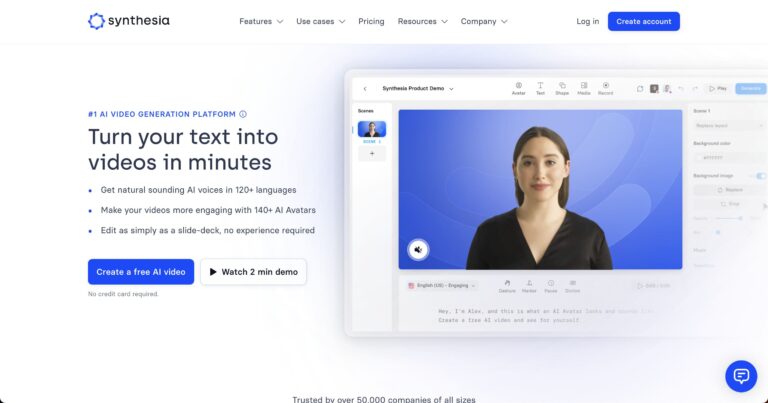
Synthesia provides valuable functionality and supports over 120 languages, allowing you to serve people around the world. It offers over 125 diverse and comprehensive AI avatars, over 60 pre-built templates, and other amazing attributes to make your video creation task a breeze.
Over 50,000 businesses of all shapes and sizes use Synthesia to create stunning, professional videos for a variety of purposes. Whether you want to generate videos for sales, marketing, internal communications, or learning and development, Synthesia can help.
Features of Synthesia
#1. AI video avatar
Synthesia offers over 150 ethnically diverse AI video avatars. Adding relevant avatars to your videos makes them more relatable to people around the world of different nationalities, ethnicities, skin colors, ages, and more. Additionally, you can choose your avatar’s gender and clothing to better suit you.
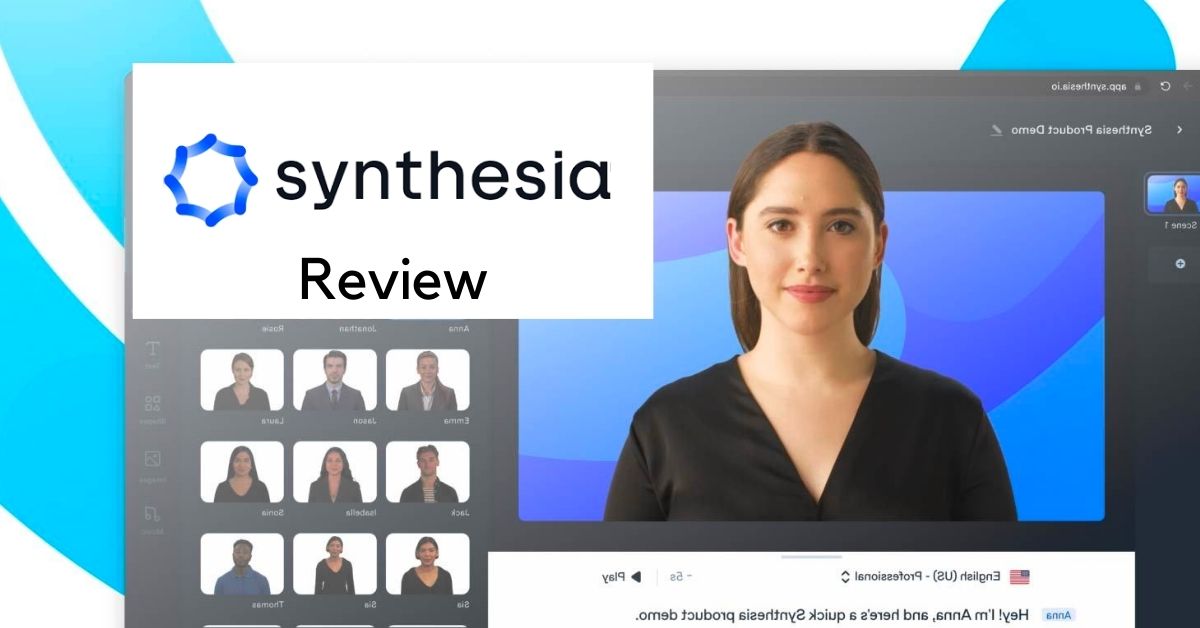
Custom AI avatars: If you don’t like the avatars listed, you can create your own in Synthesia. You can create a custom high-quality AI avatar and add your own voice to it. This feature is available as a paid add-on to your subscription.
Note: This feature is not dangerous as you cannot create someone else’s avatar. Creating a custom avatar requires the person’s explicit consent, and the Synthesia team manually inspects and processes the video footage to create the custom avatar. Therefore, you may not impersonate politicians, celebrities, or public figures.
#2. Supported languages and accents
Create videos in over 120 languages, including different tones, accents, styles, and dialects. They are also working on expanding this list. Its versatility allows you to generate video content suitable for various purposes.
Synthesia continues to update AI voices with quality improvements and new additions. You can choose female or male voice according to your preference and search multiple languages.
The amazing thing I found is that you can actually play the audio in your chosen language and hear what it sounds like. You can choose to add it to the video you are creating.
#3. text reading
Synthesia uses text-to-speech technology to read out text types. You can even go one step further by matching your AI avatar’s face to your voice. This way, you can bring your text to life by seeing someone speaking.
#4. phonetic symbols
Synthesis sounds almost natural and allows you to manage subtle pronunciations, terminology, and abbreviations. You can also adjust the pronunciation of words using the built-in phonetic spelling feature.
#5. voice cloning
Synthesia allows you to duplicate your voice and add it to your custom AI avatar. Text-to-speech functionality allows you to do just that. If you choose to create a custom avatar, you can get this feature as an add-on to your Enterprise plan.
#6. closed caption

When you generate a video in Synthesia, you will be asked if you want to add closed options. These captions are automatically generated in the same language as the narration text. This helps improve the accessibility of your videos.
This allows people with hearing impairments to understand the video by reading the captions.
#7. gesture
This is a new feature that allows you to include micro-gestures in your AI avatar, such as raising an eyebrow or nodding your head.
#8. AI script assistant
You can automatically create simple video scripts using prompts like ChatGPT. This is also a new addition to Synthesia.
#9. screen recorder
The built-in screen recorder allows you to record your screen in the form of short videos. It can be useful when preparing a presentation, understanding something thoroughly, or creating other content.
#10. Media and music library
Synthesia’s extensive media library provides access to a wealth of high-quality, royalty-free images, icons, shapes, videos, and more.
Plus, you’ll have access to hundreds of royalty-free premium soundtracks to add to your videos.
Adding media and music makes your videos more interesting and understandable for your viewers.
#11. Upload soundtrack and fonts
With Synthesia, you can upload a soundtrack or your own music to your videos to match your brand’s voice and tone. Additionally, you can upload font families you’re already using to stay consistent with your brand.
#12. collaboration
Synthesia allows you to keep your team members informed using collaboration features. You can easily get feedback on your videos, edit your videos based on that feedback and requirements, and update them without any hassle. Additionally, you also have the option to add comments to the generated videos.
Additionally, you can prototype specific videos and instantly share them with your team members. This helps coordinate workflows with stakeholders to enable quick approvals and accelerate production.
#13. Importing a PowerPoint presentation
With Synthesia, you can add PowerPoint presentations to your videos to make them more engaging and understandable for your audience. You can also include professional narration in your videos.
#14. video preview
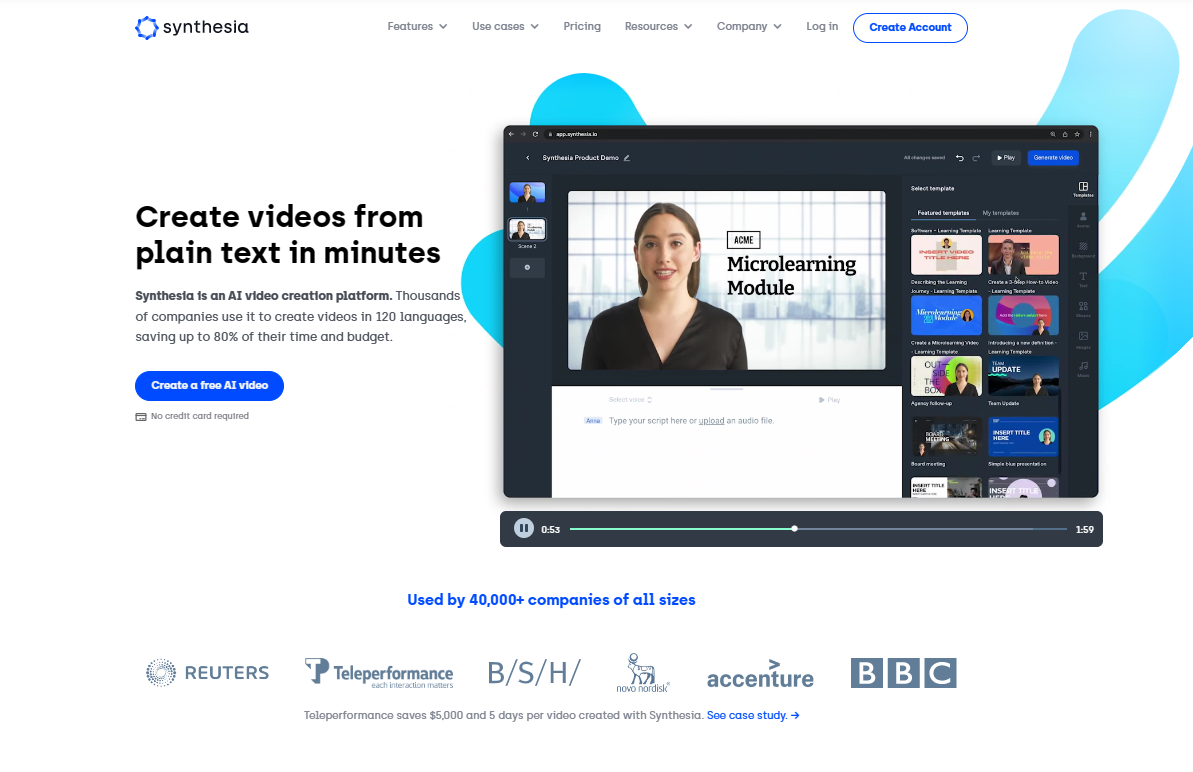
You have the option to preview the video and its elements before generating the video. This allows you to spot irregularities and mistakes. Therefore, it will be easier for your team to fix mistakes, improve elements and improve quality, ensuring that everything is as it should be in the video.
#15. Upload media
Considering your requirements, you can also add some existing media elements. This feature is useful in such cases.
Apart from all the great stuff you get with Synthesia, you can also upload your own images, infographics, videos, etc. wherever you need a video.
#16. Add animation
Animation trends will never go away. You can easily animate different elements in your video as needed. To do this, use markers to connect elements to your video script.
#17. Embed a video

Easily embed videos and automatically update with new versions.
#18. Brand sharing page
This is a new feature in Synthesia that allows you to brand your shared pages by uploading your company logo.
#19. CTAs
You can add call-to-action (CTA) buttons to your Synthesia sharing pages to instruct people to take the action you want, such as visiting your web store, purchasing a product or service, or getting a free demo. Adding effective CTAs increases your chances of conversion and increases traffic to your site.
#20. template
Synthesia offers over 65 pre-built video templates that are professionally designed, easy to use, and fully customizable. These templates allow you to generate videos within minutes without having to do everything from scratch.
These are useful for beginners and those who need to quickly create high-quality videos. If your requirements are minimal, using them can save you a lot of time and effort.
Editable video templates are available in a variety of categories, from sales, marketing, and training to reporting, pitch decks, human resources, creative, and more.
#twenty one. Security and privacy

With Synthesia, you don’t have to worry too much about security as it provides a variety of security techniques and technologies to protect your data, network, and systems and avoid online attacks.
- Single sign-on (SSO) to securely log in to Synthesia. Users can authenticate and access multiple applications using only a single set of credentials.
- Security Assertion Markup Language (SAML) to authenticate users
- Content Moderation: Videos produced using Synthesia undergo content moderation to ensure that AI is used ethically.
- SOC 2 and GDPR: Synthesia complies with regulations such as GDPR and SOC 2.
Examples of using Synthesia
sales enablement
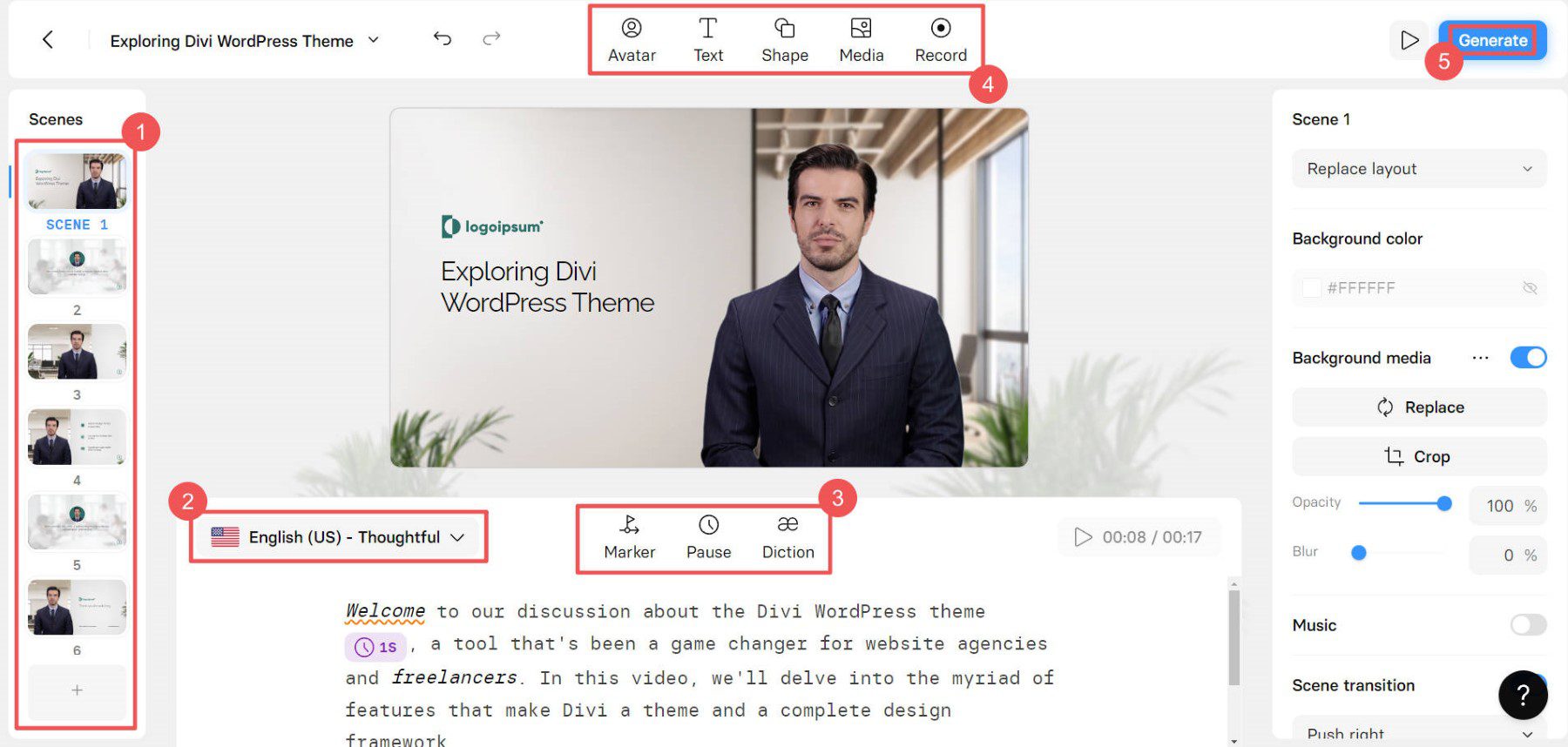
Use Synthesia to create engaging videos about your products and services to capture the interest of your audience. In short, companion videos help highlight your product’s features and the benefits your users can get from your product using Synthesia’s design elements.
You can create videos about product overviews, price points, add-ons, product cheat sheets for sales, customer onboarding, and more. This helps improve sales performance and conversion rates.
marketing
Synthesia helps you create videos for marketing purposes. Whether you want to create high-quality video content for your website, official YouTube channel, or other platforms, you can easily create it and upload it wherever you need it.
As a result, your marketing efforts will yield better results and lead to increased sales.
learning and development

Use Synthesia to create videos for learning and development, including explainer videos, how-to guides, and instruction manuals. Not only are these videos helpful for your customers, but your employees can also keep up their knowledge by watching them.
internal communication
Effective communication within a company requires ensuring that everyone is aligned with goals and working as expected according to assigned rules and regulations.
It can be helpful to create a video for your team members so they can refer to it when they get stuck. New employees can learn about the company, its values and culture, and watch as they adapt seamlessly, while existing employees can stay up to date with the latest rules.
Additionally, you can create videos about market strategies, company updates, policies and procedures, sustainability initiatives, etc. and share them with your team members to keep employees and stakeholders informed about the company’s recent activities. Masu.
How does Synthesia work?
Synthesia is an easy online video generator that streamlines the entire video creation process. It uses text-to-speech technology and takes the input text as input, processes it and produces a video as output.
Get started with Synthesia and learn step-by-step how to create amazing videos.
Step 1: write a video script
Create a video script that covers important information. Keep it short and sweet, with no more than four sentences on each video slide.
Take the time to draft and review your video script. Remove extra words that don’t add value and make the text as clear and easy to understand as possible.
Step 2: Choose template and avatar
Synthesia offers a variety of templates suitable for a variety of use cases, from sales, marketing, and human resources to creativity, training, and more. So choose one based on your requirements and customize it to be more relevant.
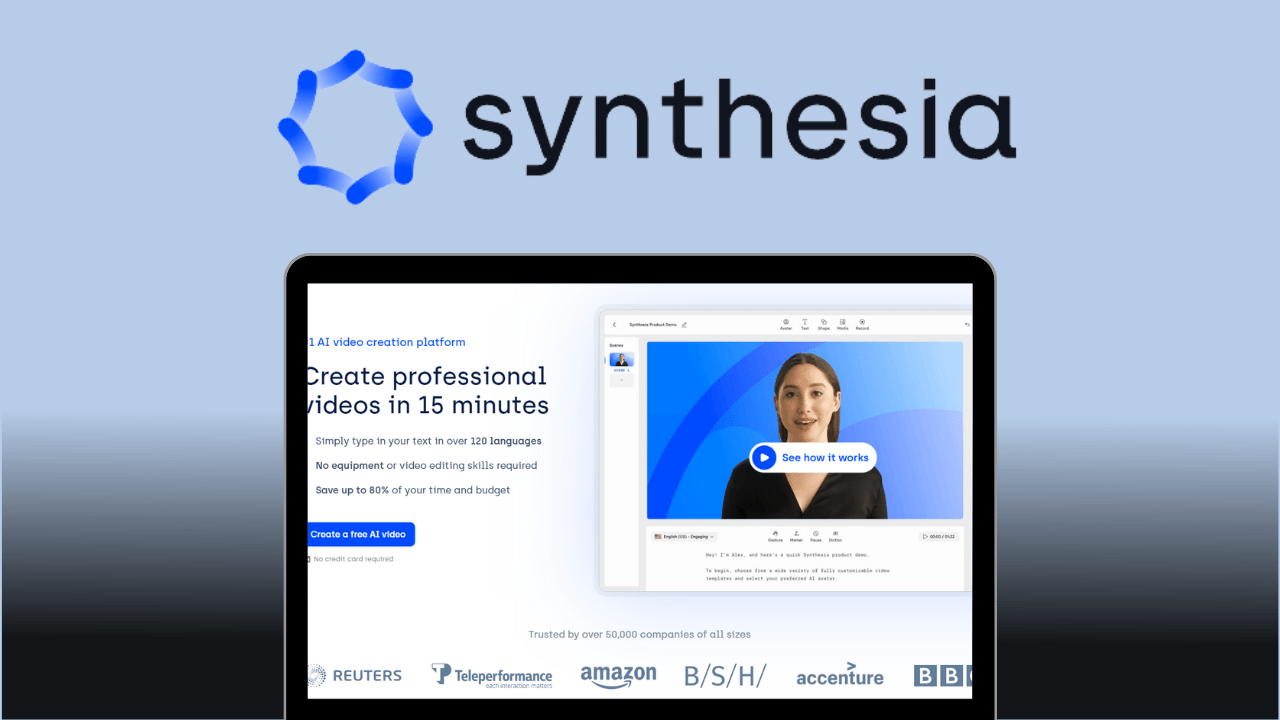
Next, select your AI avatar. In Synthesia, you can find over 120 AI avatars that act as video presenters and narrators. Choose the one that best suits your video.
You can add an avatar by clicking “Avatar” at the top of the video canvas. Select your avatar and its frame (voice only, full body, circle, etc.). Left-click on the selected avatar to adjust the avatar’s size and position. You can also create custom avatars.
Step 3: Enter/Paste text
Enter text into Synthesia’s AI video creation tool. Avoid copying and pasting long blog posts or PDF documents.
Paste your script into the script box on your slide and watch it turn into an AI narration. The language is automatically selected based on your text, but you can also change the language along with accent, voice style, locale, and dialect.
You can then add visuals and media to your video, such as images, animations, text, transitions, and other elements.
Step 4: video editing
Edit your videos ruthlessly to make them crisp, clear, to the point, and great looking. Easily edit videos with Synthesia without using any other editor. Check if all details and elements are in the right place. If not, get them right or make them look better.
Step 5: generate video
Once everything is done, click “Generate Video” and you’re done. Behind the scenes, the video runs through Synthesia’s content moderation processes and algorithms. After that time, you can view, embed, download, and share the video.
Pricing
Synthesia keeps pricing simple and doesn’t confuse you with too many tiers. There are only two pricing plans available:
personal
Starting at $30 per month for:
- 1 seat
- 10 scenes
- 10 video credits per month
- 120+ languages and voices
- 90+ AI avatars
- basic functions
company
Please contact our sales team for a quote. This includes:
- custom seating capacity
- 50 scenes
- unlimited video credits
- 120+ languages and voices
- 130+ avatars
- advanced features
Alternatives to Synthesia
Despite Synthesia’s great features, some people may not like it due to reasons such as ease of use or price. So if you’re one of those people, here are some alternatives to Synthesia .
#1. 1st hour
Create videos with virtual humans using Hour One . Quickly and easily convert text into presenter-driven videos in multiple languages.
Features:
- virtual human anchor
- 60 voices and languages
- multiple video layouts
- Rich integration
#2. Friki

Turn your words into creative videos using Fliki and AI voices from your blog posts and scripts.
Features:
- 75 languages
- 900 voices
- Rick Media Library
#3. Elai
Elai lets you generate AI videos from text and quickly customize them without a camera, green screen, or studio.
Features:
- real human presenter
- 25+ avatars
- custom avatar
- SSO
- voice clone
Bottom line: Should you consider using Synthesia?
Synthesia is a great video creation tool for individuals and businesses. It has various valuable features and is very easy to use. The pricing plans are simple, so it’s easy to choose.
Yes, you can consider Synthesia for your use case. However, if for some reason you don’t like it, you can use the Synthesia alternative.
You can also explore some leading video annotation tools to enhance your visual data.


![How to set up a Raspberry Pi web server in 2021 [Guide]](https://i0.wp.com/pcmanabu.com/wp-content/uploads/2019/10/web-server-02-309x198.png?w=1200&resize=1200,0&ssl=1)


