It is often said that music is everywhere, but fortunately for us, advances in technology, especially the Internet, have made it possible to access music from anywhere in the world at any time, and thanks to smartphones, this quest has become even easier. Now it’s even easier. I believe that most of us carry our favorite music with us on our smartphones. If we can expand mobile storage and free ourselves from internet dependence, then why not? We also believe that this Class A euphoria-inducing drug deserves the best possible treatment. , to ensure that, we list the top 10 best music players for Android. Let’s take a closer look:
Best music player for Android
1. Black Player
When you first encounter BlackPlayer, “gorgeous”, or any synonyms it may have, is the word you say. The simple interface is complemented by fluid animations, striking fonts, and solid colors that can be customized to your liking . Music files are categorized by track, artist, album, and genre. One feature that I was personally impressed with was that when sorting tracks by artist , it automatically loaded artist images and profiles from Last.FM. It also has a 5-band equalizer that allows you to adjust the sound quality to your preference. The playback screen has small customizable options that allow you to assign various tasks related to track properties, playback, and BlackPlayer settings.

BlackPlayer also gives users the ability to choose gapless playback and crossfade tracks with options to choose between different styles and fade durations. It’s also compatible with Chromecast , so you can easily play music directly from your device to a connected display. There are plenty of options to change the interface to your needs.
Installation: ( Free , BlackPlayer X $0.70 )
2.Pi Music Player
If you’re into dazzling animation, you’ll love Pi Music Player. You can customize the look by choosing from four different themes and choose how you want your tracks to be sorted. But it’s not just about beauty. With a heavy focus on playlists, Pi Music Player automatically categorizes tracks based on most played songs, favorites, recently added songs, etc., and includes the ability to back up playlists to your device. Provide .
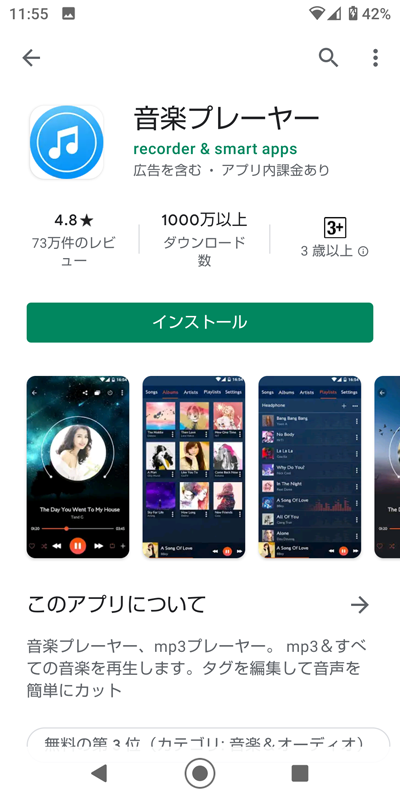
Other features include Pi Power Share , which lets you share your music files with anyone in the world using a share key or ringtone cutter , and lets you snap and review your favorite parts of any song you like. can. The next time you receive that telemarketing call, it will be less of an annoyance. If that’s not enough, Pi Music Player has an attractive easter egg that rotates its icon every time you touch it.
Installation: ( Free )
3.AIMP
If you want to avoid dizzying animations and just get down to business, avoid being distracted or dumbfounded by a series of options that probably don’t affect your music listening experience, then AIMP is your best choice. It should be. I don’t have the guts to call AIMP minimally, but the interface is very clean . One of the great things about this music player is that it supports a huge number of audio formats. Some of them are difficult to hear in daily life.

As for audio, there is a 10-band equalizer , five of which are dedicated to bass frequencies. You can also control playback speed and cut or boost audio gain using the built-in preamp. You can also convert stereo files to mono to optimize playback depending on your speaker settings . AIMP is like a file manager for audio files, allowing you to choose which folders appear in your music player, but manual selection can be annoying for some users.
Installation: (Free)
4. Musicolet music player
Are you a DJ in a group or prefer tight control over the playback of your tracks? Then Musicolet Music Player will be your ideal choice. Music Player allows you to create multiple queues of tracks that you can manipulate and edit as needed. Navigating the interface can be a little fiddly at first, but you’ll quickly get used to it. It also features a 5-band equalizer with standard presets and options to control bass boost and surround sound .

You also get basic options for changing the look of your theme, including light, dark, AMOLED-friendly dark options, and the ability to change the accent color. You can also adjust the playback speed and customize the headset’s remote button controls . Finally, you’ll also see options to add and view lyrics, edit information such as title, artist information, and album, and change album art.
Installation: ( Free )
5. Retro music player
If you’re looking for a music player that organizes your music beautifully , we recommend Retro Music Player. Albums and artists are neatly laid out in large square tiles with minimal use of text. This app lets you experiment with color in everything from colored navigation bars to a wide range of accent colors and notification colors. You can also enable full-screen mode, which hides the notification bar and navigation bar while the app is enhanced for an immersive experience. The app seems to be heavily inspired by the recent overhaul of the Apple iOS Store, and you can even add curved corners to your windows. What I like most about Retro Music Player is its extensive use of swipe gestures.

Similar to BlackPlayer, Retro Music Player automatically adds images to artists and displays profiles based on Last.FM information . There is no built-in equalizer , but you can select it if it is pre-installed. However, my smartphone’s stock equalizer was not recognized, which may be a little frustrating for some users. You can also display lyrics from Kugou and Lyrics Wiki .
Installation: ( Free )
6. Abbey Music Player
Clearly inspired by the historic Beatles album made famous by its iconic cover art depicting the band crossing the road, the Abbey is no ordinary music player in terms of design. It’s far from bloated, and text takes up most of the space , although functionality is occasionally interrupted in the form of easily recognizable icons. While the track is playing, you’ll see an animation of the vinyl disc spinning , but you can turn it off if you don’t like it.
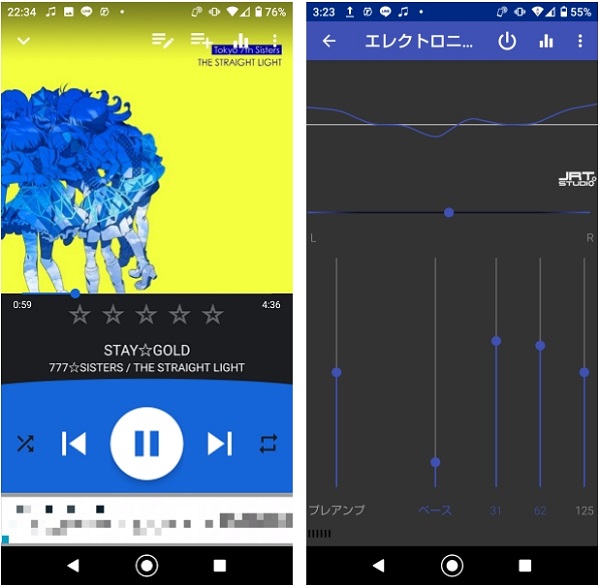
Assign tracks according to your mood and choose from a variety of high-contrast themes . In addition to navigating to your favorite tracks, you can also chip out ringtones from your music files , update old album art, and more. Apart from these features, you can also relax your mind by listening to raindrop harmony along with the track or without any other sounds.
Installation: ( Free )
7. Pulsar Music Player
If you’re looking for a combination of practicality and simplicity, Pulsar Music Player should be your best choice. There isn’t much movement in the background and all the options are right in front of you, which is facilitated by the simple material design . Pulsar can automatically sync missing album art and artist images and edit track information.
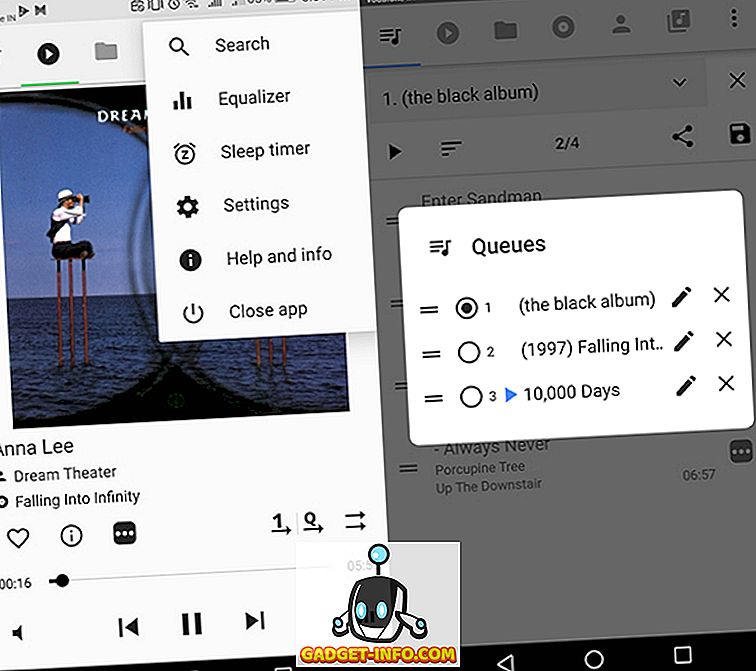
Swiping the screen works seamlessly and presents concise settings that don’t get confusing. You can choose from three different light and dark themes to customize which tabs appear on the main screen. However, you need to purchase Pulsar Music Player Pro to enable the equalizer , and you cannot choose an alternative. So if you’re up for it for simplicity, Pulsar is a great choice as a music player.
Installation: ( Free , Pulsar Music Player Pro $3.43 )
8. Shuttle music player
Another music player blessed with material design and oddly satisfying animations is Shuttle. It’s great at organizing albums based on artist, allowing you to go back to an album, artist, or genre directly from the Now Playing screen. While base colors are limited to a common palette, there are endless color options when it comes to accent colors. You can also choose between light and dark themes.
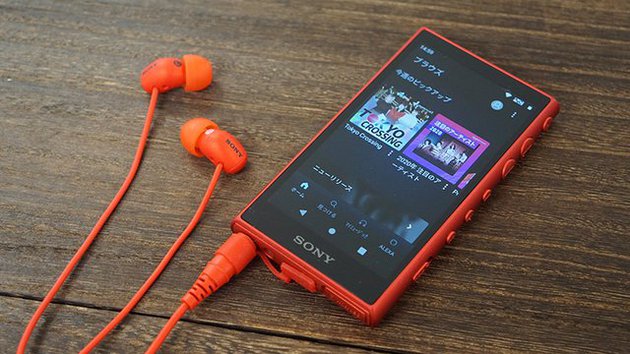
Shuttle features a 5-band equalizer with a bar to change the EQ strength, and presets and a bass booster are also available. Shuttle also features support for music tracking using the Last.FM Scrambler , allowing you to download missing album art. With options like auto-pause and resume, “beep when skipping”, there are subtle additions to make listening to music on your headset easier. The paid version provides additional themes, as well as a menu for screencasting and tag editing via Chromecast.
Installation: ( Free , Shuttle+ $2.65 )
9. Neutron music player
Very unusual and unlike modern apps, Neutron may remind you of the complex control panels on Star Trek spaceships. The interface relies primarily on icons, so it may take a little getting used to finding your way around it. This music player is clearly made for enthusiasts who want more control over their device’s audio output, far beyond the frequency range . In Neutron Music Player, you can play with several parameters under “DSP Effects.” For example, you can add a compressor to your effects chain and manipulate parameters such as attack time, release time, and gain . Similarly, you can also manipulate crossfades, surround sound, and speaker placement parameters.
Neutron Player allows you to change the playback speed and pitch of your songs. This is because regular entertainment may not be able to soothe a constantly humming brain. You can also change the order of effects within an FX chain . This is something that is sure to please musicians and audio producers besides wave enthusiasts. Finally, there are features like 5-star ratings that you can add to songs, but I didn’t notice any noticeable difference in ratings on shuffle. If you want more control over these sound parameters, you can pay extra.
Installation: ( Free , premium version $6.23 )
10. Musixmatch Lyrics
The most interesting and useful of these, and of course the one you should save for last, is Musixmatch. Musixmatch is not only a music player with a minimalist design, but also a service that displays lyrics while a song is playing on your device . What’s even better is that you don’t have to open the service manually , and when you play a song on your phone, it’s easy to hear and automatically pop up in a Messenger-like overlay window .
Musixmatch comes with ads , but you can pay $1.96 per year for the full version or earn points by participating in acts of good karma, like syncing lyrics or adding lyrics to local songs. You can . You also have the option to identify songs in a Shazam-like way . Musixmatch not only supports local music players, but also popular services such as YouTube, Google Play Music, and Spotify. If you have a lyric that makes your heart flutter, you can use Lyricscard to share it with your Facebook friends and Twitter followers. Lyrics are displayed on the lock screen by default, but please check beforehand as this may interfere with the normal lock screen.
Installation: ( Free , Premium $0.65/month, $1.96/year)
See also: 5 cool apps like Musixmatch that you can use to search for lyrics
What is your favorite music player for Android?
To suit the needs of different users, we have listed various music players keeping in mind various factors such as ease of customization, file support, interface, sorting options, add-ons, etc. We hope one or more of our apps will help your ears find the perfect sound for your favorite love song, honor ballad, rebellion song, or just plain muzark.
Did we miss any apps? Let us know your recommendations for the best Android music players in the comments below.


![How to set up a Raspberry Pi web server in 2021 [Guide]](https://i0.wp.com/pcmanabu.com/wp-content/uploads/2019/10/web-server-02-309x198.png?w=1200&resize=1200,0&ssl=1)


