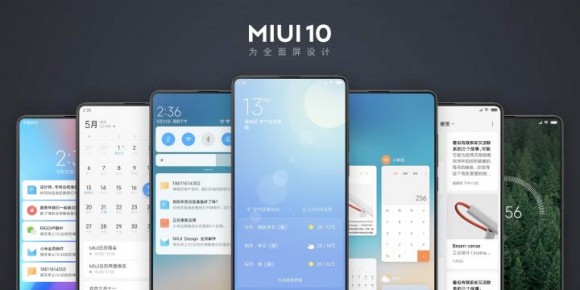
Xiaomi has just announced MIUI 10, the latest version of its popular custom Android ROM, and it brings a ton of new features. I’ve been using MIUI 10 since the day it was released, and I can certainly say that in terms of features, it’s Xiaomi’s biggest MIUI update, at least in the last few years. In this article, I will share with you the best MIUI 10 features that I discovered in my short time using MIUI 10. So, if you are a Xiaomi fan and want to know what Xiaomi has in store for you, here are the top 10 MIUI 10 features you need to know.
Best new features of MIUI 10
Note : We tested MIUI 10 China ROM on Mi Mix 2 and Mi 6. If you want to try MIUI 10 Beta on your device, check out our detailed guide on how to install MIUI 10 Beta on Xiaomi. device. MIUI 10 update is compatible with devices like Mi Mix 2, Redmi Note 5 Pro, Redmi Note 5, Redmi 5, Redmi Note 4, etc.
1. Gesture
One of the newest and most exciting features coming with MIUI 10 is gesture support. Those who are familiar with MIUI ROM may know that Xiaomi released gesture support with MIUI 9.5, but it is certainly a new feature for Indian users as it is not out of China. What I like most about MIUI 10’s gestures is that Xiaomi has implemented them well. Unlike other Android devices where gestures feel like an afterthought, with MIUI 10 they feel quite native . That said, the gestures are smooth and I never felt stuttered for a second. This is truly commendable considering the fact that MIUI 10 is currently in early beta.

As for the gestures themselves, there’s the standard swipe up to return home and swipe up long press to access recent menu gestures, as well as an iOS-inspired swipe from the left edge of the screen. You can also return with . There’s one more gesture : swipe and hold from the left or right edge of the screen to go back to the previous app instead of going back to the page . After using gestures in MIUI 10, I can certainly say that this is my favorite gesture implementation in custom Android ROMs.
2. New Recent Menu
With MIUI 10, Xiaomi has changed many UI elements on the ROM. Of all the UI changes Xiaomi has made, the newly redesigned “Recent Menu” is my favorite. Now, swipe up and press and hold to access the Recents menu, and the app cards will appear in a mosaic tile pattern on a vertically scrolling page . Not only does it look great, but the mosaic tile pattern lets you see more apps at once, making it easier to switch to the one you’re looking for.

You can also long-press an app’s card to perform various actions, such as locking it in the background, starting split-screen mode, and checking app information . It’s also very easy to clear apps from the Recent menu. Simply flick the app card to the right or left to close it. Xiaomi’s implementation of the Recent Apps menu is by far my favorite on any smartphone I’ve ever used, and I’d love to see it on stock Android as well.
3. Android P-style volume slider and notification shade
MIUI 10 not only takes inspiration from iOS, but also a lot from Android P. MIUI 10 has completely overhauled the notification shade and volume slider menu to bring it closer to Android P. The notification shade currently features a bold white background. A quick settings panel that looks exactly like the one in Android P. The “Volume Menu”, on the other hand, may look a little different, but functionally it’s a near-exact replica of Android P’s.


4.Picture-in-picture mode
Picture-in-Picture mode is a feature introduced in Android 8.0 Oreo, but due to several reasons, Xiaomi has decided to exclude this feature from the MIUI 9 update. Thankfully, this feature has finally been introduced in MIUI 10. I love the PIP mode on the OnePlus 3. It’s easy to use without having to completely switch from the apps you’re already using . For example, you can quickly reply to texts while continuing to watch a video in PIP mode. This is one of my favorite features of Android Oreo, and I’m glad it’s finally here.
5. Autofill support
Another Android Oreo feature that was missing in MIUI 9 is autofill support. If you’ve ever used Autofill on your Android device, you know that it’s a very useful feature. In other words , this feature allows you to securely log into apps without having to remember passwords . This makes things easier and we are happy that MIUI users will finally be able to enjoy this feature after updating to MIUI 10.
6.AI functions
AI is the latest buzzword in the tech world, with every other smartphone manufacturer implementing some form of AI in their devices. Xiaomi did something similar with MIUI 10, offering a ton of AI-powered features along with its own personal AI voice assistant. First, there is the “AI preload” feature. It is said to reduce app loading time to zero by learning user behavior and predicting user behavior . When this feature works properly, it basically predicts which apps you want to launch and preloads them to open instantly.
Next , “AI Portrait Mode” in MIUI 10 uses AI to take photos with a bokeh effect even with a single camera sensor. This is what Google is already doing with its Pixel 2 line of devices. Finally, there’s a brand new voice assistant, but we don’t know how it works since it only speaks a Chinese dialect at the moment . Also, looking at Xiaomi’s past trends, it is likely that the voice assistant function will be limited to China.

7. Improved screen recording
MIUI is one of the first ROMs to include a built-in tool that helps you record your device’s screen. With MIUI 10, Xiaomi has made this tool even more powerful , allowing you to record system sounds . This is very useful if you share a large number of screen recordings with other users like we do. It’s especially useful because we record a ton of gameplay video and it’s great to be able to get the footage with audio. I’m not sure how useful this feature will be to the average person, but it’s certainly a nice addition.

8. App management
MIUI 10 adds a new ‘Manage Apps’ page within the Security app, allowing you to manage all your apps. With just a few taps, you can check for app updates, find dual apps on your phone, see what permissions you’ve given apps, and delete apps in bulk . This feature is certainly useful for those who are app lovers and install and check out a lot of new apps.
9. Quick Ball Quick Pay Shortcut
If you have used MIUI in the past, you are probably familiar with the Quick Ball feature, which is a software ball that helps you perform some actions quickly. MIUI 10 adds one interesting feature to Quick Ball. It’s a feature that allows you to instantly pay for items or send money to friends . Since we have China ROM, we will only see the option to use either WeChat or AliPay, but if this feature is used for global ROM, we may see options such as WhatsApp payments and Paytm support .
10. MIUI Lab
MIUI 9 users may remember that last year Xiaomi introduced a new section within the Settings app called “MIUI Lab” for the purpose of testing experimental features. Although we haven’t seen much of the internals since the launch of MIUI Labs, MIUI 10 introduces a number of new experimental features. First, Taplus allows you to long-press an item to trigger several actions . For example, you may be able to tap and hold an image or word to get a definition or additional information. There’s also a new “Super Resolution” feature that uses artificial intelligence to improve image quality.

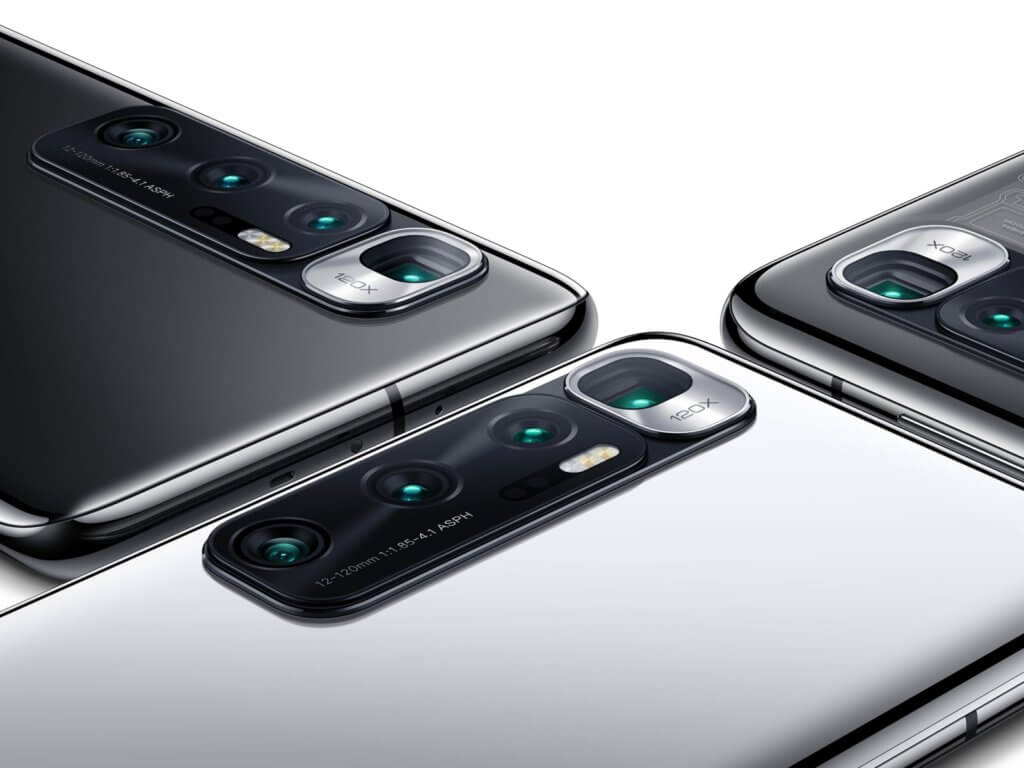
SEE ALSO: Here are all the Xiaomi smartphones with MIUI 10
Take a quick look at all the new features of MIUI 10
As we mentioned earlier, MIUI 10 is probably one of the most exciting MIUI updates in recent years. In this article, we’ve covered all the important updates included in MIU 10, and we’ll continue to update this article as we discover new features as we continue to use them. So, bookmark it or come back again and again to check out more MIUI 10 features.


![How to set up a Raspberry Pi web server in 2021 [Guide]](https://i0.wp.com/pcmanabu.com/wp-content/uploads/2019/10/web-server-02-309x198.png?w=1200&resize=1200,0&ssl=1)


