CSS has come a long way, but CSS-centric tools have yet to advance.
If you feel like writing CSS is like fighting monsters in a tar pit, you’re not alone. Although CSS is one of the most fundamental technologies that power the web, it is not a proper programming language or framework in itself. As a result, as soon as a project becomes more visible, so too does the confusion. The selector rules seem to be scattered all over the place, making it difficult to find what goes where. As you incorporate fonts, external CSS, JS, and other assets into your pages, the final size of your bundles becomes unmanageable, leaving you wondering where the ideal of a fast and user-friendly front end went. Masu.
But it doesn’t have to be that way. Today, the tools around CSS have evolved to the point where they can not only tame your workflow, but make it fun. This article describes five CSS tools that I’ve found extremely valuable in my work. I’ve consciously avoided “toy” tools like CSS generators and menu generators because they cause more problems than they solve.
The CSS train is coming! Let’s go! 😛 😀

PostCSS
If you like JavaScript, you’ll love the idea of being able to add and control CSS through JavaScript. And that’s exactly the functionality PostCSS provides.
However, this is more than just JavaScript-based syntactic sugar on top of CSS. PostCSS wraps together several powerful packages/features, making your workflow more comfortable and easier when working with CSS. for example:
- Vendor prefixes are automatically added based on the properties you use.
- Ability to detect CSS features available in the current browser.
- Uses a very powerful syntax CSS update that will be released in the future.
- A responsive grid that is as flexible as possible.
I think I would be doing PostCSS justice if I didn’t include a grid example. So let’s go. Something as simple as:
 div {
  lost-column: 1/3
}
It turns into a full-fledged CSS system with almost all edge cases handled.
 div {
  width: calc(99.9% * 1/3 -
  (30px - 30px * 1/3));
}
div:nth-child(1n) {
  float: left;
  margin-right: 30px;
  clear: none;
}
div:last-child {
  margin-right: 0;
}
div:nth-child(3n) {
  margin-right: 0;
  float: right;
}
div:nth-child(3n + 1) {
  clear: both;
}
Because PostCSS is JS-driven, it’s not that easy to set up, especially for designers who aren’t very involved in the world of modules, bundlers, or npm in general. That being said, the potential of PostCSS in your work is huge and shouldn’t be ignored.
Purge CSS
Do you love modern front-end framework-based workflows but are frustrated by too much baggage? If yes, then PurgeCSS is your friend, at least as far as CSS is concerned.
For those who don’t know what’s important, here’s a quick overview. When you build a single page application using a front-end framework like React, Angular, or Vue, you go through what’s called a “build process.” Basically, code all your CSS, JS, SASS, etc. in separate files (organized in the most intuitive way). However, once you’re done, tell the bundler to “build” it. It reads all the source code you’ve written, applies various filters to it (minification, obfuscation/obfuscation, etc.), and outputs the output into a single file (usually “app.js” for all your JavaScript). Spit it out. “app.css” for all CSS. These files, along with a thin “index.html”, are all you need to run the front end of your application. The disadvantage is that these final files contain everything, so the file size is often larger than fast response times allow. For example, it’s not uncommon for “app.js” to be over 500 KB.
PurgeCSS is added as part of the build workflow to prevent unused CSS from being bundled into the final output. A typical use case is bootstrapping. This is a medium-sized library with several UI classes for various components. For example, if your application uses 10% of Bootstrap’s classes, only the remaining 90% will be bloated in the final CSS file. However, thanks to PurgeCSS, you can identify such unused CSS files and exclude them from the build process, resulting in a much smaller final CSS file (only a 5-6x reduction in size). This is normal).
Now let’s use PurgeCSS to “purge” unnecessary CSS. 🙂
Tailwind
Tailwind is a CSS framework, but it’s so antithetical that I thought I’d include it here among my CSS tools. If you hate inline CSS (and who doesn’t?!), there’s a good chance you’ll recoil in horror the first time you encounter Tailwind. Get a first taste by looking at how to code a typical form using Tailwind CSS.
 <div class="w-full max-w-xs">
  <form class="bg-white shadow-md rounded px-8 pt-6 pb-8 mb-4">
    <div class="mb-4">
      <label class="block text-gray-700 text-sm font-bold mb-2" for="username">
        Username
      </label>
      <input class="shadow appearance-none border rounded w-full py-2 px-3 text-gray-700 leading-tight focus:outline-none focus:shadow-outline" id="username" type="text" placeholder="Username">
    </div>
    <div class="mb-6">
      <label class="block text-gray-700 text-sm font-bold mb-2" for="password">
        Password
      </label>
      <input class="shadow appearance-none border border-red-500 rounded w-full py-2 px-3 text-gray-700 mb-3 leading-tight focus:outline-none focus:shadow-outline" id="password" type="password" placeholder="******************">
      <p class="text-red-500 text-xs italic">Please choose a password.</p>
    </div>
    <div class="flex items-center justify-between">
      <button class="bg-blue-500 hover:bg-blue-700 text-white font-bold py-2 px-4 rounded focus:outline-none focus:shadow-outline" type="button">
        Sign In
      </button>
      <a class="inline-block align-baseline font-bold text-sm text-blue-500 hover:text-blue-800" href="#">
        Forgot Password?
      </a>
    </div>
  </form>
  <p class="text-center text-gray-500 text-xs">
    ©2019 Acme Corp. All rights reserved.
  </p>
</div>
“Are you kidding me or something?! What’s that annoying little class? If you look closely, why on earth are you setting margins, padding, and colors directly along with the HTML? Is this 2019? ?
Such thoughts are to be expected. I feel the same way, and I immediately shut the lid on Tailwind, so I know. It wasn’t until much later that I started paying attention to a podcast where a guest rebuilt a trendy, decent-sized website on Tailwind.
Consider the following questions before proceeding:
- Tired of remembering standard framework classes and their functionality so you can customize the design to your liking? A good example is changing the look and behavior of the Bootstrap navigation bar.
- Do you think popular frameworks like Bootstrap are overreaching and trying to do more than they need to?
- Do you find yourself mixing frameworks because you want the best of all worlds?
- Want more control over your design but feel overwhelmed by the vanilla CSS experience?
If any of these answers are yes, you need Tailwind. So let’s take a look at what Tailwind is and what it does.
Tailwind is what we call utility-first CSS, which is different from what we do in our daily workflows, which is semantic CSS. The difference between Semantic CSS and Utility CSS is that the former attempts to group style elements by the name of the visual section that appears on the page. So if you have navigation menus, cards, carousels, etc. on your page, a semantic approach would be to group your CSS style rules into classes like .nav , .card , .carousel , etc. Subsections are labeled accordingly (for example, .card-body , .card-footer , etc.). This is the most common approach to CSS, and everyone is familiar with it through frameworks like Bootstrap, Foundation, Bulma, and UI Kit.
On the other hand, the “utility” style of writing CSS names classes precisely according to their function. The class that controls the top and bottom margins is named .margin-y-medium and can be applied anywhere in the HTML. Add markup where you want this margin. While this introduces some class name creep (just take a quick look at the code or screenshots I shared earlier, there are so many classes!), the intent of the CSS is very clear. No need to jump. Go back and forth between documentation, CSS, and HTML to find the right name and the right effect.
This is a very free way of working, but it also has its pitfalls. This means you need to have a strong foundation in CSS (including modern concepts like Flexbox). This is because Tailwind does not provide out-of-the-box styles for the components on the page, and it is up to you to construct the styles from the provided components. Another problem is setup. Tailwind allows you to group multiple CSS classes into something called a component, but this is done through JavaScript and requires a module loader and bundler like Webpack.
All in all, Tailwind is a polarizing and striking new way of styling that will appeal to those looking for more simplicity and control.
suspension
Sass has been around for a long time, but developers haven’t yet realized how useful it can be, which is why we included it here. Stylistically Awesome Style Sheets (or SASS) is a superset of CSS developed to reduce the craziness that creeps into your projects when you have more than a few lines of CSS.
Picture this: You’ve come a long way writing CSS for your project. I used several colors and came up with margins that would work well with different divs, font styles, etc. However, I now realize that it doesn’t all tie together that well. Why not increase the margins for all sections, cards, and buttons? Okay, now what? The very idea of having to search and replace huge CSS files is enough to give you a headache. We’ve all done it and know how error-prone it is. Sass solves this problem by introducing variables.
When writing HTML, you nest elements within other elements. However, when writing CSS, you have to write a flat hierarchy of rules, which makes it difficult to mentally “fit” the CSS to HTML. Sass allows you to mimic page structure in style files.
All of this doesn’t just scratch the surface of the modular design, include files, mixins, inheritance, and other features that Sass offers. . . The list goes on. Sure, you’ll need to learn the Sass compiler’s workflow and incorporate it into your own, but in my opinion, the few hours spent are an investment that will pay off over and over again.
bourbon
Bourbon is a pure Sass toolset that is human readable and lightweight. If you use Sass, consider using this tool. This tool is free and provides concise one-line methods to perform a variety of tasks.
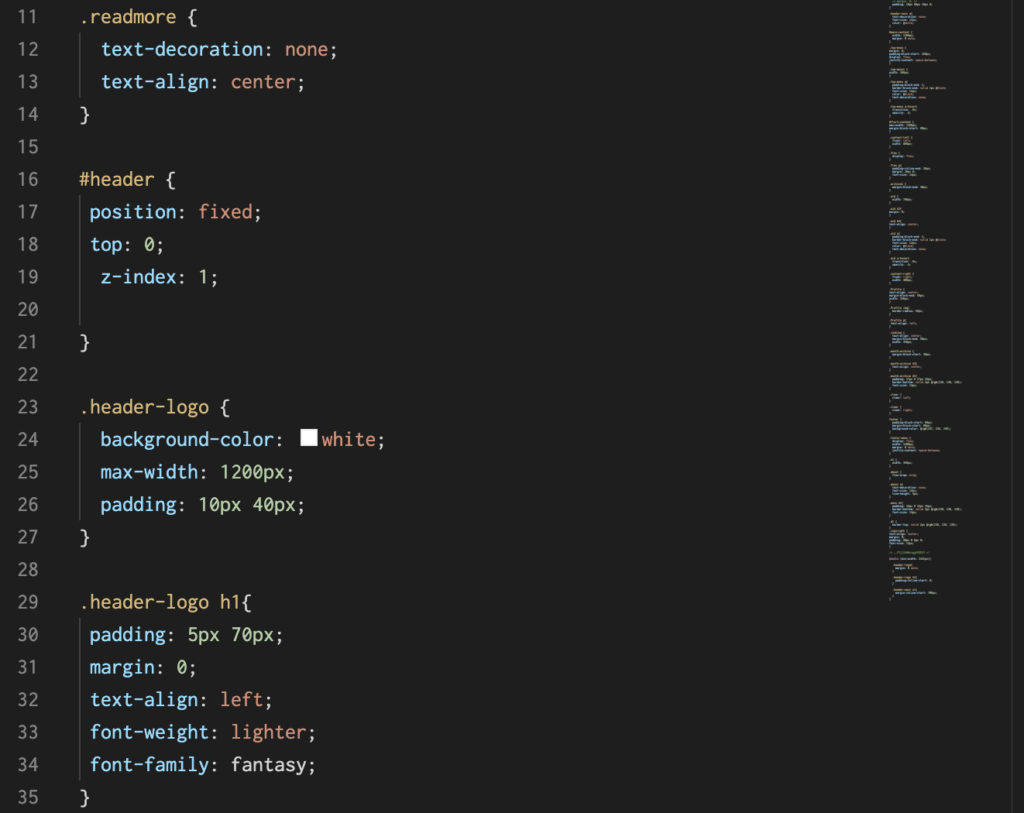
For example, to set the border color for a specific edge of a box, just add the code below.
 .element {
  @include border-color(#a60b55 #76cd9c null #e8ae1a);
}

// CSS Output
.element {
  border-left-color: #e8ae1a;
  border-right-color: #76cd9c;
  border-top-color: #a60b55;
} 
CSS linter
Web designers (and UI developers – I wonder what the difference between these two terms is? 🤔) use simple text editors or, as is the case these days, use code directly from Chrome dev tools. Linter. On the other hand, programmers who use good text editors like VS Code, Sublime Text, or other IDEs will be familiar with this tool because they are used to it. Anyway, the point is, if you’re one of those CSS developers who is drowning in messy CSS, you can benefit from linters .
Simply put, a linter is a program that checks code for errors and inconsistencies. This is done using a set of rules to determine what is wrong and what is inconsistent. A good linter integrates with your IDE or code editor, and can be configured to run every time you save your source file. It also helps with color previews, errors, and autocomplete when creating CSS files.
But here’s the most important part. If you follow specific CSS styles and formatting, you can tweak the linter until you’re happy with it. This ensures that the CSS in your project follows the same style guide (you can also configure the linter to auto-format your files every time you save/commit your source code). So whether you’re working in a team or alone, linters are always a great addition to your project workflow.
conclusion
I’m sure by now that modern CSS development is very different from the cat-chasing approaches of the past. 🙂
That being said, I’ll admit again, even if I sound like a broken record. Some of the tools mentioned in this article are n’t easy to set up, especially if you don’t have a friendly relationship with npm ecosystem. . But before you turn away in disgust, let me tell you this. When you first learned CSS, was it easy? Was it easy to center a div, master the mood swings of floats etc.?Similarly, the tools I’ve described here didn’t have much to offer. It takes some learning, but it’s well worth it.
Honestly, once you start seeing results, you’ll kick yourself for not doing this sooner. Also, don’t underestimate the importance of modular, lean, and well-organized CSS.


![How to set up a Raspberry Pi web server in 2021 [Guide]](https://i0.wp.com/pcmanabu.com/wp-content/uploads/2019/10/web-server-02-309x198.png?w=1200&resize=1200,0&ssl=1)


