Want to concatenate two or more string columns in SQL? Learn how to concatenate strings using the SQL CONCAT function.
When querying a database table, you may need to concatenate multiple text/string columns instead of retrieving data from a single column. This is useful when you want output that is easy to interpret and read.
For example, you can select full_name field by concatenating first_name and last_name fields. Similarly, you can get full_address by concatenating the street address, city, state, and other required fields.
In SQL, you can concatenate strings using the CONCAT function. This guide covers:
- SQL CONCAT function syntax
- Usage example
- Handling NULL values in one or more columns when concatenating
Let’s get started!

SQL CONCAT function syntax
The syntax for using the SQL CONCAT function is:
CONCAT(string_1, string_2, ..., string_n); Here, string_1 , string_2 , …, string n indicates the strings to be concatenated. These can be string literals, columns, or a combination of both.

Concatenating string literals using CONCAT
The CONCAT function can also be used to concatenate string literals, so let’s code a simple example.
Here, the strings “Hello,” and “world!” are concatenated. As a greeting string:
SELECT CONCAT('Hello, ', 'world!') AS greeting;Running the above query gives the following output:
 +---------------+
| greeting      |
+---------------+
| Hello, world! |
+---------------+
1 row in set (0.00 sec)
However, in reality, you may want to concatenate required columns in a database table rather than string literals. Now let’s code some examples using the CONCAT function in SQL.
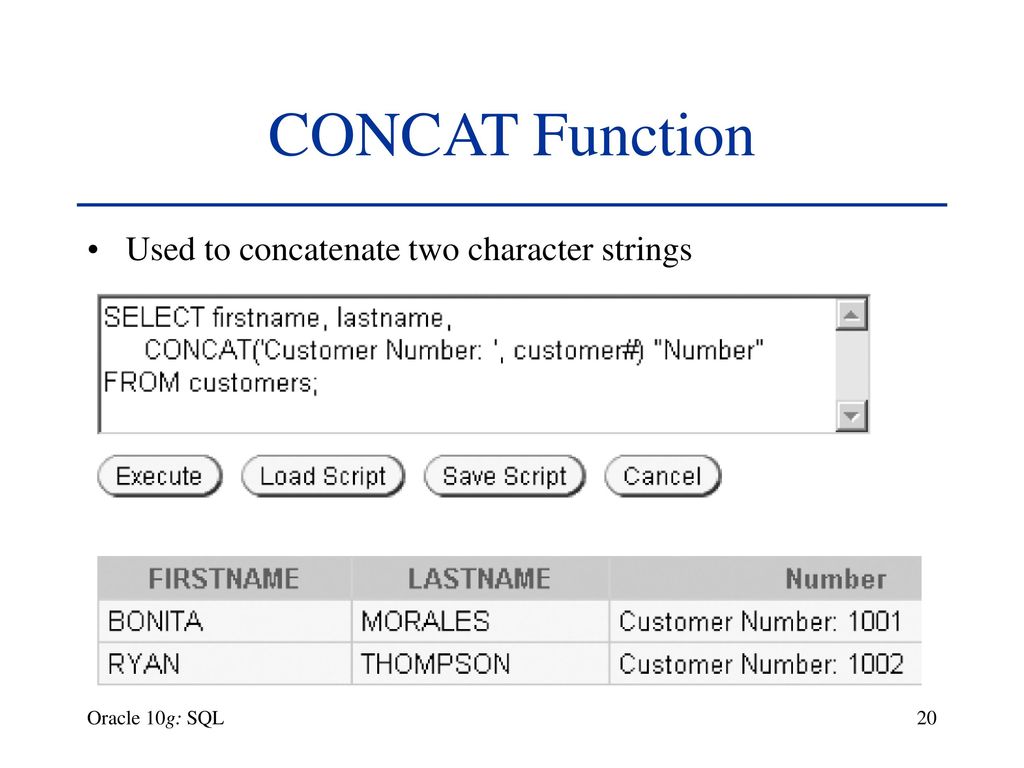
How to concatenate columns in SQL
Now let’s move on to querying the database tables.
📑 All sample queries in this tutorial were executed on MySQL database tables. However, you can also use another RDBMS of your choice.
Creating a database table containing records
Let’s create a usable database.
CREATE DATABASE db1; use db1; Let’s create the employees table in database db1 . To do this, run CREATE TABLE statement with the following columns and corresponding data types:
 CREATE TABLE employees (
    ID INT AUTO_INCREMENT PRIMARY KEY,
    first_name VARCHAR(50),
    last_name VARCHAR(50),
    street VARCHAR(100),
    city VARCHAR(50),
    state VARCHAR(2),
    username VARCHAR(20)
);
Next, let’s insert some records into the employees table.
 INSERT INTO employees (first_name, last_name, street, city, state, username) VALUES
    ('John', 'Smith', '123 Main St', 'New York', 'NY', 'john123'),
    ('Alice', 'Johnson', '456 Elm St', 'Boston', 'MA', 'alice456'),
    ('Bob', 'Williams', '789 Oak St', 'Chicago', 'IL', 'bob789'),
    ('Mary', 'Davis', '321 Pine St', 'Houston', 'TX', 'mary456'),
    ('James', 'Brown', '555 Cedar St', 'Seattle', 'WA', 'james789'),
    ('Emily', 'Jones', '777 Maple St', 'Atlanta', 'GA', 'emily123'),
    ('Michael', 'Miller', '999 Birch St', 'Miami', 'FL', 'michael456'),
    ('Jessica', 'Wilson', '111 Walnut St', 'Dallas', 'TX', 'jessica789'),
    ('William', 'Taylor', '222 Cherry St', 'Denver', 'CO', 'william123'),
    ('Sarah', 'Martinez', '444 Pine St', 'Phoenix', 'AZ', 'sarah456');
Example 1: Show full name
As a first example, let’s concatenate first_name and last_name columns to get full_name . To do this, use the SQL CONCAT function in your SELECT query:
SELECT CONCAT(first_name, ' ', last_name) AS full_name FROM employees;You should get the following output:
 +----------------+
| full_name      |
+----------------+
| John Smith     |
| Alice Johnson  |
| Bob Williams   |
| Mary Davis     |
| James Brown    |
| Emily Jones    |
| Michael Miller |
| Jessica Wilson |
| William Taylor |
| Sarah Martinez |
+----------------+
10 rows in set (0.00 sec)
Notice that in addition to first_name and last_name , we also use spaces as delimiters specified in the literal string ‘ ‘.
Example 2: Building an address
Now let’s look at another example.
The employees table has street , city , and state columns. Therefore, you can select full_address by concatenating these three fields with commas as delimiters.
SELECT CONCAT(street, ', ', city, ', ', state) AS full_address FROM employees;The output is:
 +---------------------------+
| full_address              |
+---------------------------+
| 123 Main St, New York, NY |
| 456 Elm St, Boston, MA    |
| 789 Oak St, Chicago, IL   |
| 321 Pine St, Houston, TX  |
| 555 Cedar St, Seattle, WA |
| 777 Maple St, Atlanta, GA |
| 999 Birch St, Miami, FL   |
| 111 Walnut St, Dallas, TX |
| 222 Cherry St, Denver, CO |
| 444 Pine St, Phoenix, AZ  |
+---------------------------+
10 rows in set (0.00 sec)
Example 3: Creating a profile URL
Recall that the employees table has a username field.
Suppose you have a root domain https://www.example.com/ and a user profile at https://www.example.com/user . You can generate profile_url using CONCAT function like this:
 SELECT CONCAT('https://www.example.com/user/', username) AS profile_url
FROM employees;
As you can see, we get the profile URLs of all employees.
 +-----------------------------------------+
| profile_url                             |
+-----------------------------------------+
| https://www.example.com/user/john123    |
| https://www.example.com/user/alice456   |
| https://www.example.com/user/bob789     |
| https://www.example.com/user/mary456    |
| https://www.example.com/user/james789   |
| https://www.example.com/user/emily123   |
| https://www.example.com/user/michael456 |
| https://www.example.com/user/jessica789 |
| https://www.example.com/user/william123 |
| https://www.example.com/user/sarah456   |
+-----------------------------------------+
10 rows in set (0.00 sec) 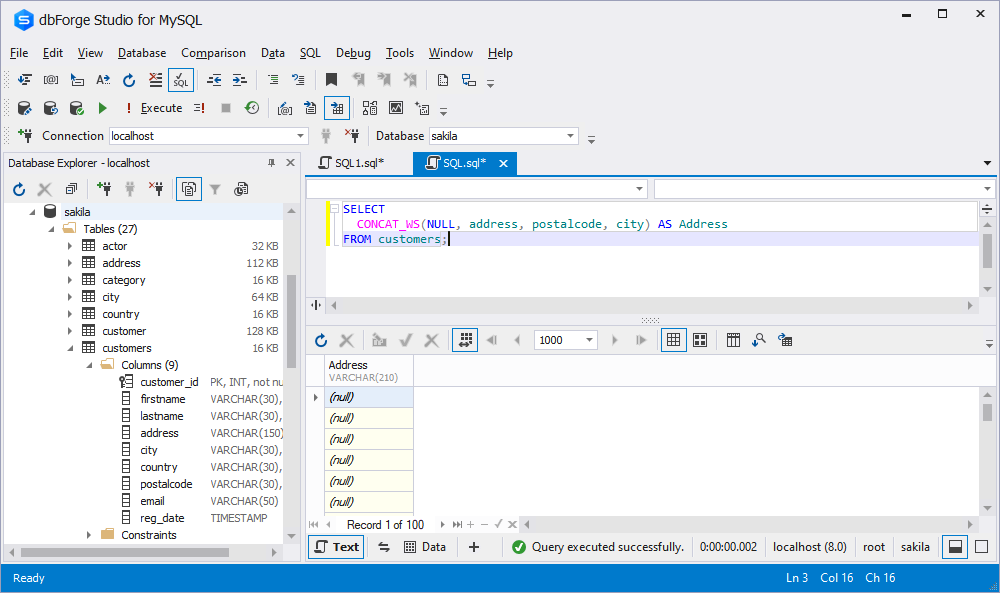
Handling NULL values
In the employee table, every record has all fields. But what if you have one or more fields with NULL values?
Let’s take an example of this case. Here, we update the record corresponding to ID = 2 and set the street address column to NULL.
 UPDATE employees
SET street = NULL
WHERE ID = 2; -- Update the record with ID 2
Query OK, 1 row affected (0.05 sec)
Rows matched: 1 Changed: 1 Warnings: 0 Then use CONCAT to select full_address .
SELECT CONCAT(street, ', ', city, ', ', state) AS full_address FROM employees;The output is:
 +---------------------------+
| full_address              |
+---------------------------+
| 123 Main St, New York, NY |
| NULL                      |
| 789 Oak St, Chicago, IL   |
| 321 Pine St, Houston, TX  |
| 555 Cedar St, Seattle, WA |
| 777 Maple St, Atlanta, GA |
| 999 Birch St, Miami, FL   |
| 111 Walnut St, Dallas, TX |
| 222 Cherry St, Denver, CO |
| 444 Pine St, Phoenix, AZ  |
+---------------------------+
10 rows in set (0.00 sec)
Note that the second element of the result set is NULL.
However, I would like the output to be a concatenation of city and state columns to get a rough idea of the address. If you have such NULL values, you can use CONCAT_WS instead of the CONCAT function. Let’s see how it works.
Handling NULL values when concatenating using CONCAT_WS
CONCAT_WS is an alternative to CONCAT that you can use if you suspect that one or more fields contain NULL values.
The CONCAT_WS function can be used as follows:
CONCAT_WS(separator, string_1, string_2,..., string_n)Then run the following SELECT query.
SELECT CONCAT_WS(', ', street, city, state) AS full_address FROM employees;I get the following output:
 +---------------------------+
| full_address              |
+---------------------------+
| 123 Main St, New York, NY |
| Boston, MA                |
| 789 Oak St, Chicago, IL   |
| 321 Pine St, Houston, TX  |
| 555 Cedar St, Seattle, WA |
| 777 Maple St, Atlanta, GA |
| 999 Birch St, Miami, FL   |
| 111 Walnut St, Dallas, TX |
| 222 Cherry St, Denver, CO |
| 444 Pine St, Phoenix, AZ  |
+---------------------------+
10 rows in set (0.01 sec)
As you can see, in the second item in the result set, we get “Boston MA” because street field is NULL.
⚠ When using CONCAT_WS, it is mandatory to specify a separator. If no delimiter is specified and one or more columns are NULL, the result is NULL (similar to CONCAT).
summary
Let’s review what we’ve learned so far.
- When querying database tables to retrieve data, you can concatenate multiple string columns to obtain more useful and easier to interpret query results. To do this, use the CONCAT function in SQL with the syntax
CONCAT(string_1, string_2, ..., string_n). - You can concatenate string literals, columns, or a combination of both. However, if there is one or more NULL values, the result for that particular record will be NULL. To handle this, you can use
CONCAT_WSwith the syntaxCONCAT_WS(separator, string_1, string_2, ..., string_n). -
CONCAT_WSHandles NULL values better by concatenating only the strings that are present using the specified delimiter.
Bookmark this SQL cheat sheet for a quick review of SQL commands and their usage.


![How to set up a Raspberry Pi web server in 2021 [Guide]](https://i0.wp.com/pcmanabu.com/wp-content/uploads/2019/10/web-server-02-309x198.png?w=1200&resize=1200,0&ssl=1)


